


movy is a terminal-based graphics and animation engine that brings pixel-level rendering, visual effects, and interactivity to text mode.
Overview
movy began with a simple vision - to bring real rendering power to the terminal - treating text mode as a programmable graphics environment rather than plain text output.
The engine provides:
- Layered rendering with alpha blending, z-ordering, and compositing.
- Programmable pipelines for chaining effects, transitions, and post-processing.
- Frame-based rendering - a float framebuffer with a persistent glow/bloom buffer and a built-in CRT post-fx stack (vignette, scanlines, flash, tint), giving a neon look essentially for free. Ideal for games and shader-toy-style demos.
- Sprite and surface abstraction for transparent drawing and dynamic frame animations.
- Half-block rendering for double vertical resolution.
- Animation control via IndexAnimators, waveform generators, and easing functions - driving frame indices, colors, positions, and other parameters.
- High-throughput output -
DiffOutputre-paints only the terminal rows that changed, with an optional background writer thread, for smooth 60fps even under tmux / ssh. - Keyboard, mouse, and kitty-protocol input - including true key press / repeat / release events on supporting terminals.
Rendering, animation, effects, and input are independent yet interoperable subsystems.
The result is a modular visual engine - expressive, composable, and built for creative experimentation.
(alien mouse move demo)
(dev snapshot of a game)
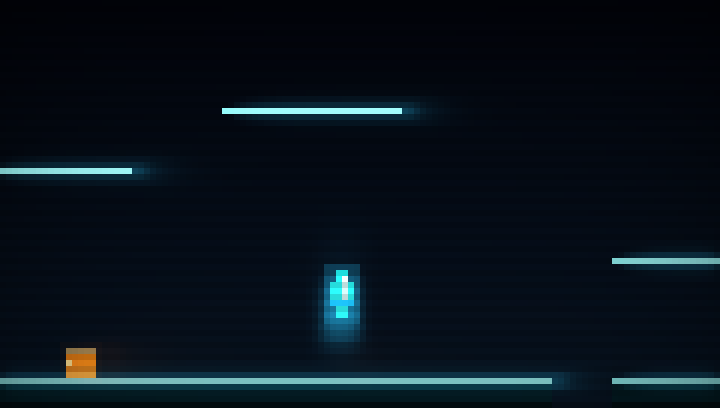
(frame-game - a neon platformer built on the new Frame rendering path - play it with zig build run-frame-game, read it in demos/frame-game)
Core Concepts
movy is organized around a few core types that coordinate how visuals are drawn, animated, and composed on screen.
For rendering specifically, movy offers two paths. They share the same RenderSurface, Screen, and terminal output, so you can mix them - but each is tuned for a different job:
| Path | Draw onto | Best for |
|---|---|---|
| Compositing Path | RenderSurfaces, layered through an effect pipeline |
UI, sprite scenes, video playback, transitions, demos that combine many independent visual layers |
| Frame Path | a single Frame (float framebuffer + glow + CRT post-fx) |
fast-moving games and shader-toy-style demos that want a neon look for free |
Rendering Path 1 - Compositing
Layered surfaces, composited through a programmable effect pipeline.
-
RenderSurface is the foundational structure - a 2D matrix of pixels (with optional text overlays) that anything visual draws onto. It supports alpha, can be resized, cleared, scaled, rotated, and converted to ANSI via
.toAnsi(). -
RenderEffect modifies a RenderSurface by applying visual transformations such as blur, dim, stretch, or color shifting. It receives input and output surfaces via a
RenderEffectContext, which handles size awareness and expansion when needed. Internally,RenderEffectacts as an interface and wraps an effect instance to make it compatible with chaining, pipelines, and dynamic surface management.
Each effect defines its ownrun()method andvalidate()method, and can optionally declare how much space it requires beyond the surface bounds. Effects can be run manually on surfaces, or exposed through a simpleasEffect()function to integrate cleanly into the rendering system. They will automatically operate withRenderEffectContext, gaining full expansion handling and chaining capabilities. -
RenderEffectContext bundles an input surface, an output surface, and tracks any applied surface expansion. It allows effects and chains to dynamically resize their output to support visuals like glow or shake.
-
RenderEffectChain is a reusable sequence of effects, applied in order to a
RenderEffectContext. It takes care of intermediate surface allocation and ensures the final output is properly expanded. It's ideal for chaining multiple post-processing steps like fade -> blur -> glow. -
RenderObject combines a
RenderEffectContextwith an optionalRenderEffectChain. It acts as a unit of rendering - providing a structured way to send a visual input surface through the effect system. The output surface is automatically created and kept in sync. (Conceptually, it's "a surface + maybe effects".) -
RenderPipeline processes a list of
RenderObjects. Each object's effect chain (if present) is run, and their results are composited using the RenderEngine. Optionally, a final post-processing chain can be applied to the merged result. -
RenderEngine performs the actual surface merge. It composites multiple
RenderSurfaces into a single output, applying z-ordering and visibility logic. It supports multiple blending modes: binary transparency for performance-critical rendering, and full Porter-Duff alpha compositing for true semi-transparent effects. This is used by the pipeline, UI system, and manual rendering flows.
Rendering Path 2 - Frame (neon-render layer)
A single float framebuffer with a built-in post-processing stack. Instead of compositing many surfaces, you draw straight into a Frame, which gives the neon look essentially for free. Great for games - see the frame-game demo for a complete, copy-able example.
-
Frame is a float framebuffer built on top of a
RenderSurface, with two layers and its own effect stack:- a
solidlayer for opaque colors (background, bodies, tiles) - you rewrite it each frame, and - a
glowlayer that is additive and persistent: everybeginFrame()it is blurred and decayed, then the frame's emissions are added on top. A bright thing at a still spot becomes a stable bloom; if it moves, you get a neon trail - with zero per-object bookkeeping.
composite()mixes the two and runs the post-fx chain -clamp(solid + glow)-> vignette -> scanline -> warmth -> flash -> tint - into the ownedRenderSurfacethatScreen/DiffOutputconsume. Drawing is simple:px / rect / hline / vline / shadeRectfor solid, andgpx / grect / ghline / gvline / gringfor glow.savePng()provides a headless screenshot dev loop (render N frames, save a PNG, look - no terminal needed). - a
-
color.V3 is the linear float color used while drawing (
V3{ r, g, b }, 0..1, allowed to exceed 1.0 while light accumulates - that's what makes glow bloom). Helpers:v3(r,g,b),.add / .scale / .mul / .lerp,.toRgb()/.fromRgb().composite()clamps and quantizes to 8-bit for you.
Output - shared by both paths
-
Screen holds the final output surface. Manually, it allows you to add
RenderSurfaces orSprites directly and callscreen.render()to composite them using the RenderEngine. Alternatively, its output surface can be rendered by the RenderPipeline, the UI Manager, or fed aFrame's composited surface. Finally,screen.output()prints the result to the terminal using ANSI escape sequences. -
DiffOutput is a faster, drop-in replacement for
screen.output(). It compares each terminal row against the previous frame and re-sends only the rows that changed (unchanged rows cost zero bytes), and in.threadedmode hands the blocking write to a background writer thread - so the render loop never stalls, dropping a frame instead of freezing. This is what keeps things smooth at 60fps, especially under tmux / ssh.
Sprite Rendering
- Sprites hold a SpriteFrameSet: an array of frames, each with its own RenderSurface.
- Changing the current frame index animates the sprite.
Animation Helpers
- IndexAnimator is a generic animation helper that updates indices over time. It supports forward, reverse, ping-pong, and one-shot modes, and can also be used for palette cycling, or any index based effects.
- TrigWave provides reusable sine and cosine generators with internal state. These simplify wave-based animations such as pulsing highlights, bobbing motion, or cyclic transitions.
- Easing - for easing curve based animations, functions for easing -in/-out/-inout are provided.
movy_video
movy_video adds full-motion video playback to the terminal, built on FFmpeg and SDL2.
- Video decoding for all FFmpeg-supported formats (.mp4, .h264, .avi, .mkv, .webm, etc.)
- Audio playback with synchronized timing using SDL2
- Frame scaling and conversion to RGB for terminal rendering
- Audio/video synchronization with configurable sync windows
- Seeking with forward/backward navigation
- Frame queueing for smooth playback
The module exposes a VideoDecoder type that manages the entire decode pipeline, from opening media files to extracting frames and audio samples. Video frames are automatically scaled and rendered to movy RenderSurface objects, allowing seamless integration with the rest of the rendering engine.
See movycat for a complete terminal video player built with movy_video.
FFmpeg Compatibility
movy_video has been tested and confirmed working with:
- FFmpeg 8.0 (macOS via Homebrew)
- FFmpeg 7.1.1 (Ubuntu via apt)
The module uses the modern FFmpeg channel layout API (AVChannelLayout) and is compatible with both FFmpeg 7.x and 8.x versions.
Building
Works with zig 0.15.2
zig build              # build without ffmpeg dependencies, movy_video
zig build -Dvideo=true # build full movy incl movy_video, requires ffmpeg
Testing
Tests currently cover:
- RenderEngine: composition modes, alpha blending
- Sprite: splitting functions
- Indexanimator
- RenderSurface: scaling
zig build test
Documentation
- Guides - Documentation on core concepts like RenderSurface and RenderEngine, written for developers new to movy
- Examples - Code examples demonstrating specific features (alpha blending, PNG loading, sprite animations, rotation / scaling, ...)
- Demos - Programs showcasing visual effects, animations, and interaction
- Release Notes - What's new in the latest release (see CHANGELOG.md for the full history)
The sections are being updated frequently.
[!TIP] Building a game? Start with frame-game. It's a complete, copy-able neon platformer that shows the new Frame rendering path end to end - persistent glow/bloom, linear float
V3color, 60fpsDiffOutput, and kitty-protocol input - alongside sub-pixel platformer physics, tile collision, and a follow camera with screen shake.zig build run-frame-game # play it zig build run-frame-game -- --shot 160 out.png # headless: render 160 frames to a PNGIts README is a full walkthrough of the Frame path.
Showcase: Built with movy
| Project | Description | Preview |
|---|---|---|
| 1ST-SHOT | Terminal bullet-hell shooter with SID audio | |
| movycat | Terminal video player | |
| Your project here? | Post in the Community Showcase Discussion! |
Contributing
movy is a work of love and dedicated vision, still evolving rapidly. External code contributions are paused for now, but ideas and feedback are always welcome - see CONTRIBUTING.md for details.
Made with <3 and Zig