
MPaste
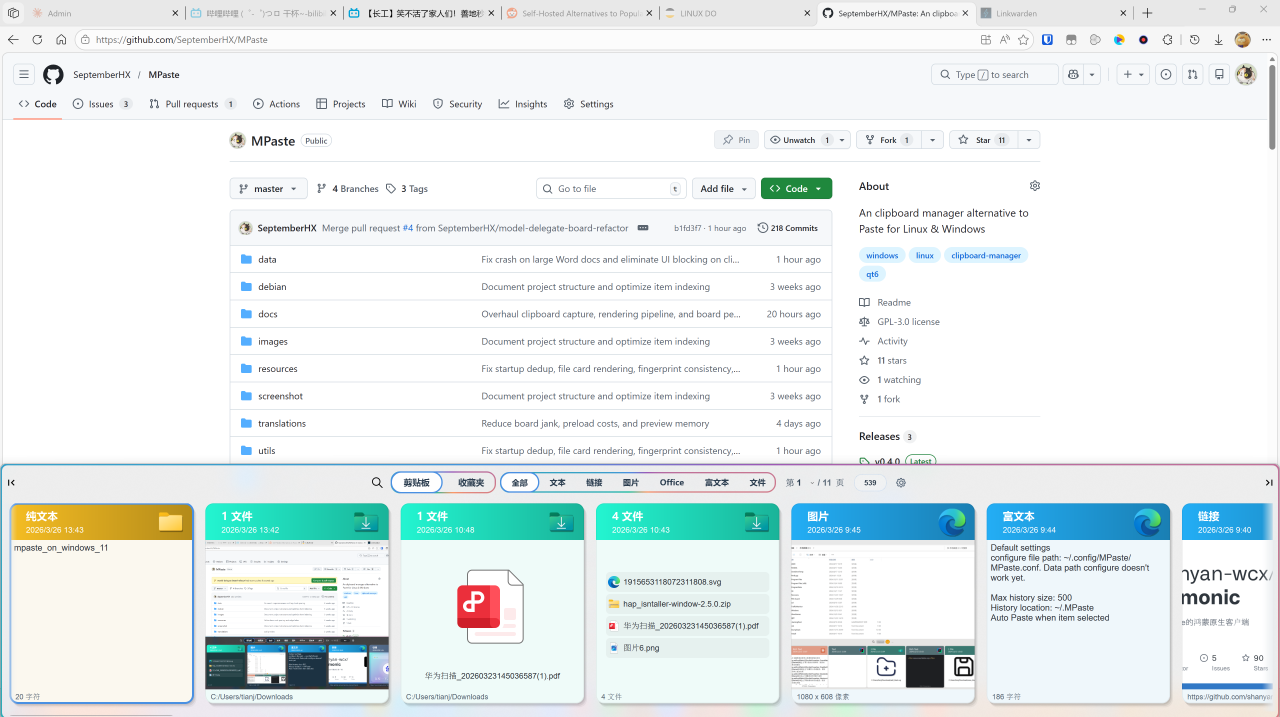
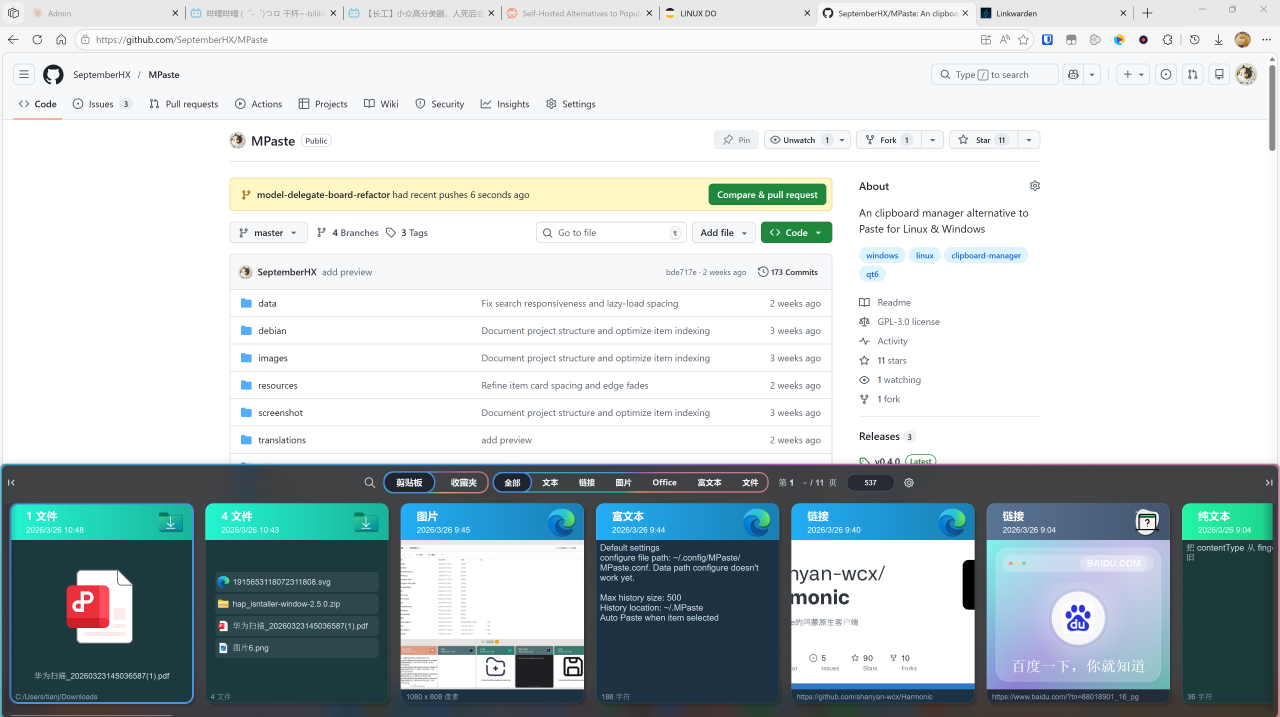
A modern clipboard manager for Windows and Linux, inspired by Paste for macOS.
MPaste has no affiliation with Paste for Mac. I just like its UX design and decided to build one in Qt.
Light mode:
Dark mode:
Features
- Clipboard history — automatically captures text, links, images, rich text, files, colors, and Office content
- Card-based UI — each clipboard item rendered as a visual card with icon, thumbnail, and metadata
- Boards — "Clipboard" for live history, "Starred" for favorites; pin or star items independently
- Search & filter — type to search, filter by content type
- Quick paste —
Alt+[1-9, 0]to paste by position;Ctrl+EnterorAlt+Shift+[1-9, 0]to paste as plain text - Space preview — press
Spaceto open a large, zoomable preview of the selected item - Dark / Light / System theme — full theme support with smooth switching
- Auto paste — optionally paste immediately on item selection
- Persistent history — clipboard items saved to disk in
.mpaste v4format with embedded thumbnails - Link preview — fetches OpenGraph metadata and favicons for URL items
- Multi-select —
Ctrl/Shiftclick to select multiple items for bulk favorite or delete - Configurable retention — auto-cleanup history by days, weeks, or months
- Global hotkey — assign a system shortcut to toggle the MPaste window
Keyboard Shortcuts
| Shortcut | Action |
|---|---|
Alt+[1-9, 0] |
Quick select and paste |
Alt+Shift+[1-9, 0] |
Quick select and paste as plain text |
Ctrl+Enter |
Paste selected item as plain text |
Space |
Toggle preview |
Left / Right |
Navigate items |
Tab |
Switch boards |
| Any character | Enter search mode |
Hold Alt to show shortcut hints on cards.
Platform Notes
Windows
- Global hotkey uses
Alt-based toggle with Office/WPS ribbon-keytip avoidance - Paste injection via simulated keypress (
Ctrl+V,Shift+Insert, etc.)
Linux
- X11 support with
xdotoolintegration - Wayland: window icons cannot be fetched (see
PlatformRelated.h) - On GNOME, install Focus My Window for proper focus after hotkey activation
- Deepin V20: download
.debfrom the release page
Configuration
Config file: ~/.config/MPaste/MPaste.conf
| Setting | Default |
|---|---|
| Max history size | 500 |
| History location | ~/.MPaste |
| Auto paste | On |
Build from Source
Requirements
- C++17 compiler
- CMake 3.7+
- Qt 6 (Widgets, Multimedia, Network, Xml)
Linux
sudo apt install cmake g++ make libkf5windowsystem-dev qttools5-dev libqt5x11extras5-dev qtmultimedia5-dev libgsettings-qt-dev
git clone https://github.com/SeptemberHX/MPaste
cd MPaste
mkdir build && cd build
cmake ..
make -j8
Windows
cmake -B build -DMPASTE_QT_ROOT=C:/Qt/6.8.0/mingw_64
cmake --build build
Optional CMake flags:
| Flag | Description |
|---|---|
-DMPASTE_QT_ROOT=<path> |
Qt installation prefix |
-DMPASTE_MINGW_BIN_DIR=<path> |
MinGW runtime directory |
-DMPASTE_ENABLE_WINDOWS_DEPLOY=OFF |
Disable post-build packaging |
Rendering Backend
Control the OpenGL backend via MPASTE_OPENGL_BACKEND environment variable:
| Value | Behavior |
|---|---|
auto |
System default |
gles |
Force OpenGL ES |
software |
Force software rendering |
Credits
- KDSingleApplication
- Sound effects from Zapsplat
- Icons by Pixel Perfect from Flaticon