
MPEG-DASH & HLS NodeJS Online Streaming
Streaming a video online requires a smart techonology. HLS and MPEG-DASH streaming allows us to stream any video over HTTP giving a great user experience. This application allows you to convert any standard video into HLS or MPEG-DASH Format and store it in Firebase Storage. The video has a unique URL which allows user to play the video in any supported player. 😄
Title: Sniper Will Smith (Gemini Man) Scene
Sample URL: Play in Shaka Player
Manifest URL: Copy Link
Credits: The video is not owned by me. All rights owned by Paramount Pictures
🔰 Setting Up the Project
- The project has a few external dependencies listed below which are required, So I have made a bash script - dependencies.sh which can easily install and setup the required dependencies on
Windows,MacOSandLinux. ForWindowsyou just need to write./dependencies.shin Git Bash and forMacOSandLinuxyou need to run the same command in Terminal. - To start the project, first install the node modules via the command
npm installand then to run the project in PRODUCTION mode usenpm startand in DEVELOPMENT mode usenpm dev.
🔨 Architecture Design
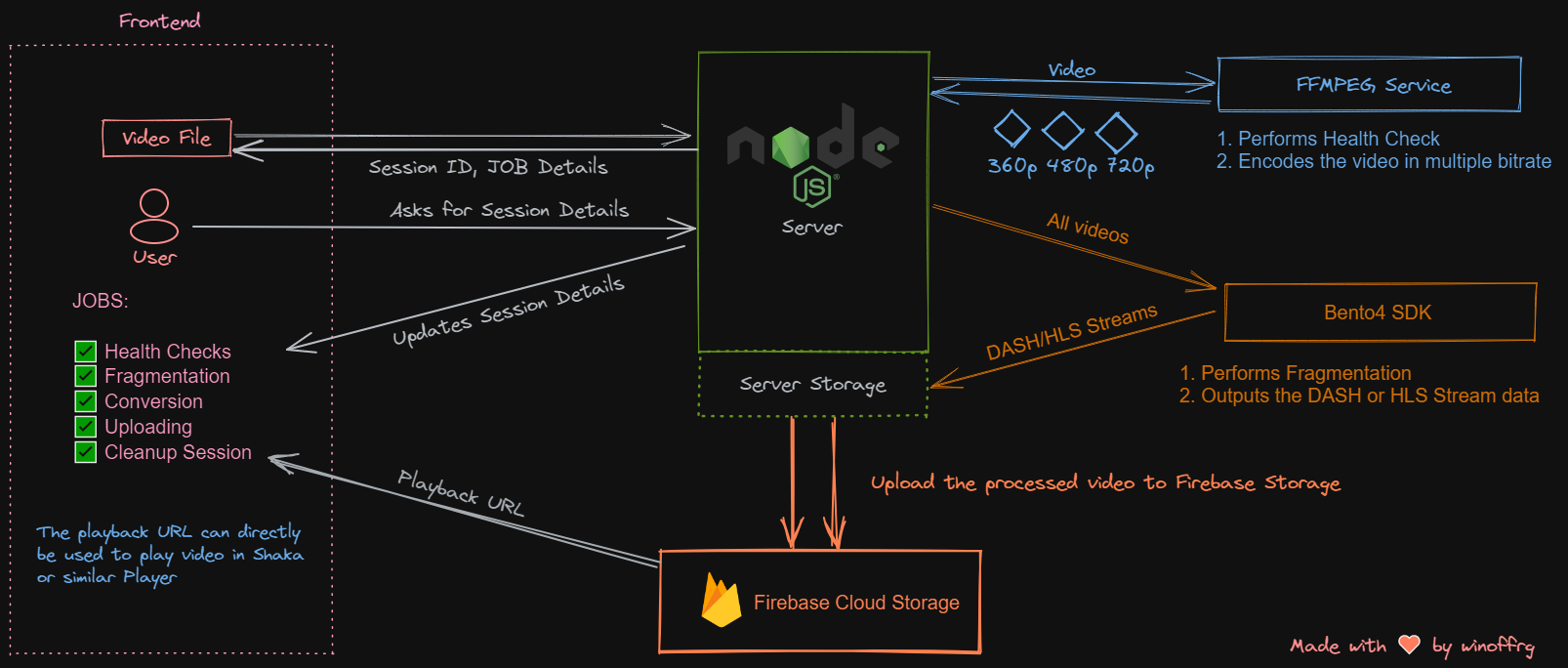
📑 API Documentation
-
Upload Video
Request Type Endpoint Meta POST/api/admin/uploadWill allow you to upload video files and get session ID. Headers:
Key Value Required Content-Typemultipart/form-dataFalse Body:
 Type:form-data
 key: file, value: #FileToUpload
Response:
 {
     "session":"f6b7c492-e78f-4b26-b95f-81ea8ca21a18",       <unique-session-id>
     "contentId":1642708128072,                              <unique-content-id>
     "fileType":".mp4",                                      <file-extension-type>
     "expiry":"22/1/2022, 1:18 am"                           <session-expiry>
 }
Developer's Note:
- The API had been beautifully designed to handle edge cases like
Max File Limit,Known File Types, Fallback in case of Failure. - Multer Library has been used to handle the file upload.
- Proper Error Codes are also available to the user in Response.
- The API had been beautifully designed to handle edge cases like
-
Video Status API
Request Type Endpoint Meta GETapi/admin/:sessionID/statusUser must pass the session ID in the URL. Headers:
Key Value Required None None Response:
 {
     "session": "f6b7c492-e78f-4b26-b95f-81ea8ca21a18",
     "contentId": 1642708128072,
     "fileType": ".mp4",
     "expiry": "22/1/2022, 1:18 am",
     "data": {
         "type": "timeline",
         "status": "complete",
         "jobs": {
             "health": "success",
             "fragments": "success",
             "converting": "success",
             "uploading": "success",
             "cleaning": "success"
         }
     },
     "publicURL": "https://storage.googleapis.com/nodejs-streaming.appspot.com/uploads/f6b7c492-e78f-4b26-b95f-81ea8ca21a18/1642708128072/manifest.mpd"
 }
Developer's Note:
- This route is a ping route especially designed for frontend to show the current session updates and status of each job.
- I have maintained a
status.jsonfile under each session which contains the above information and is updated every time a job is processed in the backend. - Once the
statusis successful, thepublicURLof the video is visible in response.
📷 Screenshots
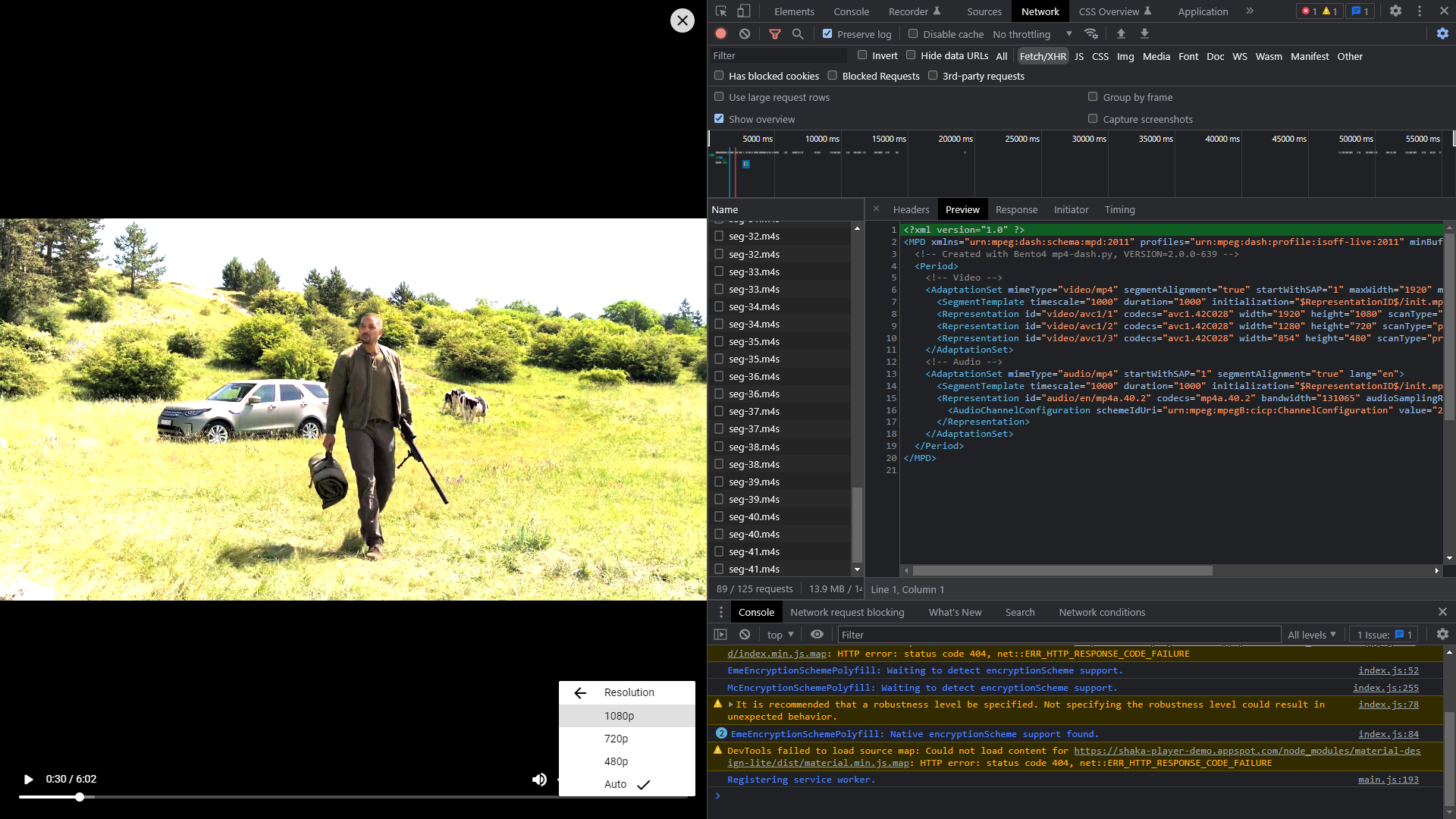
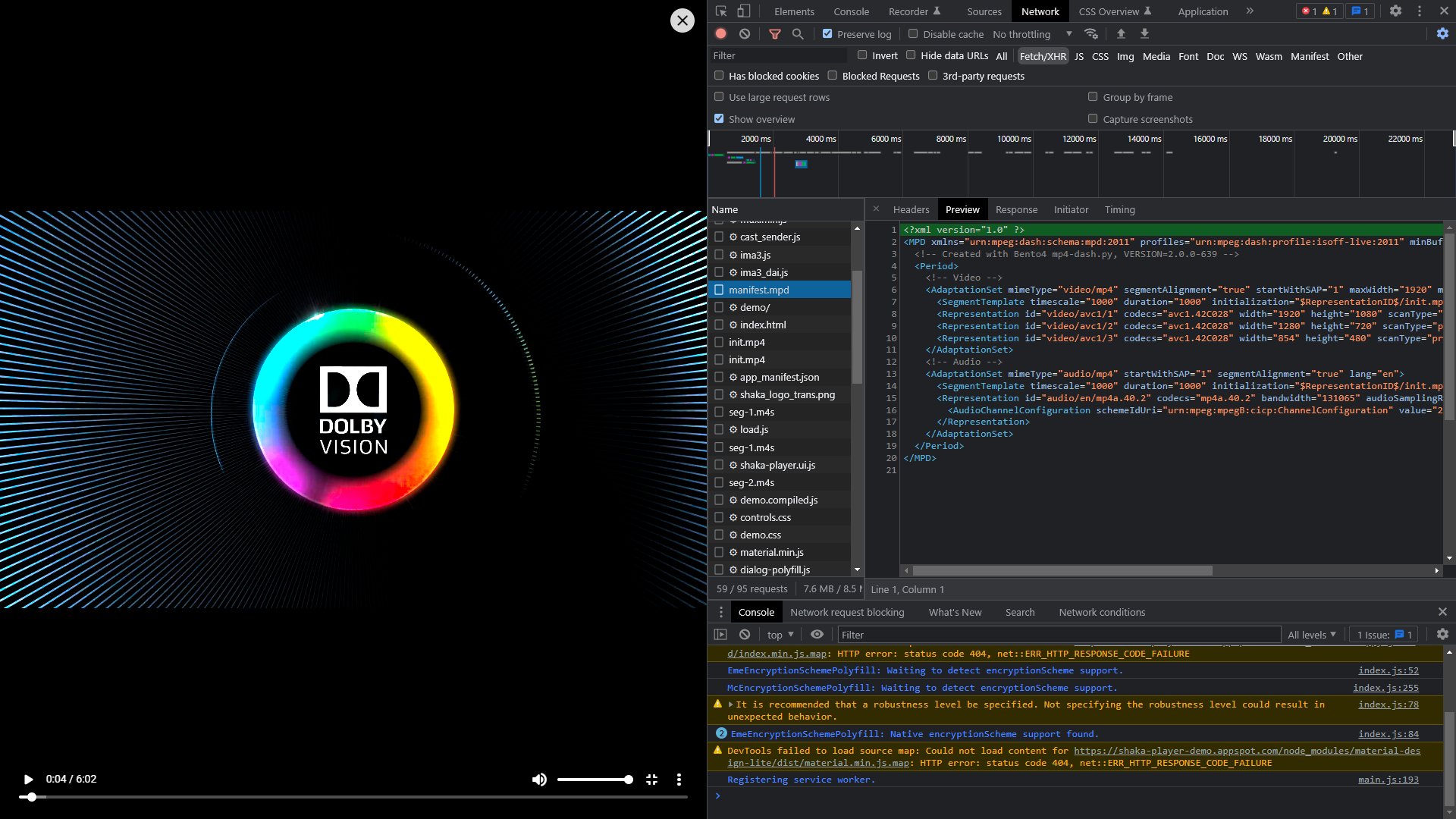
🏁 TODO / Extensions
- Add support for multiple file uploads
- Multiple Bitrate Enconding via FFMPEG
- Delete/Restore User Session
- Option to choose between HLS and MPEG-DASH