
multi-scrobbler





A dockerized app that monitors your music listening activity from everywhere and scrobbles it anywhere.
- Supports scrobbling from many Sources
- Azuracast
- Deezer
- Google Cast (Chromecast)
- Icecast
- Jellyfin
- JRiver
- Kodi
- Koito
- Last.fm
- Last.fm (Endpoint)
- Libre.fm
- ListenBrainz
- ListenBrainz (Endpoint)
- Maloja
- Mopidy
- MPD (Music Player Daemon)
- MPRIS (Linux Desktop)
- Musikcube
- Music Assistant
- Plex
- Rocksky
- Sonos
- Spotify
- Subsonic-compatible APIs (like Airsonic and Navidrome)
- teal.fm
- WebScrobbler
- VLC
- Yamaha MusicCast
- Youtube Music
- Supports scrobbling to many Clients
- Monitor status of Sources and Clients using webhooks (Gotify, Ntfy, Apprise), healthcheck endpoints, or prometheus metrics.
- Supports Now Playing for scrobble Clients
- Supports configuring for single or multiple users (scrobbling for your friends and family!)
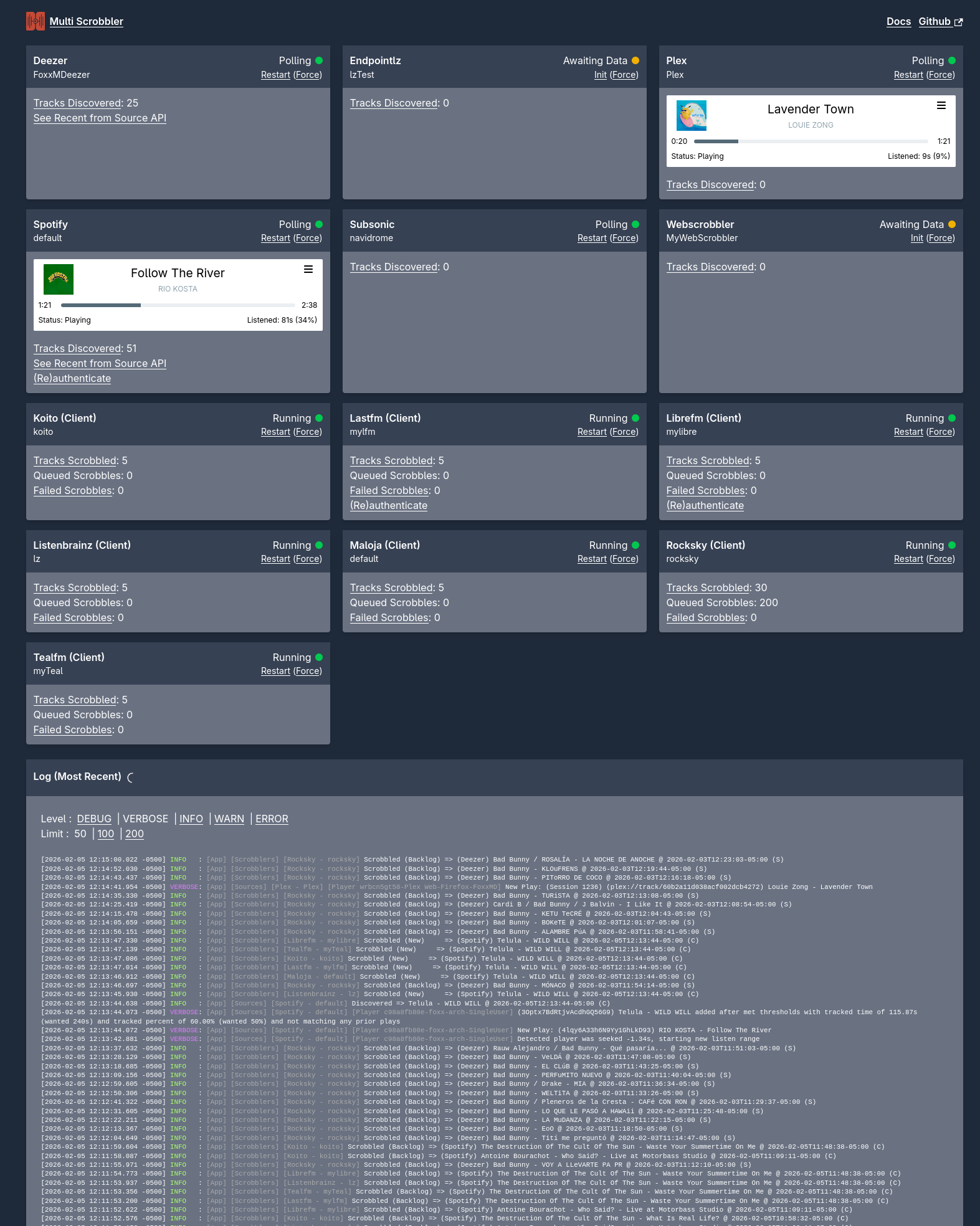
- Web server interface for stats, basic control, and detailed logs
- Graceful network and client failure handling (queued scrobbles that auto-retry)
- Smart handling of credentials (persistent, authorization through app)
- Easy configuration through ENVs or JSON
- Modify data before scrobbling with regular expression or search patterns
- Install using Docker images for x86/ARM or locally with NodeJS
Why should I use this over a browser extension and/or mobile app scrobbler?
- Platform independent -- Because multi-scrobbler communicates directly with service APIs it will scrobble everything you play regardless of where you play it. No more need for apps on every platform you use!
- Open-source -- Get peace of mind knowing exactly how your personal data is being handled.
- Track your activity regardless of where you listen -- Scrobble from many Sources to one Client with ease and without duplicating tracks.
- Manage scrobbling for others -- Scrobble for your friends and family without any setup on their part. Easily silo sources to specific clients to keep plays separate.
But I already scrobble my music to Last.fm/ListenBrainz, is multi-scrobbler for me?
Yes! You can use Last.fm as a Source or Listenbrainz as a Source to forward scrobbles from your profile to any other Client! That way you can keep your current scrobble setup as-is but still get the benefit of capturing your data to a self-hosted location.
How Does multi-scrobbler (MS) Work?
You set up configurations for one or more Sources and one or more Clients. MS monitors all of your configured Sources. When new tracks are played by a Source MS grabs that information and then sends it (scrobbles it) to all Clients that Source is configured to forward to.
Source
A Source is a data source that contains information about music you are playing or have listened to, such as: a desktop player, web music player, or cloud music service. Examples are Spotify, Jellyfin, Plex, Youtube Music, Navidrome, etc...
Source configurations consist of:
- A friendly name.
- Any data needed to communicate or authenticate with the Source.
- An optional list of Client names that the Source should scrobble to. If omitted the Source also scrobbles to all configured Clients.
Client
A Client is an application that stores the historical information about what music you have played (scrobbles). Examples are Koito, Last.fm, Listenbrainz...
Client configurations consist of:
- A friendly name.
- Any data needed to communicate or authenticate with the Client.
Quick Start
Installation
See the Installation documentation
Configuration
See the Configuration documentation
Usage
A status page with statistics, recent logs, and some runtime configuration options can be found at
http://localhost:9078
Output is also provided to stdout/stderr as well as file if specified in configuration.
On first startup you may need to authorize Spotify and/or Last.fm by visiting the callback URL (which can also be accessed from the status page). Visit the status page above to find the applicable link to trigger this.
Help/FAQ
Having issues with connections or configuration? Check the FAQ before creating an issue!
Development
Detailed architecture and development guides for Sources/Clients
License
MIT