
Deployment
Intro
This repository contains a customized version of N8N, an extendable tool for workflow automation.
This customized version is focused on chatbots development, integrating nodes that allow to connect chatbot development platforms like Dialogflow.
Also, this version is auto deployable on Heroku PaaS. You only need to click on the next button to deploy in less than one minute:

Configuration
When you click on Deploy to Heroku some configuration variables will be required to you. Here you have a description of each variable:
| Config Var | Description |
|---|---|
| APP_NAME | Your app name. Must be equal to the name that you introduced in App name field. |
| N8N_BASIC_AUTH_USER | This username will be required to you each time you access to the tool. |
| N8N_BASIC_AUTH_PASSWORD | This password will be required to you each time you access to the tool. |
Custom nodes for chatbots
Here is a list of custom nodes that we have added to N8N to make it useful for chatbots:
| Name | Description |
|---|---|
| Dialogflow Trigger | Allows to accept a Dialogflow Fulfillment Request. |
| Dialogflow Response | Allows to return a Dialogflow text response. |
License
You can read about N8N license here.
Examples
Weather Chatbot (OpenWeatherMap + Dialogflow + N8N)
1. Add a OpenWeatherMap credential to N8N
https://docs.n8n.io/credentials/openWeatherMap/#openweathermap
2. Import intents on Dialogflow
3. Import flow on N8N
4. Use your credentials
Modify N8N with [!] symbol with your OpenWeatherMap credential created on step 1.
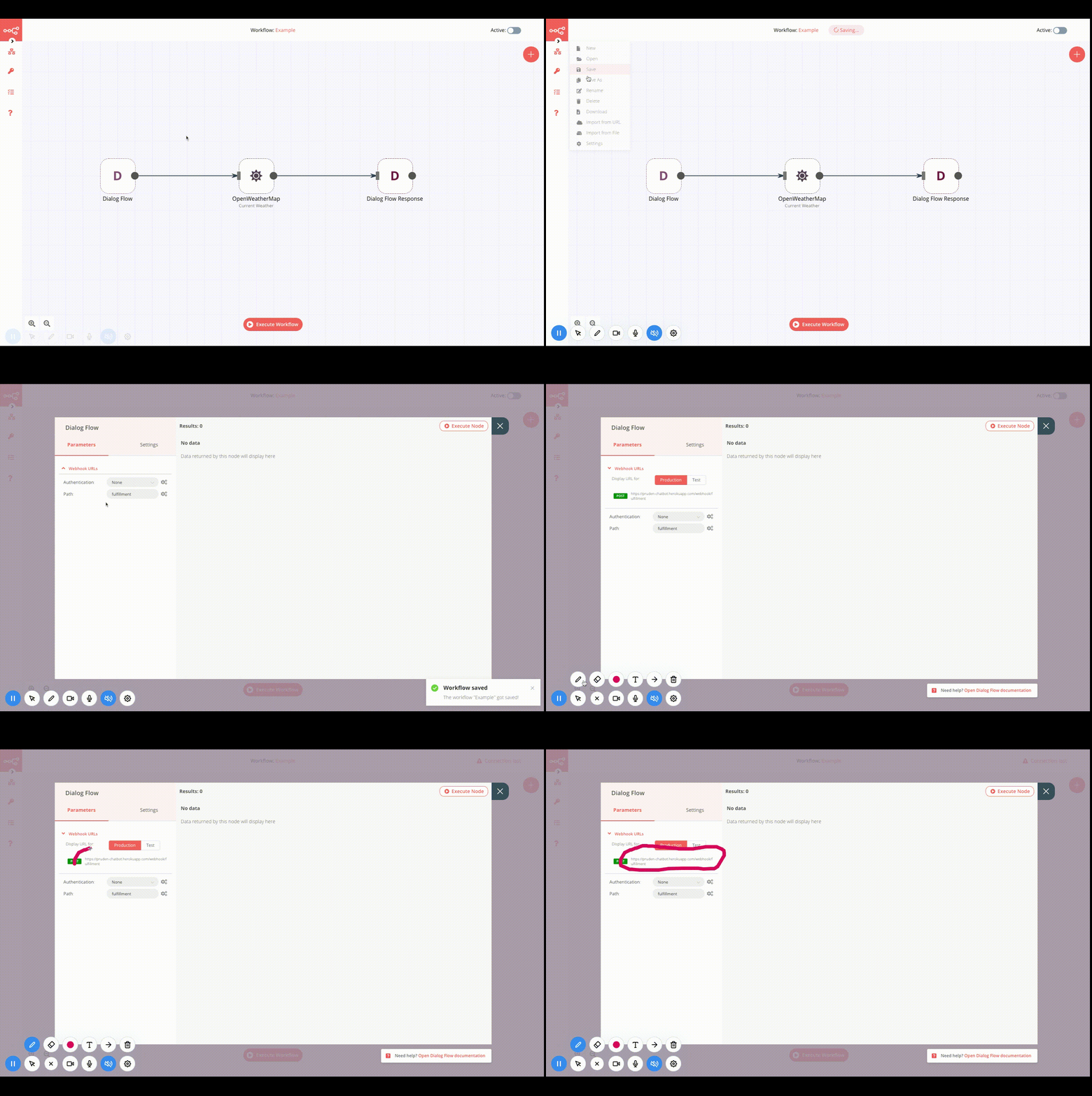
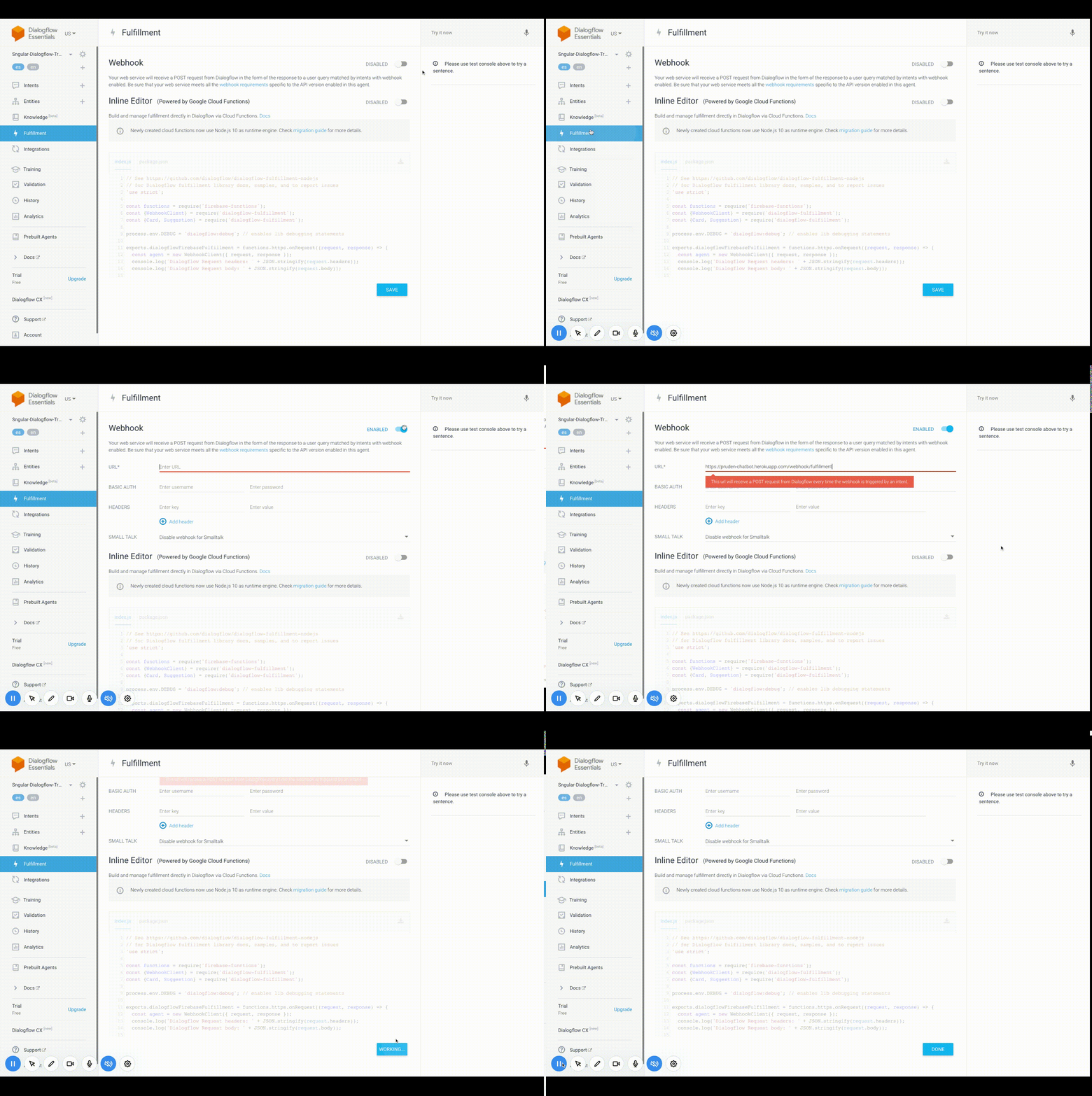
5. Save your N8N flow and add your fulfillment URL
Questions Chatbot (Google Sheets + Dialogflow + N8N)
1. Add a Google API service account credential to N8N
- Get Service Account: https://docs.n8n.io/credentials/google/#using-service-account
- Enable Google Sheets API: https://support.google.com/googleapi/answer/6158841?hl=en
2. Import intents on Dialogflow
3. Import flow on N8N
4. Use your credentials
Modify N8N with [!] symbol with your Google API credential created on step 1.
5. Connect a Google Sheet page
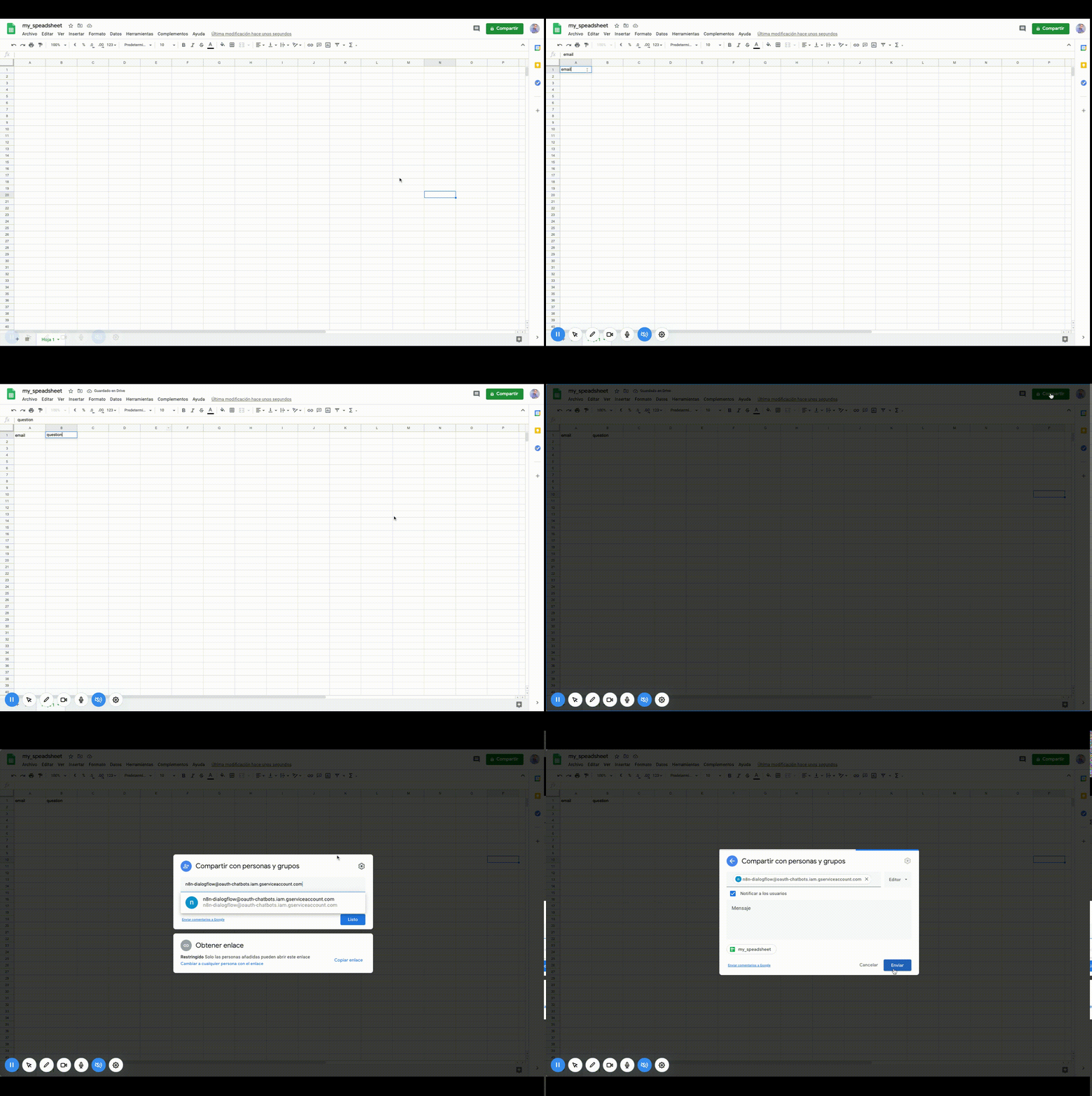
Your created google spreadsheet will have an URL like this:
https://docs.google.com/spreadsheets/d/[YOUR_SPREADSHEET_ID]/edit
Copy your spreadsheet ID and paste it on the N8N nodes with Google Sheet symbol.
6. Save your N8N flow and add your fulfillment URL