
My n8n workflow
Contribution Welcome!
Table of contents generated with markdown-toc
Notion mind map
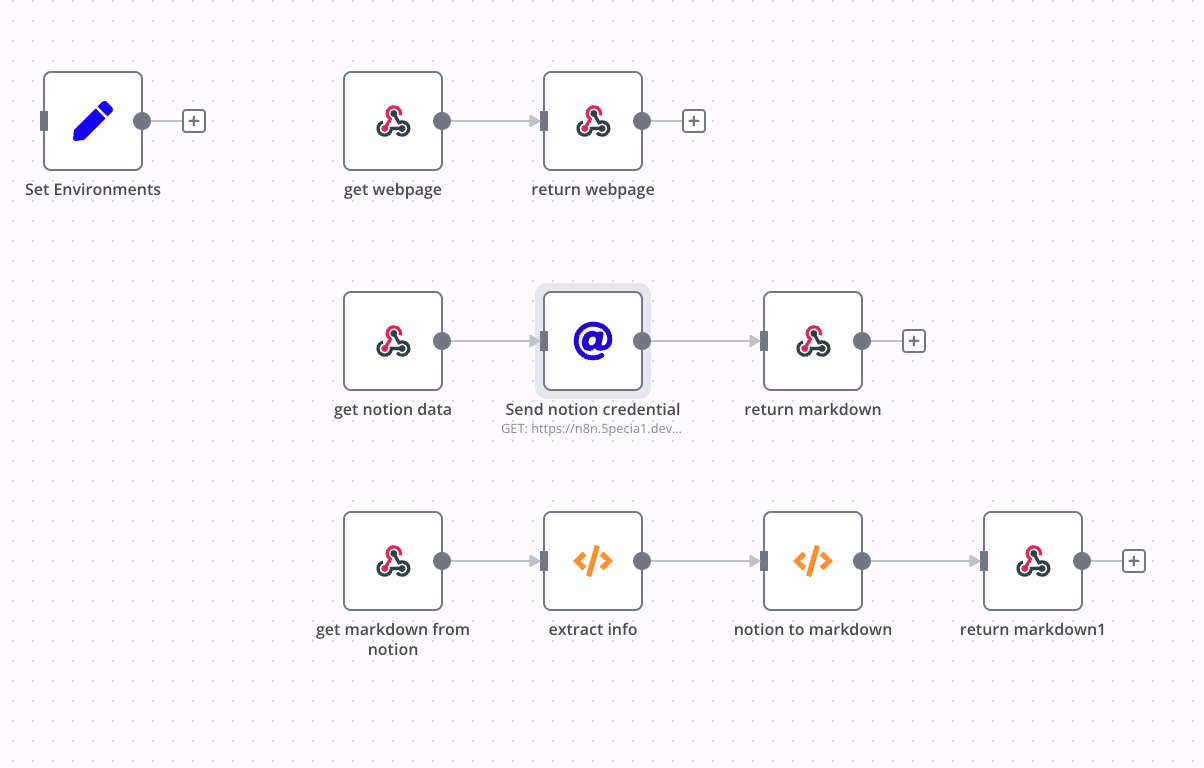
Example
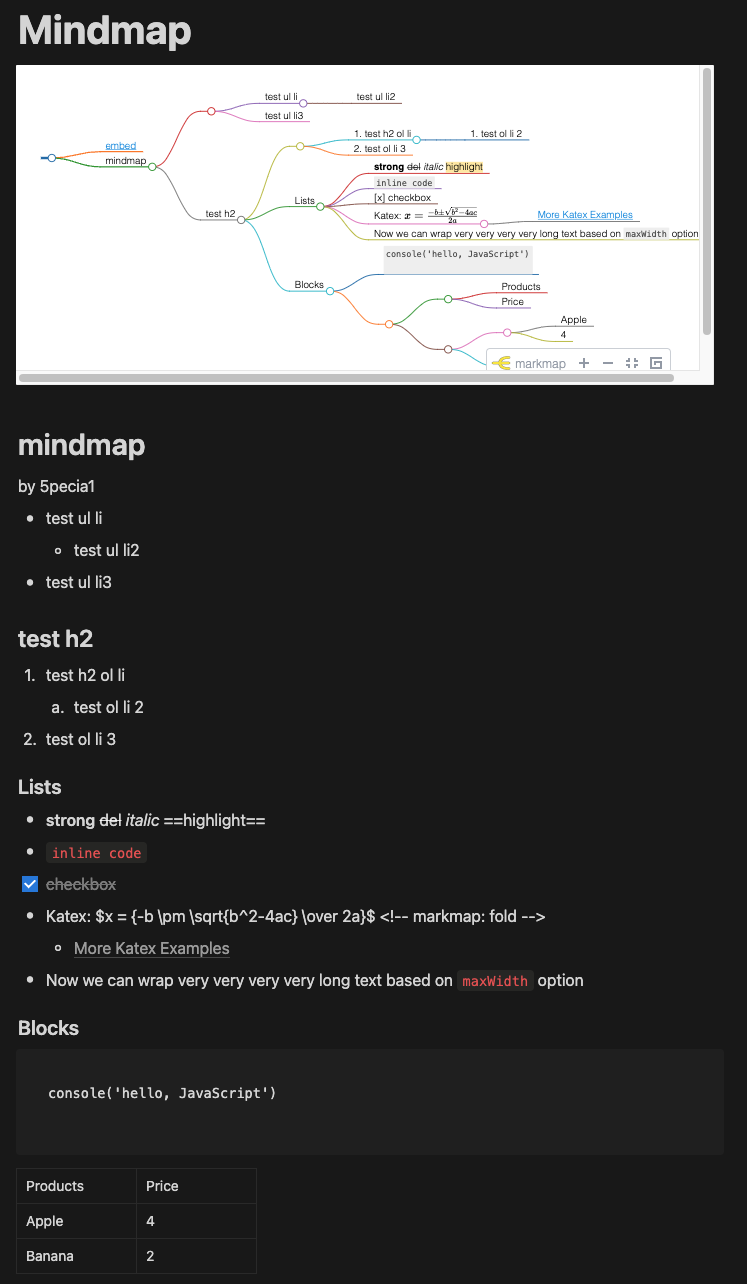
Feature
- 1 way sync(notion -> mind map)
- sync every 1 second
- Image
- Table
Use
Prerequisites
- linux
- docker
- docker-compose
- node v18
Set And Run
- install npm(only linux)
$ cd notion-mindmap $ npm install - run docker container
$ docker-compose up -d - open and import workflow
- open http://localhost:5678
- Click
Workflows(upper left) - Click
Add workflow - Click three dot button and
Import from File - Select
./notion-mindmap/Notion__Mindmap.json
- Set Notion Credentials in n8n
- Notion reference: https://docs.n8n.io/credentials/notion/
- Change your notion information in workflow nodes(
Send notion credential) - Set your n8n url in
Set Environmentsnode (ex. http://localhost:5678) - Active this workflows
checkActivebutton (upper right)
USAGE
- Copy notion page url(ctrl + l)
- Add n8n connections in page(ref:
Set And Run > 4. Set Notion Credentials in n8n)
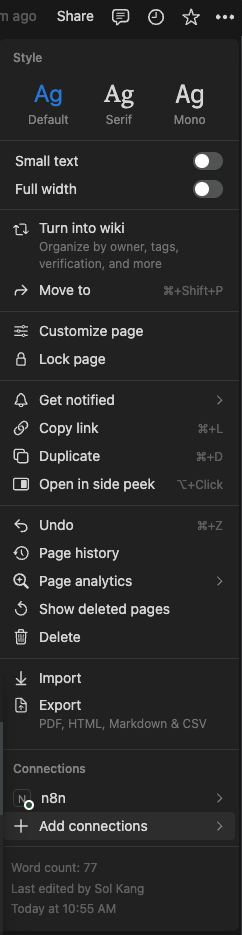
- embed mindmap url in notion page (ex: http://localhost:5678/workflow/xxxx-xx-xx-xx?notion={notion url})
[Upgrading]notion & google calendar 2 way sync
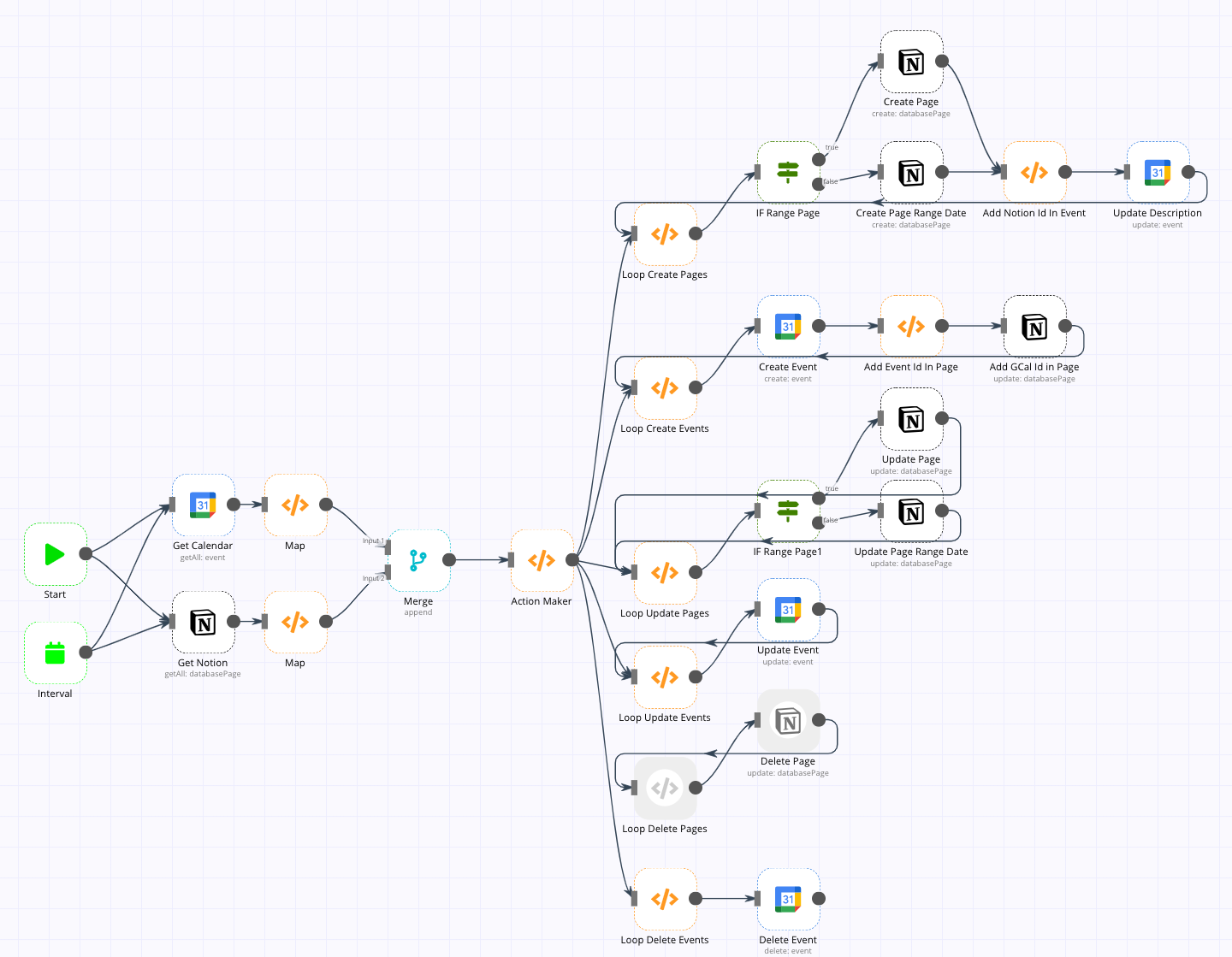
Feature
- sync every 20 minutes(default, you can change it)
- create
- notion -> gcal
- gcal -> notion
- update
There is a bug with alternating updates for ranged all day. The result is no problem.
- notion -> gcal
- gcal -> notion
- delete
- notion -> gcal
- gcal -> notion
Notion do not support delete api
- support recurring events(coming soon)
- easy setup
- combine setting data in workflow
- using offical n8n
When the task is finished, you can use it without installing docker.
- contribute bug fix
Use
Prerequisites
- docker
Set And Run
- Pull and run docker container
$ docker run -d --restart always -e N8N_PORT=5678 -v ./n8n:/home/node/.n8n -p 5678:5678 --name n8n 5pecia1/n8n-custom:latestCurrent latest offical n8n have bug about notion and gcal.
So, You use my custom n8n image. - Open and import workflow
- open http://localhost:5678
- Click
Workflows(upper left) - Click
Import from File - Select
./notion-gcal-2way-sync/Notion__Calendar_Sync.json
- Set Google OAuth Credentials, Notion Credentials in n8n
- Google OAuth reference: https://docs.n8n.io/credentials/google/#using-service-account
- Notion reference: https://docs.n8n.io/credentials/notion/
- Make properties in Notion Page in DB
- name:
GCal Id, type: text
- name:
- Change your calendar, notion information in workflow nodes
Nodes ChekclistSet Environmentsnotion date property's Value
Start-End Timechange to your date property name in notion dbtime zone's Value find your timezone in TZ database name
Get Notion- Notion API
- Database ID
Get Calendar,- Google Calendar OAuth
- Calendar ID
Create Evnet,Update Description,Update Evnet,Delete Event- Google Calendar OAuth
Create Page,Create Page Range Date,Update Page,Update Page Range Date- Notion API
- Set Interval
- set interval in
Intervalnode
- set interval in
- test workflow
ClickExecute Workflow(bottom) - Active this workflows
checkActivebutton (upper right)
USAGE
- sync page to event
- new page
Creating a property(ex. Start-End Time) of the base date in the page creates a new event. - update page
If you modify the property of the standard date in the page, the existing event is updated. - delete page
If you delete the property of the base date in the page, the event is deleted.
- new page
- sync evnet to page
- new event
If you create an event by writing the event name afternotion:, a new page is created.
example.notion: this is new event name - update evnet
Modifying the date of the event also modifies the date on the page.
- new event
Develop
notion-gcal-2-way-sync#README.md