
✨ NexaraCart
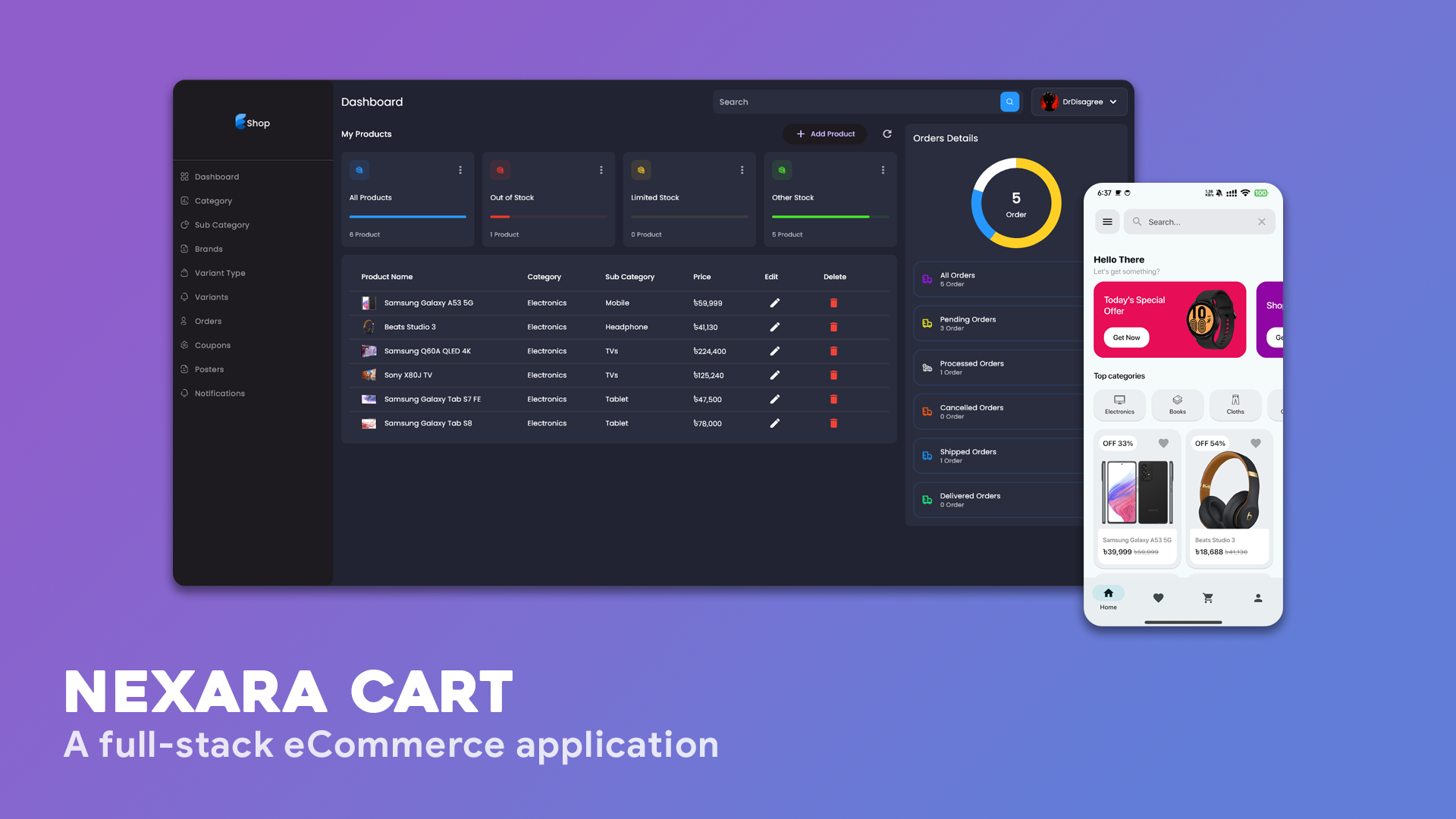
This repository contains a fully production-ready full-stack eCommerce application, designed for scalability and performance. The platform includes a robust admin panel, providing seamless management of products, orders, and users.
Screenshots 📱
Features 🔥
-
User Management: Register, login, and manage user profiles.
-
Product Catalog: Browse, search, and filter products with detailed descriptions.
-
Shopping Cart: Add, remove, and update items in the cart.
-
Order Processing: Secure checkout process with order history tracking.
-
Admin Panel: Comprehensive admin dashboard for managing products, orders, and everything.
-
Notification System: Send notifications to users directly from the admin panel.
Architecture 🗼
This app uses Flutter and Provider app state management.
Build-Tool 🧰
You need to have Android Studio and Visual Studio Code to build this project.
Prerequisite 📋
-
Node.js v18.16.0
-
npm v9.5.1
Getting Started 🚀
Setup:
-
Go to
server_side>.env> Paste your MongoDB connection string, Stripe publishable key, Stripe secret key, Razorpay API key (optional), OneSignal APP ID and OneSignal Rest API key. -
Go to
client_side>admin_panel>lib>utility>constants.dart> ChangeMAIN_URLwith your server URL. -
Go to
client_side>nexara_cart>lib>utility>constants.dart> ChangeSERVER_URLand OneSignal APP ID with yours.
Build and run:
-
To run the server:
- Open
server_sidefolder with visual studio code. - Copy each command from
server_side>guides>README.md. - Exceute one by one in terminal.
- Open
-
To run the admin panel:
- Open
admin_panelfolder with android studio. - Run
main.darton Desktop or Web. (do not run on mobile)
- Open
-
To run the client app:
- Open
nexara_cartfolder with android studio. - Run
main.darton mobile or virtual emulator.
- Open
Contact 📩
Wanna reach out to me? DM me at 👇
Email: [email protected]
Credits 🤝
- Flutter ECommerce App with Admin Panel by rapid flutter
Disclaimer 📋
I decided to work on this project to learn Flutter full-stack development. Just to be clear, I don't own any part of it. I simply fixed some issues and added features to improve it.