
Next Bookstore (Beta)
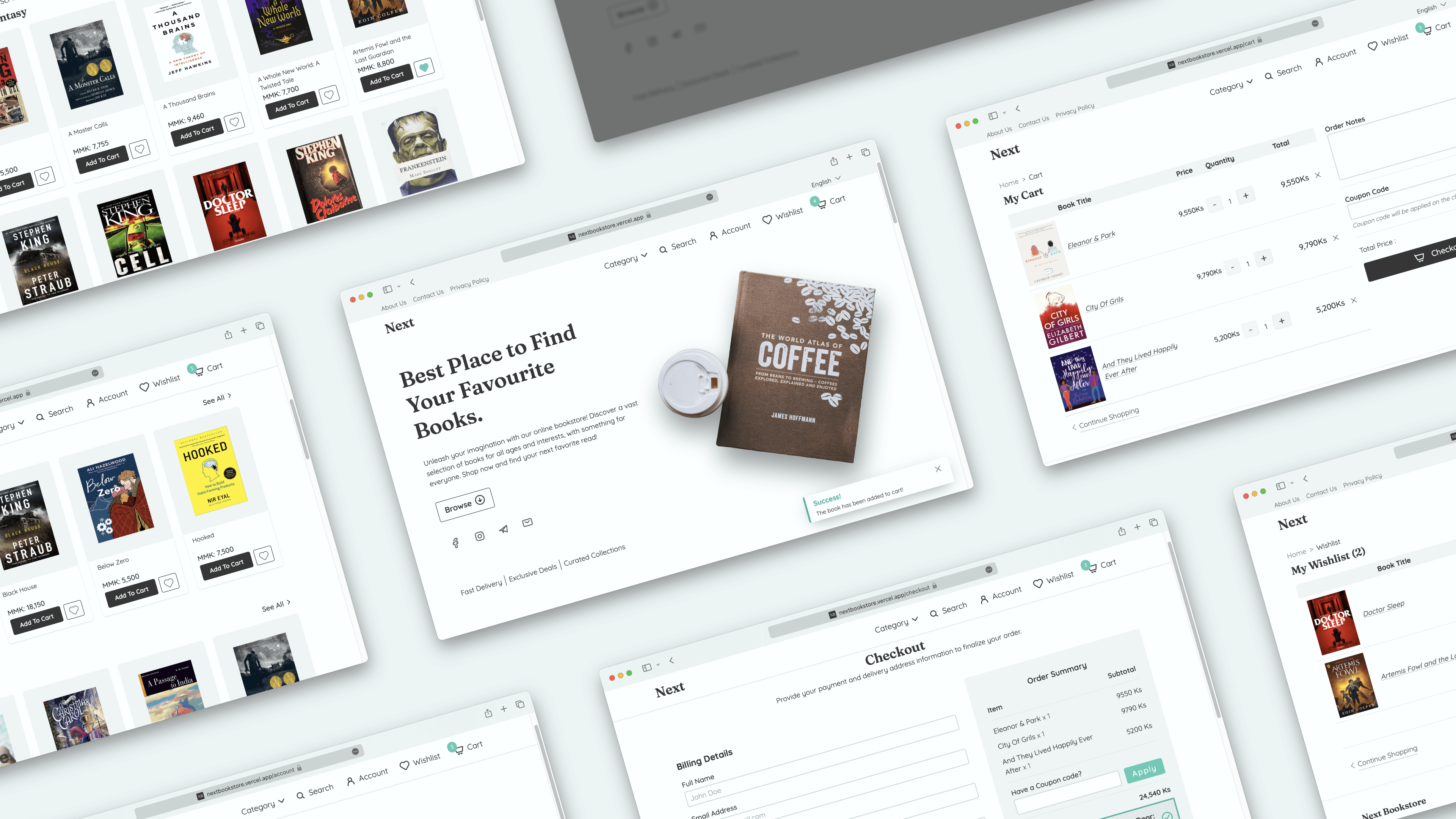
An e-commerce project for an online bookstore developed using NextJS 13 and its experimental appDir. Frontend UI is crafted with radix-ui and TailwindCSS. To manage server and client state, TanStack Query and Zustand are used respectively. StrapiCMS serves as the backend for this project.
I designed the entire UI/UX using Figma and created the database design myself. Additionally, I developed this web application from scratch, handling all aspects of the development process.
Features 🔥
- Responsive Design
- Search Functionality
- Add To Cart
- Add To Wishlist
- SEO-friendly
- Accessible
Features (Coming Soon 👀) 🚧
The following are the features and functionalities to be added in the future.
- Order Processing
- Filtering Items
- Better Pagination
- Better Error Handling
- Better Loading UI with Next 13
- Accessibility enhancements
- Security improvements
- PWA? 🤷🏻♂️
- Testing? 🤷🏻♂️
Technologies Used 👨🏻💻
- NextJS 13 with appDir - frontend development
- TypeScript - type checking
- Radix UI - accessible components
- TailwindCSS - styling
- Zustand - client state
- Tanstack-Query & Axios - data fetching and server state
- React-hook-form - form management
- Eslint - linting
- Figma - UI/UX
- StrapiCMS - backend
- Cloudinary - image hosting
- Vercel & Railway - frontend & backend hosting
Installation 🔮
To run the project locally, follow these steps:
Clone the repository:
git clone https://github.com/satnaing/next-bookstore.git
Install dependencies for frontend:
cd next-bookstore && npm install
Install dependencies for backend:
cd backend && npm install
Start the frontend: (at the root /)
npm run dev
Start the backend:
cd backend && npm run develop
Open your browser and go to http://localhost:3000
Important Note ⚠️
I have intentionally committed the backend/.tmp/data.db file to the GitHub repository. This is because I did not want to set up a separate database for the project and connect it to my free backend hosting. Please note that this approach is not recommended for production-level applications. In a real-world scenario, I would use a more robust DBMS like PostgreSQL, with proper hosting and security configurations.
Photo Credits 📸
- Hero section image: Photo by Evgeny Tchebotarev from Pexels
- About Page background: Photo by Min An from Pexels
- About Page other image: Photo by Marta Dzedyshko from Pexels
Contributing ✨
Contributions are welcome! If you find a bug or want to suggest an improvement, please open an issue or submit a pull request.
License 📜
This project is licensed under the MIT License. See the LICENSE file for details.