
Next.js v14 E-commerce Starter Kit 💻
Ready to use Next.js v14 (TypeScript) E-commerce Starter Kit
Free 👍. Ready to use 😎. Just clone & deploy! 🤘
Features
- Next.js v14 - The new App router
- 3 different checkout flows - it gives you tips about own checkout flow implementation and payment gateway integration.
- Stripe Checkout
- Boundless Checkout with PayPal
- Custom Checkout form
- Authentication: Sign Up, Sign In, Password Restore, Sign out
- My orders page
- Boundless Webhook handler: on Update/Insert/Delete appropriate cache will be invalidated
- Simple codebase without complex dependencies (no Redux and other code coherence)
Online Demo ⚡️
nextjs-ecommerce-starter-kit.vercel.app
About Boundless Commerce

Boundless-commerce.com - API’s First Headless E-commerce CMS: We Provide An Admin-Side For Store Management, Powerful API, And Ready-To-Use Checkout Area.
Self-Hosted solution
There is an option for Running Boundless-Commerce on your own server. Read more at Open-Source Headless eCommerce Platform
Getting Started
- Go to Boundless-commerce.com and create a free account (no credit card required).
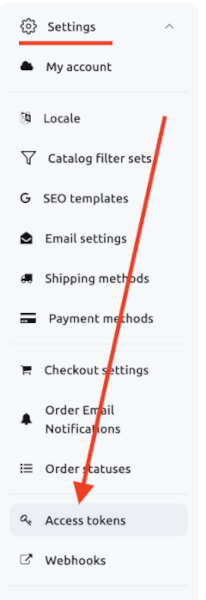
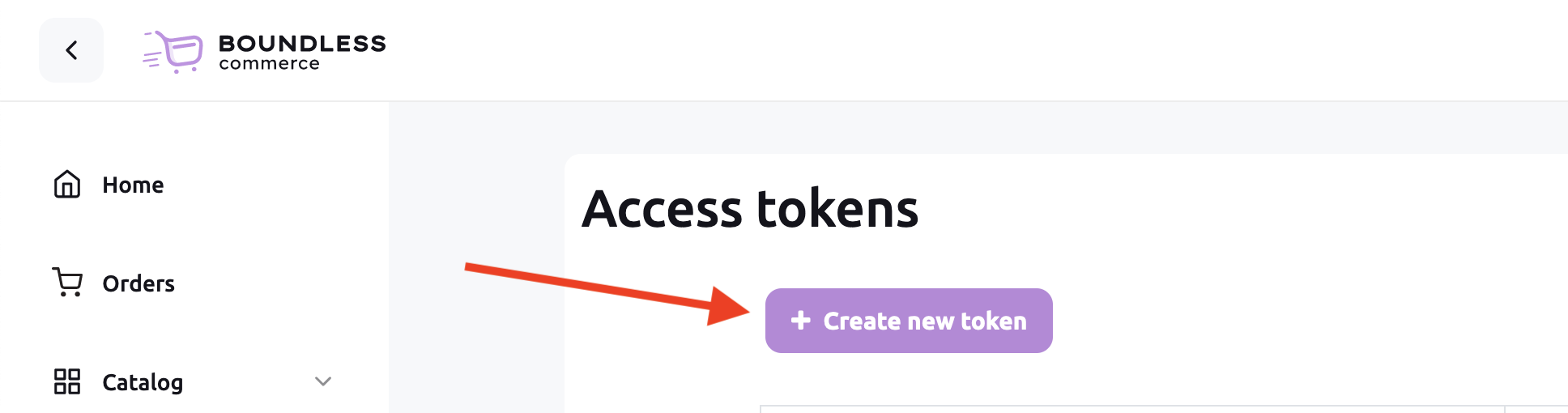
- Go to "Control panel" -> "Settings" -> "Access tokens" and create a new one:
- Copy
.env.exampleto.env.local - Modify
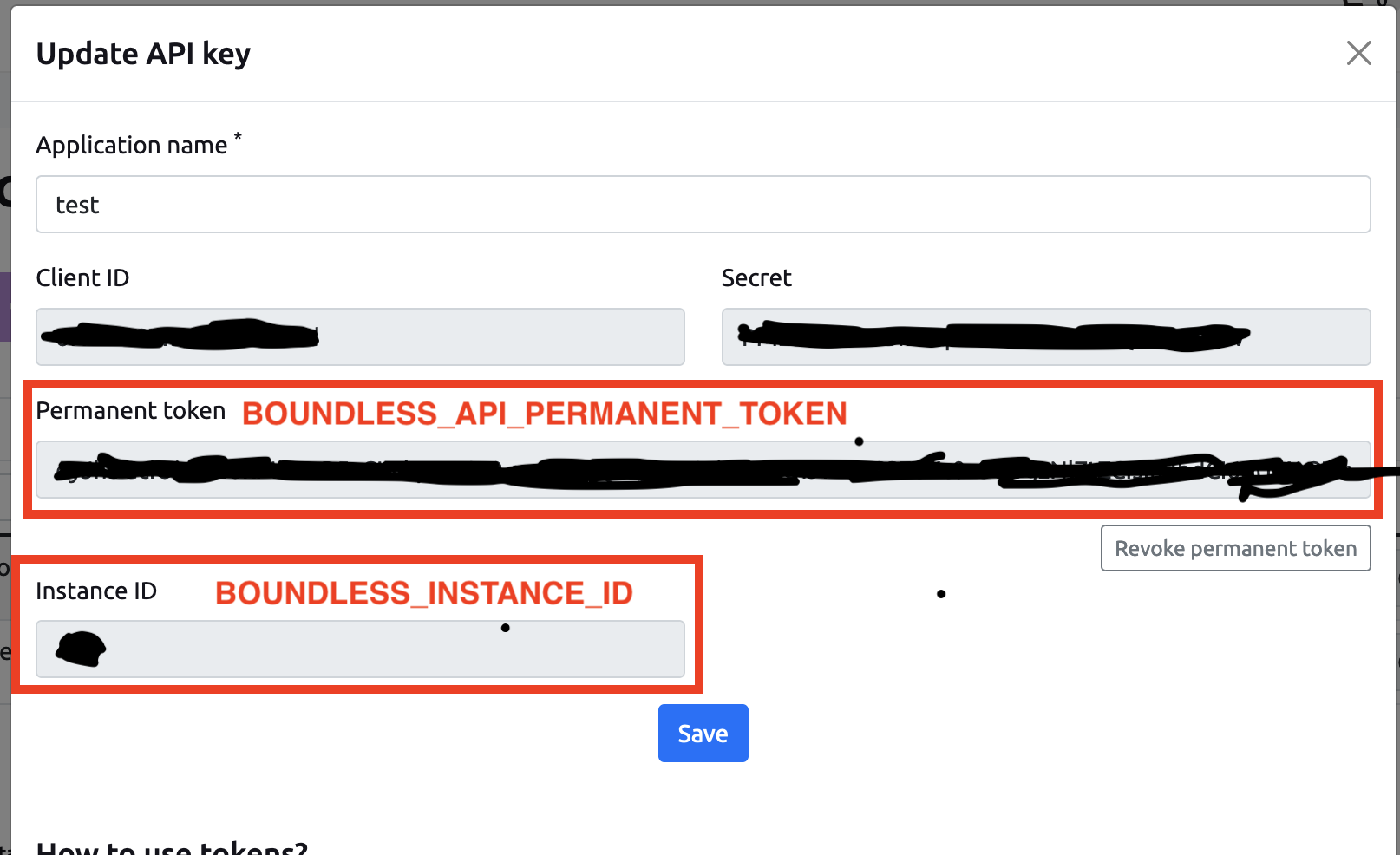
.env.local: put values for theNEXT_PUBLIC_BOUNDLESS_API_PERMANENT_TOKENandNEXT_PUBLIC_BOUNDLESS_INSTANCE_ID, copy values from:
If you want to use Stripe, put values for NEXT_PUBLIC_STRIPE_PUBLISHABLE_KEY, STRIPE_SECRET_KEY and BOUNDLESS_MANAGEMENT_TOKEN.
BOUNDLESS_MANAGEMENT_TOKEN it is token like NEXT_PUBLIC_BOUNDLESS_API_PERMANENT_TOKEN, but management rights should be enabled.
- Install dependencies:
npm install npm run dev- to start locally, then openhttp://localhost:3000
Set Up Webhook Handler
- Go to "Control panel" -> "Settings" -> "Webhooks" and create a new one:

- Create a new webhook:

You need to specify absolute URL to the webhook handler, e.g.: http://localhost:3000/api/on-update-hook. Then specify a secret key and put it as an ENV variable: WEBHOOK_SIGN_KEY.
- Save.
NextJS and React eCommerce templates - Free. Ready to use. Just clone & deploy!