
Niloy Bhowmick
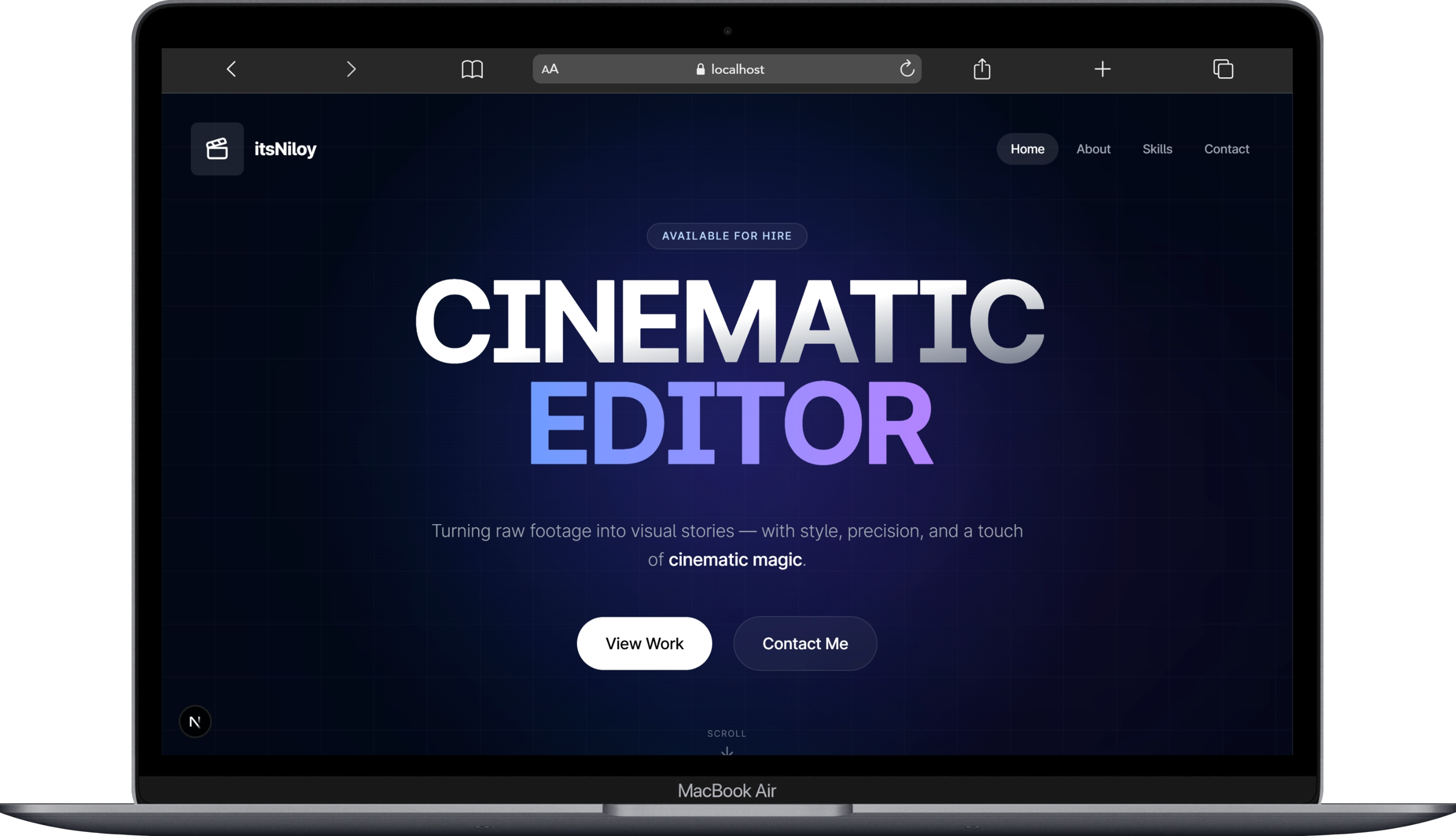
Midnight Liquid Glass Portfolio
A premium, responsive video editing portfolio built with modern web technologies.




✨ Design Philosophy: Midnight Liquid Glass
This project implements a unique "Midnight Liquid Glass" aesthetic, focusing on deep blacks, neon accents, and organic fluidity.
- Frosted Glass 2.0: Premium
backdrop-blur-3xlwith milky-white tint for distinct separation. - Unified Liquid Navigation: A shapeshifting navbar that fluidly expands to contain mobile menus.
- Dynamic Interactions: Mouse-following gradients and spotlight effects.
- YouTube Integration: Custom light-weight players with high-quality playback enforcement.
🚀 Getting Started
Prerequisites
- Node.js 22+
- pnpm package manager
Installation
-
Clone the repository
git clone https://github.com/maruf-pfc/niloy-bhowmick.git cd niloy-bhowmick -
Install dependencies
pnpm install -
Set up environment variables
cp .env.example .envAdd your environment variables:
RESEND_API_KEY=your_resend_api_key_here NEXT_PUBLIC_SITE_URL=https://www.itsniloy.me -
Run the development server
pnpm dev -
Open your browser Navigate to http://localhost:3000
Building for Production
pnpm build
pnpm start
🚀 Deployment
Vercel (Recommended)
- Push code to GitHub.
- Connect repository to Vercel.
- Add environment variables in Vercel dashboard:
RESEND_API_KEY=your_production_resend_key NEXT_PUBLIC_SITE_URL=https://www.itsniloy.me - Deploy automatically.
Other Platforms
- Netlify: Static site deployment with form handling.
- AWS Amplify: Full-stack deployment with API integration.
- GitHub Pages: Static deployment (limited functionality).
📂 Project Structure
📦niloy-bhowmick
 ┣ 📂public
 ┃ ┣ 📂companies
 ┃ ┣ 📂project-images
 ┃ ┣ 📂tools
 ┃ ┣ 📜demo.png
 ┃ ┣ 📜logo-transparent.png
 ┃ ┣ 📜logo-white.png
 ┃ ┣ 📜niloybhowmick.png
 ┃ ┗ 📜not-found.jpg
 ┣ 📂src
 ┃ ┣ 📂app
 ┃ ┃ ┣ 📂_services
 ┃ ┃ ┣ 📂about
 ┃ ┃ ┣ 📂api
 ┃ ┃ ┃ ┗ 📂send-email
 ┃ ┃ ┣ 📂contact
 ┃ ┃ ┣ 📂project
 ┃ ┃ ┣ 📂skills
 ┃ ┃ ┣ 📜favicon.ico
 ┃ ┃ ┣ 📜globals.css
 ┃ ┃ ┣ 📜layout.tsx
 ┃ ┃ ┣ 📜loading.tsx
 ┃ ┃ ┣ 📜not-found.tsx
 ┃ ┃ ┗ 📜page.tsx
 ┃ ┣ 📂components
 ┃ ┃ ┣ 📂animate-ui
 ┃ ┃ ┣ 📂ui
 ┃ ┃ ┣ 📜CTASection.tsx
 ┃ ┃ ┣ 📜email-template.tsx
 ┃ ┃ ┣ 📜footer.tsx
 ┃ ┃ ┣ 📜glassmorphism-card.tsx
 ┃ ┃ ┣ 📜intro-animation.tsx
 ┃ ┃ ┣ 📜jump-to-top.tsx
 ┃ ┃ ┣ 📜mouse-move-effect.tsx
 ┃ ┃ ┣ 📜navbar.tsx
 ┃ ┃ ┗ 📜theme-provider.tsx
 ┃ ┣ 📂db
 ┃ ┃ ┣ 📜categories.ts
 ┃ ┃ ┣ 📜clients.ts
 ┃ ┃ ┣ 📜data.ts
 ┃ ┃ ┗ 📜skills.ts
 ┃ ┣ 📂hooks
 ┃ ┃ ┗ 📜use-mobile.tsx
 ┃ ┣ 📂lib
 ┃ ┃ ┣ 📜helper.ts
 ┃ ┃ ┗ 📜utils.ts
 ┃ ┣ 📂styles
 ┃ ┗ 📂types
 ┃ ┃ ┣ 📜cta.ts
 ┃ ┃ ┗ 📜videos.ts
 ┣ 📜.dockerignore
 ┣ 📜.env
 ┣ 📜.gitignore
 ┣ 📜Dockerfile
 ┣ 📜LICENSE
 ┣ 📜README.md
 ┣ 📜components.json
 ┣ 📜eslint.config.mjs
 ┣ 📜next-env.d.ts
 ┣ 📜next.config.ts
 ┣ 📜package.json
 ┣ 📜pnpm-lock.yaml
 ┣ 📜postcss.config.mjs
 ┗ 📜tsconfig.json
📝 Adding New Video Projects
To add a new project, simply edit src/lib/data.ts. No new code required!
export const videoProjectsData = {
  "Talking Head": [
    {
      id: "unique-video-id",
      video_title: "Your Video Title",
      video_description: "Detailed description...",
      tags: ["Tag1", "Tag2"],
      cover_image: "youtube-video-id",
      publish_date: "2024-01-01",
      client_name: "Client Name",
      client_image: "/companies/client-logo.png",
      client_feedback: "Client testimonial...",
      video_link: "https://youtu.be/video-id",
      project_images: ["/path/to/image1.jpg"],
      category: "Talking Head",
      duration: "5:30",
      software_used: ["DaVinci Resolve", "After Effects"],
    },
  ],
};
🛠️ Tech Stack
- Core: Next.js 15, TypeScript
- Styling: Tailwind CSS, Shadcn/ui
- Animation: Framer Motion
- Backend: Resend (Email), Server Actions