
nin
A simple, full-featured command line todo app
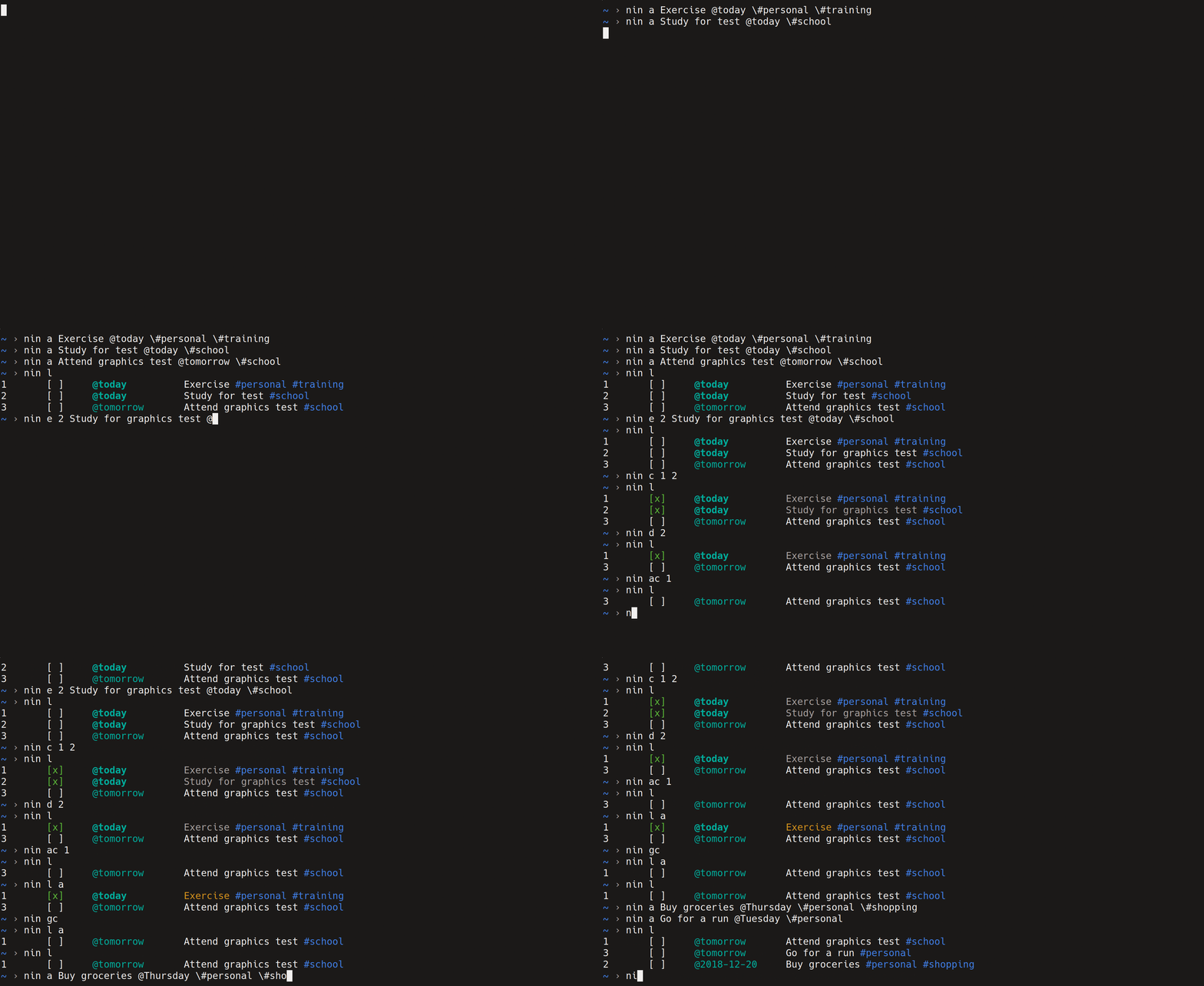


Features
- Simple, intuitive, and easy-to-use CLI
- Currently supports: listing, adding, editing, deleting, completing, archiving, prioritizing, and analyzing todo items
- Integration and synchronization with Todoist (With potential integration with more platforms)
- Smart colored output
- Uses YAML for storage by default (There's the option to add other stores but no configuration for it, yet)
- Modular code covered by unit tests
Installation
gem install nin
Usage
NAME:
        nin - a simple, full-featured command line todo app

USAGE:
        nin COMMAND [arguments...]

COMMANDS:
        l  | list          [a|l]      List all unarchived todos. Pass optional argument `a` to list all todos or `l` to list local todos only
        a  | add           desc       Add a todo. Prepend due date by a @. Prepend each tag by a \#
        e  | edit          id desc    Edit a todo. Prepend due date by a @. Prepend each tag by a \#
        p  | prioritize    id step    Prioritize a todo by either a positive or negative step within its date group
        c  | complete      id(s)      Un/complete todo(s)
        ac | archive       id(s)|c    Un/archive todo(s) or pass `c` to archive all completed items
        d  | delete        id(s)      Delete todo(s)
        gc | garbage                  Delete all archived todos. Resets item ids as a side effect
        s  | analyze                  Analyze tasks and print statistics
        i  | repl                     Open nin in REPL mode
        o  | open                     Open todo file in $EDITOR
        v  | version                  Print current version of nin
- Print the usage instructions by calling
ninwithout commands or arguments - Each command has a short and a long name, for example,
landlist - You can utilize the power of the CLI by using shell commands and tools to
help you do various tasks. For example, run
nin list | grep schoolto filter items tagged as school - For adding a due date to an item, prefix the date by an
@. If no date is passed, the default is always the date of the current day - For adding tags, you need to prefix a
#by a\(e.g.,\#) in order for the shell to interpret it as an actual#. Please note that you don't need to do this in the REPL mode - The
editcommand edits the description of an item. If a date is passed, its date will be updated. If one or more tags are passed, they will be added to that item's tag list - Commands
complete,archive, anddeletecan update multiple items at once by passing multiple id's as arguments - The
prioritizecommand can take a positive or a negative weight as a step to either prioritize the item up or down, respectively. The step is always bound to the smallest and largest id in the current items date group. For example, passing a 1 as as step prioritizes the item by one item up and passing -2 prioritizes the item by 2 items down - REPL (interactive) mode is where you can pass commands and arguments without
the need to call
ninevery time and can be triggered by callingnin iornin repl
Integration
Todoist
For Todoist integration, two environment variables must be set:
NIN_INTEGRATION_CLIENT=todoistNIN_INTEGRATION_CLIENT_TOKEN=token. Token can be found in your integration settings pageNIN_INTEGRATION_TIMEOUT=interval_in_seconds. A timeout interval for when the synchronization times out. Defaults to 60 seconds
Development
- Install a recent version of
RubyandBundler - Run
bundle installto install the dependencies - Run
bundle exec raketo run the test suite - Run
gem build nin.gemspecto build a new version - To push a new version to RubyGems, run
gem push nin-VERSION-NUMBER.gem
Why
Why write another todo app? I like to use the terminal for everything and I've
been using a markdown file to manage my todo list. I looked for something
simple and I found Todo.rb which
nin started as a spinoff from. However, I needed to add some more features. I
then found Todolist which I took some inspiration from
but kept the CLI as simple as it is in Todo.rb. I also didn't like that
todolist uses JSON to store the todo items because I wanted to view the file on
my phone and I needed something more readable.
Contribution
Contributions are welcome. If you find a bug or want to add a new feature, please open an issue or send a pull request.
License
See LICENSE.