

Nium-Wiki
English | 中文
A skill for AI coding tools (e.g., Claude Code) that turns codebases into high-quality wikis. Auto-analyzes structure, generates docs with diagrams and cross-references. Inspired by DeepWiki, ZRead, Code Wiki.
Features
- 🚀 Deep Code Analysis: Semantic understanding of your codebase, beyond syntax parsing
- 📊 Mermaid Diagrams: Auto-generated architecture, data flow, and dependency diagrams
- 🔗 Cross-linked Documentation: Bidirectional links between docs with source traceability
- ⚡ Idempotent Incremental Updates: Safe to re-run anytime — SHA256 diff + dep-graph propagation rewrite only the pages affected by code changes, preserving every other doc untouched
- ➕ Additive by Design: New modules, new secondary languages, and hand-edited domain pages coexist across re-runs — no full-wiki rebuild, no clobbering existing content
- 💡 Compiled, Not Retrieved: Aligned with the Karpathy LLM Wiki pattern — docs are compiled upfront, updated incrementally
- 🌐 Multi-language Support: Works with JS/TS/Python/Go/Rust/Java and 10+ languages
- 🧭 Import-Graph Module Discovery: Language-agnostic module discovery via dependency graph, paired with two-phase fact extraction for accurate API docs
- 🔒 Fully Offline: Zero external dependencies, works in air-gapped environments
- 📝 Professional Output: Enterprise-grade documentation with automated quality auditing
Quick Start
Installation
Before using Nium-Wiki, you need to add it as a skill to your AI coding tool:
npx skills add https://github.com/niuma996/nium-wiki --skill nium-wiki
Nium-Wiki works as an AI coding tool skill (e.g. Claude Code). Just tell the AI:
# In Claude Code, say:
> generate wiki
> create docs
> update wiki
> rebuild wiki
The skill will automatically run the full workflow: init → analyze → deep code reading → generate docs → build index → audit quality.
For incremental updates after code changes:
> update wiki
Changed files are detected via SHA256 hashing. The incremental command combines diff analysis, dependency graph traversal, and doc-to-doc propagation to pinpoint affected wiki pages — regenerating only what changed, nothing more.
Generated Output Structure
.nium-wiki/
├── config.json              # Language & exclude settings
├── meta.json                # Version, timestamps, stats
├── cache/
│   ├── structure.json       # Project structure snapshot
│   ├── source-index.json    # SHA256 file hashes (change detection)
│   ├── doc-index.json       # Source ↔ Doc bidirectional mapping
│   ├── dep-graph.json       # Import/require dependency graph
│   └── facts/               # Per-module fact extraction cache
└── wiki/                    # Generated documentation
    ├── index.md             # Project homepage
    ├── architecture.md      # System architecture + Mermaid diagrams
    ├── getting-started.md   # Quick start guide
    ├── doc-map.md           # Documentation relationship map
    ├── api/                 # API reference docs
    ├── <domain>/            # Domain-organized module docs
    │   ├── _index.md        # Domain overview
    │   └── <module>.md      # Module documentation
    └── ...
Multi-language Support
# Initialize with primary (first) + secondary language
npx nium-wiki init --lang zh/en
Secondary language docs are generated in wiki_{lang}/ directories (e.g. .nium-wiki/wiki_en/), mirroring the same structure as wiki/.
Local Preview
# Install
npm install -g nium-wiki

# Start local documentation server (default port 4000)
npx nium-wiki serve

# Specify port
npx nium-wiki serve --port 3000

# Specify wiki directory
npx nium-wiki serve .nium-wiki/wiki
Open http://localhost:4000 in your browser to preview the generated docs, with full-text search, sidebar navigation, Mermaid diagram rendering, and a source code drawer that opens when you click any source file link in the wiki.
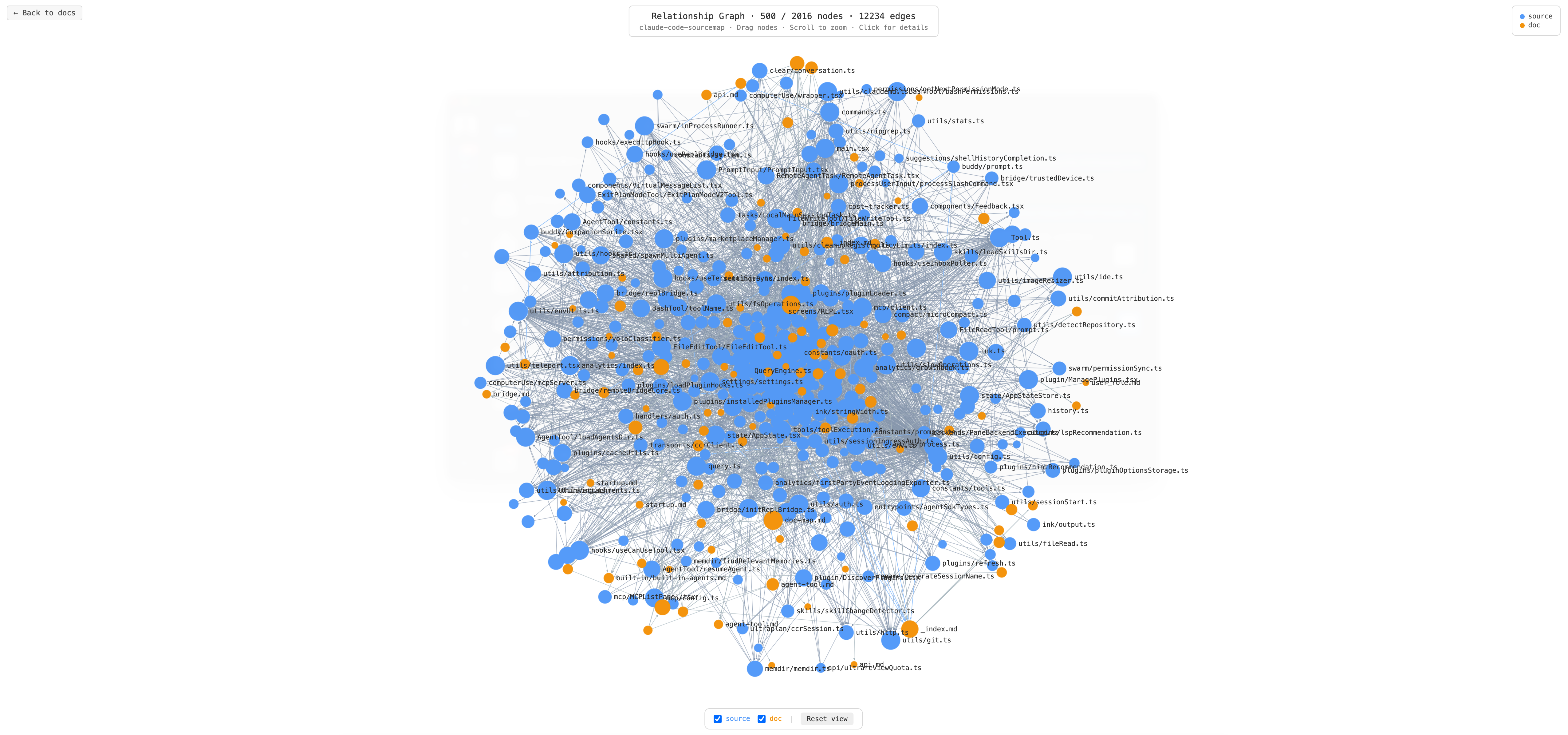
Relationship Graph
Click the Graph button in the top-right corner of the preview server to open an interactive relationship graph at /_graph.
The graph visualizes all nodes and edges extracted from your project:
- Blue nodes — source code files (
.ts,.js,.py, etc.) - Orange nodes — documentation files (
.md) - Edges — three relationship types:
import— one source file imports anotherrefers— a doc file references a source file (or vice versa)links— a doc file links to another doc file
For large projects (> 500 nodes), the graph loads docs and their directly linked source nodes first, then expands outward via import edges until ~500 nodes are visible. Click any source node to reveal its hidden import neighbors on demand.
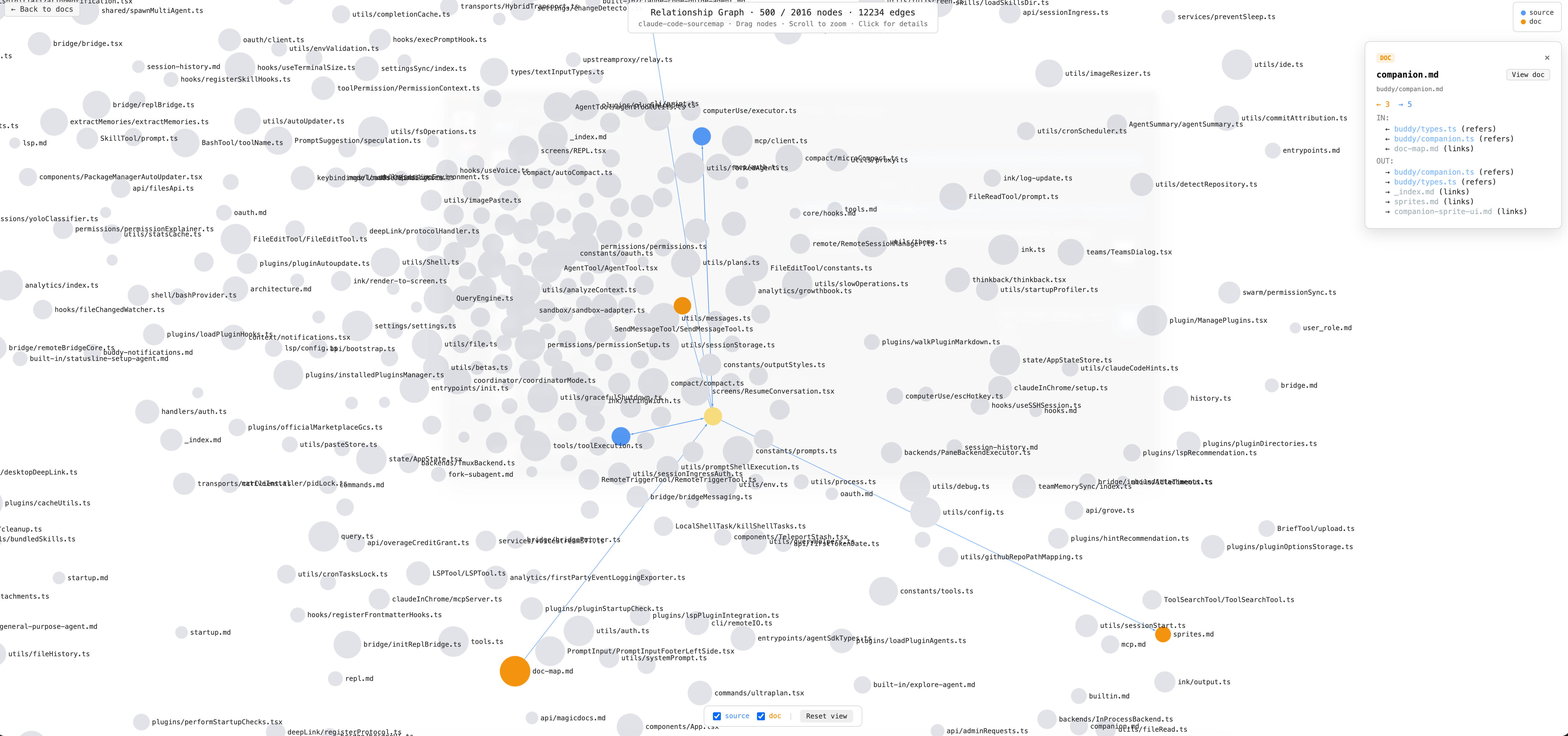
Click a node to highlight it: connected nodes stay at full color, unrelated nodes dim. The detail panel on the right shows incoming and outgoing edges for the selected node.
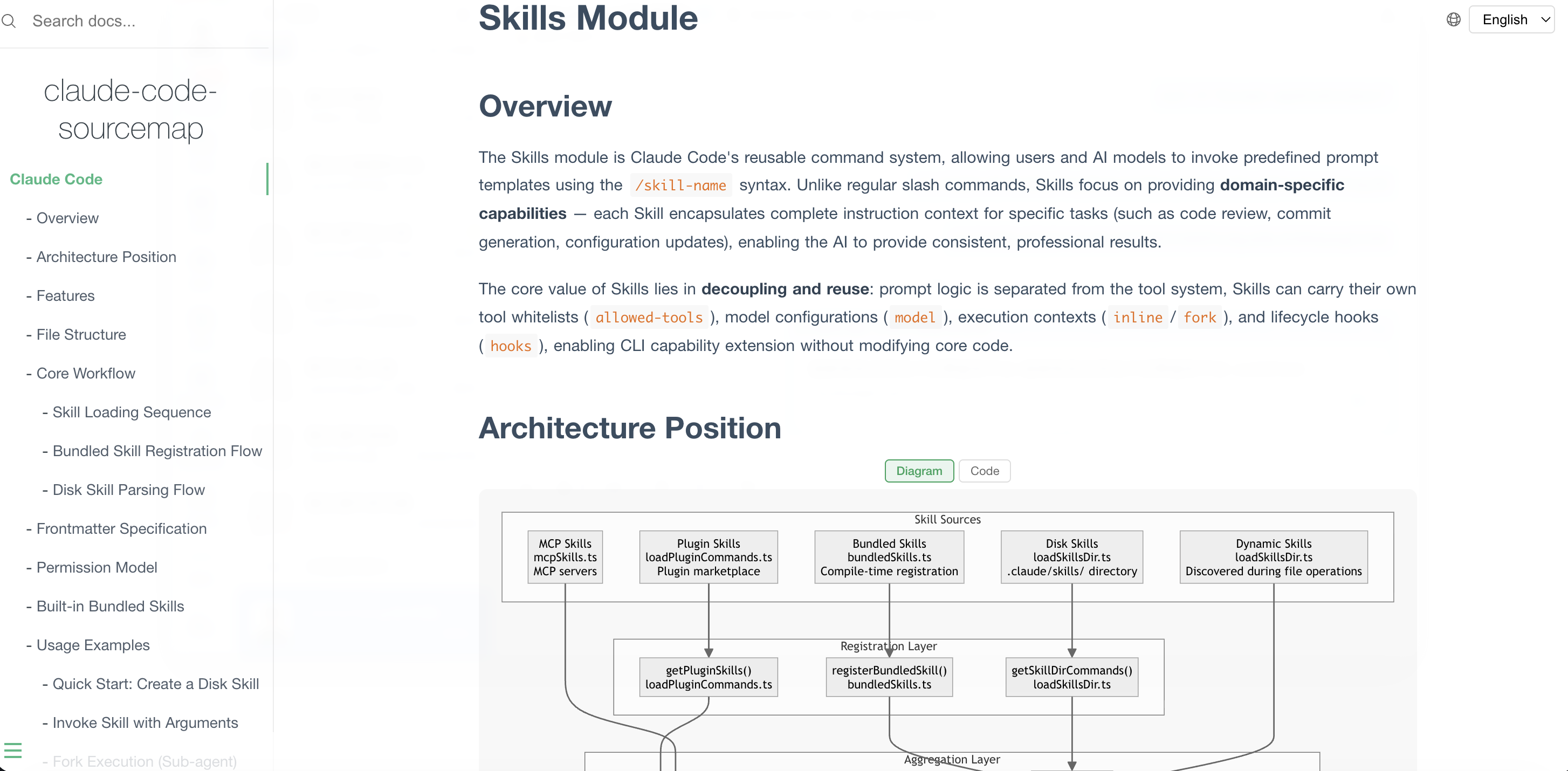
Wiki Generation Showcase
See claude-code-sourcemap-wiki for a live example of a full project generated with Nium-Wiki.
Configuration
After initialization, a default config is generated at .nium-wiki/config.json:
{
  "language": "zh",
  "exclude": [
    "node_modules", ".git", "dist", "build",
    "coverage", "__pycache__", "venv", ".venv"
  ],
  "useGitignore": true
}
| Field | Type | Default | Description |
|---|---|---|---|
language |
string |
en |
Documentation language. Supports zh, en, ja, ko, fr, de. Use / for multi-language, e.g. zh/en (primary Chinese, secondary English) |
exclude |
string[] |
see above | Directories to exclude from code analysis and doc generation |
useGitignore |
boolean |
true |
Automatically read .gitignore directory rules and merge into the exclude list |
In addition to custom excludes in
config.json, the tool has built-in common exclude directories (.git,.idea,.vscode,node_modules,dist, etc.) and language-specific rules from each handler (e.g. Python's__pycache__, Go'svendor), so no manual configuration is needed for those.
Offline-First Design
Nium-Wiki is designed to work completely offline with zero external dependencies, perfect for enterprise internal networks and air-gapped environments:
Preview Server
- ✅ All frontend assets (Docsify, Prism.js, Mermaid) are bundled locally
- ✅ No CDN requests or external API calls
Token Cost
Nium-Wiki is designed to leverage the AI coding tool's existing understanding of your project (from the Explore process), guiding it to output documentation in a structured way — rather than analyzing the entire codebase from scratch.
| Scenario | Token Cost | Notes |
|---|---|---|
| First generation (with Explore context) | Moderate | The AI tool already understands the project structure, jumping straight to doc generation. Cost depends on project size |
| First generation (fresh project) | Higher | Requires a full code reading and analysis pass — essentially a deep Explore + doc generation |
| Incremental updates | Very low | Detects code changes via SHA256 hashing, pinpoints affected docs for targeted updates |
| Multi-language translation | Very low | Translates after primary language docs are complete, also supports incremental update logic |
For projects where you've been using an AI coding tool for a while, the first generation cost is typically reasonable. Day-to-day usage is dominated by incremental updates, which cost very little.
Upcoming Features
- Continuously optimizing documentation quality while reducing model interaction rounds
- Centralized documentation management service
- Intelligent search tooling (cross-project)
- Karpathy LLM Wiki Schema Layer: extend the existing module-facts schema to cover wiki organization rules (domain partitioning, section contracts, cross-doc relations) and drive section-level incremental updates from it
Use Cases
- Enterprise Documentation: Generate comprehensive docs for internal projects
- Open Source Projects: Maintain up-to-date documentation automatically
- Code Reviews: Visualize architecture and dependencies
- Onboarding: Help new developers understand the codebase
- Air-gapped Environments: Works completely offline
Contributing
Contributions are welcome! Please feel free to submit a Pull Request.
License
MIT
Links
Generated with ❤️ by Nium-Wiki