
Nutrition MCP
A remote MCP server for personal nutrition tracking — log meals, track macros, and review nutrition history through conversation.
Help me pay for the servers on Patreon
Quick Start
Already hosted and ready to use — just connect it to your MCP client:
https://nutrition-mcp.com/mcp
On Claude.ai: Customize → Connectors → + → Add custom connector → paste the URL → Connect
On first connect you'll be asked to register with an email and password. Your data persists across reconnections.
Demo
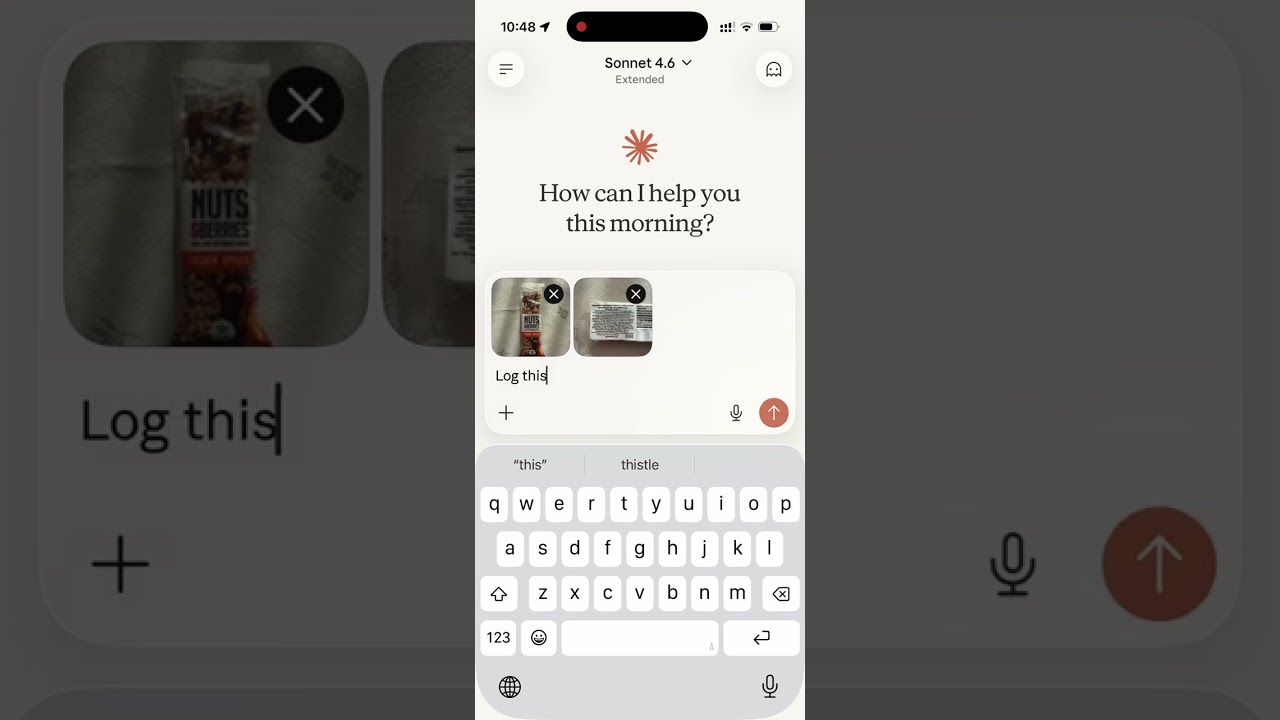
Read the story behind it: How I Replaced MyFitnessPal and Other Apps with a Single MCP Server
Tech Stack
- Bun — runtime and package manager
- Hono — HTTP framework
- MCP SDK — Model Context Protocol over Streamable HTTP
- Supabase — PostgreSQL database + user authentication
- OAuth 2.0 — authentication for Claude.ai connectors
MCP Tools
| Tool | Description |
|---|---|
log_meal |
Log a meal with description, type, calories, macros, notes |
get_meals_today |
Get all meals logged today |
get_meals_by_date |
Get meals for a specific date (YYYY-MM-DD) |
get_meals_by_date_range |
Get meals between two dates (inclusive) |
get_nutrition_summary |
Daily nutrition totals + goal progress for a date range |
update_meal |
Update any fields of an existing meal |
delete_meal |
Delete a meal by ID |
set_nutrition_goals |
Set daily calorie, macro, and water targets |
get_nutrition_goals |
Get the current daily targets |
get_goal_progress |
Get intake vs. targets for a given day (default: today) |
log_water |
Log a hydration entry in milliliters |
get_water_today |
Get today's water intake total and entries |
get_water_by_date |
Get water intake for a specific date |
delete_water |
Delete a water log entry by ID |
get_trends |
7/14/30-day averages, std dev, streaks, day-of-week, best/worst day |
get_meal_patterns |
Pre-aggregated behavioural patterns (breakfast effect, late dinner, weekend vs weekday, outliers) |
set_timezone |
Set the user's IANA timezone (e.g. America/Los_Angeles) |
get_timezone |
Get the user's configured timezone |
delete_account |
Permanently delete account and all associated data |
MCP Resources
| URI | Description |
|---|---|
nutrition://weekly-summary |
Rolling 7-day digest (averages vs targets, best/roughest day) for proactive pulls |
Self-hosting
1. Supabase setup
-
Create a Supabase project.
-
Enable Email Auth (Authentication → Providers → Email) and disable email confirmation.
-
Apply the schema. The full schema lives in
supabase/migrations/. With the Supabase CLI:supabase link --project-ref <your-project-ref> supabase db pushThis creates every table, index, RLS policy, and foreign key the app needs. No local Postgres is involved — migrations run against your hosted project.
-
Copy the service role key from Project Settings → API and use it as
SUPABASE_SECRET_KEY.
2. Environment variables
| Variable | Description |
|---|---|
SUPABASE_URL |
Your Supabase project URL |
SUPABASE_SECRET_KEY |
Supabase service role key (bypasses RLS) |
OAUTH_CLIENT_ID |
Random string for OAuth client identification |
OAUTH_CLIENT_SECRET |
Random string for OAuth client authentication |
PORT |
Server port (default: 8080) |
Note: The HTML files in
public/include a Google Analytics tag (G-1K4HRB2R8X). If you're self-hosting, remove or replace the gtag snippet inpublic/index.html,public/login.html, andpublic/privacy.html.
Generate OAuth credentials:
openssl rand -hex 16   # use as OAUTH_CLIENT_ID
openssl rand -hex 32   # use as OAUTH_CLIENT_SECRET
Development
bun install
cp .env.example .env   # fill in your credentials
bun run dev             # starts with hot reload on http://localhost:8080
Connect to Claude.ai
- Open Claude.ai and click Customize
- Click Connectors, then the + button
- Click Add custom connector
- Fill in:
- Name: Nutrition Tracker
- Remote MCP Server URL:
https://nutrition-mcp.com/mcp
- Click Connect — sign in or register when prompted
- After signing in, Claude can use your nutrition tools. If you reconnect later, sign in with the same email and password to keep your data.
API Endpoints
| Endpoint | Description |
|---|---|
GET /health |
Health check |
GET /.well-known/oauth-authorization-server |
OAuth metadata discovery |
POST /register |
Dynamic client registration |
GET /authorize |
OAuth authorization (shows login page) |
POST /approve |
Login/register handler |
POST /token |
Token exchange |
GET /favicon.ico |
Server icon |
ALL /mcp |
MCP endpoint (authenticated) |
Deploy
The project includes a Dockerfile for container-based deployment.
- Push your repo to a hosting provider (e.g. DigitalOcean App Platform)
- Set the environment variables listed above
- The app auto-detects the Dockerfile and deploys on port
8080 - Point your domain to the deployed URL