
Sitemap generation for Nuxt3
So far the official nuxt/sitemap module does not support Nuxt3. Here is a simple way to add a sitemap to your Nuxt3 app.
Example
An example of a sitemap rendered with this code can be found here.

Setup for a very simple static site (no dynamic page)
See instructions
- install sitemap.ts as a dev dependency
npm install --save-dev sitemap
- create a new file in the modules folder
mkdir modules && touch modules/sitemap.ts
-
copy/paste the content of sitemap.ts
-
add following lines in you nuxt.config.ts file
export default defineNuxtConfig({
  // some configs
  modules: ['~/modules/sitemap'],
  sitemap: {
    hostname: 'https://<YOUR_DOMAIN>',
  },
  // more configs
})
Don't forget to change <YOUR_DOMAIN> with your actual domain.
- build your nuxt app and see your sitemap file
npm run build
npx nuxi preview
In your browser go to http://localhost:3000/sitemap.xml
Example
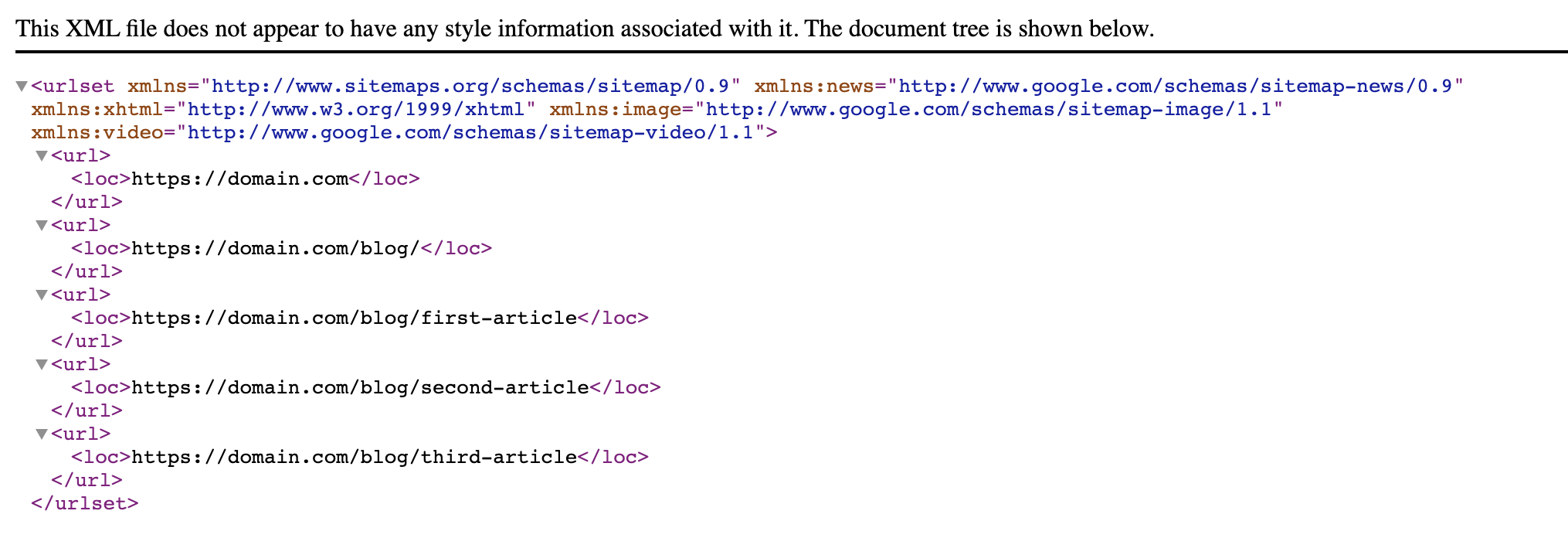
If your pages folder looks like this :
pages/
├─ index.vue
├─ blog/
│  ├─ index.vue
│  ├─ first-article.vue
│  ├─ second-article.vue
│  ├─ third-article.vue
The generated sitemap will look like this :
Setup for a dynamic site powered by @nuxt/content with prerendering
See instructions (new recommanded way)
-
Follow official instructions from @nuxt/content.
-
These instructions are not perfect because static urls are not generated in the newly created sitemap.xml. To fix this, replace the sitemap.xml.ts file by the sitemap.xml.ts from this repository.
Your sitemap.xml should now be available and accurate 🎉
See instructions (outdated)
- install sitemap.ts as a dev dependency
npm install --save-dev sitemap
- create a new file in the modules folder
mkdir modules && touch modules/sitemap.ts
-
copy/paste the content of sitemap-dynamic.ts inside your newly created
modules/sitemap.tsfile. -
add following lines in you nuxt.config.ts file
export default defineNuxtConfig({
  // some configs
  modules: ['~/modules/sitemap'],
  sitemap: {
    hostname: 'https://<YOUR_DOMAIN>',
  },
  // more configs
})
Don't forget to change <YOUR_DOMAIN> with your actual domain.
- build your nuxt app and see your sitemap file
npm run generate
Your sitemap is now available in .output/public/sitemap.xml
Credits
Big thanks to
- Florian Lefebvre who wrote the original code of this module. See original Github Discussion and original file.
- Diizzayy who fixed this module. See this Github Discussion.
- codeflorist who found a way to generate sitemaps for prerendered sites.