
Nuxt/Express/MongoDB/JWT Admin CRUD Boilerplate
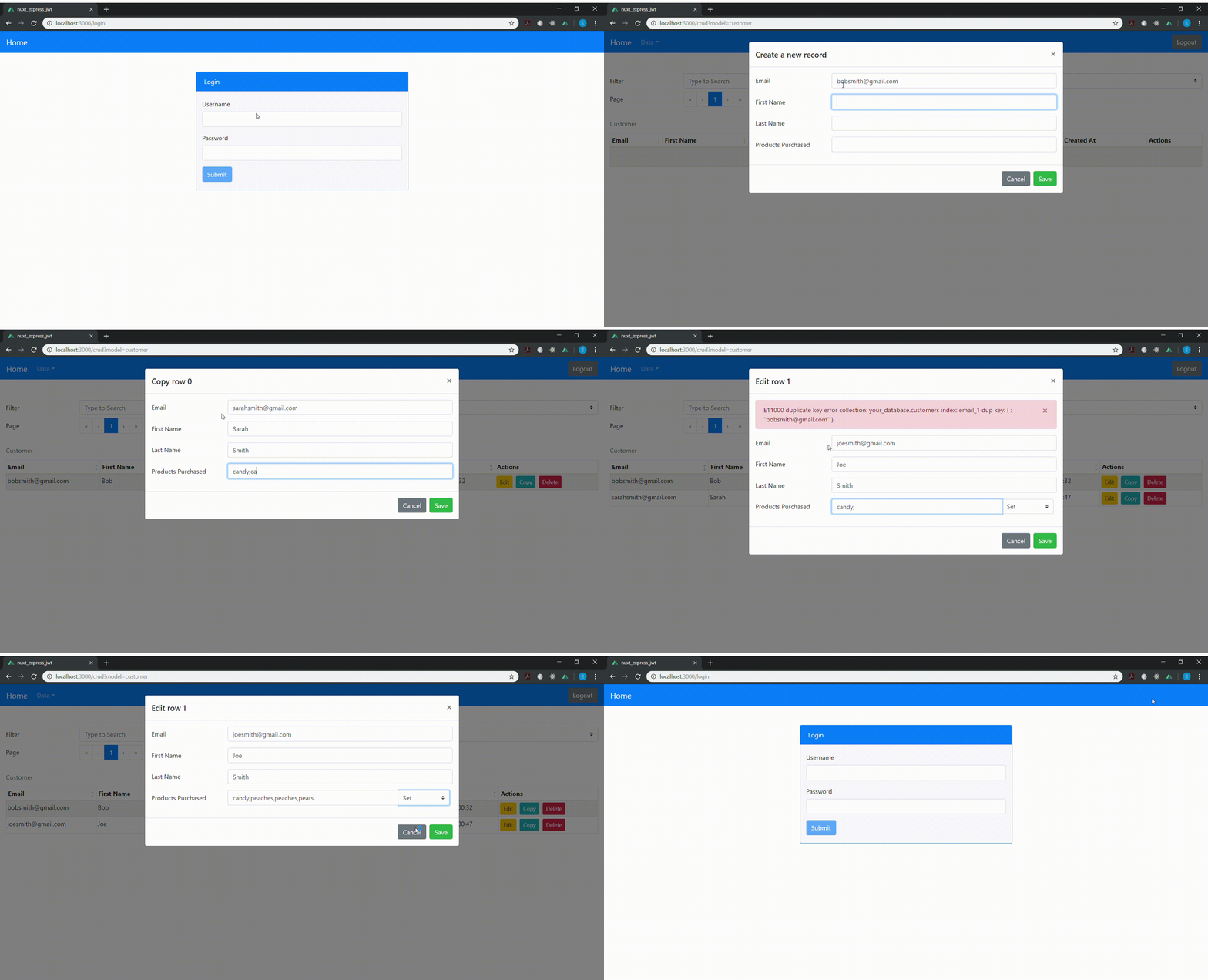
Automatic Express API and CRUD web app for your MongoDB collections. Just add your schema to the data_api/models folder and run the included setup script to customize your configuration and add your admin credentials. All API endpoints and web app pages are protected by JSON Web Token authentification automatically.
- Coffeescript version - Coffeescript Nuxt CRUD
Setup
- Install
 Clone the repo
 git clone [email protected]:edmundpf/nuxt_express_jwt.git

 Install the dependencies
 npm install
CLI Configuration

- Using the CLI
First you'll need to start your API server node data_api/index.js Start the setup script node setup.js- NOTE: your mongoDB server will need to be running to use the API, CLI, and web app
- You'll need to set up a secret key to create an admin user
- Select option (3) and set up your key
- You'll need to add an admin user to access the web app
- Select option (4) to create an admin account
- Your secret keys and admin passwords are encrypted via bcrypt by default
- If you added or removed any schema in the data_api/models folder, you'll need to configure the database schema
- Select option (2) to configure your database schema
- DO NOT rename or edit the userAuth or secretKey schema. These are essential for your admin access and could break the web app and API if they are renamed/edited.
- All of the app configuration can be edited via option (1), but the app will run with the included defaults
- The configuration includes options for your package such as package name, version, your name and email, etc.
- It also includes your API server port, web app port, database port, database name, and your web page titles
- You can clear your admin accounts and secret keys via option (5)
- Use option (6) to update your admin password
Run Web App
- When using the web app you can shut off your API server, the web app will automatically launch it as server middleware
- Launch as shown below...
Launch dev instance npm run dev Run in production mode npm build npm start- Use the credentials you created with the CLI to login
- The JSON Web Token has a 24 hour inactivity timeout until you will be logged off of the web app/API
- You'll need to login again to get a new token
API Routes
- Use any language of choice to edit your data and see the changes on the web app in real time
- API Info