


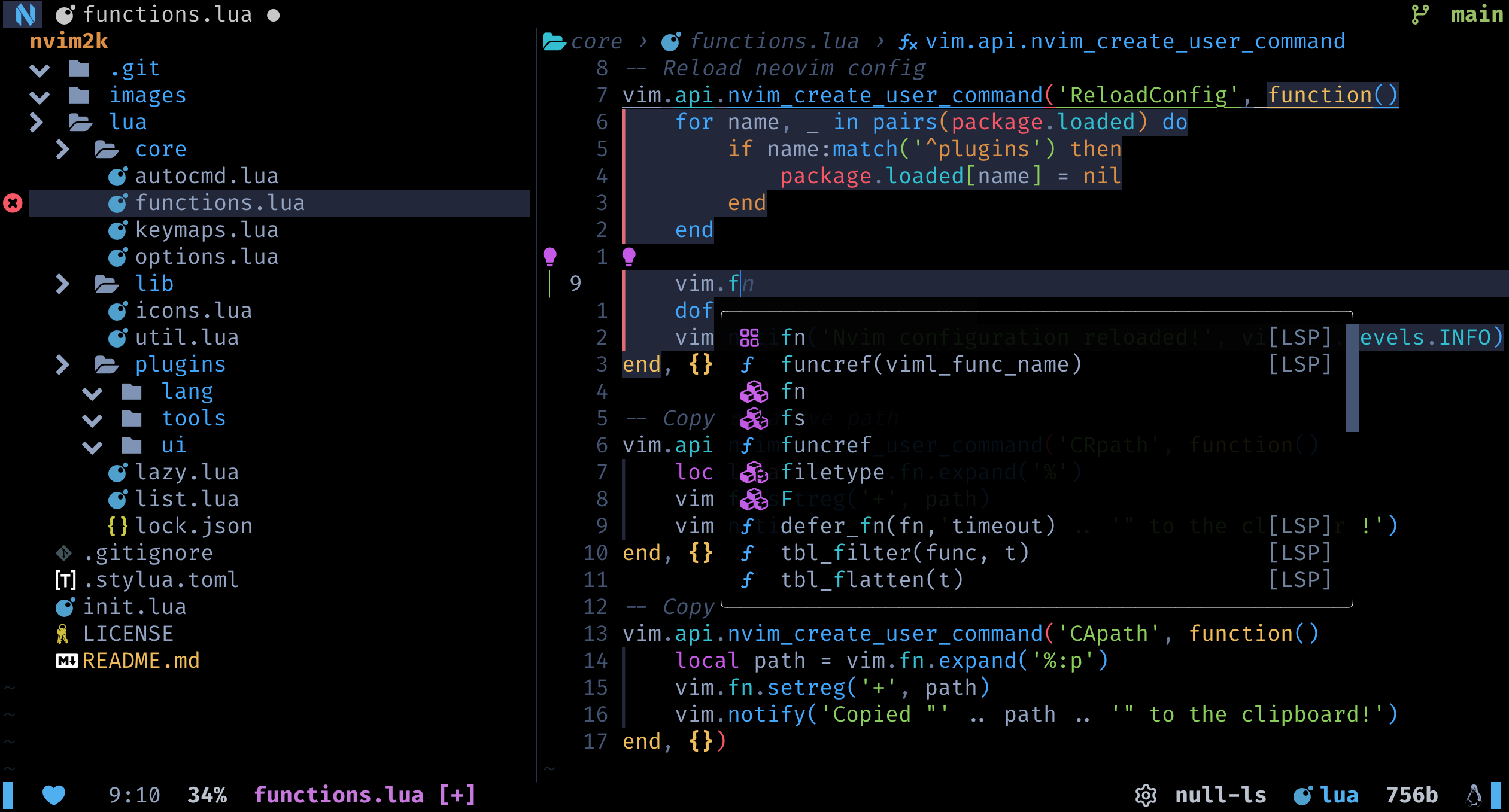
Handcrafted Neovim setup for the ultimate CLI dev experience.
Here's a YouTube playlist that contains all the videos I made related to nvim2k.
✨ Features
- Fully configured LSP: Out of the box LSP and completions
- Awesome keybindings: Intuitive and well documented keybindings with which-key
- Blazingly fast: Starts up in less than 30ms thanks to extensive lazy loading
- Batteries included: Has all the necessary plugins included out of the box
- Git in there: Powerful git integrations thanks to lazygit, fugitive, gitsigns and more
- Pretty colors: Comes with treesitter and onedark preconfigured with full transparency support
- Goto for notes: Comes with powerful note-taking capabilities, thanks to tdo
- Tmux integration: Works with your tmux configurations out of the box
- Auto install: All necessary LSPs, Treesitter Parsers etc. are auto installed
- User module: Configure nvim2k according to your needs by using the
usermodule! - and some more
Most importantly:
Built for extending: nvim2k has a easy to understand config structure that promotes personalization, so go ahead, bring your keybindings, functions and plugins over, and truly make nvim2k: Your Personalized Development Environment!
⚡ Setup
⚙️ Requirements
Before you begin, ensure you have met the following requirements:
- You have installed the latest version of
neovim - Some command line tools: fd, ripgrep
- To use nvim2k for notes, take a look at tdo.nvim
💻 Installation
To install nvim2k clone the repo and setup the symlink
git clone https://github.com/2kabhishek/nvim2k
On Linux and Mac
ln -sfnv $PWD/nvim2k $HOME/.config/nvim
On Windows Powershell
New-Item -ItemType SymbolicLink -Path "$env:LOCALAPPDATA\nvim" -Target "$PWD\nvim2k" -Force
🚀 Usage
🎨 User Configs
nvim2k supports a user module where you can store your custom configs and override any default configs.
To use custom configs create the file lua/user/init.lua in nvim2k, with the following structure:
-- lua/user/init.lua
local user = {
    auto_install = true, -- enable auto install of LSPs, Treesitter parsers etc.
    user_lsp_servers = {
        -- Auto installed LSPs defined by user
    },
    user_treesitter_parsers = {
        -- Auto installed Treesitter parsers defined by user
    },

    user_plugins = {
        -- Add your lazy plugin spec here
    },

    user_keybindings = {
        -- Add your which-key bindings here
    }
}

return user
You can add and require any other custom modules and configurations you want in this file.
user module is not part of the repo, you can set up user module as a separate git repository while continuing to receive nvim2k updates.
Core
Files in lua/core control the core of neovim:
⌨️ Keybindings
Apart from core/keys most keybindings are configured using which-key
📦 Plugins
You can check out the plugins list file file to see the plugins that are included in nvim2k.
- lang: Plugins related to language features, completions, lsp, editing etc.
- tools: Plugins that add tool integrations to the editor.
- ui: Plugins that make improve Neovim user experience.
🧑💻 Behind The Code
🌈 Inspiration
I have been using vim/neovim for 7+ years now, I wanted to share my config for everyone to use
💡 Challenges/Learnings
- Finding out the right plugins and configs!
- Setting up the initial config structure with lazy loading was tough.
🧰 Tools Used
- dots2k — Dev Environment
- nvim2k — Personalized Editor
- sway2k — Desktop Environment
- qute2k — Personalized Browser
🔍 More Info
- tdo.nvim — note taking system in neovim
- termim.nvim — enhanced neovim terminal
- nerdy.nvim — search nerdfont glyphs from inside neovim
- co-author.nvim — add co authors to your git commits
⭐ hit the star button if you found this useful ⭐
Source | Blog | Twitter | LinkedIn | More Links | Other Projects