
Expensica
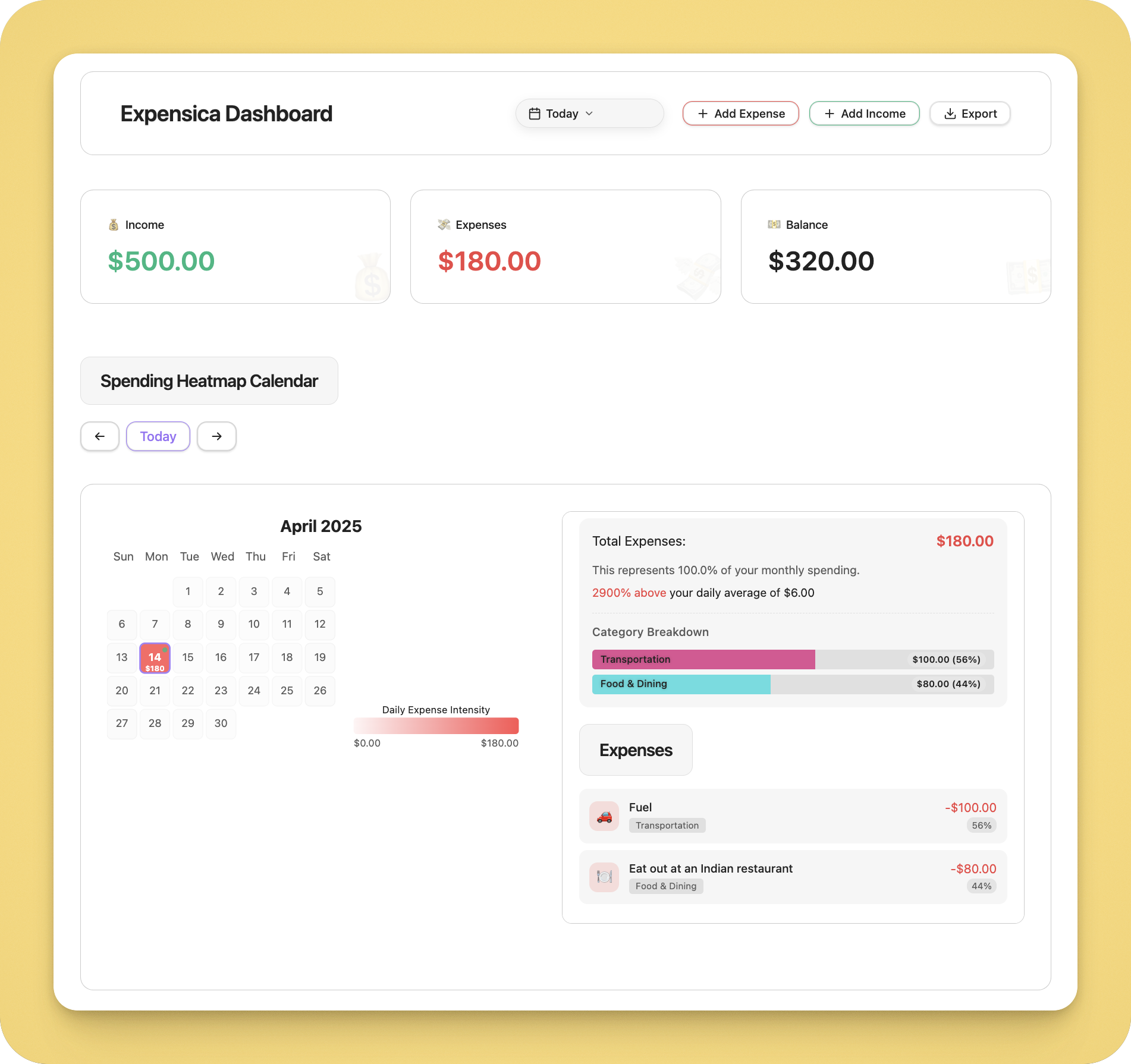
Expensica is an Obsidian plugin that turns your vault into a powerful personal finance tracker. It's designed for people who want the control of a spreadsheet with none of the hassle.
Why Expensica?
- Speed: Add transactions in seconds without leaving Obsidian
- Privacy: Your financial data stays local — no servers, no syncing to third parties
- Portability: Everything stored in straightforward JSON files you can backup or migrate
- Simplicity: Focused interface that does one job extremely well
- Offline: Works without internet access — log expenses anywhere
Getting Started
Installing Expensica takes about 30 seconds:
- Open Obsidian settings
- Go to "Community plugins" and disable "Safe mode"
- Click "Browse" and search for "Expensica"
- Install and enable the plugin
That's it. There's no account creation or complicated setup. You can immediately start tracking your finances.
Core Features
Quick Expense/Income Tracking
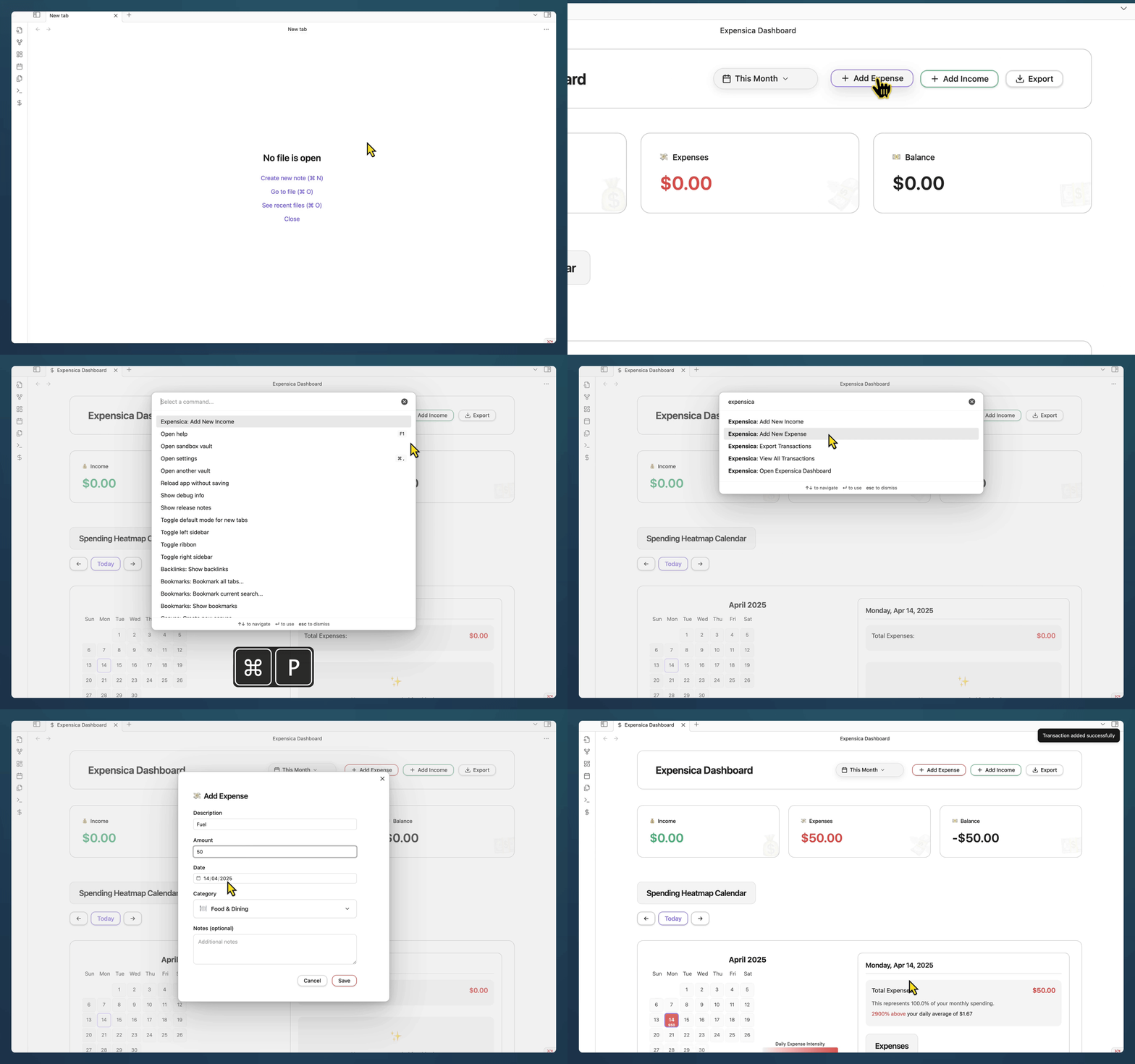
The most important feature is also the simplest: adding transactions quickly. You can record an expense or income in under 5 seconds.
Beautiful Dashboard
Your financial data comes alive with a clean, information-rich dashboard.
- Daily/Weekly/Monthly/Yearly or even a Custom Date income/expense summary
- Balance tracking
- Category breakdown
- Spending trends (beautiful interactive heatmap calendar)
- Transaction history
Calendar View
One of Expensica's unique features is its heatmap calendar that shows your spending patterns at a glance.
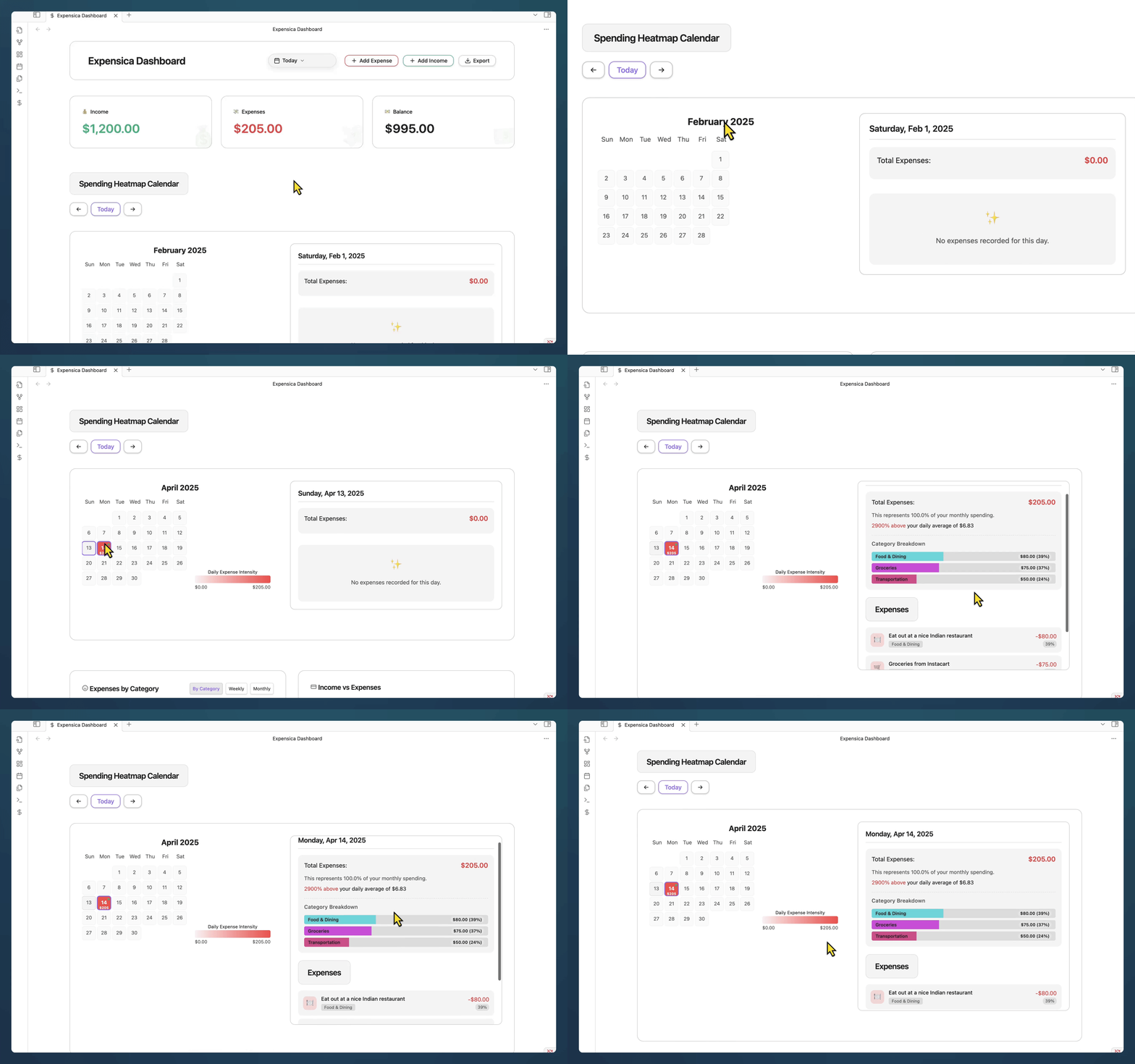
- Daily spending visualization
- Pattern recognition
- Select any day to see detailed breakdown
- Instantly spot high-spend days
Customizable Categories
Organize transactions your way.
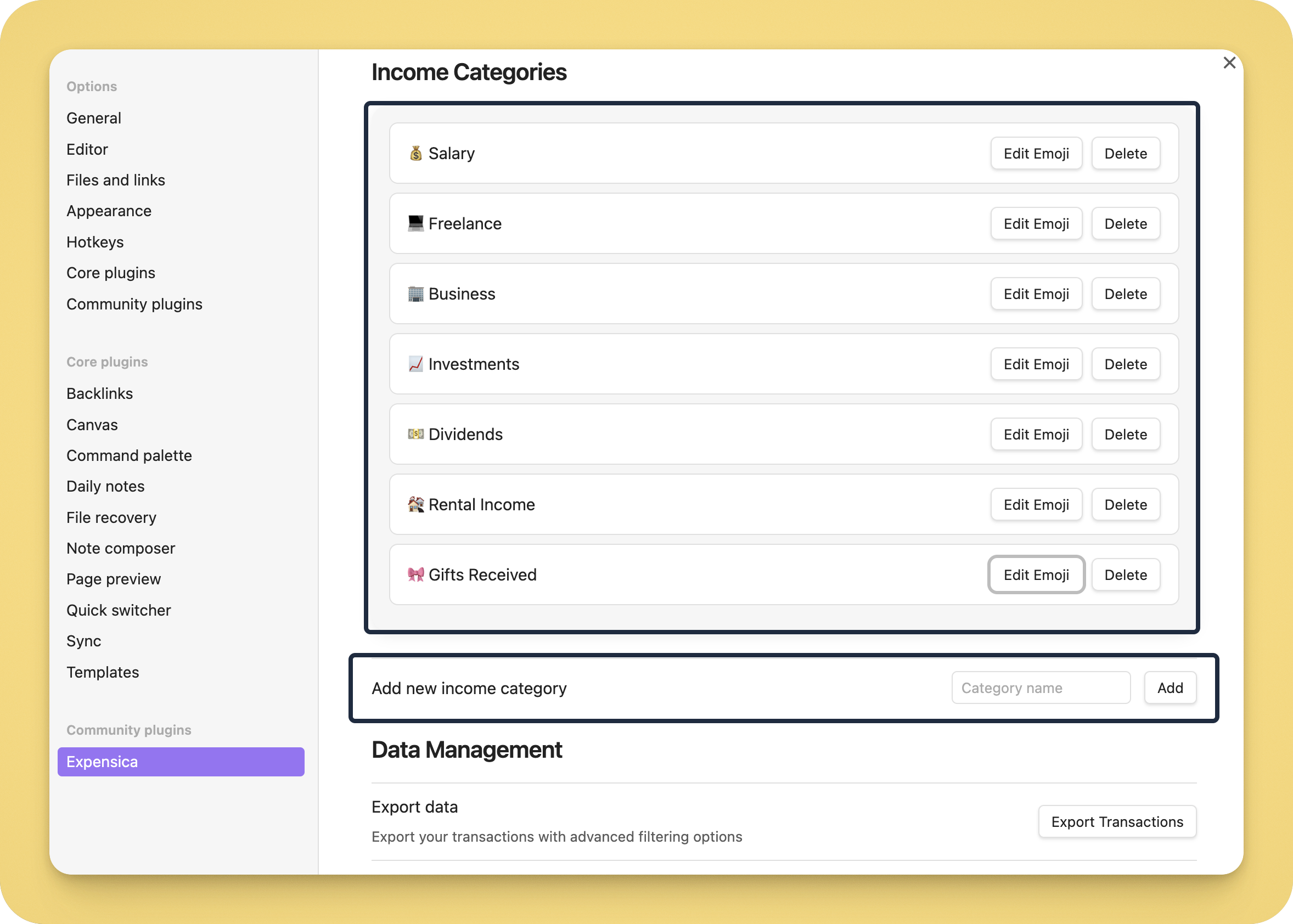
- Create unlimited custom categories
- Assign emojis for visual recognition
- Get spending breakdowns by category
Data Control & Privacy
Unlike cloud services, Expensica gives you complete ownership of your data.
- All data stored locally in your vault (inside a folder named "expensica-data")
- Simple JSON format anyone can read
- No internet connection required
- Back up your data however you prefer
Practical Usage
Here's how I use Expensica daily:
- Morning review: I check yesterday's expenses and my month-to-date balance
- Throughout the day: Quick-add expenses with the hotkey as they happen
- Weekly review: I use the calendar view to spot expense patterns
- Monthly planning: I export last month's data and plan my budget
The key is adding expenses immediately. The friction in most tracking systems is remembering to log expenses later. With Expensica right in Obsidian where you're already working, you remove that friction.
Limitations (Being Honest)
Expensica isn't trying to be everything. It doesn't:
- Connect to bank accounts or import transactions automatically
- Handle investments or complex accounting
- Support multiple currencies in a single transaction
- Provide tax preparation features
- Offer budget forecasting
If you need these features, you might want a more complex financial system. Expensica is for people who want something simple, fast, and private.
Technical Details
For the curious:
- Transactions are stored in
expensica-data/transactions.json - Settings and categories in your regular Obsidian settings
- Everything renders in real-time—no lag, no waiting
- Uses standard web technologies (HTML, CSS, JavaScript)
- Runs entirely within your Obsidian vault
Use Cases
For Individual Finance Tracking
The most common use case—track your personal expenses and income.
For Small Business Owners
Many freelancers and small business owners use Expensica to keep track of business expenses separate from personal finances.
For Financial Planning
Combined with Obsidian's note-taking, Expensica becomes a powerful tool for financial planning.
For Travelers
Track expenses across a trip without needing internet access.
FAQ
Q: Where is my data stored?
A: All data lives in your Obsidian vault in the expensica-data folder.
Q: Can I export my data?
A: Yes, you can export to JSON, CSV, or PDF formats.
Q: Will this sync across devices?
A: Expensica data syncs with your regular Obsidian sync methods (Obsidian Sync, iCloud, Dropbox, etc.)
Q: Is there a mobile version?
A: Expensica works on Obsidian mobile just like on desktop.
The Philosophy
Most finance apps get it backward. They try to do too much and end up doing nothing well. Expensica started with a single goal: make tracking income and expenses as frictionless as possible while keeping your data completely private.
Great tools don't try to be everything. They do one thing extremely well. A hammer doesn't try to be a screwdriver. Excel doesn't try to be Word.
Expensica doesn't try to be your entire financial system. It's just the best way to track your daily finances inside Obsidian.
Changelog
See CHANGELOG.md for the full history.
License
MIT © Dhruvir Zala
About the Developer
Hi, I'm Dhruvir Zala. I built Expensica because I was tired of complex spreadsheets and privacy-invading finance apps. I wanted something that worked the way my brain works.
If you find Expensica useful, consider buying me a coffee.

Expensica is developed by Dhruvir Zala.