
OpenClaw Agent Dashboard
Glassmorphic agent management dashboard for OpenClaw



A full-featured, single-file agent management dashboard with task kanban boards, document editor, API monitoring, real-time agent tracking, and server metrics — all in a dark glassmorphic UI.
Demo
Screenshots
 |
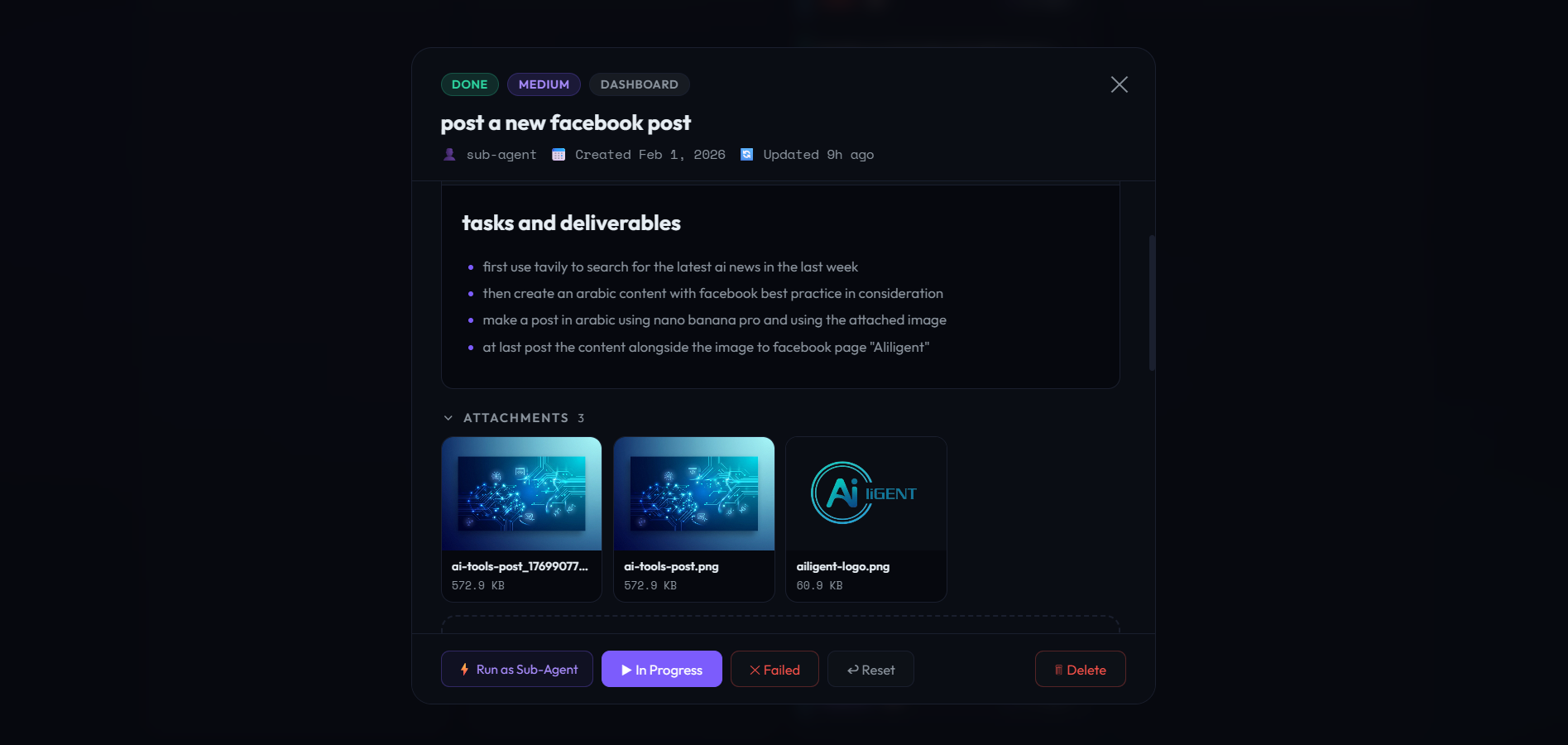 |
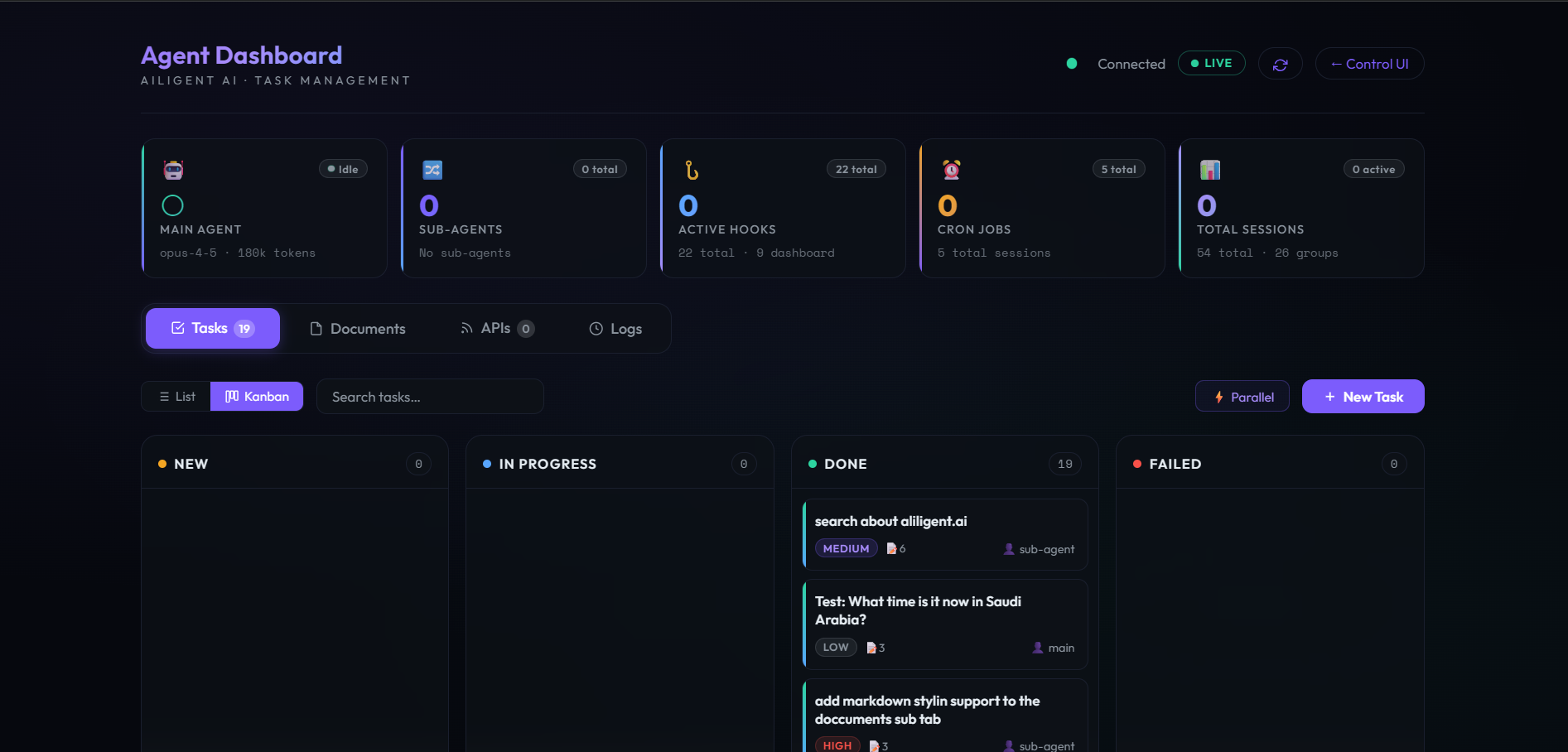
| Tasks — Kanban Board | Task Detail — Markdown & Attachments |
 |
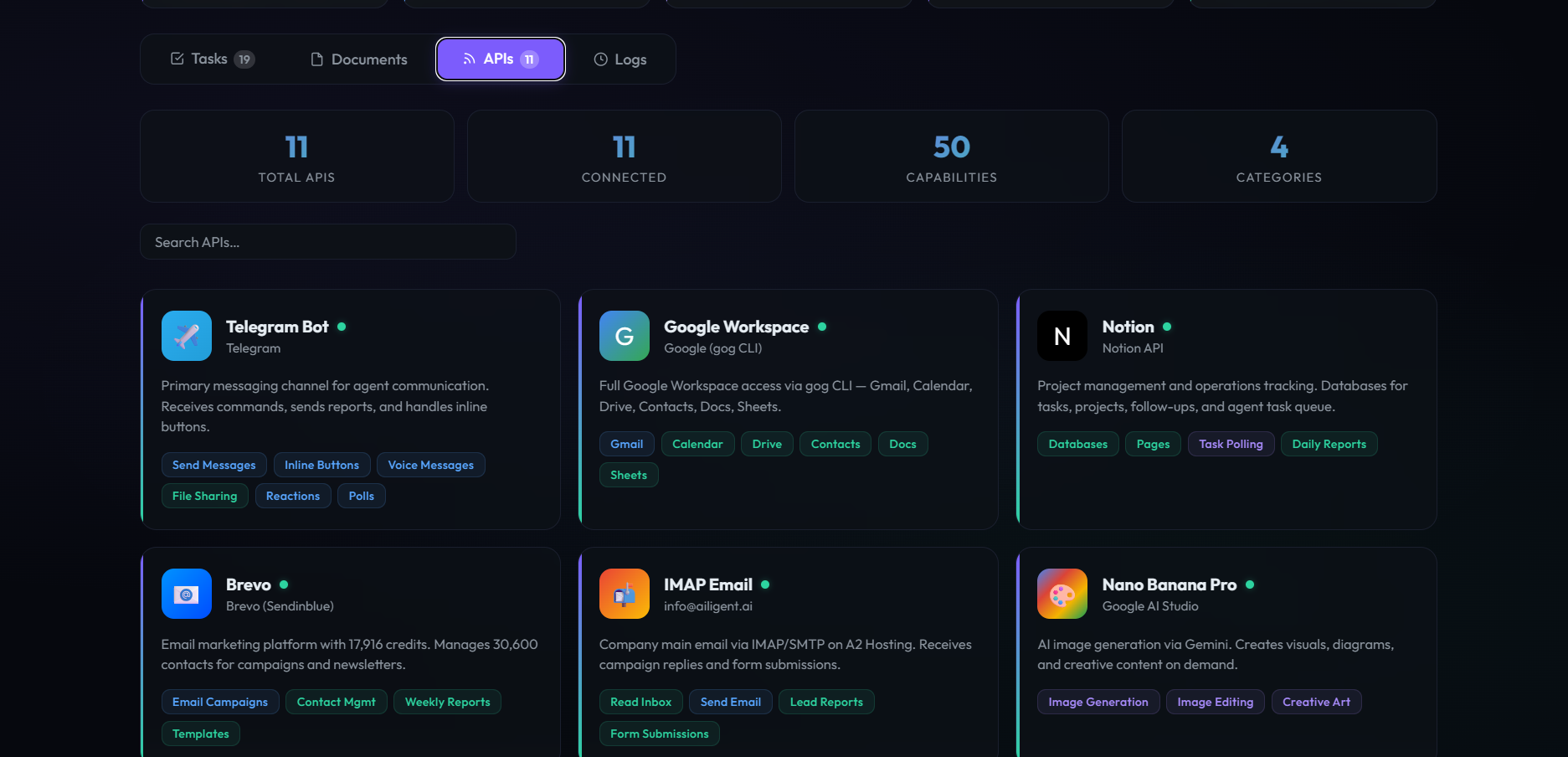 |
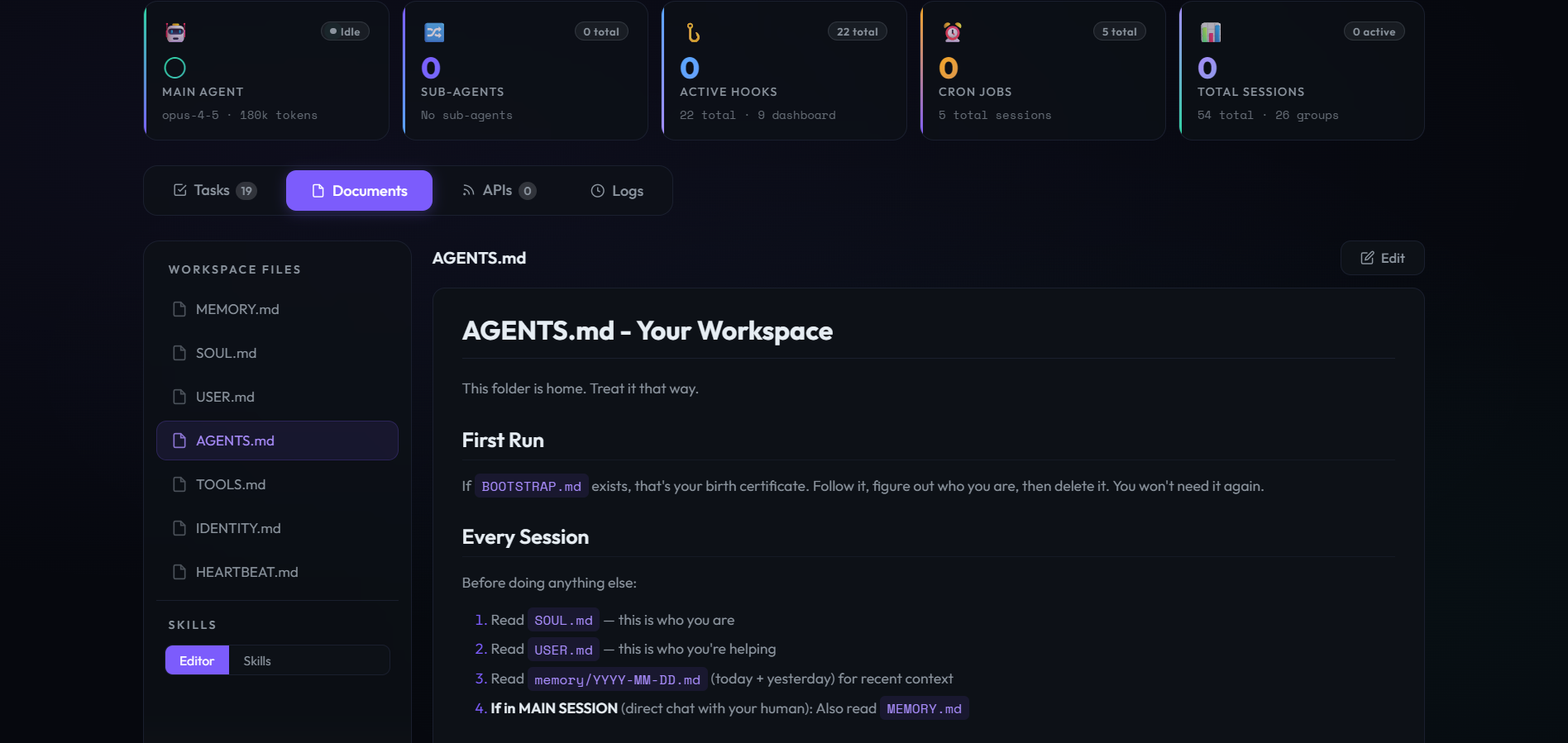
| Documents — Workspace Files | Connected APIs |
 |
|
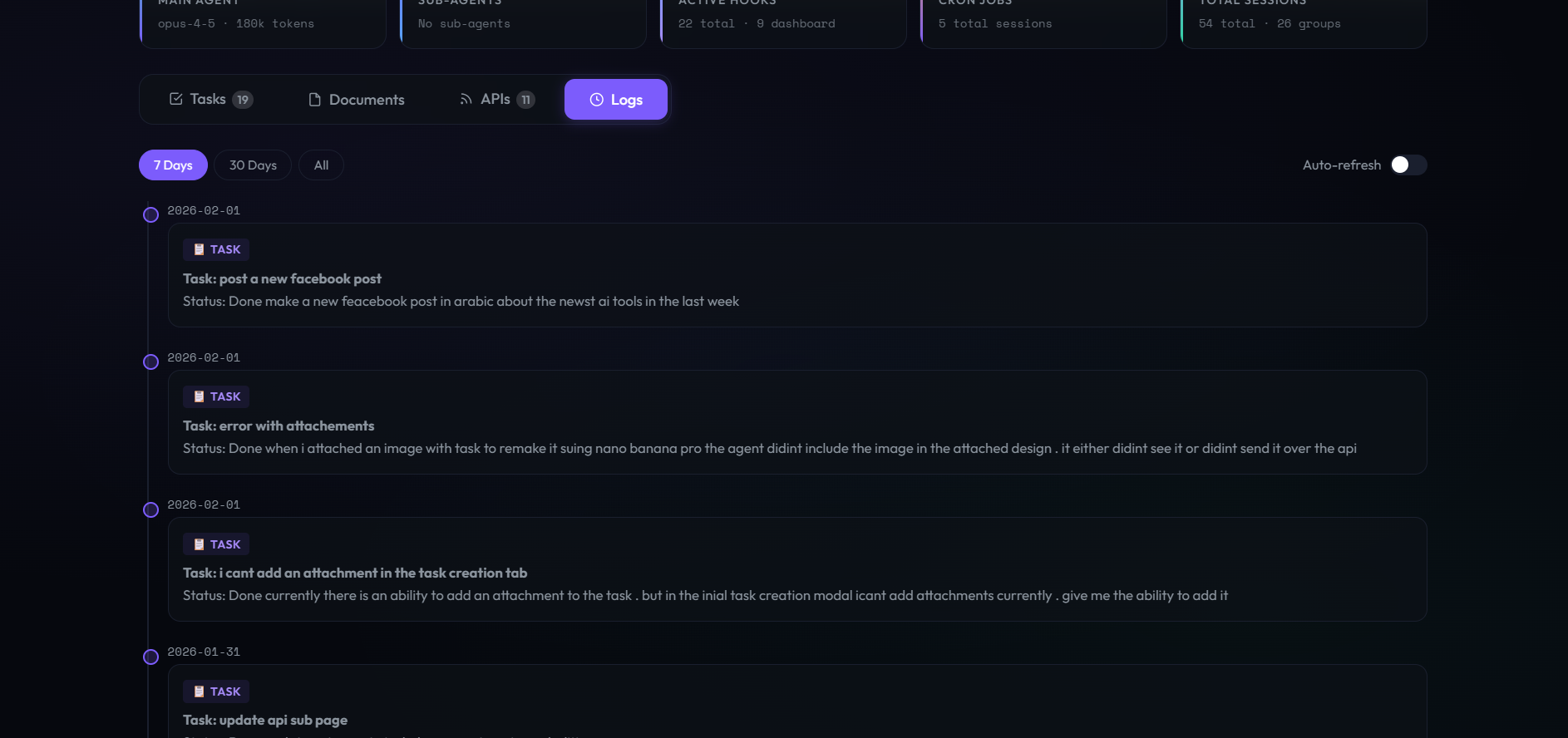
| Agent Logs |
Features
Agent Dashboard (agent-dashboard.html)
- Task Management — List & Kanban views with drag-and-drop, status filters (New / In Progress / Done / Failed), priority badges, bulk actions, and parallel task execution
- Document Editor — Markdown-powered document viewer/editor with real-time preview, file attachments, and syntax highlighting
- API Monitoring — Visual cards for 11 connected integrations (Telegram, Google Workspace, Notion, Brevo, IMAP, Whisper, and more) with capability tags and status indicators
- Agent Monitor (Logs) — Real-time log streaming with level filters, session tracking, token usage stats, and auto-scroll
- Live Dashboard Header — Main agent status, sub-agent count, active hooks, cron jobs, and total session metrics at a glance
- Active Sessions Panel — Collapsible list of running sessions with type badges (MAIN / HOOK / CRON), token counts, and last-active timestamps
Server Monitor (server-monitor.html)
- CPU / Memory / Disk / Network — Real-time gauge cards with color-coded progress bars
- Uptime & Load Average — System uptime display with 5m/15m load averages
- CPU & Memory History — Canvas-drawn 5-minute sparkline charts with live updates
- System Info — Hostname, OS, kernel, architecture, and platform details
- Process Table — Top processes sorted by CPU/memory usage
- Auto-refresh — Polls
/metricsendpoint every 5 seconds
Tech Stack
| Layer | Technology |
|---|---|
| Markup | Single-file HTML (zero build step) |
| Styling | CSS3 with glassmorphism, custom properties, gradients, backdrop-filter |
| JavaScript | Vanilla ES6+ with async/await, no framework dependencies |
| Markdown | marked.js (CDN) |
| Fonts | Outfit + Space Mono |
| Charts | Native Canvas API (server monitor sparklines) |
Installation
Drop into OpenClaw (recommended)
Copy the HTML files into your OpenClaw control-ui directory:
cp agent-dashboard.html ~/openclaw/dist/control-ui/
cp server-monitor.html ~/openclaw/dist/control-ui/dashboard.html
cp favicon.svg ~/openclaw/dist/control-ui/
Then access via your OpenClaw gateway:
https://your-server/agent-dashboard.html?token=YOUR_TOKEN
https://your-server/dashboard.html?token=YOUR_TOKEN
Standalone with Nginx
Serve the files from any web server and proxy API requests to your OpenClaw instance:
server {
    listen 443 ssl;
    server_name agent.example.com;

    root /var/www/dashboard;
    index agent-dashboard.html;

    location /tasks { proxy_pass http://127.0.0.1:18789; }
    location /files { proxy_pass http://127.0.0.1:18789; }
    location /agents { proxy_pass http://127.0.0.1:18789; }
    location /skills { proxy_pass http://127.0.0.1:18789; }
    location /metrics { proxy_pass http://127.0.0.1:18790; }
}
Any Web Server
These are plain HTML files — just serve them with any HTTP server:
# Python
python -m http.server 8080

# Node.js
npx serve .

# PHP
php -S localhost:8080
API Compatibility
The dashboard connects to standard OpenClaw REST endpoints:
| Endpoint | Used By | Purpose |
|---|---|---|
GET /tasks |
Agent Dashboard | Fetch task list |
POST /tasks |
Agent Dashboard | Create new tasks |
PATCH /tasks/:id |
Agent Dashboard | Update task status/details |
GET /files |
Agent Dashboard | List documents |
GET /agents |
Agent Dashboard | Agent status & sessions |
GET /skills |
Agent Dashboard | Available agent skills |
GET /metrics |
Server Monitor | CPU, memory, disk, network stats |
Authentication is handled via ?token= query parameter, read dynamically from the URL.
📱 Mobile & Remote Access
This fork adds browser-native authentication, mobile-first UI, and macOS auto-start — making the dashboard easy to monitor from your phone via a secure public URL.
What's added
| Feature | Details |
|---|---|
| 🔐 Login page | /login — HTML form, 30-day cookie session, no manual token in URL |
| 📱 Mobile bottom nav | Fixed tab bar at bottom for thumb-friendly navigation on phones |
| 🍎 PWA support | Add to Home Screen works on iOS Safari — feels like a native app |
| 📡 Static serving | GET / serves agent-dashboard.html directly — no separate web server needed |
| 🔎 System skills scan | /skills now discovers both workspace and system-installed OpenClaw skills |
| 🔄 macOS auto-start | LaunchAgent plist keeps the server alive across reboots |
Quick start with Tailscale Funnel (recommended for macOS)
Tailscale Funnel gives you a permanent public HTTPS URL without port forwarding or a separate cloud server.
# 1. Install Tailscale (if not already)
brew install tailscale

# 2. Start the dashboard
export OPENCLAW_AUTH_TOKEN="your-secret-token"
export OPENCLAW_WORKSPACE="$HOME/.openclaw/workspace"
node api-server.js &

# 3. Expose publicly via Tailscale Funnel (one-time setup)
tailscale funnel --bg 18791

# Your dashboard is now live at:
#   https://<your-machine>.tail-xxxxx.ts.net/
Open that URL on your phone → sign in with your token → bookmark it. Done.
macOS auto-start (LaunchAgent)
Copy macos/com.openclaw.dashboard.plist.example to ~/Library/LaunchAgents/, fill in your username and token, then:
launchctl load ~/Library/LaunchAgents/com.openclaw.dashboard.plist
The server will now start automatically on login and restart if it crashes.
Author
|
Abo-Elmakarem Shohoud Portfolio · GitHub · LinkedIn |