

OpenEyes
v3.0.1 · Robot Vision for Edge Devices




What is OpenEyes?
OpenEyes is an open-source robot vision framework for edge devices. It runs on NVIDIA Jetson, Raspberry Pi + AI HAT, Intel NPU, and Hailo — giving robots the ability to see, track, and follow people in real-time.
Built for production: TensorRT optimization, ROS2 integration, and Docker deployment out of the box.
Camera → Detection → Tracking → Depth → Control
Demos
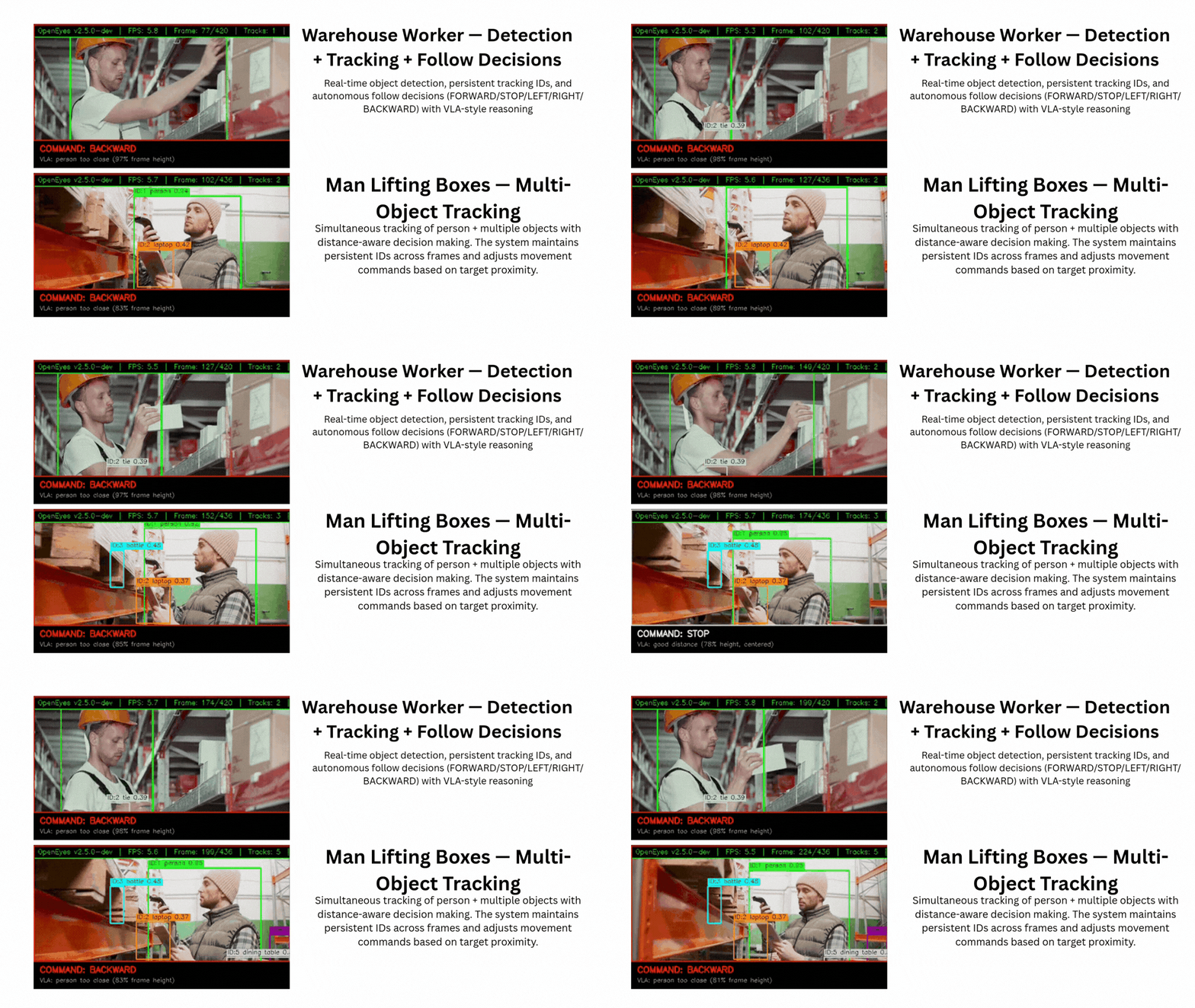 |
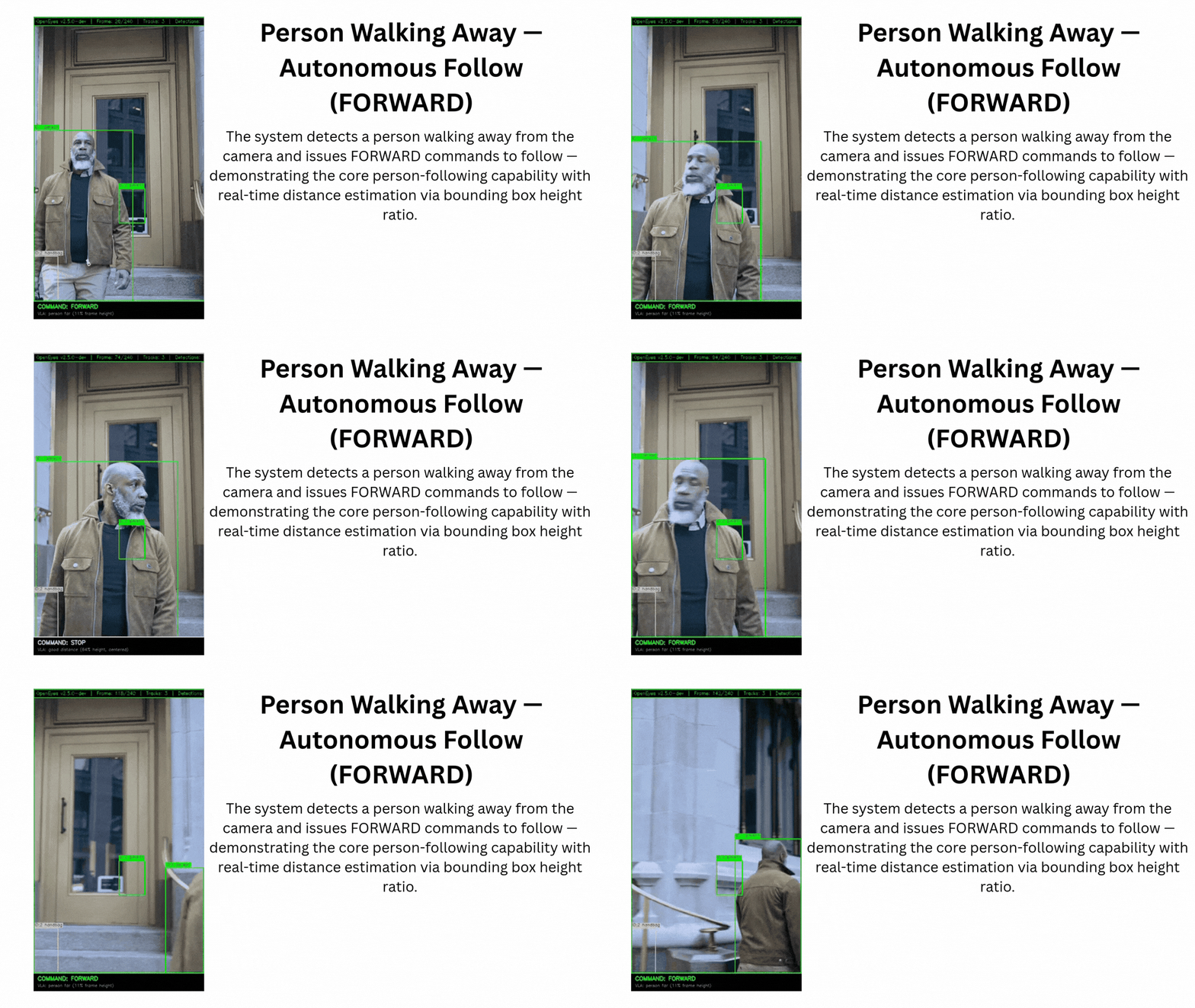 |
Features
| Capability | Description |
|---|---|
| 🚀 DeepStream | Hardware-accelerated pipeline (60 FPS on Jetson) |
| 🔍 Object Detection | YOLOv10n with TensorRT (80+ classes) |
| 👤 Face Detection | MediaPipe FaceMesh (up to 3 faces) |
| 👋 Gesture Recognition | MediaPipe Hands (8 gestures) |
| 🦴 Pose Estimation | MediaPipe Pose (33 keypoints) |
| 📏 Depth Estimation | MiDaS + Depth Anything V3 |
| 🎯 Object Tracking | ByteTrack with occlusion handling |
| 🚶 Person Following | Autonomous person tracking |
| 📡 ROS2 | Full integration with 10+ topics |
| 🐳 Docker | Production-ready containerized deployment |
Quick Start
Install
git clone https://github.com/mandarwagh9/openeyes.git
cd openeyes
pip install -r requirements.txt
Run
# Basic vision pipeline
python -m src.main --debug

# DeepStream pipeline (NEW - 30 FPS)
python -m src.main --deepstream --camera 0

# With person following
python -m src.main --follow --debug

# Turbo mode for maximum FPS
python -m src.main --turbo --follow --debug

# ROS2 mode
python -m src.main --ros2 --debug
DeepStream Quick Start
# One-time setup (with internet)
python setup_plug_and_play.py

# Run DeepStream pipeline
python -m src.main --deepstream --camera 0

# Run all demos
python demo_all_features.py
Optimize (Jetson)
sudo bash scripts/jetson_perf.sh
Performance
| Configuration | FPS (Orin Nano) | Notes |
|---|---|---|
| DeepStream pipeline | 30-40 | YOLOv10n + TensorRT |
| Detection only (INT8) | 50-80 | YOLO11n INT8 + TensorRT |
| Full pipeline + INT8 | 15-25 | All models with INT8 |
| Full pipeline + INT8 + Turbo | 25-35 | Aggressive frame skipping |
| Minimal (no face/gesture/pose) | 25-40 | Detection + depth + tracking |
| DLA mode | 20-30 | GPU + DLA offload |
How We Went from 2 FPS to 30 FPS
Okay, here's what happened...
The problem: Our original pipeline used OpenCV (cv2) which does everything on CPU. The CSI camera feed, running YOLO detection, and drawing boxes - all on CPU = only 2 FPS. Terrible!
What we did: We switched to NVIDIA's DeepStream which uses the GPU for everything:
nvarguscamerasrc- Grab camera directly (no CPU overhead)nvinfer- Run YOLO on GPU with TensorRT (10x faster)nvdsosd- Draw boxes on GPUnv3dsink- Display on screen (no copying back to CPU)
Result: 30 FPS. 15x faster. Just by using the right tools.
# Try it yourself
python -m benchmarks.run_deepstream_benchmark --compare
Run Commands
# Default (~8-15 FPS)
python -m src.main --debug

# With INT8 (~15-25 FPS)
python -m src.main --int8 --debug

# INT8 + Turbo (~25-35 FPS)
python -m src.main --int8 --turbo --debug

# Minimal (~25-40 FPS)
python -m src.main --int8 --no-face --no-gesture --no-pose --debug

# DLA mode
python -m src.main --dla --debug

# Run optimization script first
sudo bash scripts/jetson_perf.sh
Supported Platforms
| Platform | Backend | Notes |
|---|---|---|
| Jetson Orin Nano/NX | TensorRT | Primary target |
| Raspberry Pi 5 + AI HAT | Hailo DFC | ~40 TOPS |
| Intel Core Ultra (NPU) | OpenVINO | ~48 TOPS |
| Hailo-8 | Hailo DFC | ~26 TOPS, 3.5W |
CLI Reference
| Flag | Description |
|---|---|
--camera N |
Camera source (default: 0) |
--video FILE |
Process video file |
--debug |
Show annotated debug window |
--follow |
Enable person following |
--ros2 |
Enable ROS2 publishing |
--turbo |
Aggressive frame skipping |
--model NAME |
Detection model (yolo11n, yolo12n, yolo26n) |
--depth-model NAME |
Depth model (midas-small, da3-small, da3-base) |
--no-face, --no-gesture, --no-pose, --no-depth, --no-tracking |
Disable specific models |
--list-models |
List available models |
ROS2 Topics
| Topic | Type |
|---|---|
/vision/detections |
JSON |
/vision/depth |
JSON |
/vision/faces |
JSON |
/vision/gestures |
JSON |
/vision/pose |
JSON |
/vision/status |
JSON |
/vision/predictions |
JSON |
/vision/safety |
JSON |
Docker
cd docker
docker compose up -d
Testing
pytest tests/ -v
Documentation
| Document | Location |
|---|---|
| Getting Started | docs/getting-started/ |
| Troubleshooting | docs/troubleshooting/ |
| Technical Spec | docs/concepts/technical-spec.md |
| Contributing | CONTRIBUTING.md |
License
Apache 2.0 — see LICENSE
Acknowledgments
- Ultralytics — YOLO models
- MediaPipe — Face, gesture, pose models
- Depth Anything — Depth estimation
- ByteTrack — Object tracking
- NVIDIA — TensorRT, Jetson platform
If OpenEyes helps your work, please star us · join Discord