

OpenSCP
Two-panel SFTP/SCP/FTP/FTPS/WebDAV client focused on simplicity and security
OpenSCP is a two-panel commander-style file explorer written in C++/Qt, with SFTP, initial SCP, initial FTP/FTPS, and initial WebDAV support. It aims to be a lightweight alternative to tools like WinSCP, focused on security, clarity, and extensibility.
Releases and Branches
Stable tagged releases: https://github.com/luiscuellar31/openscp/releases
main: tested and stable branchdev: active development branch (PR target)
Quick Start
git clone https://github.com/luiscuellar31/openscp.git
cd openscp
rm -rf build
cmake -S . -B build -DCMAKE_BUILD_TYPE=Release
cmake --build build -j

# Linux
./build/openscp_hello

# macOS
open build/OpenSCP.app
What OpenSCP Offers (v0.9.0)
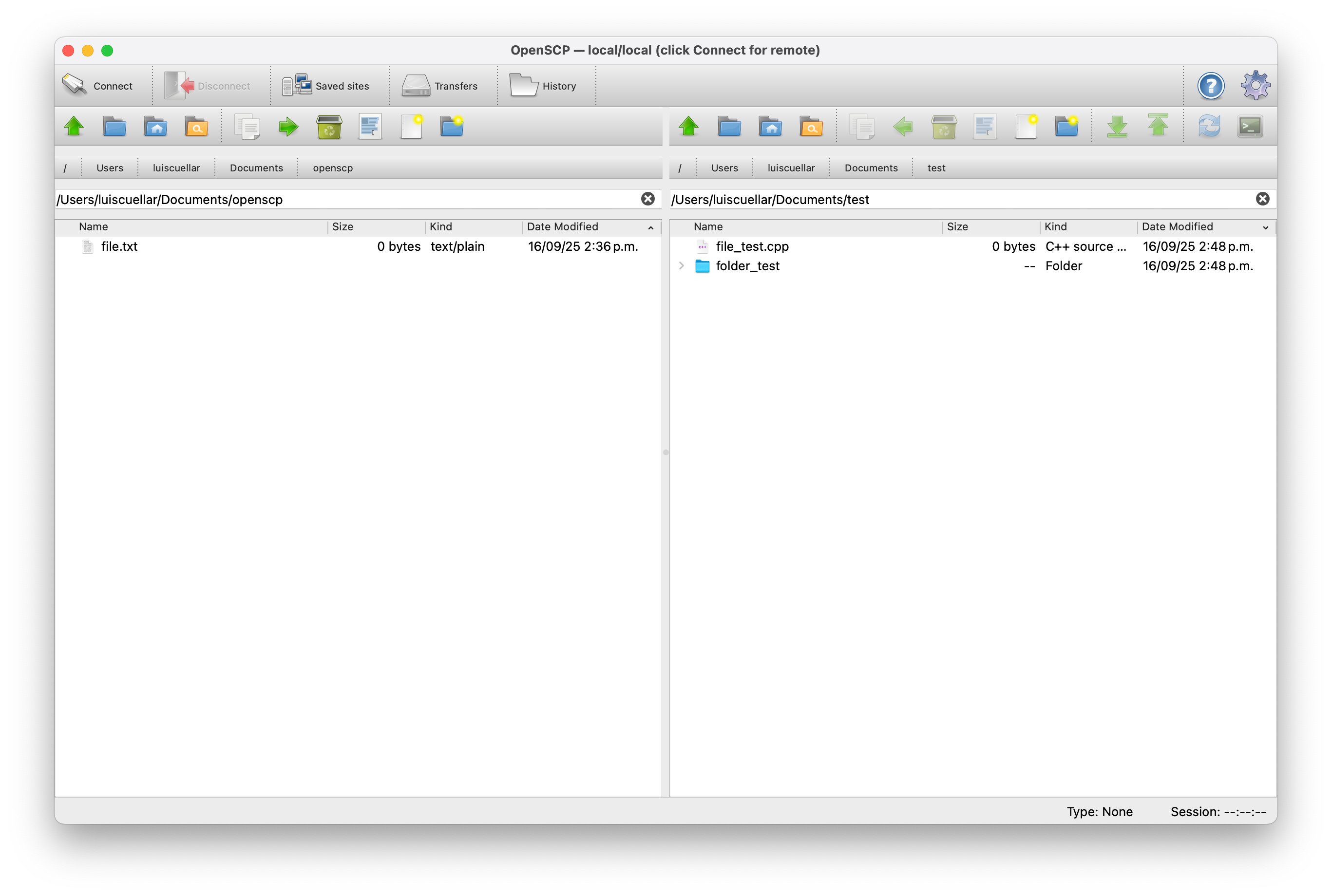
1. Dual-panel workflow
- Independent local/remote navigation.
- Quick
Homenavigation in panel toolbars (left local panel always; right panel uses localHOMEin local mode and/fallback in remote mode). - Right panel includes
Open in terminalin remote mode to start an SSH terminal directly in the currently viewed remote path using the active transport settings (direct, proxy tunnel, or jump host); if the SSH shell fails with a session error (for example PTY denied), it automatically falls back tosftpCLI in the same terminal. If transport requirements cannot be reproduced safely, the app shows an explicit error instead of downgrading to a basic direct SSH fallback. InSettings > Security, you can force interactive login (password/keyboard-interactive) and toggle automaticsftpCLI fallback for these commands. - Drag-and-drop copy/move between panels.
- Remote context operations: download, upload, rename, delete, new folder/file, permissions.
- Clickable breadcrumbs and per-panel search (toolbar button or
Ctrl/Cmd+F) with wildcard/regex patterns and optional recursive mode. - Remote panel icons use MIME-based detection (plus native provider on macOS) for closer parity with local icons.
2. Transfer engine and queue
- Real parallel transfers with isolated worker connections.
- Expensive queue prechecks run off the UI thread; scheduling fairness and queue metrics reduce starvation under high concurrency.
- Pause/resume/cancel/retry, per-task/global limits, and resume support.
- Status-aware queue actions: controls are enabled only when the selected task state allows that action (for example, retry for
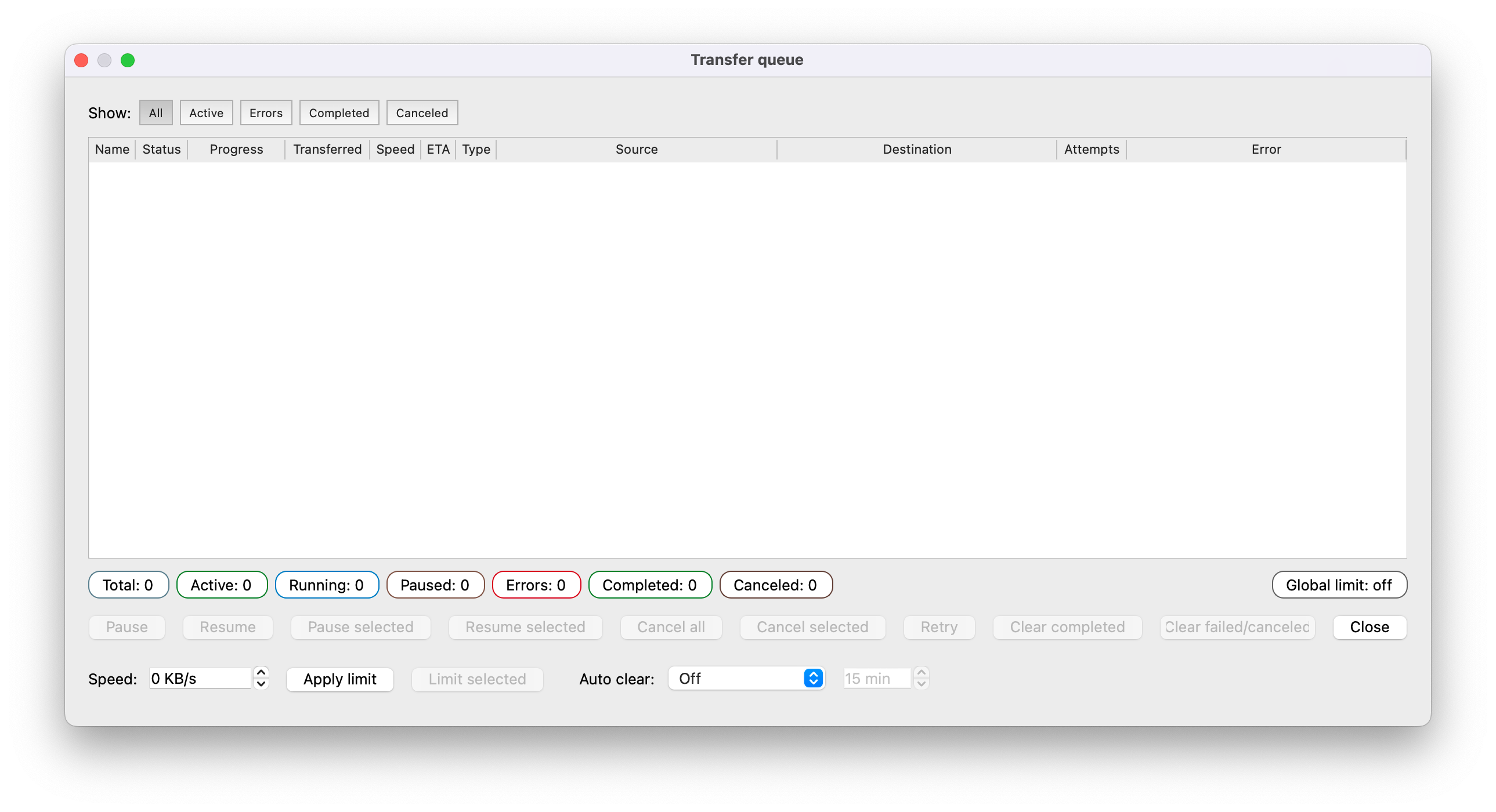
Error/Canceled, resume forPaused). - Queue UI with per-row progress percentages, filters, and detailed columns (
Speed,ETA,Transferred,Error, etc.). - Context actions like retry selected, open destination, copy paths, and cleanup policies.
- Queue window/layout/filter persistence.
- Main status bar emits transfer completion notices (for successful uploads/downloads).
- Transfers use interruptible worker sessions and bounded socket read/write waits to avoid indefinite hangs during stalled network conditions.
- Upload completion path is hardened and remote views refresh reliably after finished uploads.
- Critical remote operations now attempt one automatic stale-session recovery (reconnect + retry) before failing.
- Main remote session health checks run periodically and after wake/resume; if transport is no longer valid, OpenSCP disconnects safely with a clear warning.
3. SSH transport security hardening
- Auth: password, private key (+passphrase), keyboard-interactive (OTP/2FA), ssh-agent.
- Protocol selector per site/session (
SFTP,SCP,FTP,FTPS,WebDAV). - FTP/FTPS support remote directory listing (MLSD with LIST fallback).
- WebDAV support includes remote listing (
PROPFIND) and basic file operations (GET,PUT,MKCOL,DELETE,MOVE). - SCP mode policy per site/session:
Automatic (SCP + SFTP fallback)orSCP only(disable fallback), plus a global default for new connections. - FTPS certificate verification (peer+host) is enabled by default, with optional custom CA bundle per site/session.
- Host-key policies:
Strict,Accept new (TOFU),No verification(hardened). - Per-site transport can use direct TCP,
SOCKS5, orHTTP CONNECTproxy tunneling. - Per-site SSH jump host (
ProxyJump/bastion) tunneling is supported. - Current implementation treats proxy tunneling and jump host tunneling as mutually exclusive per session.
- Hardened no-verification flow: double confirmation, TTL-based temporary exception, risk banner.
- Atomic
known_hostspersistence and strict POSIX permissions (~/.ssh0700, file 0600). - One-time-connect confirmation when fingerprint persistence fails.
- Safer keyboard-interactive cancel path (no accidental password fallback).
- Transfer integrity policy (
off/optional/required) per site/session (and env override) using.part+ atomic finalize. - Sensitive data redacted from production logs by default.
4. Sites and credential storage
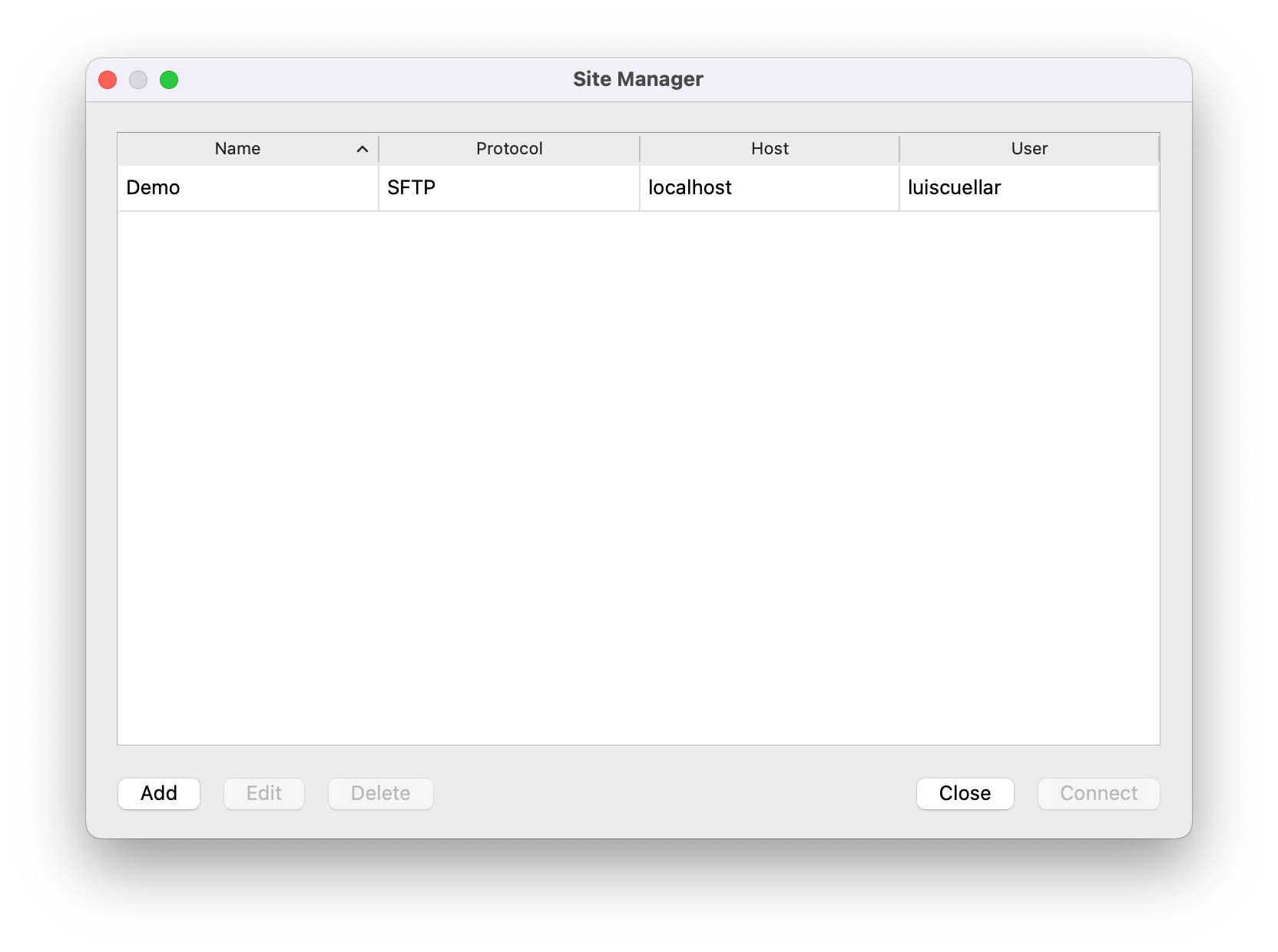
- Saved sites use stable UUID identities.
- Saved sites persist proxy type/endpoint/username per site.
- Saved sites persist SSH jump host settings (host/port/user/key path) per site.
- Saved sites persist SCP mode policy per site.
- Saved sites persist FTPS certificate settings (verify toggle and optional CA bundle path) per site.
- Duplicate site names blocked; rename/delete cleans legacy or orphan secrets.
- Optional cleanup of stored credentials and related
known_hostsentries when deleting sites. - Secure backends:
- macOS: Keychain
- Linux: libsecret (when available)
- Proxy passwords are stored in the secure backend (never in plaintext site settings).
- Clear persistence feedback in secure-only builds.
- Quick Connect can save/update site data without creating duplicates.
5. UX/UI quality
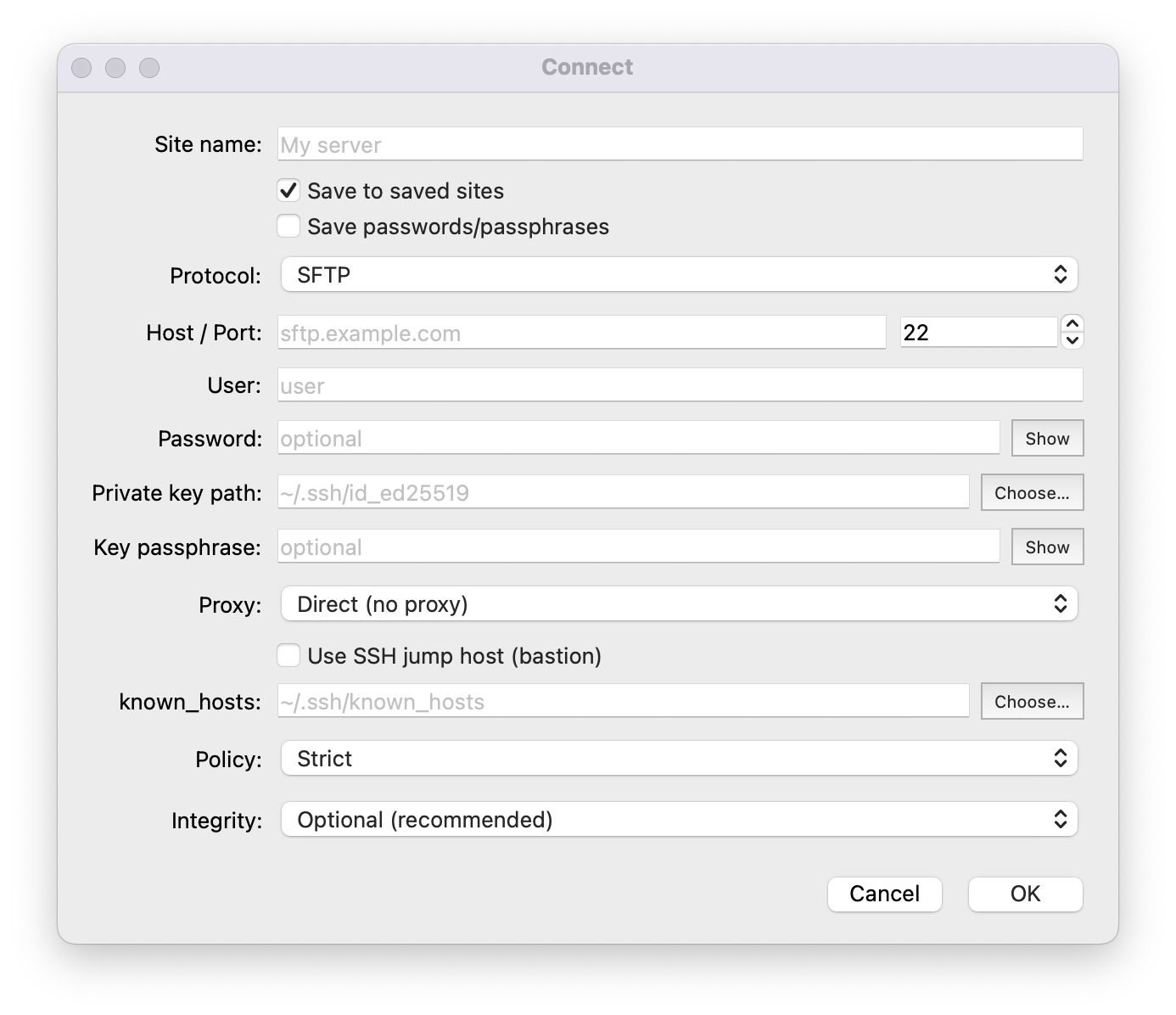
- Connection dialog improved (clearer inputs, inline key/known_hosts selectors, show/hide password fields).
- Connection dialog includes per-site proxy configuration (
Direct,SOCKS5,HTTP CONNECT) with optional auth. - Connection dialog includes optional per-site SSH jump host (bastion) configuration.
- Connection dialog includes FTPS certificate controls (verify toggle + optional CA bundle selector).
- UI language selection includes
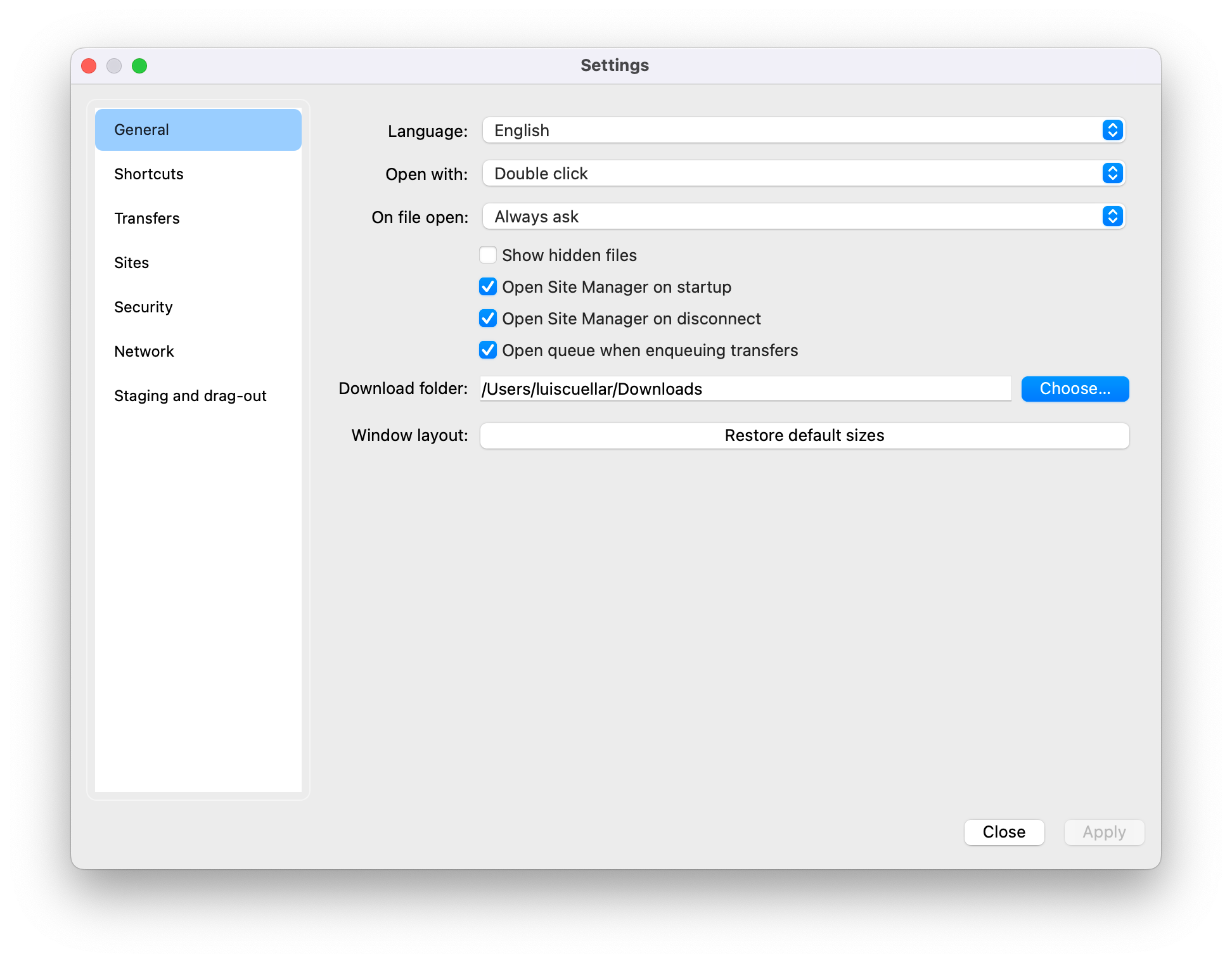
English,Spanish,French, andPortuguese. - Settings redesigned into focused sections:
General,Transfers,Sites,Security,Network, andStaging and drag-out. - Settings keeps controls visible while resizing (minimum size + scrollable pages).
- One-click reset for default main-window layout/sizes in Settings.
- Permissions dialog includes octal preview + common presets.
- About dialog includes diagnostics copy support and friendlier fallback messaging.
- Transfer queue dialog opens centered relative to the main window.
- Status bar shows connection type and per-session elapsed connection time.
- Disconnect flow stays responsive: UI returns to local mode immediately while transfer cleanup can continue in background, with watchdog/status feedback.
- Reconnect is blocked while previous transfer cleanup is still running, preventing session overlap races.
6. Quality baseline (CI and tests)
- CI split by intent:
- push to
dev: fast Linux build + non-integration tests - PR to
main: Linux and macOS integration gate
- push to
- Integration workflow spins up a temporary SFTP server for end-to-end checks.
- PR integration coverage validates transport variants in CI: direct,
SOCKS5proxy tunnel,HTTP CONNECTproxy tunnel (with auth), and SSH jump host tunnel. - Tag release workflow auto-generates draft release notes from Conventional Commits (
feat,fix,BREAKING CHANGE, etc.). - Nightly quality job includes
ASan,UBSan,TSan, andcppcheck.
Requirements
- Qt
6.x(tested with6.8.3) - libssh2 (OpenSSL 3 recommended)
- libcurl (optional; required for FTP/FTPS/WebDAV backends)
- tinyxml2 (optional; required for WebDAV backend XML parsing)
- CMake
3.22+ - C++20 compiler
Optional:
- macOS: Keychain (native)
- Linux: libsecret / Secret Service
- OpenSSH client (
ssh) for SSH jump host tunneling. - FTP/FTPS backend can be disabled explicitly with
-DOPENSCP_ENABLE_FTP_BACKEND=OFF. - WebDAV backend can be disabled explicitly with
-DOPENSCP_ENABLE_WEBDAV_BACKEND=OFF.
Testing Locally
cmake -S . -B build -DOPENSCP_BUILD_TESTS=ON
cmake --build build --parallel
ctest --test-dir build --output-on-failure
Local CI helper before push/PR:
./scripts/check_ci_local.sh --clean
Useful variants:
# Also build the GUI app target
./scripts/check_ci_local.sh --clean --full

# Custom build directory + parallel jobs
./scripts/check_ci_local.sh --clean --build-dir build-ci-local -j 8

# Same via environment variables
BUILD_DIR=build-ci-local JOBS=8 ./scripts/check_ci_local.sh --clean
Script index: scripts/README.md
openscp_sftp_integration_tests is skipped unless integration variables are set:
OPENSCP_IT_SFTP_HOSTOPENSCP_IT_SFTP_PORTOPENSCP_IT_SFTP_USEROPENSCP_IT_SFTP_PASSorOPENSCP_IT_SFTP_KEYOPENSCP_IT_SFTP_KEY_PASSPHRASE(if needed)OPENSCP_IT_REMOTE_BASEOPENSCP_IT_PROXY_TYPE(socks5orhttp, optional)OPENSCP_IT_PROXY_HOST(required whenOPENSCP_IT_PROXY_TYPEis set)OPENSCP_IT_PROXY_PORT(optional; defaults:1080forsocks5,8080forhttp)OPENSCP_IT_PROXY_USER(optional)OPENSCP_IT_PROXY_PASS(optional)OPENSCP_IT_JUMP_HOST(optional)OPENSCP_IT_JUMP_PORT(optional; default22)OPENSCP_IT_JUMP_USER(optional)OPENSCP_IT_JUMP_KEY(optional)
openscp_ftp_integration_tests is skipped unless integration variables are set:
OPENSCP_IT_FTP_HOSTOPENSCP_IT_FTP_PORT(optional; default21)OPENSCP_IT_FTP_USER(optional)OPENSCP_IT_FTP_PASS(optional)OPENSCP_IT_FTP_REMOTE_BASE
openscp_ftps_integration_tests is skipped unless integration variables are set:
OPENSCP_IT_FTPS_HOSTOPENSCP_IT_FTPS_PORT(optional; default990)OPENSCP_IT_FTPS_USER(optional)OPENSCP_IT_FTPS_PASS(optional)OPENSCP_IT_FTPS_REMOTE_BASEOPENSCP_IT_FTPS_VERIFY_PEER(1/0, optional; default1)OPENSCP_IT_FTPS_CA_CERT(optional)
Platform Workflows
macOS
Recommended daily loop:
./scripts/macos.sh dev
Step-by-step:
./scripts/macos.sh configure
./scripts/macos.sh build
./scripts/macos.sh run
Local unsigned packaging:
./scripts/macos.sh app
./scripts/macos.sh pkg
./scripts/macos.sh dmg
./scripts/macos.sh dist
If Qt is outside the default path ($HOME/Qt/<version>/macos):
export QT_PREFIX="/path/to/Qt/<version>/macos"
# or
export Qt6_DIR="/path/to/Qt/<version>/macos/lib/cmake/Qt6"
Full packaging details: assets/macos/README.md
Linux
Linux build and packaging details (AppImage, Snap, Flatpak): assets/linux/README.md
Runtime Environment Variables
OPENSCP_KNOWNHOSTS_PLAIN=1|0- force plain vs hashed hostnames inknown_hosts.OPENSCP_FP_HEX_ONLY=1- show fingerprints in HEX with:.OPENSCP_TRANSFER_INTEGRITY=off|optional|required- override transfer integrity policy.OPENSCP_LOG_LEVEL=off|error|warn|info|debug- set log verbosity.OPENSCP_ENV=dev|prod- runtime environment selector (devenables development-only diagnostics).OPENSCP_LOG_SENSITIVE=1- enable sensitive debug details only whenOPENSCP_ENV=dev(disabled by default).OPENSCP_ENABLE_INSECURE_FALLBACK=1- enable insecure secret fallback only when supported by the build/platform.
Screenshots
Roadmap
- Windows support is planned for future releases.
- Protocols: broader WebDAV interoperability coverage.
- Broader enterprise proxy/jump auth flows (for example, non-batch/interactive jump auth).
- Sync workflows: compare/sync and keep-up-to-date with filters/ignores.
- Queue persistence across restarts.
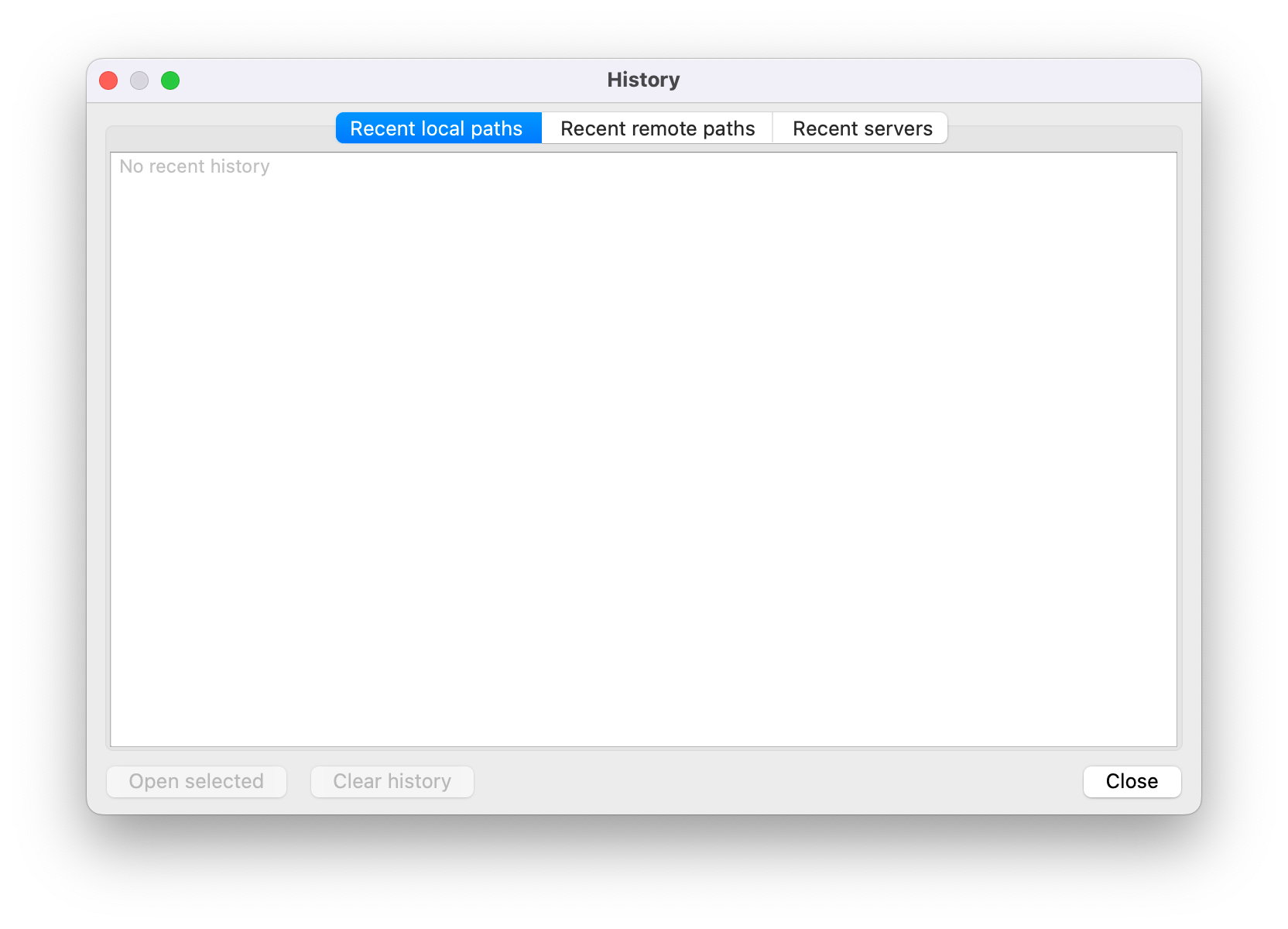
- More UX features: bookmarks, history, command palette, themes.
Credits and Licenses
- libssh2, libcurl, tinyxml2, OpenSSL, zlib, and Qt are owned by their respective authors.
- License texts: docs/credits/LICENSES/
- Qt (LGPL) materials: docs/credits
Contributing
- Contributions are welcome. See CONTRIBUTING.md for workflow and standards.
- Issues and pull requests are welcome, especially around macOS/Linux stability, i18n, and SFTP/SCP/FTP/FTPS/WebDAV robustness.