

OpenTutor
The first block-based adaptive learning workspace that runs locally.
Drop in a PDF. Get an AI tutor that actually adapts to how you learn.


English | 中文
The Problem
Every AI learning tool we tried had the same issue: they treat every student the same way. Same explanations. Same pace. Same questions. And they all require sending your data to the cloud.
The Solution
OpenTutor is a self-hosted, local-first AI learning platform. Upload your course material, and within 30 seconds you get structured notes, flashcards, quizzes, and an AI tutor — all running on your machine, completely free.
What makes it different:
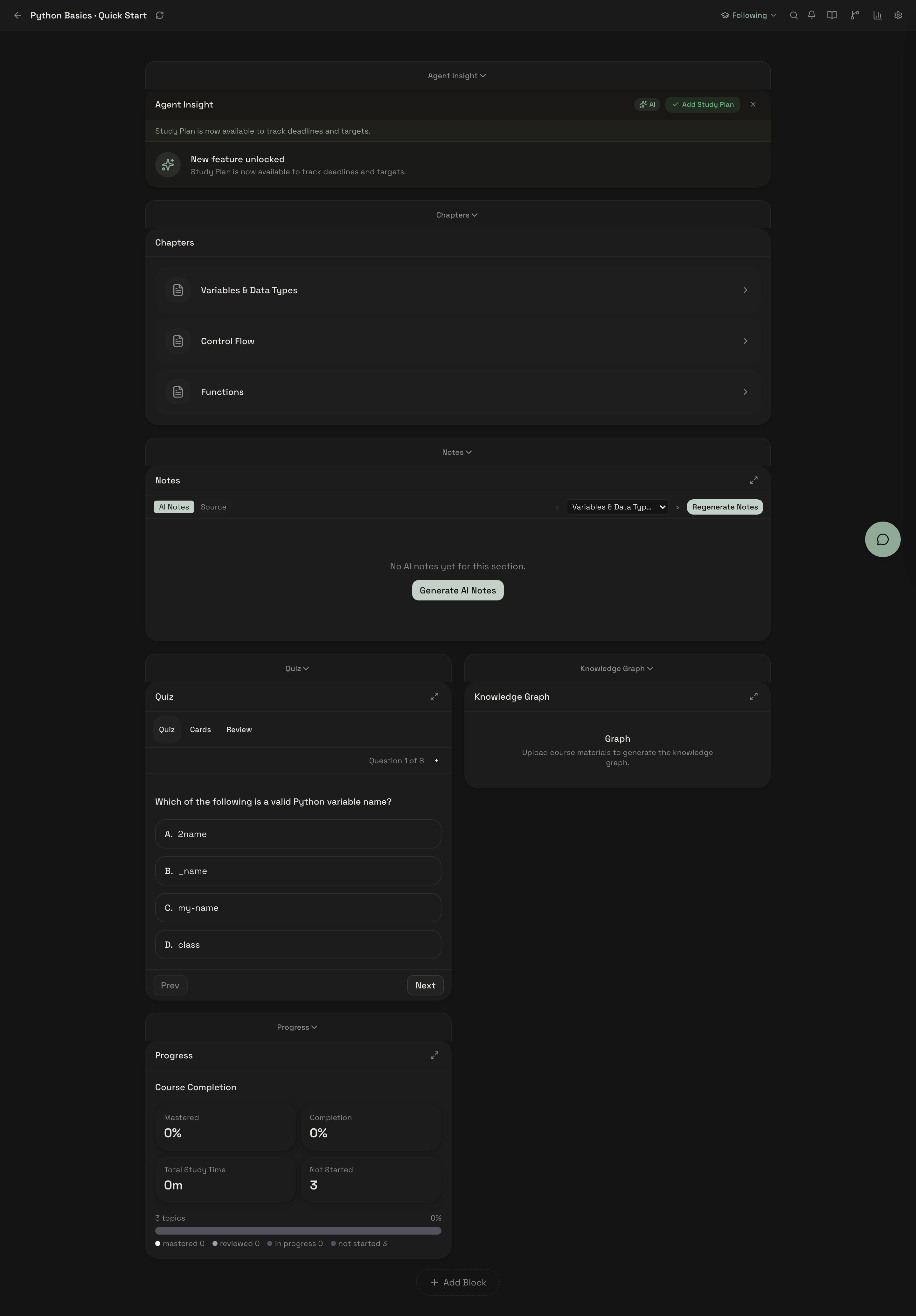
- Block-based workspace that reshapes itself based on how you learn
- Runs locally with open-source LLMs — no API keys required, no data leaves your machine
- Grounded in learning science — FSRS spaced repetition, knowledge graphs, cognitive load detection
Upload → AI Teaches → You Practice → AI Remembers → AI Reminds → Repeat
Quick Start
3 commands. That's it.
git clone https://github.com/zijinz456/OpenTutor.git && cd OpenTutor
cp .env.example .env
docker compose up -d --build
Open http://localhost:3001. Done.
No Docker? Use
bash scripts/quickstart.shinstead — it handles Python venv, npm install, DB setup, and starts both servers.
One-Click Cloud Deploy


Manual setup (without Docker)
# Backend
cd apps/api
python3 -m venv .venv && source .venv/bin/activate
pip install -r requirements-core.txt
uvicorn main:app --reload --port 8000

# Frontend (separate terminal)
cd apps/web && npm install && npm run dev
Visit http://localhost:3001.
Platform support
| Platform | Status |
|---|---|
| macOS (Apple Silicon / Intel) | Supported |
| Linux (Ubuntu 22.04+) | Supported |
| Windows | Community-supported |
Prerequisites: Python 3.11+, Node.js 20+, Docker (optional)
Security Note: Auth is disabled by default for local single-user use. Set
AUTH_ENABLED=trueand configureJWT_SECRET_KEYbefore any network-accessible deployment. See SECURITY.md.
Public Beta Notes (Local Single-User)
This repository currently targets a local single-user public beta.
- Supported first-class platforms: macOS and Linux
- Windows is community-supported
- Multi-user SaaS/classroom mode is out of scope for this beta
Known limitations for this beta:
- Mobile layout is not fully optimized across all workspace views
- Some advanced autonomous and graph-driven flows are still experimental
- LLM quality/latency depends on your local runtime and hardware
Before opening an issue, check:
Minimal Demo Flow (2-3 minutes)
- Create/open a course
- Upload a PDF/DOCX/PPTX file
- Ask a grounded tutor question in chat
- Complete one quiz or flashcard review
- Check plan/review suggestions in workspace
- Export at least one artifact (session or review content)
Features
Block-Based Adaptive Workspace
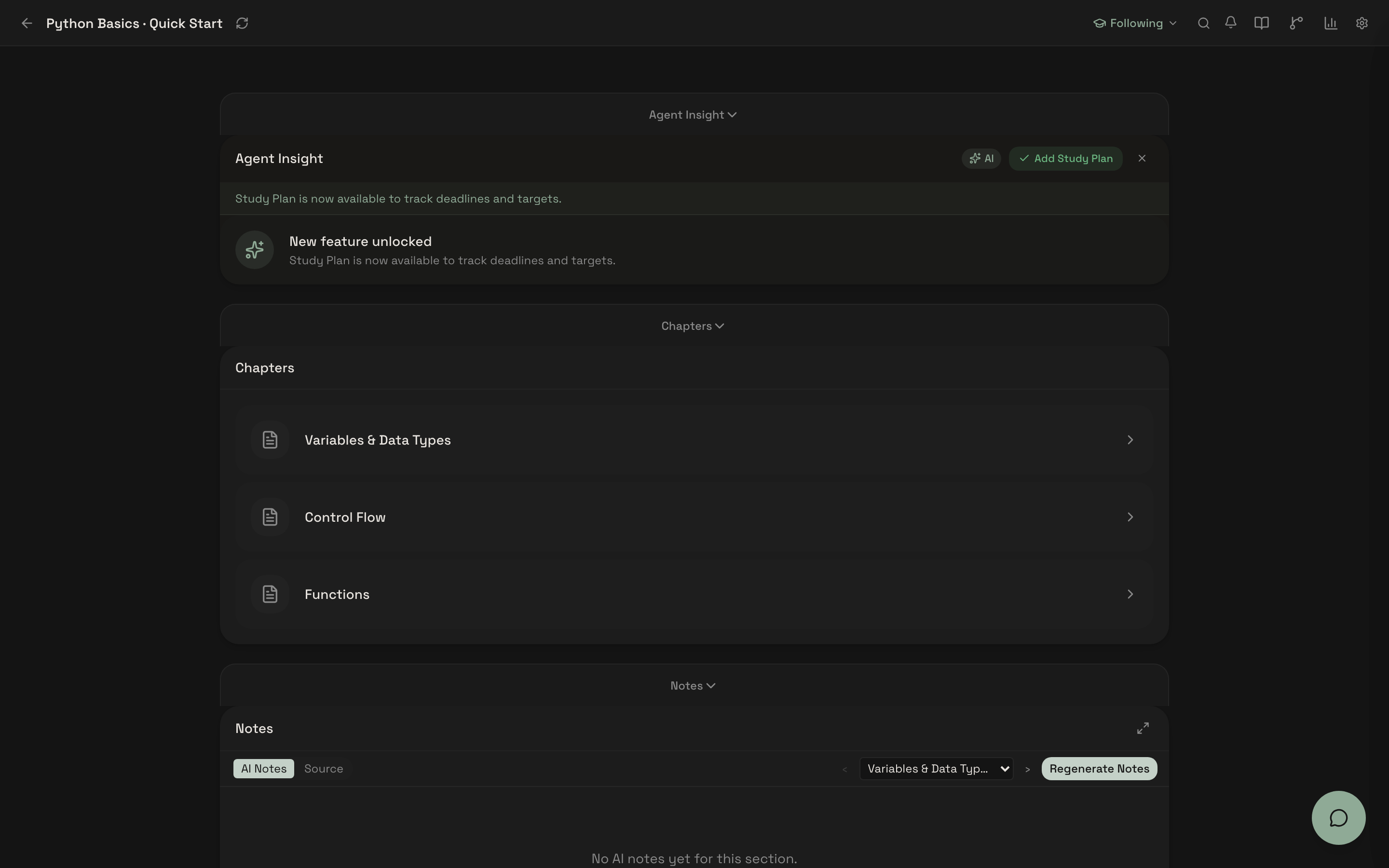
12 composable learning blocks — notes, quiz, flashcards, knowledge graph, study plan, analytics, and more. The workspace adapts: AI suggests layout changes based on your behavior, and progressively unlocks advanced features as you engage.
AI Tutor with Source Citations
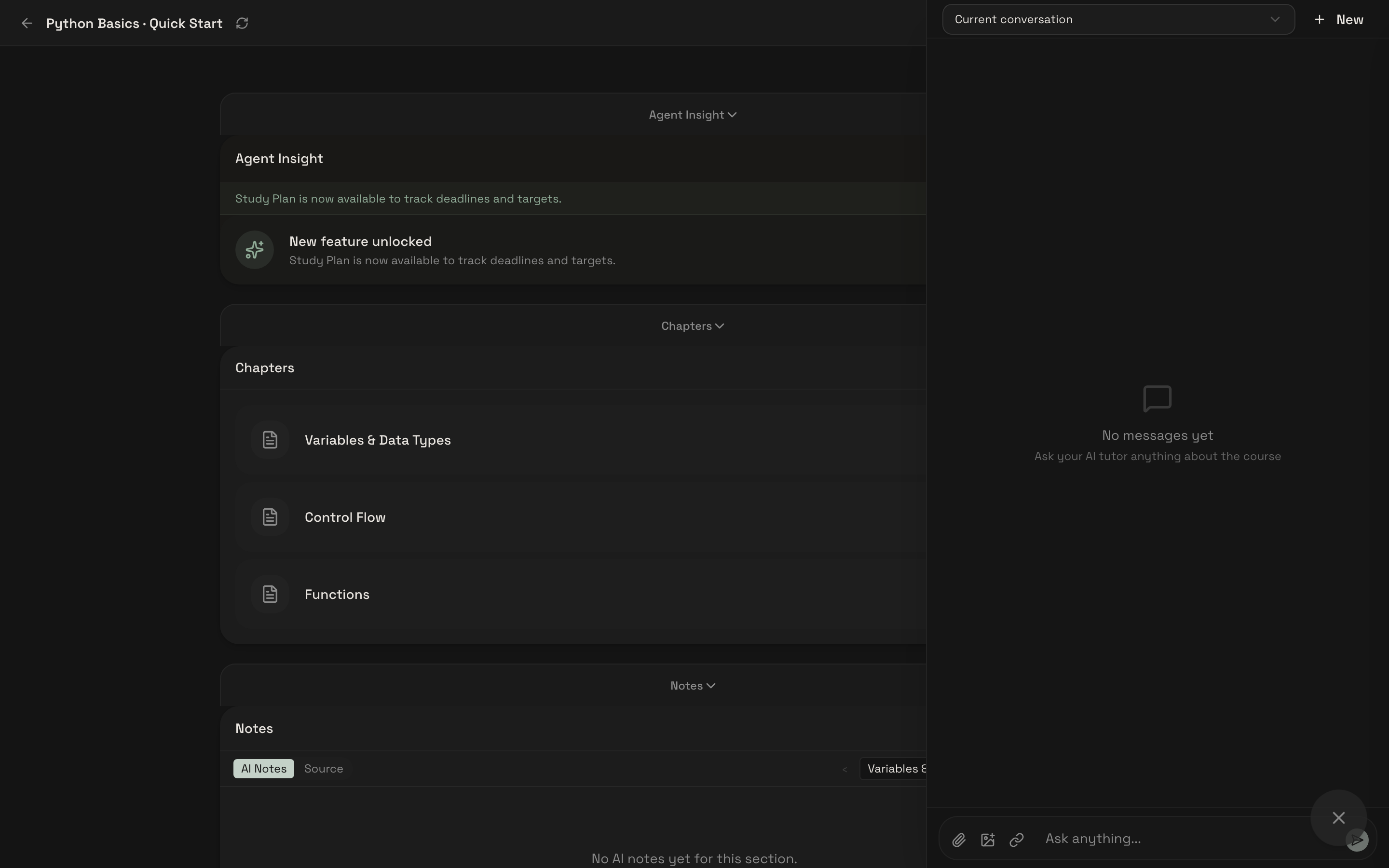
Every answer is grounded in your material. The tutor adapts depth based on behavioral signals — fatigue detection, error patterns, message brevity. Supports Socratic questioning mode.
30-Second Content Ingestion
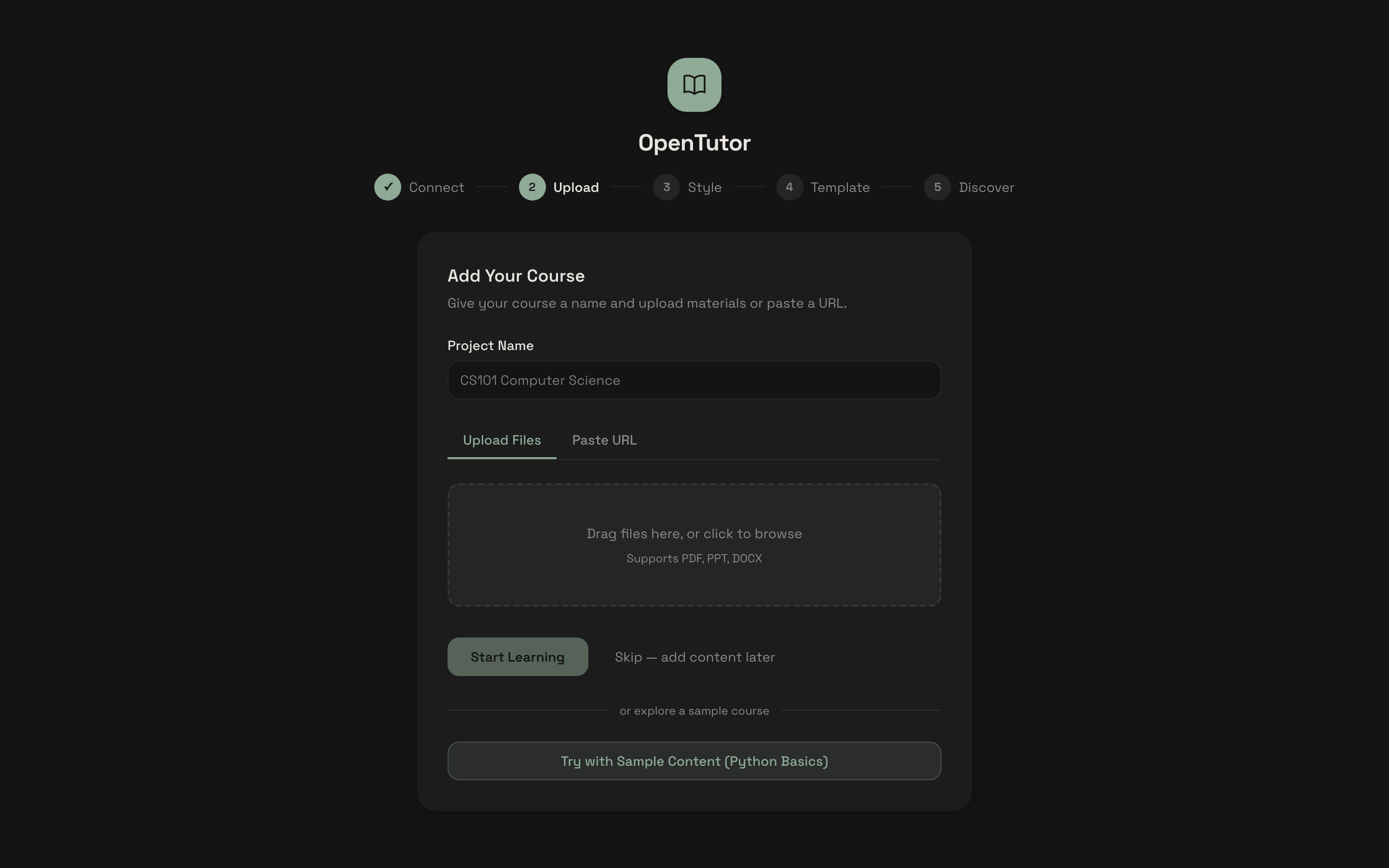
Upload PDF, DOCX, PPTX, or connect Canvas LMS. Get structured notes, AI-generated flashcards, and quiz questions automatically. 7 question types: MCQ, short answer, fill-in-blank, true/false, matching, ordering, coding.
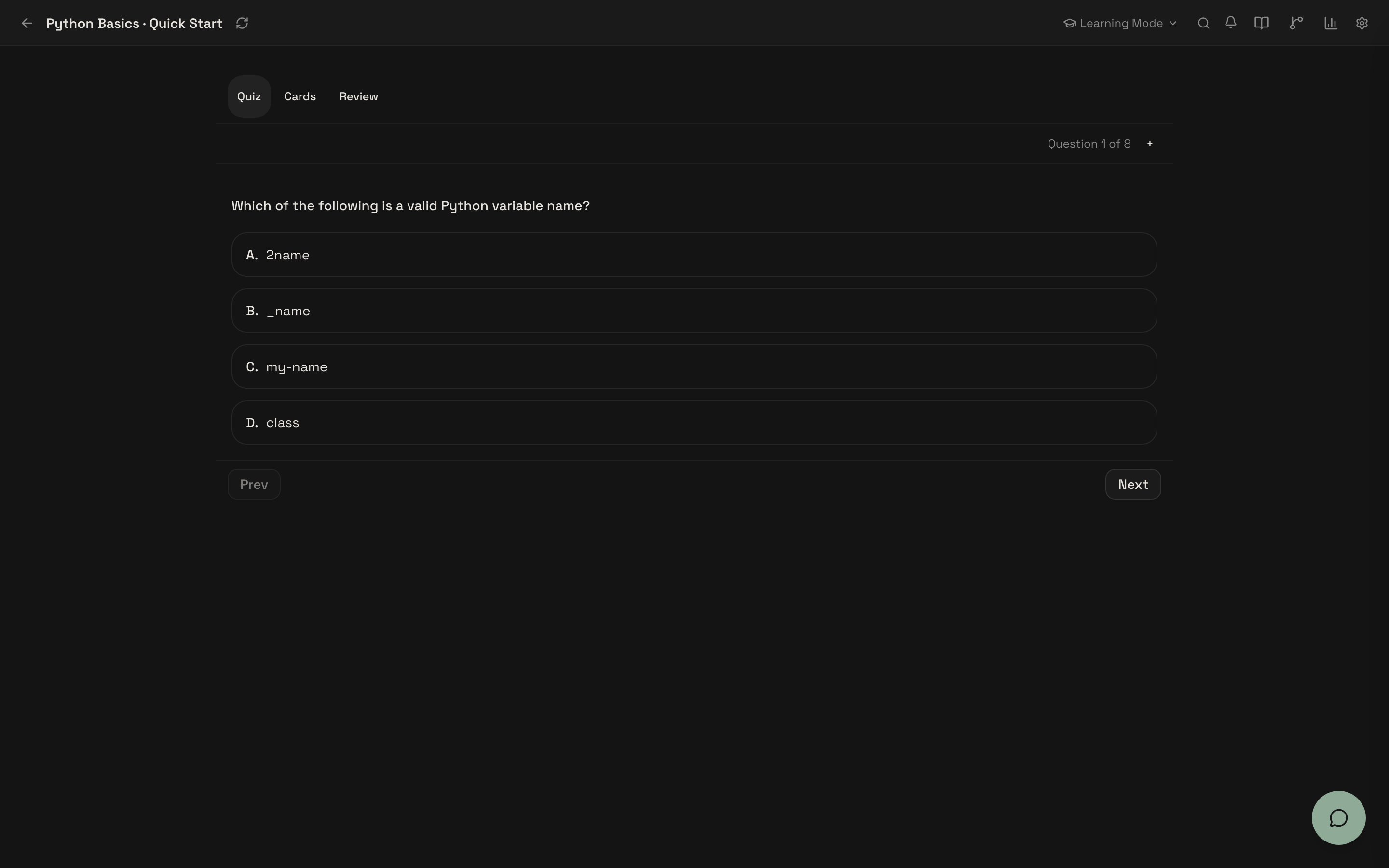
Adaptive Quiz & Practice
AI-generated quizzes with 7 question types. Wrong-answer tracking with diagnostic feedback. Difficulty adapts based on your performance.
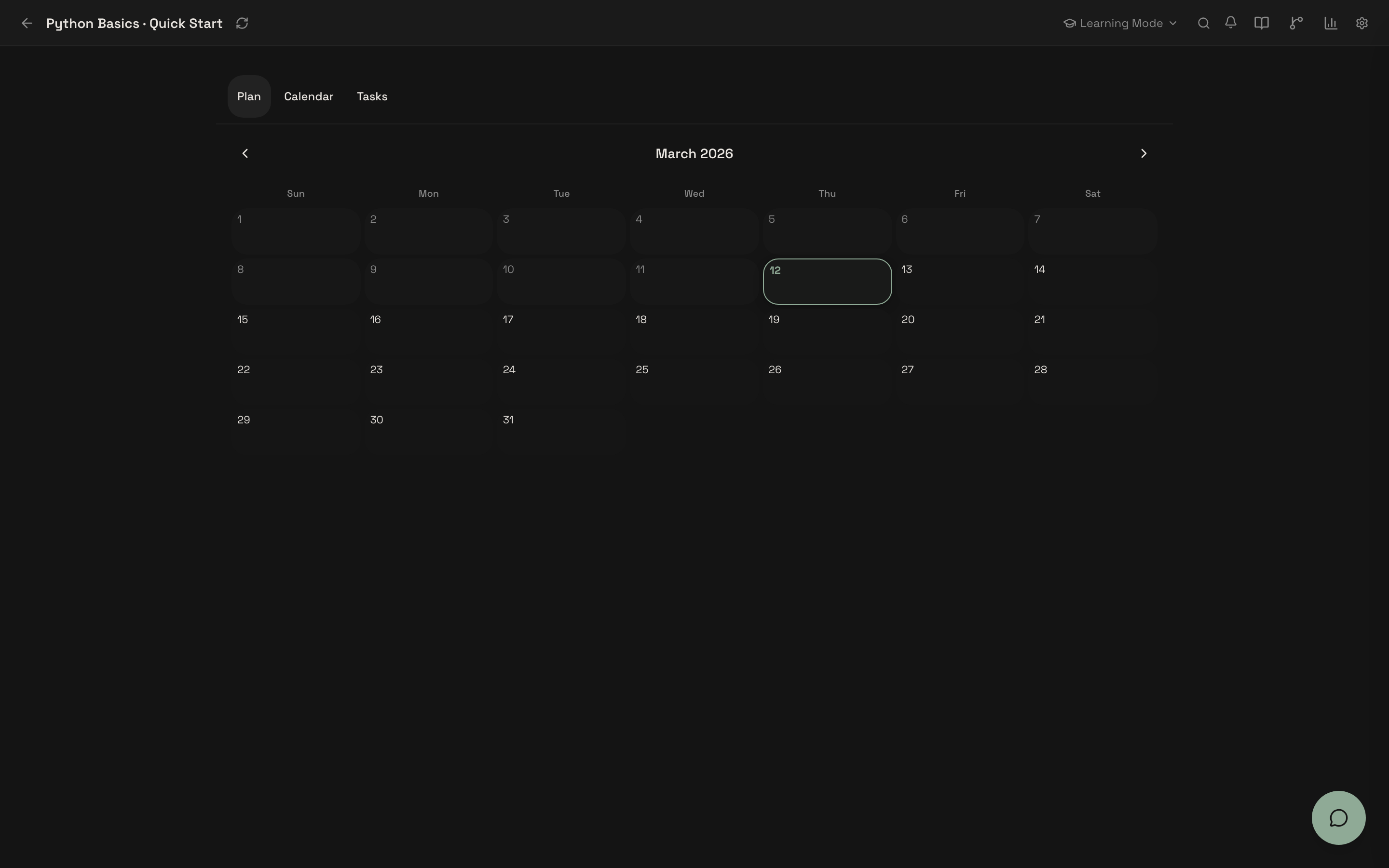
Study Plan & Calendar
Plan your study schedule with calendar view, task tracking, and deadline management.
Spaced Repetition (FSRS 4.5)
Optimized free spaced repetition scheduling for flashcards. Tracks what you're forgetting and proactively reminds you to review.
Knowledge Graph (LOOM) [Experimental]
Tracks concept mastery, prerequisite relationships, and weak areas. Based on LOOM. Extracts concepts from your material, builds a knowledge graph, and generates optimal learning paths.
Semantic Review (LECTOR) [Experimental]
Extends FSRS with knowledge-graph-aware review prioritization. Based on LECTOR. Clusters related concepts for co-review, prioritizes prerequisites before dependents.
10+ LLM Providers
Local-first with Ollama by default. Switch to OpenAI, Anthropic, DeepSeek, Gemini, Groq, vLLM, LM Studio, OpenRouter, or any OpenAI-compatible endpoint.
# Local (free, default)
LLM_PROVIDER=ollama
LLM_MODEL=llama3.2:3b

# Cloud (optional)
LLM_PROVIDER=deepseek
LLM_MODEL=deepseek-chat
DEEPSEEK_API_KEY=sk-...
See .env.example for the full list.
Architecture
OpenTutor/
├── apps/
│   ├── api/              # FastAPI backend
│   │   ├── services/
│   │   │   ├── agent/              # 3 specialist agents (Tutor, Planner, Layout)
│   │   │   ├── ingestion/          # Content processing pipeline
│   │   │   ├── llm/                # Multi-provider LLM router + circuit breaker
│   │   │   ├── search/             # Hybrid BM25 + vector RAG
│   │   │   ├── spaced_repetition/  # FSRS scheduler + flashcards
│   │   │   └── learning_science/   # BKT, difficulty selection, cognitive load
│   │   ├── routers/           # API route modules (composed + subrouters)
│   │   └── models/            # SQLAlchemy ORM models
│   └── web/              # Next.js 16 frontend
│       └── src/
│           ├── components/blocks/  # 12 composable learning blocks
│           ├── store/              # Zustand state stores
│           └── lib/block-system/   # Block registry, templates, feature unlock
├── tests/                # pytest + Playwright E2E
└── docs/                 # PRD, SPEC, architecture decisions
Agent System
3 specialist agents coordinated by an intent-routing orchestrator:
| Agent | Role |
|---|---|
| Tutor | Teaches with adaptive depth, Socratic questioning, source citations |
| Planner | Study plans, goal tracking, deadline management |
| Layout | Workspace configuration based on activity context |
Tech Stack
| Layer | Technologies |
|---|---|
| Frontend | Next.js 16, React 19, TypeScript, Tailwind CSS 4, Zustand, shadcn/ui |
| Backend | FastAPI, Python 3.11+, Pydantic 2, SQLAlchemy 2 (async), Alembic |
| Database | SQLite (local-first, current release channel) |
| Learning Science | FSRS 4.5, BKT, LOOM, LECTOR, Cognitive Load Theory |
| CI/CD | GitHub Actions, Docker Compose, Playwright |
Research
OpenTutor builds on these papers:
| Paper | What We Use |
|---|---|
| LECTOR (arxiv 2025) | Semantic spaced repetition via knowledge graph relationships |
| LOOM (arxiv 2025) | Dynamic learner memory graph for concept mastery tracking |
| Cognitive Load + DKT (Nature 2025) | Behavioral signals for real-time difficulty adaptation |
| FSRS 4.5 | Optimized free spaced repetition scheduling |
Roadmap
- Block-based adaptive workspace (12 block types)
- Multi-agent tutor system (Tutor, Planner, Layout)
- FSRS 4.5 spaced repetition
- Canvas LMS integration
- 10+ LLM provider support
- LOOM knowledge graph — FSRS decay, cross-course linking, content node linking
- LECTOR semantic review — confusion pairs, prerequisite ordering, FSRS integration
- Cognitive load — 12-signal detection, intervention tracking, drift detection
- Cognitive load weight auto-tuning (data collection in progress)
- Mobile-responsive workspace
- Multi-user classroom mode
- Plugin system for custom blocks
See the experimental status matrix for feature flags and module status.
Contributing
We're building this in public and looking for collaborators. Whether you're into learning science, AI agents, frontend, or backend — there's a place for you.
# Run tests
python -m pytest tests/ -q -k "not llm_router"

# E2E tests (requires running stack)
npx playwright test
Check out the good first issues to get started, or read CONTRIBUTING.md for the full guide.
License
If OpenTutor helps your learning, consider giving it a star.