
OpenYak







A local-first AI agent for files, tools, long threads, and real desktop work.
Run an agent on your own computer, work with local files, use local models when you can, and choose cloud providers only when you want them.
Why OpenYak
OpenYak is built for people who want an AI agent that lives on their machine instead of behind another hosted workspace account.
- No OpenYak account. Install the app, choose a local model or bring your own provider key, and start working without login, billing, seats, or recharge flows.
- Local-first agent runtime. Files, conversations, memory, generated artifacts, tool permissions, and workflow state stay on your device.
- Work from your actual files. Attach DOCX, XLSX, PPTX, PDFs, CSVs, and local project context, then ask for briefs, tables, follow-ups, plans, and reusable artifacts.
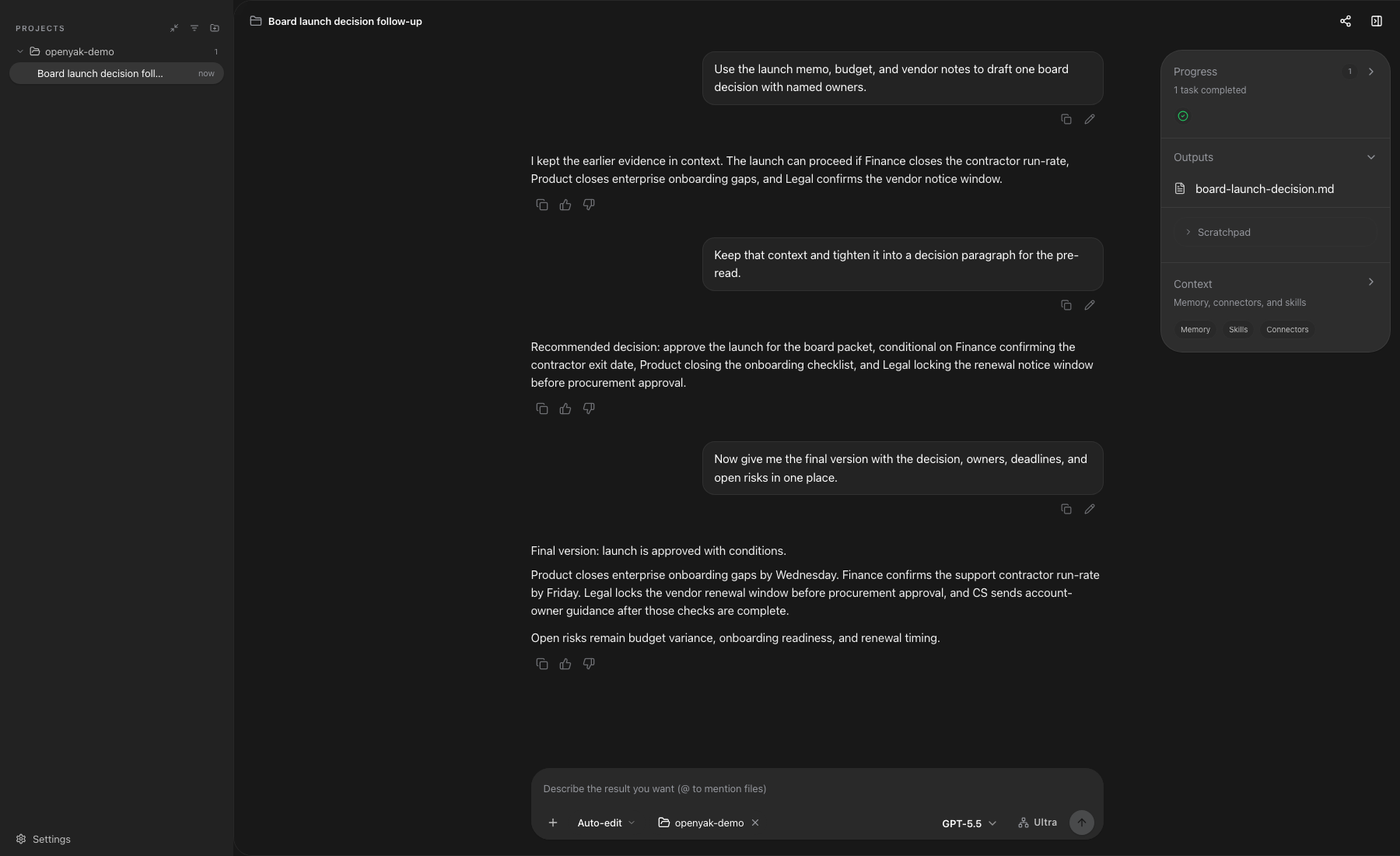
- Keep the workflow in one thread. Start with analysis, continue into a RACI, ask for a follow-up email, and preserve context across long conversations.
- Choose your model boundary. Run local models through Rapid-MLX or Ollama, or opt into direct BYOK calls to OpenRouter, OpenAI, Anthropic, Google, and other providers.
- Use your desktop agent from another device. Remote access lets you scan a QR code and send tasks to your computer through a secure tunnel.
What It Feels Like
| Ask OpenYak to... | It should give you... |
|---|---|
| Read a long memo | Executive brief, risks, owners, next actions, and a send-ready email |
| Analyze a workbook | Budget vs. actual variance, drivers, anomalies, and finance talking points |
| Review a deck | Slide-by-slide story, evidence gaps, speaker notes, and decision ask |
| Synthesize several files | One board brief that reconciles memo, budget, deck, and PDF context |
| Split work across agents | Parallel child-agent tasks with links back to each focused session |
| Continue the same thread | RACI, 30-day plan, agenda, and follow-up drafts without restating context |
| Recover from an error | Clear next step when upload, auth, or file parsing fails |
Office Workflows
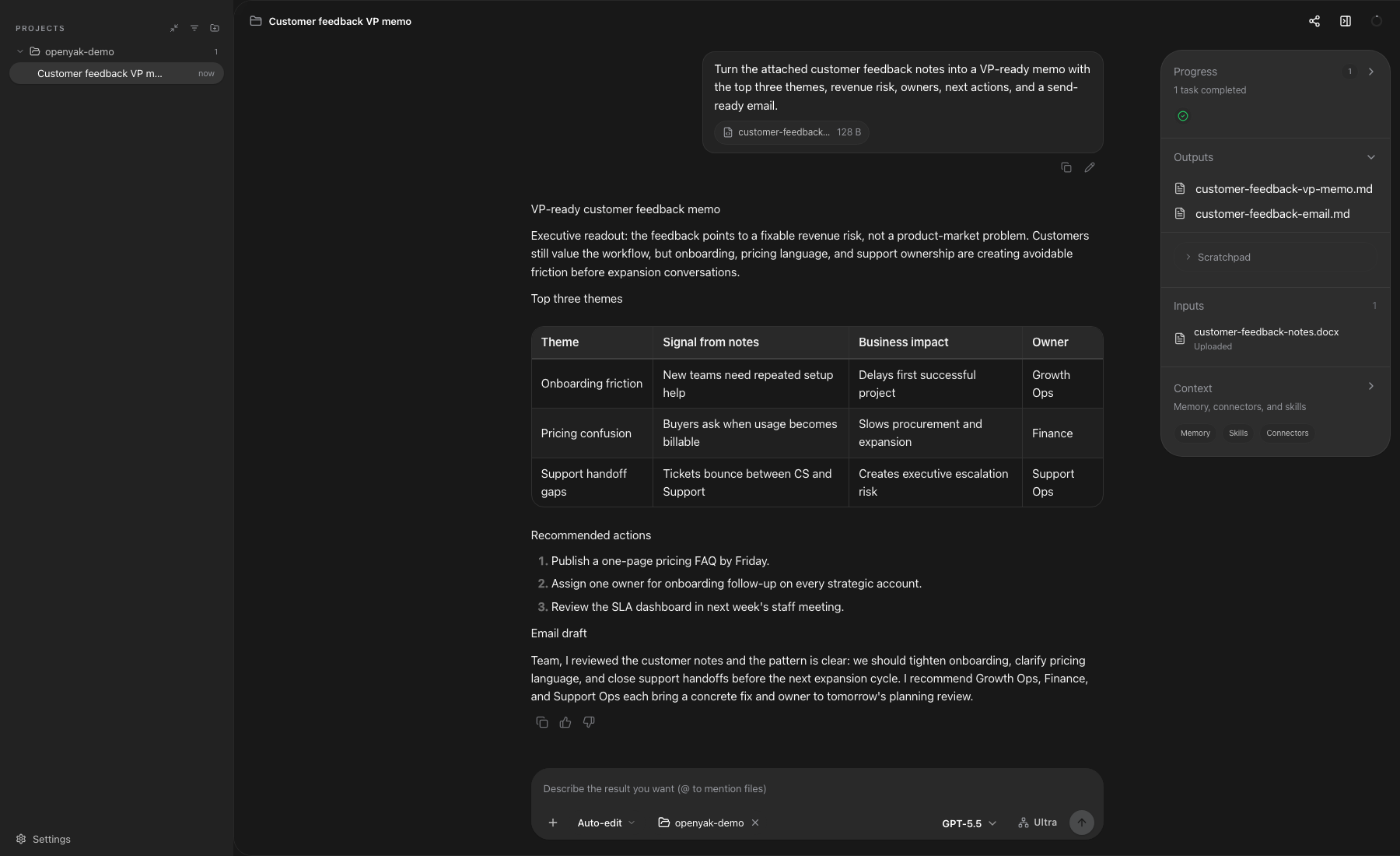
From Memo to Executive Brief
OpenYak can turn a dense memo into a structured brief that is ready for a manager, team update, or follow-up email.

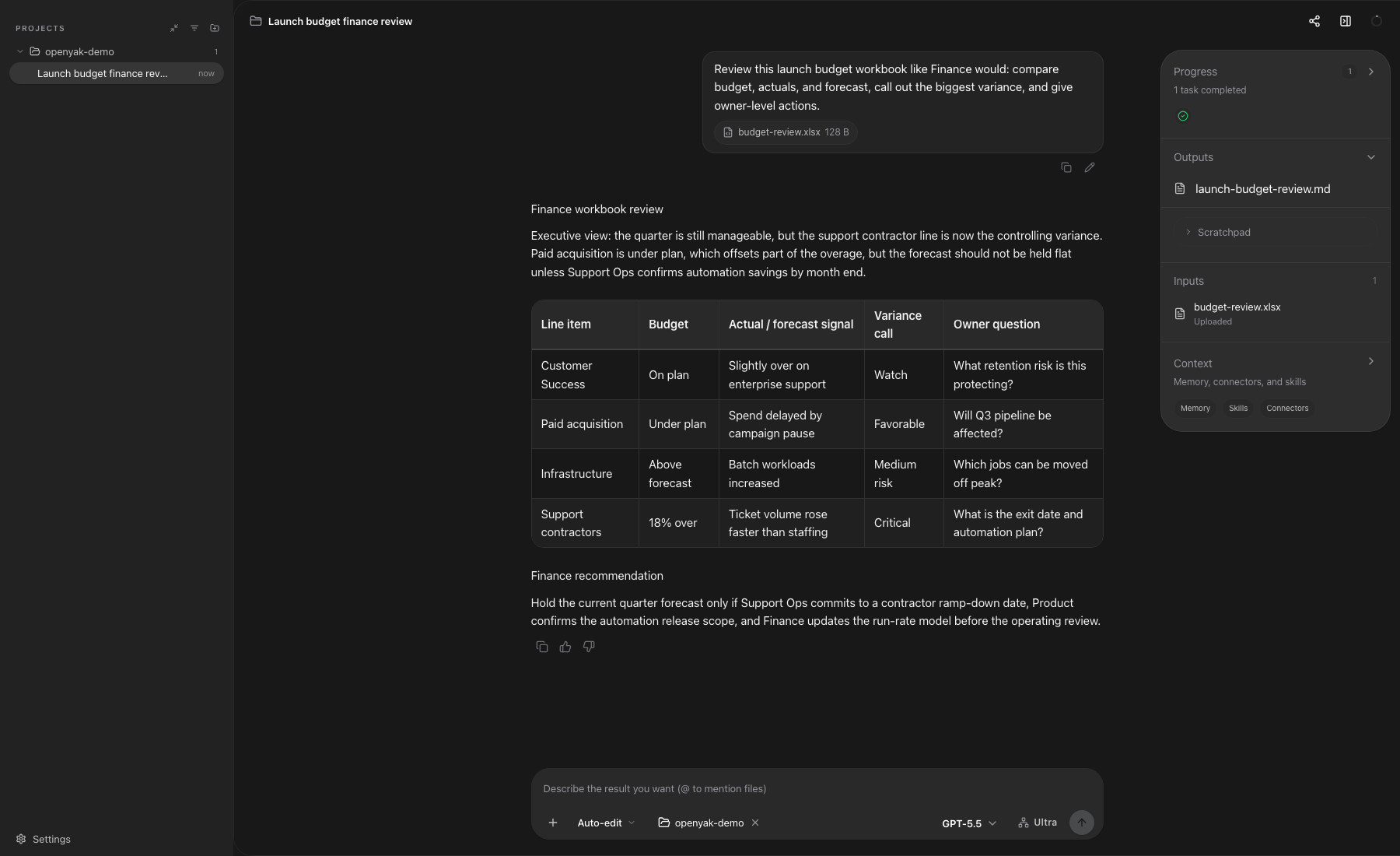
From Spreadsheet to Finance View
Use spreadsheets as working inputs, not screenshots. Ask for budget variance, forecast risks, owner-level action items, and meeting-ready talking points.
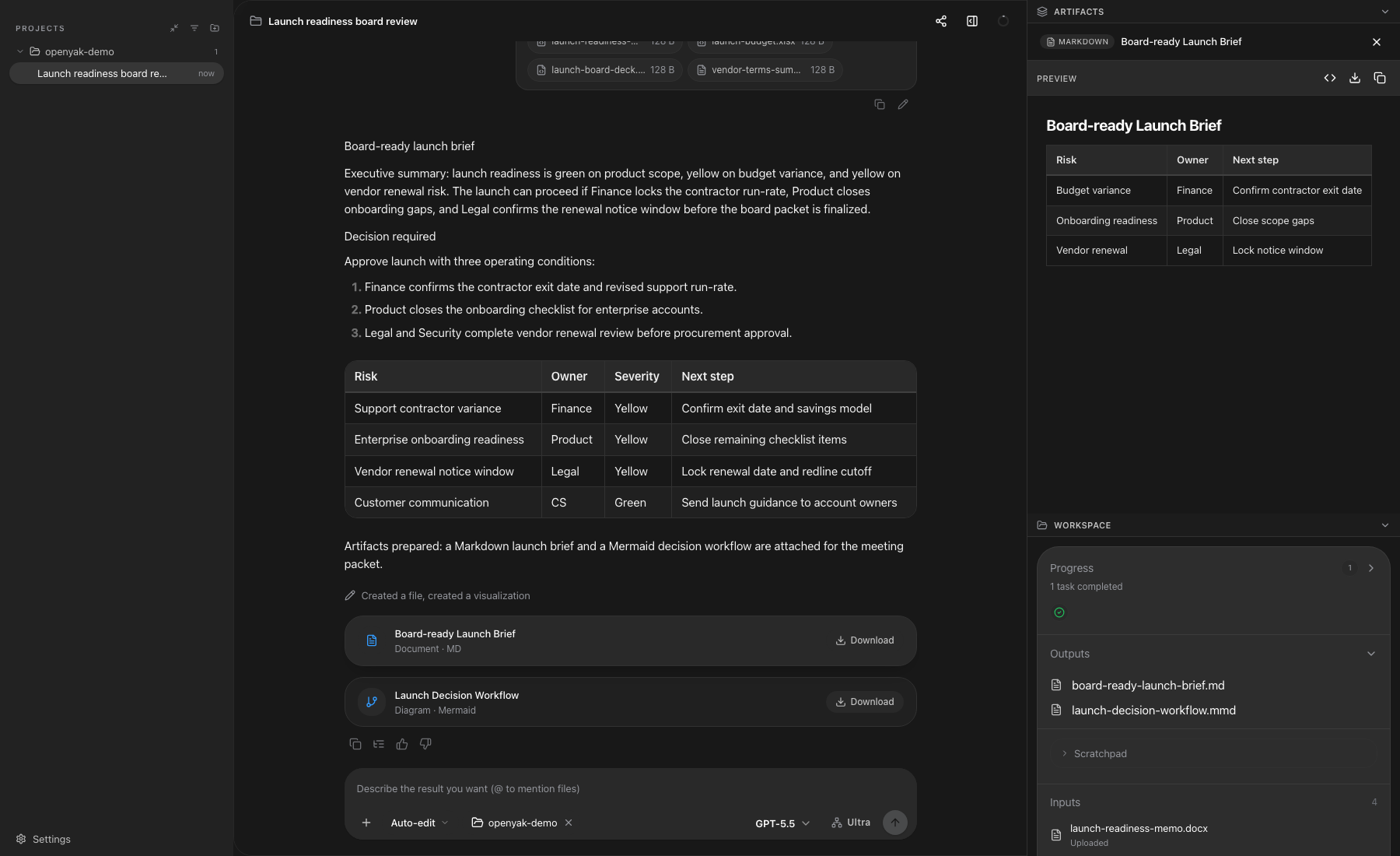
From Multiple Files to an Artifact
OpenYak can synthesize several files in the same thread and open a right-side artifact panel for reusable briefs, plans, diagrams, and structured outputs.
Multi-Agent Task Batches
Split a larger request into focused child-agent tasks, run them in parallel, and keep the parent thread as the place where progress, links, and the final aggregate result come back together.

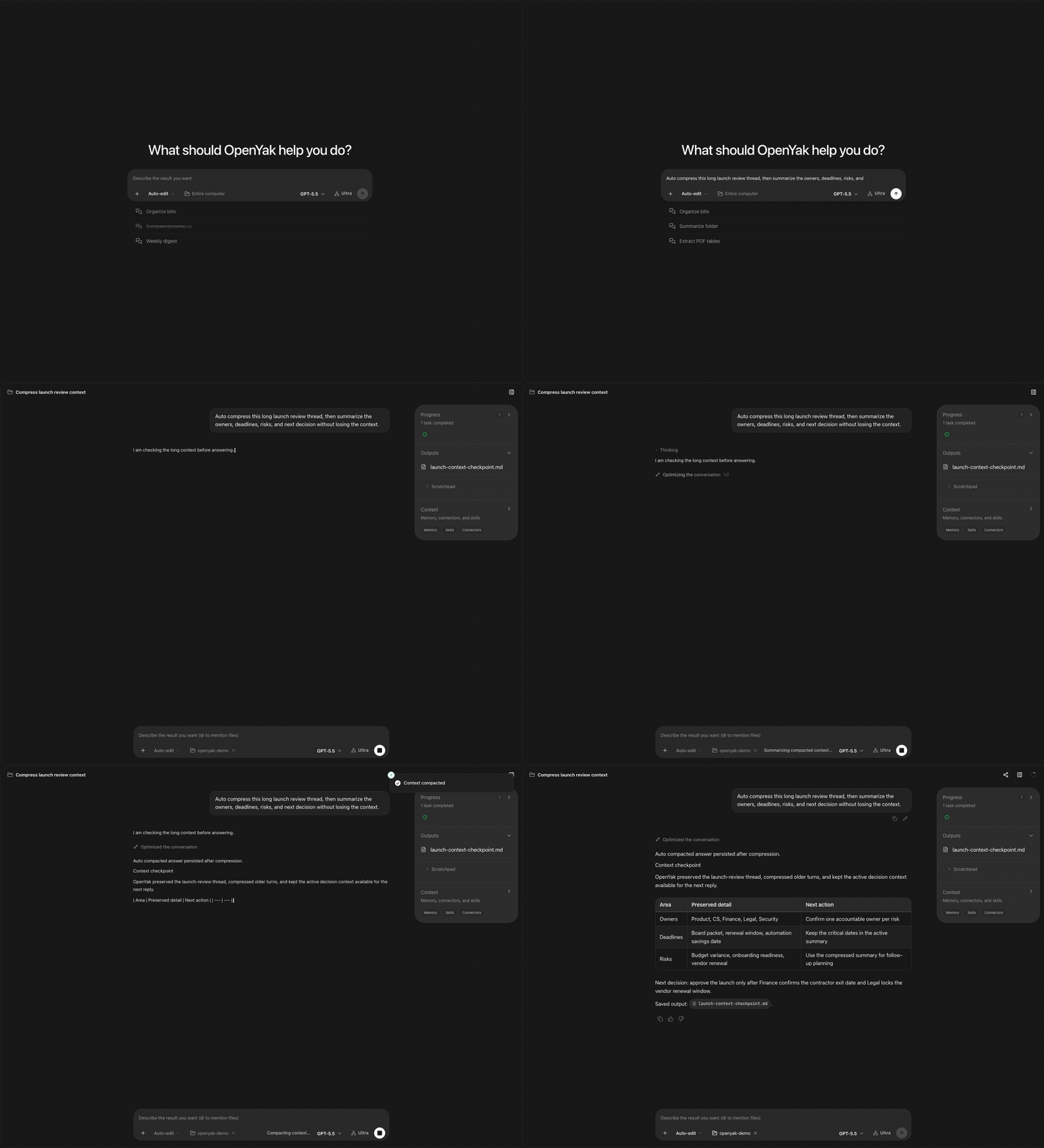
Long Threads and Auto-Compress
Real office work rarely fits in one message. OpenYak is designed for follow-ups, revisions, and long conversations where the important context needs to remain available.
Download
| Platform | Architecture | Formats |
|---|---|---|
| macOS | Apple Silicon / Intel | .dmg, .app |
| Windows | x64 | .exe installer |
| Linux | x64 | .deb, .rpm |
Download the latest release or visit open-yak.com/download.
Linux users can also read LINUX.md for requirements and troubleshooting.
Get Started
- Install OpenYak for your platform.
- Choose where inference runs: local Rapid-MLX/Ollama for offline work, or a BYOK cloud provider when you want hosted models.
- Start a new conversation and attach a real file.
- Ask for a deliverable, not just a summary: brief, action plan, RACI, email, table, or artifact.
- Review the result in the chat and artifact panel, then continue in the same thread.
Example prompt:
Please read the files I uploaded and turn them into a concise team brief.
Start with three key takeaways, then list risks, owners, and next actions.
Finally, write a follow-up email I can send to the team directly.
Model Options
Local First
- Rapid-MLX: Apple Silicon macOS users can start and switch curated MLX models from Settings. OpenYak connects to Rapid-MLX's OpenAI-compatible API on
localhost. - Ollama: Run any model available through Ollama. Local models are auto-detected and can be used without an internet connection.
- Custom local endpoints: Point OpenYak at a local OpenAI-compatible server when you run your own model stack.
Optional Cloud Providers
| Provider | Access | Notes |
|---|---|---|
| OpenRouter | BYOK | Bring your own OpenRouter API key |
| OpenAI | BYOK | Bring your own API key |
| Anthropic | BYOK | Bring your own API key |
| BYOK | Gemini models | |
| DeepSeek | BYOK | Direct provider key |
| Groq | BYOK | Fast hosted inference |
| Mistral | BYOK | Direct provider key |
| xAI | BYOK | Grok models |
| Qwen | BYOK | Direct provider key |
| Kimi | BYOK | Moonshot models |
| MiniMax | BYOK | Direct provider key |
| Zhipu | BYOK | Direct provider key |
| ChatGPT | Subscription | Use an existing ChatGPT Plus, Pro, Team, or Enterprise plan when available |
Cloud and subscription paths are optional. OpenYak does not provide hosted model accounts and does not proxy model traffic; requests go directly from your desktop to the provider you configure.
Core Capabilities
- File understanding: office docs, spreadsheets, slide decks, PDFs, CSVs, local folders, and generated artifacts.
- Artifact workspace: reusable Markdown briefs, tables, diagrams, checklists, and structured outputs.
- Tool execution: read, write, rename, organize, and automate files with user-controlled permissions.
- Long-context work: continue from analysis to planning to follow-up without starting over.
- Remote access: connect from mobile through QR code and Cloudflare Tunnel.
- Automations: schedule recurring cleanup, reporting, and file workflows.
- Privacy controls: local storage, no OpenYak account, BYOK provider access, and local model support.
For Developers
Tech Stack: Tauri v2, Rust, Next.js 15, FastAPI, SQLite
Monorepo Structure:
desktop-tauri/    Rust desktop shell and system integration
frontend/         Next.js chat UI, settings, artifacts, and SSE streaming
backend/          FastAPI agent engine, tool execution, LLM streaming, storage
Quick Start:
npm run dev:all
This starts the backend on port 8000 and the frontend on port 3000. For deeper setup notes, see frontend/README.md and backend/README.md.
FAQ
Does my data leave my machine?
Files, conversations, memory, generated artifacts, and workflow state are stored locally. If you use Rapid-MLX, Ollama, or another local endpoint, model requests stay on your machine. If you choose a cloud model, the prompt and relevant context are sent directly from your desktop to the model provider you selected.
Do I need an OpenYak account?
No. OpenYak does not require an OpenYak account, login, billing profile, recharge flow, team workspace, or hosted OpenYak backend. Cloud providers, when used, require your own API key or existing subscription.
How is OpenYak different from ChatGPT or Claude.ai?
OpenYak runs on your desktop and is designed around local files, artifacts, tools, permissions, and workflow continuity. Web chat products are great assistants; OpenYak is closer to a local agent workbench that can inspect files, use tools, and keep long-running work tied to your machine.
Can I use it offline?
Yes. On Apple Silicon macOS, use Rapid-MLX with a downloaded MLX model. On macOS, Windows, or Linux, install Ollama and download a model. OpenYak can then run without cloud model calls.
How does remote access work?
Enable remote access in settings, scan the QR code, and open the mobile web client. OpenYak connects through Cloudflare Tunnel with token-based authentication, so you do not need port forwarding.
Community
- Questions and Discussions: GitHub Discussions
- Bug Reports: GitHub Issues
- Contributing: CONTRIBUTING.md