
orcli (💎+🤖)
Bash script to control OpenRefine via its HTTP API.
Features
- works with latest OpenRefine version (currently 3.9)
- run batch processes (import, transform, export)
- orcli takes care of starting and stopping OpenRefine with temporary workspaces
- allows execution of arbitrary bash scripts
- interactive mode for playing around and debugging
- your existing OpenRefine data will not be touched
- supports stdin, multiple files and URLs
- import CSV, TSV, JSON, JSONL,
line-based TXT, fixed-width TXT or XML - transform data by providing an undo/redo JSON file
- orcli calls specific endpoints for each operation to provide improved error handling and logging
- export to CSV, TSV, JSONL,
HTML, XLS, XLSX, ODS - templating export to additional formats like JSON or XML
Requirements
- GNU/Linux with Bash 4+
- jq
- curl
- OpenRefine 😉
Install
-
Navigate to the OpenRefine program directory
-
Download bash script there and make it executable
wget https://github.com/opencultureconsulting/orcli/raw/main/orcli
chmod +x orcli
Optional:
-
Create a symlink in your $PATH (e.g. to ~/.local/bin)
ln -s "${PWD}/orcli" ~/.local/bin/ -
Install Bash tab completion
-
temporary
source <(orcli completions) -
permanently
mkdir -p ~/.bashrc.d
orcli completions > ~/.bashrc.d/orcli
-
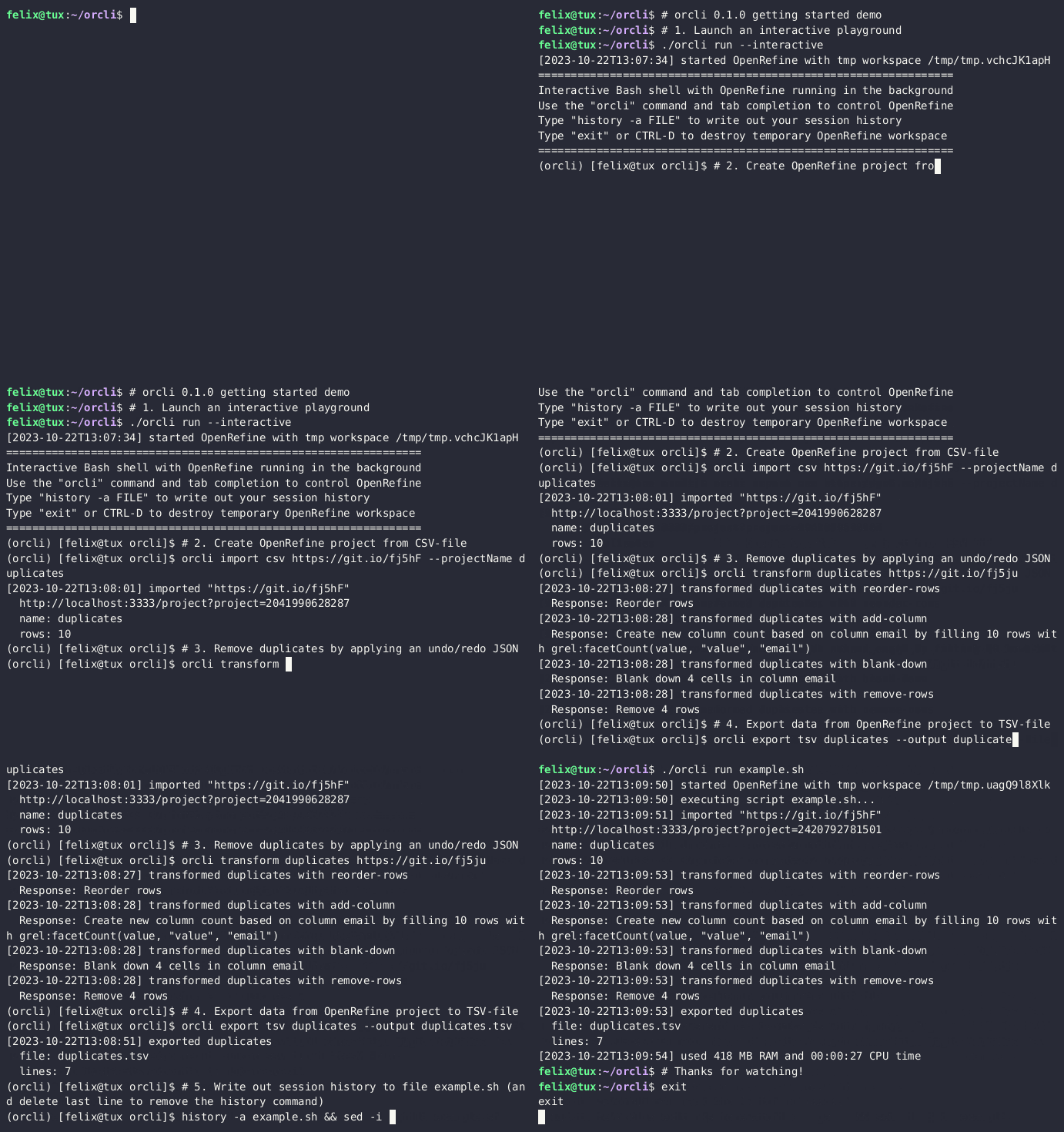
Getting Started
- Launch an interactive playground
./orcli run --interactive
- Create OpenRefine project
duplicatesfrom comma-separated-values (CSV) file
orcli import csv "https://git.io/fj5hF" --projectName "duplicates"
- Remove duplicates by applying an undo/redo JSON file
orcli transform "duplicates" "https://git.io/fj5ju"
- Export data from OpenRefine project to tab-separated-values (TSV) file
duplicates.tsv
orcli export tsv "duplicates" --output "duplicates.tsv"
- Write out your session history to file
example.sh(and delete the last line to remove the history command)
history -a "example.sh"
sed -i '$ d' example.sh
- Exit playground
exit
- Run whole process again
./orcli run example.sh
Usage
-
Use 📖 HTML form docs or integrated help screens for available options and examples for each command.
orcli --help -
If your OpenRefine is running on a different port or host, then use the environment variable OPENREFINE_URL.
OPENREFINE_URL="http://localhost:3333" orcli list -
If OpenRefine does not have enough memory to process the data, it becomes slow and may even crash. Check the message after the run command finishes to see how much memory was used and adjust the memory allocated to OpenRefine accordingly with the
--memoryflag (default: 2048M).
Development
orcli uses bashly for generating the one-file script from files in the src directory.
- Install bashly (requires ruby)
gem install bashly
-
Edit code in src directory
-
Generate script
bashly generate --upgrade
- Run tests
./orcli test
- Generate docs
bashly render templates/html-form docs