
O'Reilly EPUB Downloader


A CLI to download O'Reilly books as EPUB for offline reading. Uses cookie-based authentication to access your subscription content and generates clean EPUBs with images, cover art, and proper chapter structure.
Installation
pip install -e .
Usage
1. Export cookies from O'Reilly
- Log into https://learning.oreilly.com in your browser
- Open Developer Tools (Cmd+Option+I)
- Go to Console and run:
JSON.stringify(Object.fromEntries(document.cookie.split('; ').map(c => c.split('=')))) - Save the output to
cookies.json
2. Download books
# By book ID
oreilly-dl 9781098166298 -c cookies.json

# By URL
oreilly-dl "https://learning.oreilly.com/library/view/ai-engineering/9781098166298/" -c cookies.json

# Custom output path
oreilly-dl 9781098166298 -c cookies.json -o "My Book.epub"
Example output:
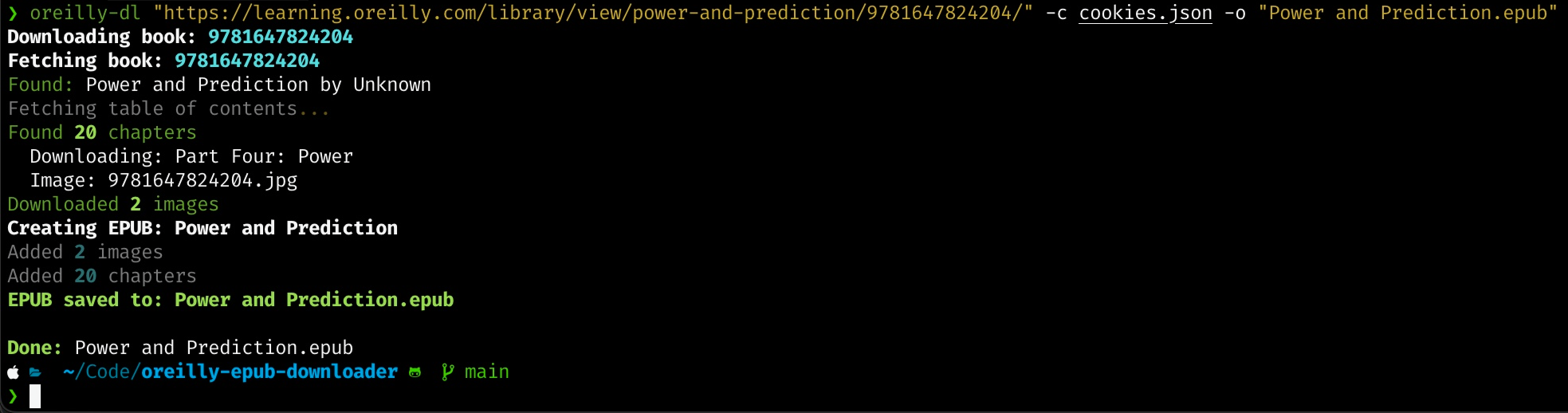
Books are saved to ./downloads/ by default.
Finding Book IDs
The book ID is the number in the O'Reilly URL:
- URL:
https://learning.oreilly.com/library/view/ai-engineering/9781098166298/ - Book ID:
9781098166298
Refreshing Cookies
Cookies expire periodically. When downloads fail, re-export cookies from your browser.
Requirements
- Python 3.11+
- Active O'Reilly Learning subscription