
🔒 PasswordManagerTools 🔒
🚀 Easily transfer passwords from Bitwarden to Apple Passwords


Kindly take a moment to follow the project’s author, Guten Ye , and star the project to show your ❤️ and support.
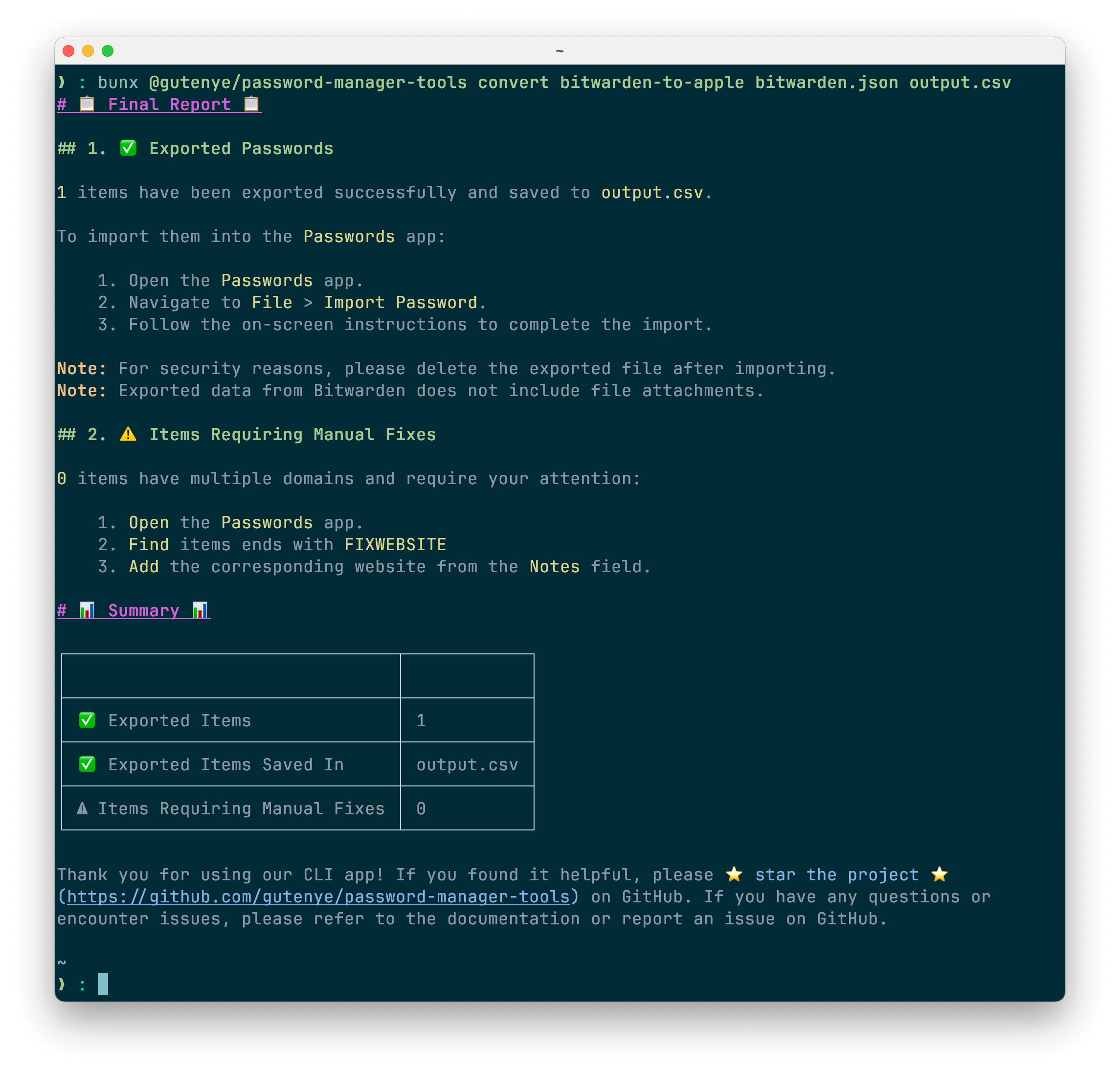
Click to view more screenshots
🌟 Features
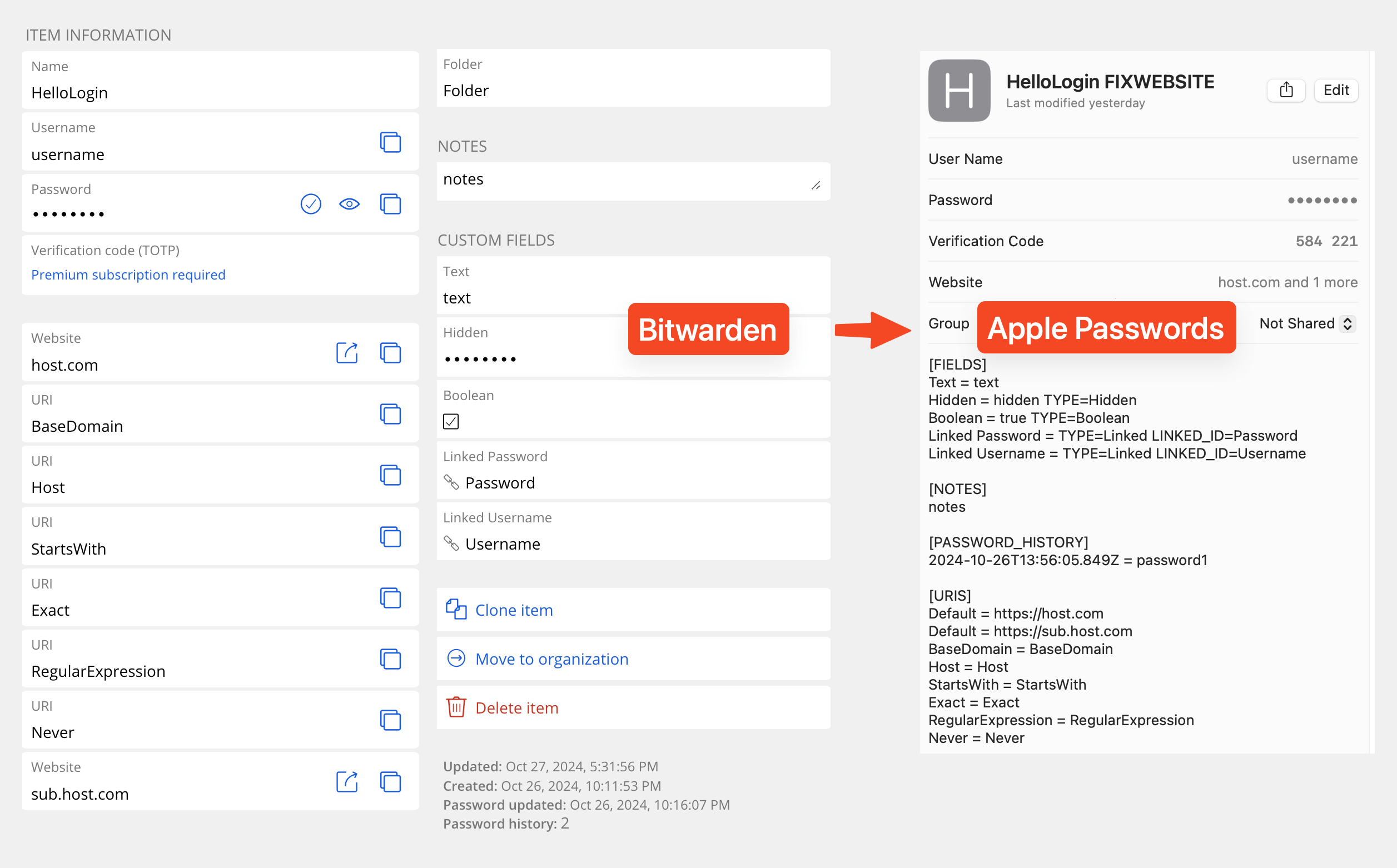
- 📦 Comprehensive Data Preservation: Transfer everything including notes, custom fields, multiple URLs, and password history seamlessly.
- 🔗 Multi-URL Handling: Correctly handle items that contain multiple URLs.
- 📊 In-Depth End Report: Receive a detailed report and summary at the end.
- 🎯 Selective Transfer: Filter passwords by URL or count to transfer only the items you need.
- ⏱️ Incremental Transfer: Move passwords in batches at your convenience, with remaining passwords securely stored for future transfers until all are moved.
- 🔄 Reverse Transfer (TODO): Seamlessly transfer passwords from Apple Passwords back to Bitwarden, accurately setting custom fields, multiple URLs, and maintaining password history to ensure data integrity.
🚀 Getting Started
⚠ Note: Currently, only supports transferring data from Bitwarden to Apple Passwords.
1️⃣ Export Data
- Bitwarden: Follow this official guide to export your data in
.json (Encrypted)format withPassword protected.
2️⃣ Convert Data
-
Install Bun: Follow this official guide to set it up on your machine.
-
Convert passwords
Use the following command to convert your export to another format for import.
bunx @gutenye/password-manager-tools convert bitwarden-to-apple <input.json> <output.csv>
- Replace
<input.json>with the path to your exported file. - Replace
<output.csv>with the desired path for the output file.
3️⃣ Import Data
- Apple Passwords: Follow this official guide to import your
.csvfile into Apple Passwords.
🙏 Special thanks
- Flaksp's script: Python script to convert Bitwarden to Apple Passwords
- warden: Offline bitwarden viewer
🤝 Contribute
We welcome contributions from the community! Whether it’s reporting bugs, suggesting features, or submitting pull requests, your help is appreciated.
- Fork the Repository
- Create a Feature Branch:
git checkout -b feature/YourFeature - Commit Your Changes:
git commit -m "Add some feature" - Push to the Branch:
git push origin feature/YourFeature - Open a Pull Request on Github
Please ensure your code follows our Code of Conduct and passes all tests.
Thank you for using PasswordManagerTools! 🔐 ✨ If you found it helpful, please ⭐️ star the project ️️⭐ on GitHub. If you have any questions or encounter issues, please refer to the documentation or report an issue on GitHub.
Thanks to all the people who contribute: