
Payload Ecommerce Template
A modern ecommerce storefront powered by Payload and Next.js. This template provides all the essential features to build and manage a beautiful online store.
🌐 Live demo
You can access the live demo of the template at https://ecommerce.mandala.sh/en.
✨ Features
- Modern Storefront: A beautiful and fast storefront built with Next.js and Tailwind CSS.
- Powerful Admin Panel: Manage your products, orders, and customers with the powerful Payload admin UI.
- Product Management: Easily add and manage products with variants (size, color, etc.).
- Shopping Cart & Checkout: A complete and secure checkout flow.
- User Accounts: Customers can create accounts to view their order history and manage their profiles.
- SEO Friendly: Pre-configured for search engine optimization.
- Multi-language: Supports multiple languages out of the box.
- Payments and Shipping: Supports payments and shipping out of the box.
- Customizable: Easily extend and customize the design and functionality to fit your brand.
📸 Screenshots
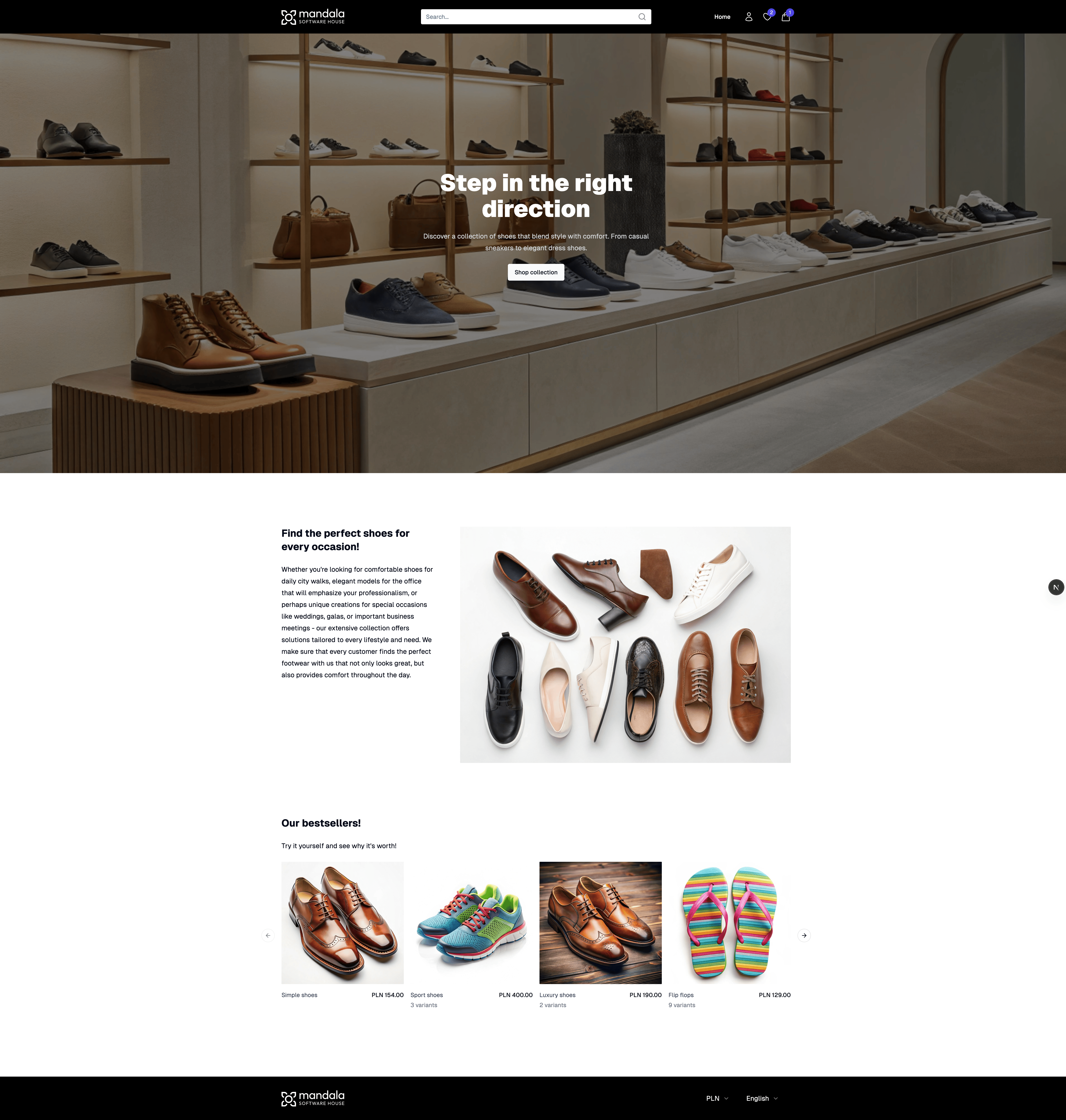
-
Example storefront
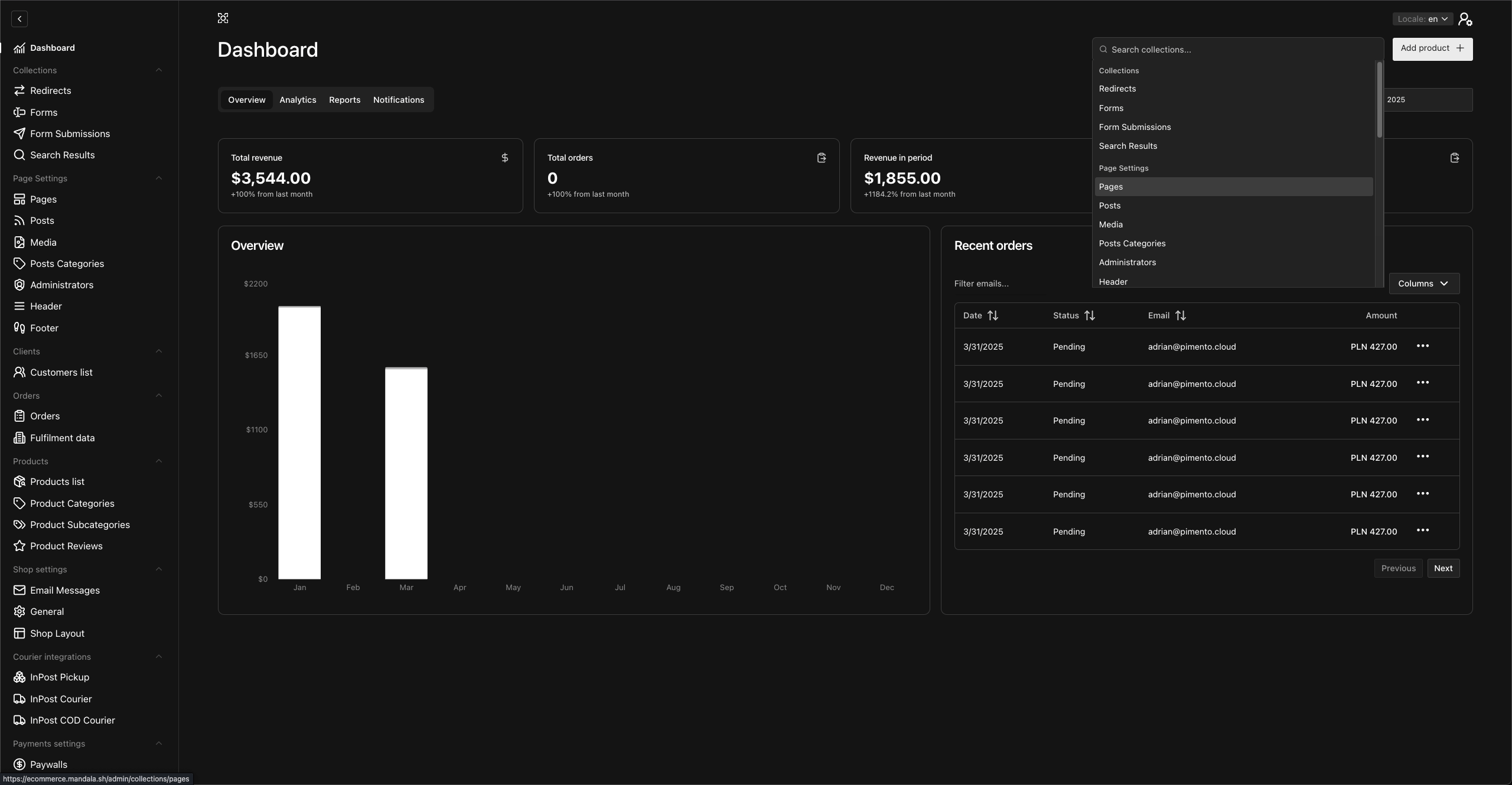
-
Admin panel Dashboard
🚀 Getting Started
Follow these steps to get your ecommerce store up and running on your local machine.
Installation & Setup
-
Clone the repository:
git clone https://github.com/Mandala-Software-House/payload-ecommerce-template.git cd payload-ecommerce -
Install dependencies:
pnpm install -
Set up environment variables:
Copy the example environment file. If
.env.exampledoes not exist, create a new file named.env.cp .env.example .envNow, open the
.envfile and fill in the required variables, especially yourMONGODB_URIandPAYLOAD_SECRET. -
Run the development server:
pnpm dev -
Access your store:
- Your website will be available at http://localhost:3000
- The Payload admin panel will be at http://localhost:3000/admin
When you first visit the admin panel, you will be prompted to create your first admin user.
Usage
- Managing Products: Go to the
/adminpanel, navigate to the 'Products' collection to add, edit, or remove products. - Viewing Orders: Customer orders will appear in the 'Orders' collection in the admin panel.
- Customizing Pages: You can edit pages like 'About Us' or create new ones using the 'Pages' collection.
Feel free to explore the admin panel to discover all the features!