
Personal Finance Tracker — Next.js App 💸
A small, privacy-first personal finance tracker built with Next.js and TypeScript. Track accounts, record balances, view net worth and historical charts, and optionally sync with a cloud backend.
The idea behind this project is to have a simple offline-first way of tracking personal finances. All data is stored locally in the browser by default, with an optional cloud sync feature for those who want to back up their data or access it across devices.
For the hosted version, visit: money.tomshaw.dev
Auth0 authentication is used for all users, however storing your financial data in the cloud is optional.
Features
- Add & Manage Accounts: Create and manage multiple accounts with different currencies.
- Record Balances: Quickly record periodic balances for accounts and assets.
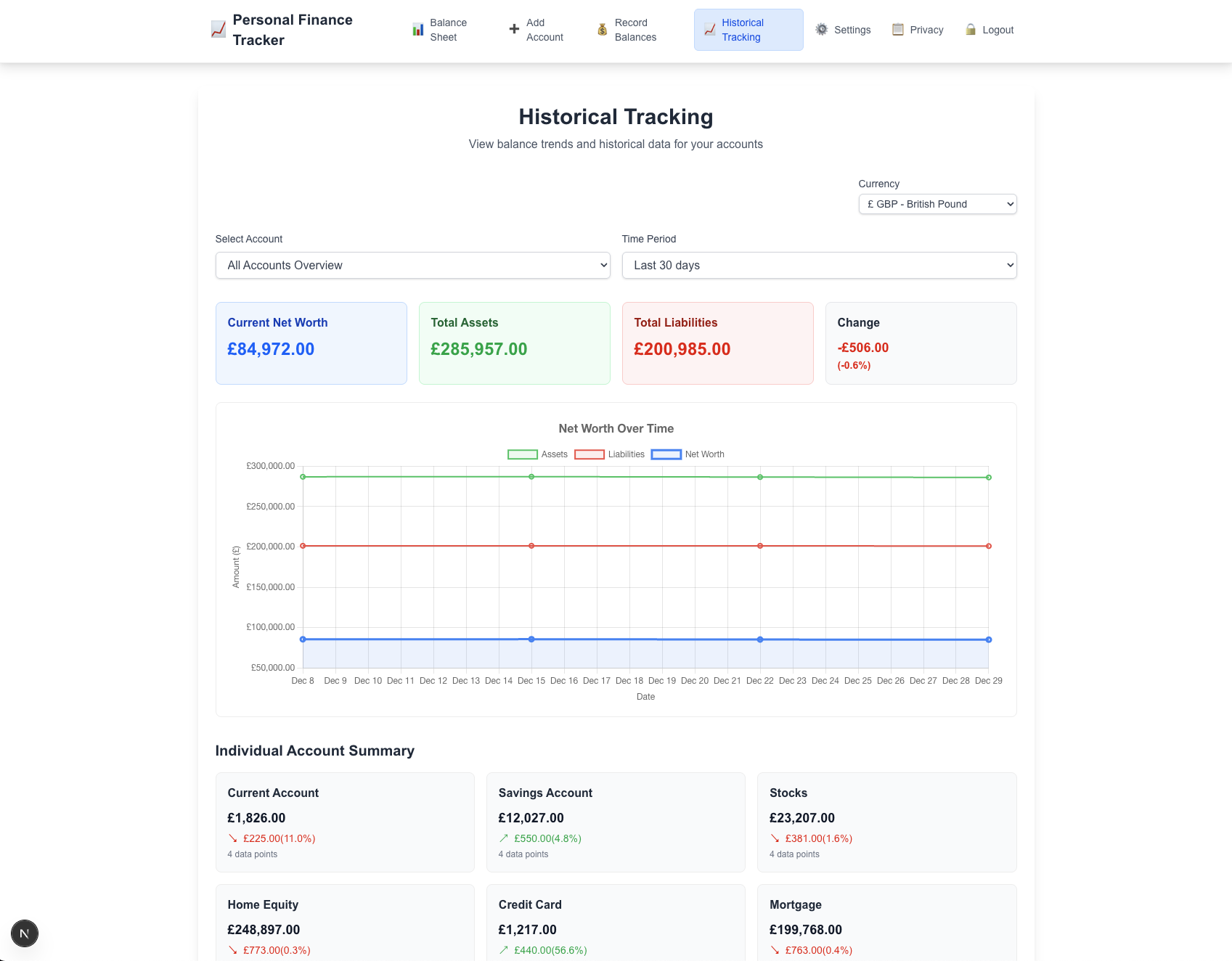
- Net Worth & Charts: Visualize net worth over time with interactive charts (
BalanceChart,NetWorthChart). - Offline First: Local-only mode with optional cloud sync via the toggle (
CloudSyncToggle). - Authentication: Auth0 integration (
src/lib/auth0.ts) for security and cloud sync. - Currency Support: Multiple currencies and conversion support via
src/lib/currency.tsandCurrencySelector. - Sync & API: Simple API route for data sync at src/app/api/data/route.ts.
- Settings & Privacy: Manage app settings and export data from the
Settingsscreen.
Setup
To get started with this project, you'll need to follow these steps:
- Clone the repository to your local machine.
git clone https://github.com/IAmTomShaw/personal-finance-tracker
cd personal-finance-tracker
- Install the necessary dependencies using npm or yarn.
npm install
- Run the development server.
npm run dev
That's it! The app works immediately in offline mode with localStorage.
Optional: Enable Cloud Sync & Authentication
If you want to enable cloud sync and user authentication:
- Set up a MongoDB database (can be local or hosted).
- Set up an Auth0 application for user authentication.
- Configure environment variables as described below.
- Add
NEXT_PUBLIC_AUTH0_ENABLED=trueto your.env.localto enable auth UI.
Auth0 Setup
- Go to Auth0 and create a new account if you don't have one.
- Create a new application in the Auth0 dashboard (select "Regular Web Application").
- Configure the application settings:
- Allowed Callback URLs:
http://localhost:3001/auth/callback - Allowed Logout URLs:
http://localhost:3001/ - Allowed Web Origins:
http://localhost:3001
- Note down the following details from your Auth0 application:
- Domain
- Client ID
- Client Secret
MongoDB Setup
You can choose to use a local MongoDB instance or a cloud-hosted solution like MongoDB Atlas.
- Local MongoDB: Install MongoDB on your machine and run it locally. Instructions can be found on the MongoDB installation page.
- MongoDB Atlas: Sign up for a free account on MongoDB Atlas and create a new cluster. Follow the instructions to get your connection string.
Environment Variables
To enable optional cloud sync and Auth0, create a .env.local in the project root and add the following as needed:
# Analytics (public)
NEXT_PUBLIC_GA_TRACKING_ID=G-XXXXXXXXXX
NEXT_PUBLIC_ENABLE_ANALYTICS=false

# Auth0 (server-side secrets must be kept secret)
AUTH0_SECRET=your-auth0-secret
AUTH0_DOMAIN=https://your-domain.auth0.com/
AUTH0_CLIENT_ID=your-auth0-client-id
AUTH0_DOMAIN=your-domain.auth0.com
APP_BASE_URL=http://localhost:3001
# Enable Auth0 UI (set to 'true' to show login buttons)
NEXT_PUBLIC_AUTH0_ENABLED=true

# MongoDB
DATABASE_URL=mongodb://localhost:27017/personal-finance-tracker-dev
MONGODB_DB_NAME=personal-finance-tracker-dev
Note: If you don't set up Auth0/MongoDB, the app will work in offline-only mode with all auth UI hidden.
Usage
- Run in development:
npm run dev - Build for production:
npm run build - Start production server:
npm start
Once you've logged in, you can start adding accounts and recording balances.
Use the Add Account and Record Balances screens from the app UI to start tracking finances.
Cloud Sync ☁
To enable cloud sync, you'll need to navigate to the /settings page and toggle on Cloud Sync. Ensure your environment variables for Auth0 and MongoDB are set up correctly.
If cloud sync is enabled, your data will be stored in the connected MongoDB database. It will be synced as a single JSON record per user. This may not be the most efficient method for large datasets, but it keeps the implementation simple.
Contributing
Contributions are welcome — please follow these steps:
- Fork the repository and create a feature branch.
- Keep changes focused and small; follow existing TypeScript and React patterns.
- Run linters and formatters before opening a PR. (Project uses ESLint; see
eslint.config.mjs.) - Open a pull request describing the change and why it helps.
Reporting Issues
Please raise issues on the GitHub repository with:
- A clear title and description of the problem
- Steps to reproduce
- Expected vs actual behavior
- Browser/OS and Node.js version if applicable
For security-sensitive issues (e.g., leaks, secrets), please do not open a public issue — contact the repo owner directly.
Known Limitations
- Charts and balance calculations assume regular manual entries; edge cases around simultaneous edits may occur.
- Cloud sync is intentionally simple — treat it as an experimental convenience, not a production-grade sync.
Google Analytics
Google Analytics 4 (GA4) tracking is included to help understand user behavior and improve the application. It is not used to track any financial information. See ANALYTICS.md for full implementation details.
License
This project is licensed under the MIT License.
Built with ❤️ by Tom Shaw