
Pi-Script
A lightweight game scripting runtime for small pixel games and creative coding.
Python-inspired - Written in C - SDL-powered graphics, audio, and scripts
Website - Playground - Documentation
Overview
Pi-Script is a lightweight scripting language and SDL runtime for building small games, graphics experiments, and interactive tools. It keeps the compact 128x128 framebuffer of a fantasy-console style environment while letting game projects load normal media files beside their scripts.
Pi-Script projects can combine:
.piscripts for gameplay, input, animation, and tools- Pixel drawing, shapes, text, images, and simple 3D rendering
- PNG files loaded as image objects
- Audio files loaded as sound effects
- Built-in tones and melodies for tiny procedural sounds
- OBJ files for the built-in 3D path
Pi-Script is useful for learning, creative coding, small game prototypes, native desktop experiments, and embeddable playgrounds.
Pi-Script In Action
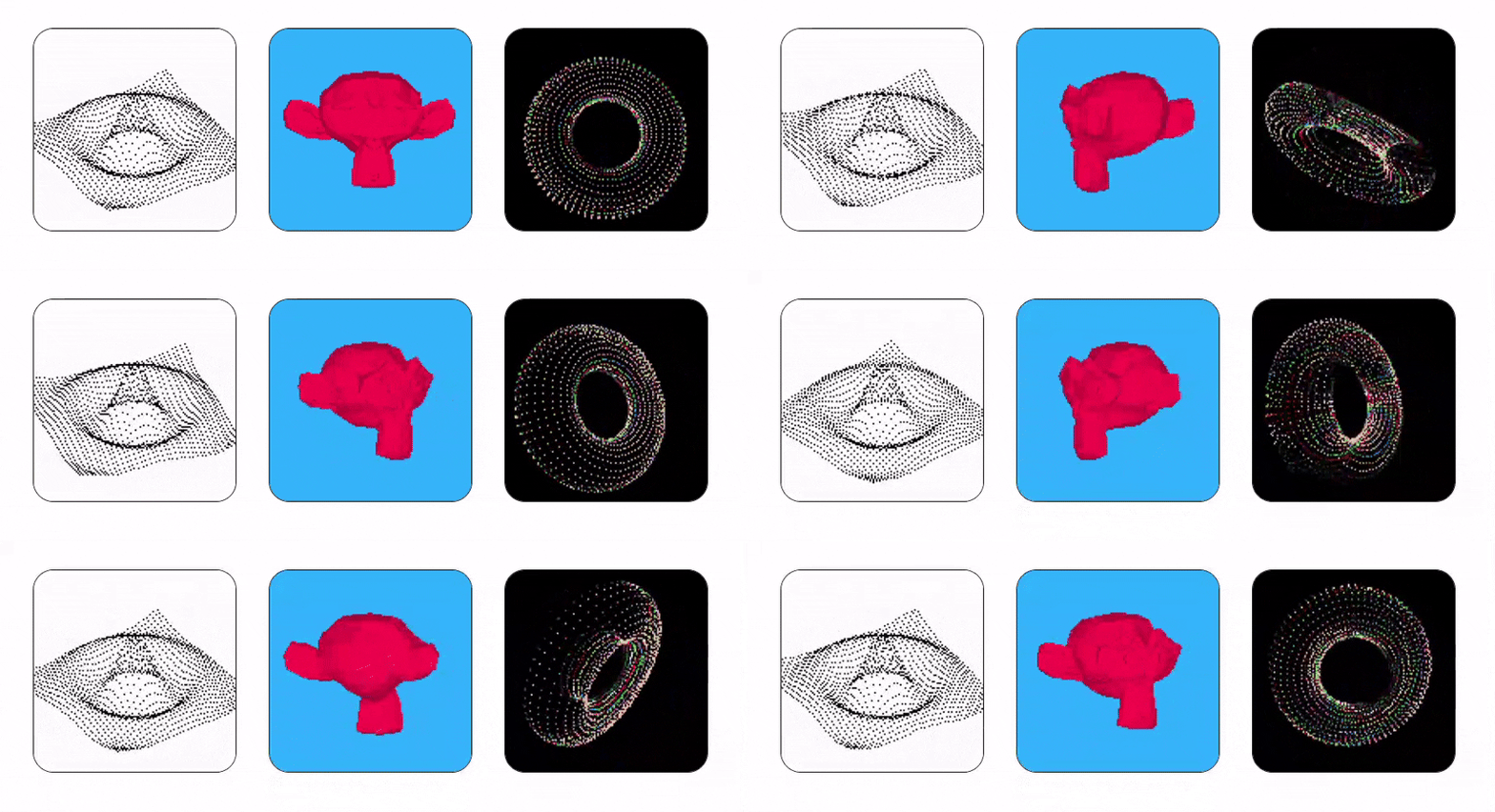
The runtime is small enough for pixel experiments and complete enough for playable examples such as Snake, Pong, Breakout, Tetris, CHIP-8 experiments, image-driven projects, audio effects, and 3D demos.
Pi Shell
Pi Shell is the native desktop runtime environment for Pi-Script. It provides a fast local workflow with an SDL graphics window, keyboard input, timing, audio, and file-backed projects.
Run a script directly:
run <script-name>.pi
The native runtime can load assets relative to the running script, so a game can live in its own folder instead of depending on the shell working directory.
Features
Language and Runtime
- Clean, Python-like syntax
- Runtime and virtual machine implemented in C
- Variables, functions, control flow, maps, lists, and ranges
- Keyboard, mouse, timing, logging, and file helpers
- Functional helpers such as
map,filter, andreduce - Matrix and vector operations such as
dot,cross, andmult
Graphics
- Fixed 128x128 framebuffer
- SDL2-powered rendering
- Drawing functions such as
clear(),pixel(),line(),rect(),circ(),poly(), anddraw() - Text drawing through the screen print APIs
- Named default palette constants such as
COLOR_SOFT_BLACK,COLOR_NEON_GREEN, andCOLOR_SKY_BLUE - Arbitrary packed
0xAARRGGBBcolors with alpha blending - PNG-backed
image()loading - Image operations such as crop, resize, flip, rotate, scale, and copy
- Built-in 3D rendering and
.objmodel loading
Audio and Assets
- Generated tones and melodies for compact game sound effects
- File-backed sound objects through
sound("assets/hit.mp3") - Image objects drawn with
rend2d(...) - Script-relative asset lookup for images, sounds, nested scripts, and OBJ models
Platform Support
- Native builds for desktop use
- WebAssembly support through Emscripten
- Embeddable use in C and browser-facing projects
Getting Started
Requirements
- C compiler such as GCC or Clang
- SDL2
- SDL2_image
- SDL2_mixer
- Emscripten for WebAssembly builds
Build
git clone https://github.com/rolandbrake/piscript.git
cd piscript

make release
make debug
make emscripten
The Makefile also provides:
make run
make clean
Run a Pi-Script file with the native build or Pi Shell:
run test.pi
Numbers
Pi-Script supports integer, decimal, base-prefixed, and scientific decimal
number literals. Scientific notation uses an e or E exponent:
let time_step = 10e-2    // 0.1
let tiny = 2.5e-4
let large = 6.02E23
Colors
Pi-Script accepts two screen color forms.
Named palette colors are convenient defaults:
clear(COLOR_SOFT_BLACK)
rect(8, 8, 48, 32, COLOR_NEON_GREEN, true)
print("palette", 4, 116, COLOR_WARM_YELLOW)
draw()
Packed colors use 0xAARRGGBB:
clear(COLOR_SOFT_BLACK)
rect(24, 20, 48, 32, 0x8000ffff, true) // translucent cyan
line(0, 0, 127, 127, 0xffff00ff)        // opaque magenta
pixel(64, 64, 0xffffffff, 0.5)          // extra draw opacity
draw()
In a packed color:
AAis alphaRRis redGGis greenBBis blue
Values from 0 to 79 still work as legacy palette indices. New examples use
named COLOR_* constants or explicit packed colors so the intent is clear.
Game Project Layout
Code and assets can live together:
space-game/
  main.pi
  assets/
    background.png
    player.png
    hit.mp3
    ship.obj
Relative asset paths are resolved from the running .pi file when they are not
already found from the current working directory:
background = image("assets/background.png")
player = image("assets/player.png")
hit = sound("assets/hit.mp3")

clear(COLOR_SOFT_BLACK)
rend2d(background, 0, 0)
rend2d(player, 56, 56)

if key("SPACE", true)
    play(hit)

draw()
Use image(...) when you want an image object for rend2d(...) and image
operations. load3d(...) follows the same relative path behavior for OBJ
models.
Small Example
player = image("assets/player.png")
x = 56
y = 56

while true {
    clear(COLOR_SOFT_BLACK)

    if key("LEFT")
        x -= 1
    if key("RIGHT")
        x += 1

    rend2d(player, x, y)
    draw()
}
The test/ folder contains drawing demos, games, procedural audio examples,
3D experiments, and color examples such as argb_colors.pi.