
plasma-applet-netspeed-widget
Plasma 5 and 6 widget that displays the currently used network bandwidth.
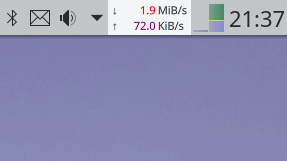
Dependencies:
- awk
Optional dependencies:
- plasma-addons (may be called plasma5-addons, kdeplasma-addons or similar - used to launch a user defined application when the applet is clicked)
Installation
From openDesktop.org
- Go to https://www.opendesktop.org/p/998895/ for the Plasma 5 version, or https://www.opendesktop.org/p/2136505/ for the Plasma 6 version.
- Click on the
Filestab. - Click the
Installbutton. - Make sure the package
awkis installed.
From within the Plasma workspace
- If your widgets are locked, right-click the desktop and select
Unlock Widgets. - Right-click the desktop and select
Add Widgets.... - Click the
Get new widgetsbutton in the Widget Explorer that just opened. - Type
Netspeed Widgetinto the search field. - Click the
Installbutton next to "Netspeed Widget". - Make sure the package
awkis installed.
From source
git clone https://github.com/dfaust/plasma-applet-netspeed-widget
cd plasma-applet-netspeed-widget
./install.sh