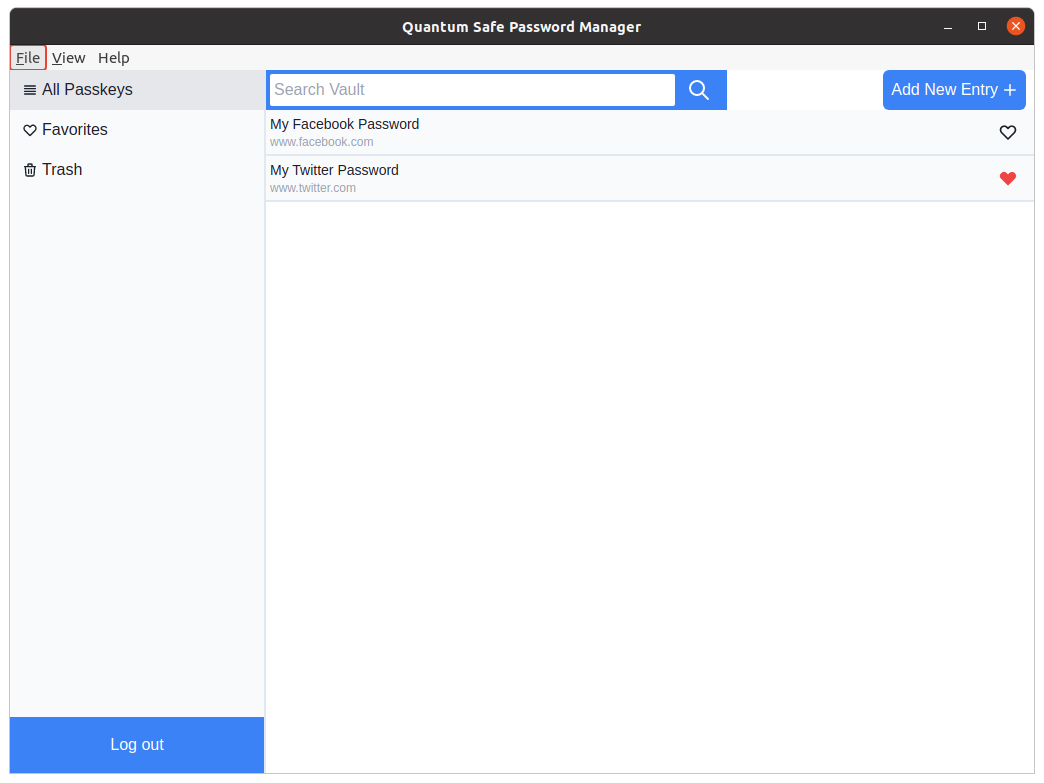
Post Quantum Password Manager
This is a password manager developed in Electron using the Electron-React Boilerplate. It uses post-quantum cryptographic algorithms to ensure secure communication.
It uses a passphrase to generate a key which is used to encrypt and decrypt your passwords on the client side.
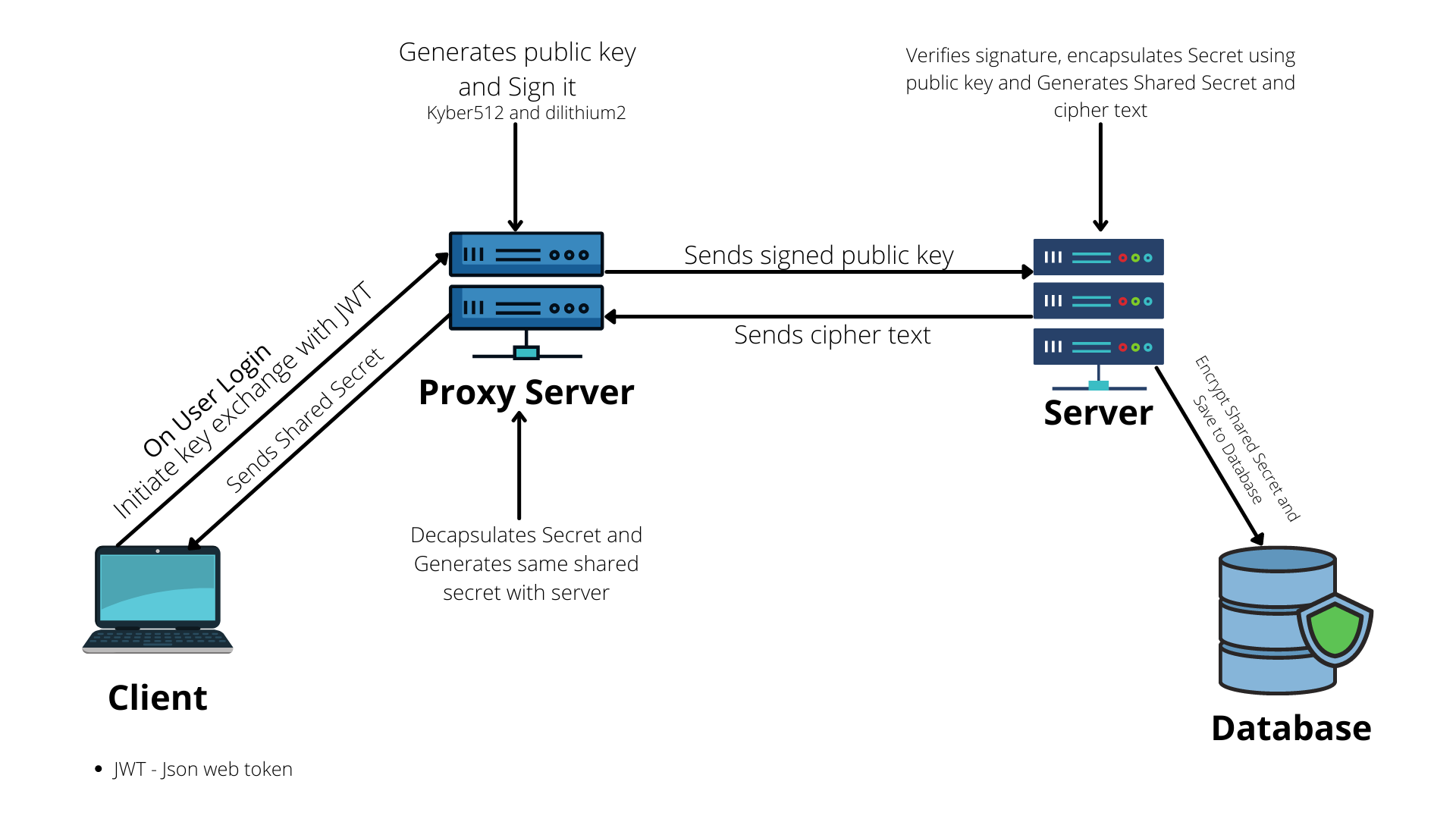
Before passwords are retreived or sent to the server, a key exchange is performed using Kyber-512 and a digital signature is created using dilithium-2. Subsequent communications use this exchanged key as well as JWTs.
The key exchange is performed on behalf of the client by a proxy server.
The Research article that this project was used to support can be on Research Gate.
Features
- Post-Quantum Cryptographic Algorithms for secure communication (Public key exchange and Digital Signature Verification)
- Authentication and Authorization using JWTs
- Client side Encryption and Decryption
- Secure key generation
- Search Functionality
Built With
- React
- TypeScript
- Electron (React Electron Boilerplate)
- TailwindCSS
- ChakraUI
- CryptoJS
- Zod
Key Exchange Flow
Installation guide
In order to run this application locally, this client, the proxy-server and the server must all be running.
Installation guides for those are in their respective repositories.
For this client however, run
git clone
npm install
npm start
Before the code can run, some environment variables need to be set. These are
- "KEYSALT" Which is the salt for the encryption key generation function.
- "SERVER_ADDRESS" Which is the URL for the server.
- "PROXY_ADDRESS" Which is the URL for the proxy server.
Screenshot