Eadgyth Programming Editor
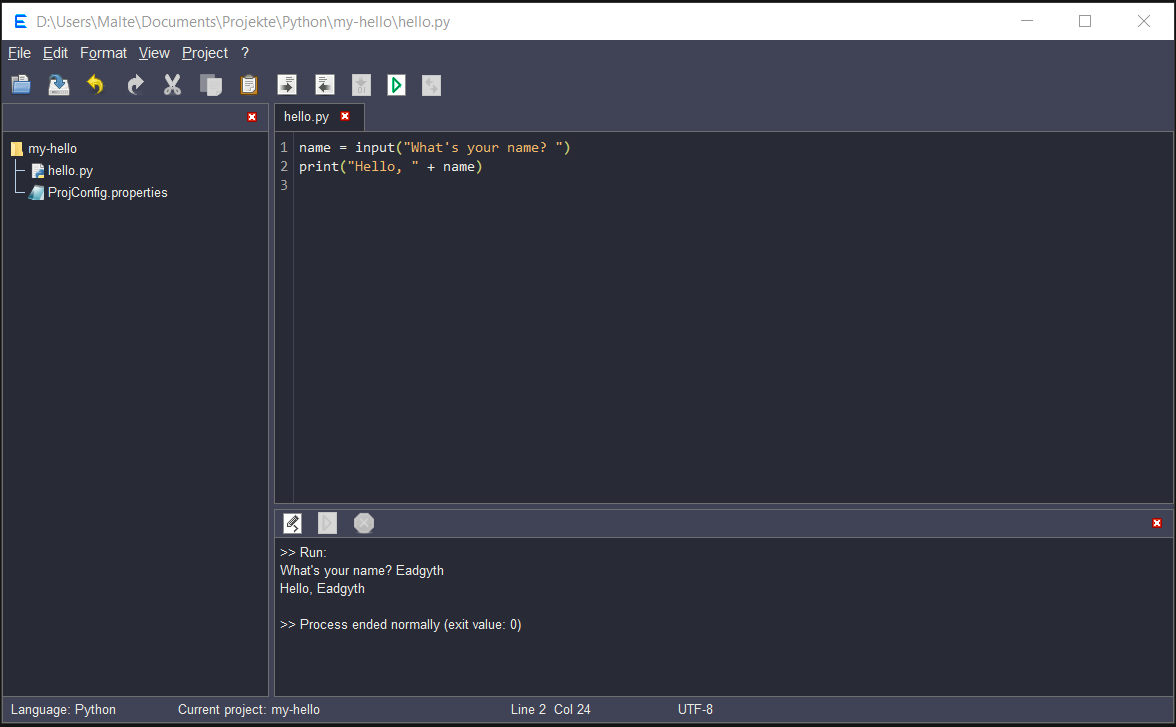
A text and code editor written in Java. It features an easy project setup to run code from within the editor with support for Java, C#, Python and R. The editor is suited for learning, quick prototyping, or programming projects for personal use.
The editor can be tried out by downloading the JAR in a release.
It is run with:
java -jar Eadgyth.jar
The program can be built in Netbeans or Eclipse (or with a build of Eadgyth itself) using the src directory in the repository. The name of the main file is eg.Eadgyth.java.
REQUIREMENTS
- JDK 8 or higher to run and build the editor.
- To compile Java code by the built-in compile function, the editor must be run with the JRE contained in a JDK (not an issue with Java 11+).
- To run C#, Python, or R, the executable paths must be present in your system PATH. To compile and run C# code, the editor internally calls the dotnet command. This requires a .NET SDK to be installed. A minimalistic .csproj file is generated automatically upon compilation.
- :information_source: As of v1.2.1, UTF-8 encoded source files are preferred for reliable execution (or compilation). An option to convert files to UTF-8 is available. When opening non-UTF-8 files, the system's default or a selectable encoding is used as a fallback. Previous versions rely on the JVM default encoding only.
LIMITATIONS
- Syntax highlighting is simple (coloring of keywords, sigils, tags, string literals, line and block comments) and supports Java, C#, Pythyon, R, HTML, XML, PHP CSS and JavaScript. While generally performant, opening or closing multiline string litererals can cause noticeable delays.
- The dark backgrounds are applied to the main window only. Menus, dialogs et cetera are so far excluded.
- The built-in console may appear frozen when a process buffers its output. This potentially affects own commands specified in the project category "Custom Commands". This issue can often be resolved by enabling auto-flushing via a command-line switch or script command if the language supports it.
CREDITS & ACKNOWLEDGEMENTS
- William Gilreath for his advice and comments
- The program uses icons from Tango Desktop Project.
- The dark-blue background theme uses the Dracula Colors and colors for the other dark backgrounds were found starting with these colors.
LICENSE
MIT, see LICENSE
SCREENSHOT