
██████╗ ██████╗  ██████╗ ██╗  ██╗██╗   ██╗███████╗ █████╗  ██████╗███████╗
██╔══██╗██╔══██╗██╔═══██╗╚██╗██╔╝╚██╗ ██╔╝██╔════╝██╔══██╗██╔════╝██╔════╝
██████╔╝██████╔╝██║   ██║ ╚███╔╝  ╚████╔╝ █████╗  ███████║██║     █████╗
██╔═══╝ ██╔══██╗██║   ██║ ██╔██╗   ╚██╔╝  ██╔══╝  ██╔══██║██║     ██╔══╝
██║     ██║  ██║╚██████╔╝██╔╝ ██╗   ██║   ██║     ██║  ██║╚██████╗███████╗
╚═╝     ╚═╝  ╚═╝ ╚═════╝ ╚═╝  ╚═╝   ╚═╝   ╚═╝     ╚═╝  ╚═╝ ╚═════╝╚══════╝










Your AI now has a face, emotions, ears, voice, eyes — and a soul.
100% local inference. Zero telemetry. Zero cloud. Just vibes.
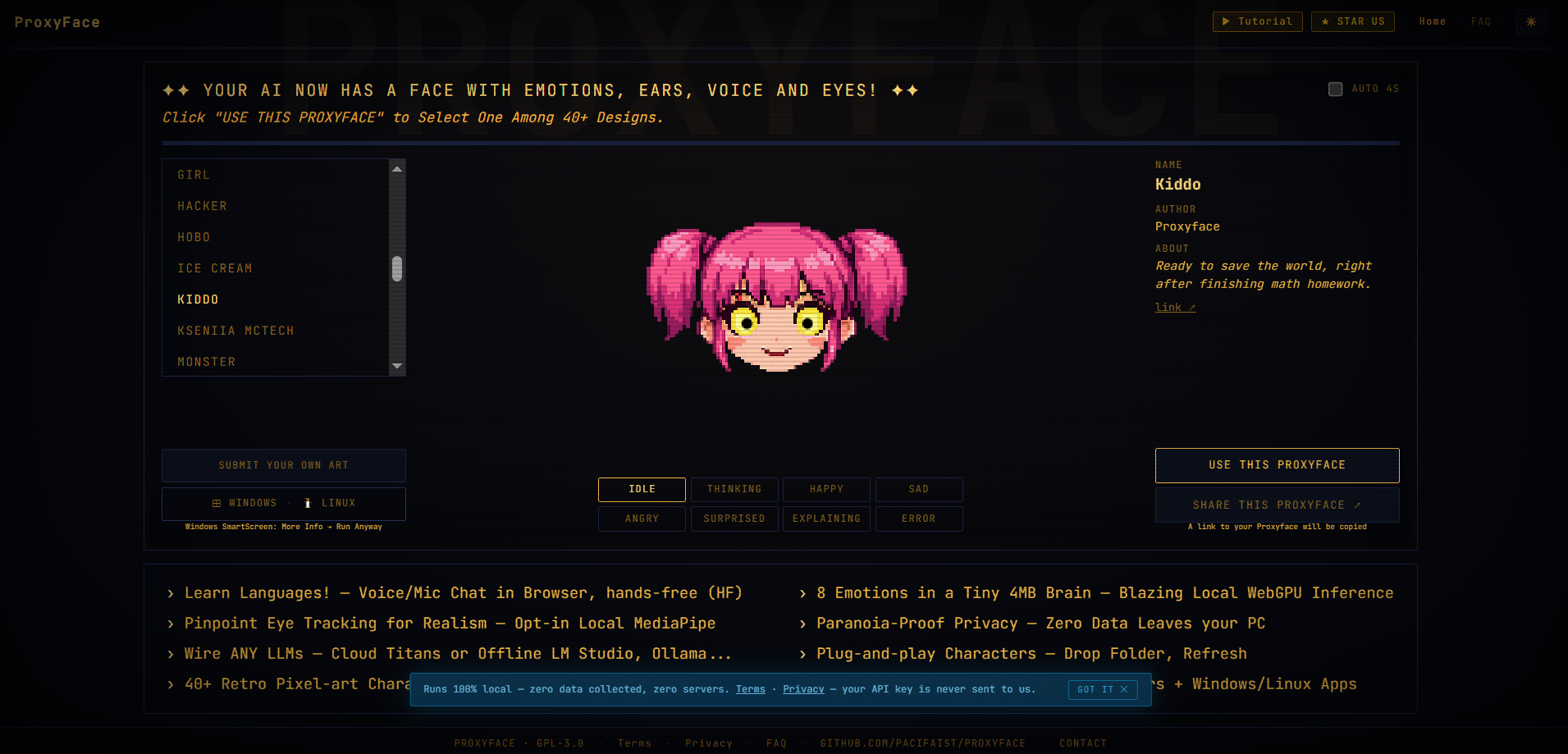
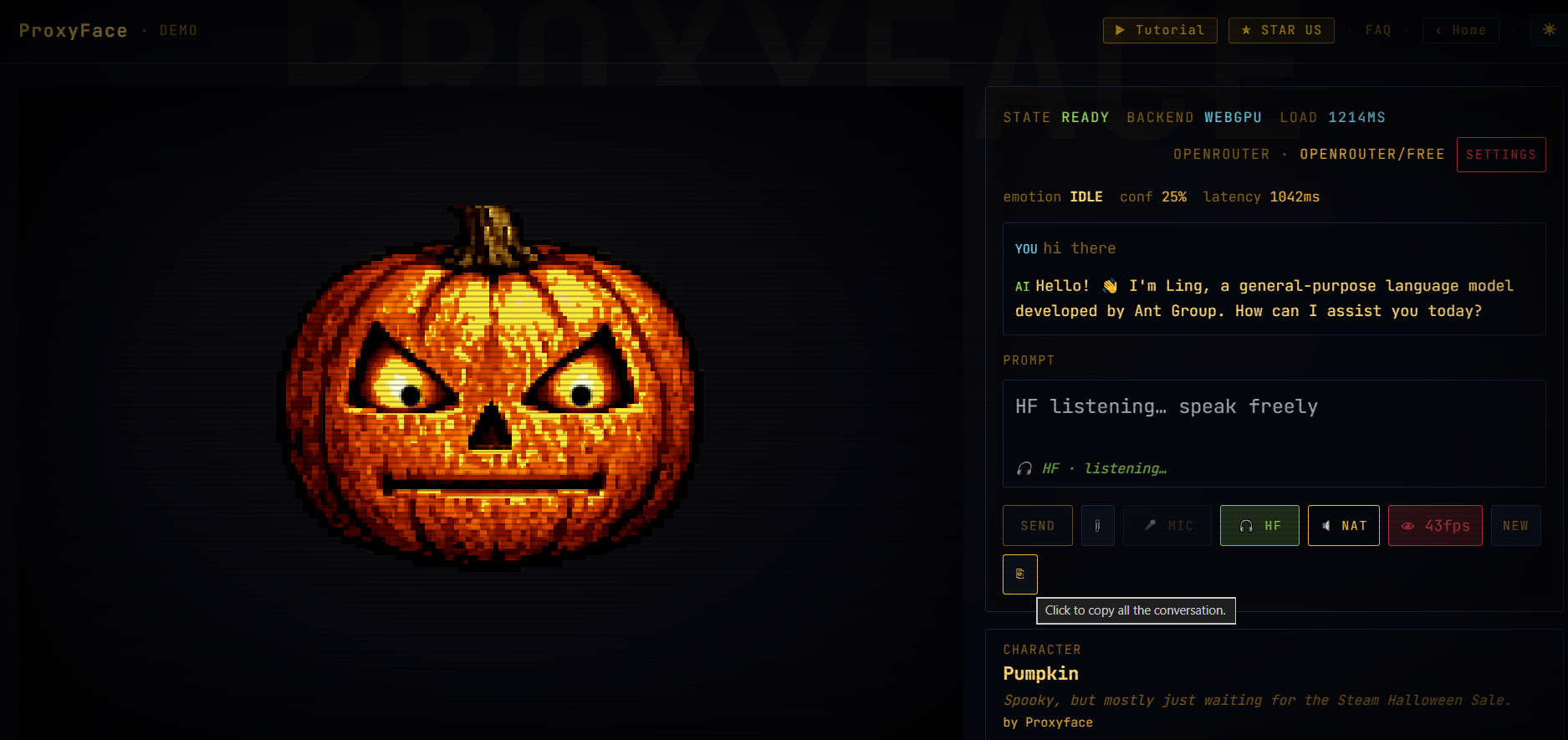
ProxyFace.com renders a pixel-art avatar that reacts in real time to LLM output via a 4 MB TinyBERT emotion model running entirely on your GPU (WebGPU) or CPU (WASM). It listens, speaks, watches your eyes, and never sends a single byte of your conversation anywhere.
Quick 30-second setup:
✨ What makes it special
🎧 Hands-Free (HF) — learn languages while you talk
This HF mode allows you to have a conversation with the AI taking long pauses (configurable in the settings) as the automatic message to send. You can also hold Alt+T to speak. Release to send. The AI replies in your target language with its face reacting to every word — embarrassed, curious, delighted. No typing. No clicking. Just conversation.
"I use it to practice Japanese. The pumpkin face going SURPRISED every time I say something wrong is weirdly motivating."
🧠 4 MB emotion brain — runs at 60 ms on your GPU
TinyBERT INT8 ONNX, trained on 3 200 sentences across 8 emotions. Runs via WebGPU in Chrome — no Python, no server, no API key for inference. The face reacts to the AI's output, not yours.
🎨 40+ pixel-art characters — or submit your own for a Community-based art
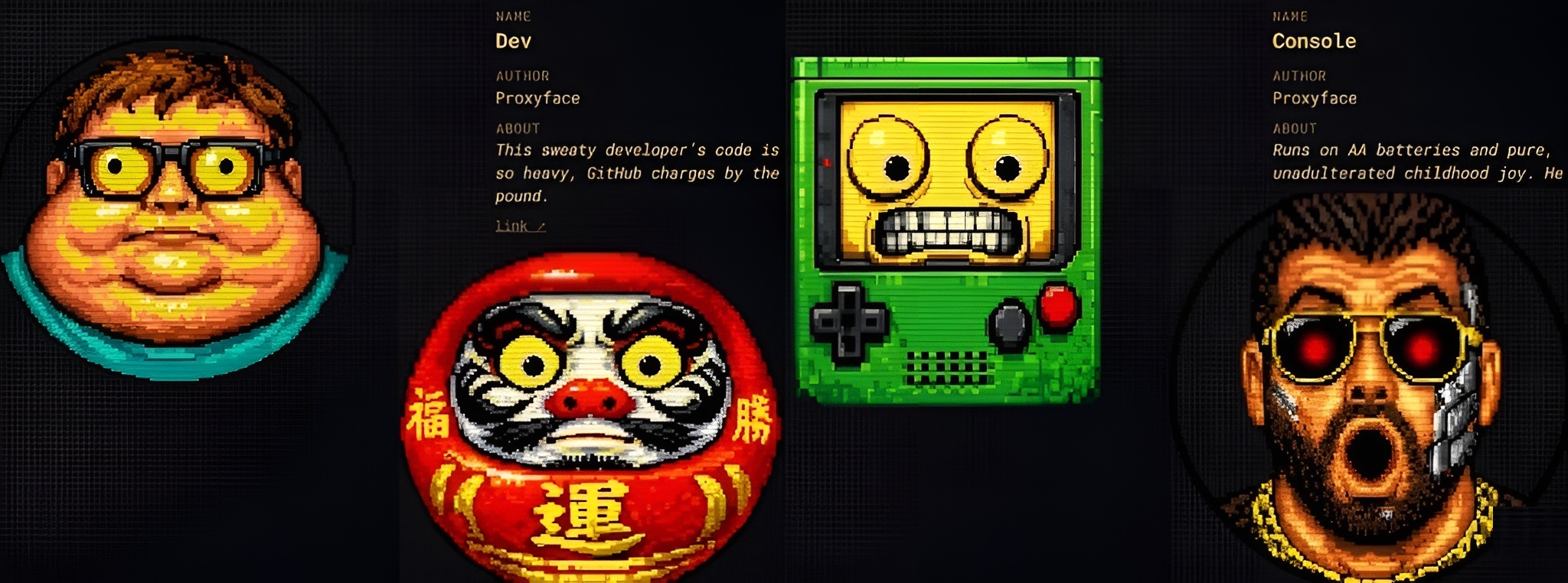
Drop a sprite sheet in sprites/art/yourname/ and run one sync script. Your character appears instantly. Submit it to us for priority for a place in the official gallery.
Currently, the following YouTube personalities have their own art!
| Personality | Description | Proxyface |
|---|---|---|
| Naoto Matsumoto | A YouTuber who teaches Taoism and Zen | Demo |
| Kseniia McTech | A YouTuber that highlights deep tech news | Demo |
| Donal (a.k.a. The Croupier) | A Spanish YouTuber who is all a character | Demo |
👁️ Eye tracking — opt-in, on-device to enhance interactivity
MediaPipe face landmarker runs locally. The pupils follow your gaze. No video ever leaves your machine.
🔊 Voice I/O — bot mode, natural mode, or silent
- HF mode: fully-auto bilateral conversation
- Semi-auto: hold Alt+T → speak → auto-send → AI replies
- Bot mode: typewriter sound while the AI streams
- Natural mode: browser TTS reads the reply aloud using API TTS (paid, high quality) or the built in (free, medium quality)
🔒 Privacy-proof (PRIVACY notice)
Zero network calls for inference. Your API key lives in localStorage, never transmitted to us. GPL-3.0 in every line.
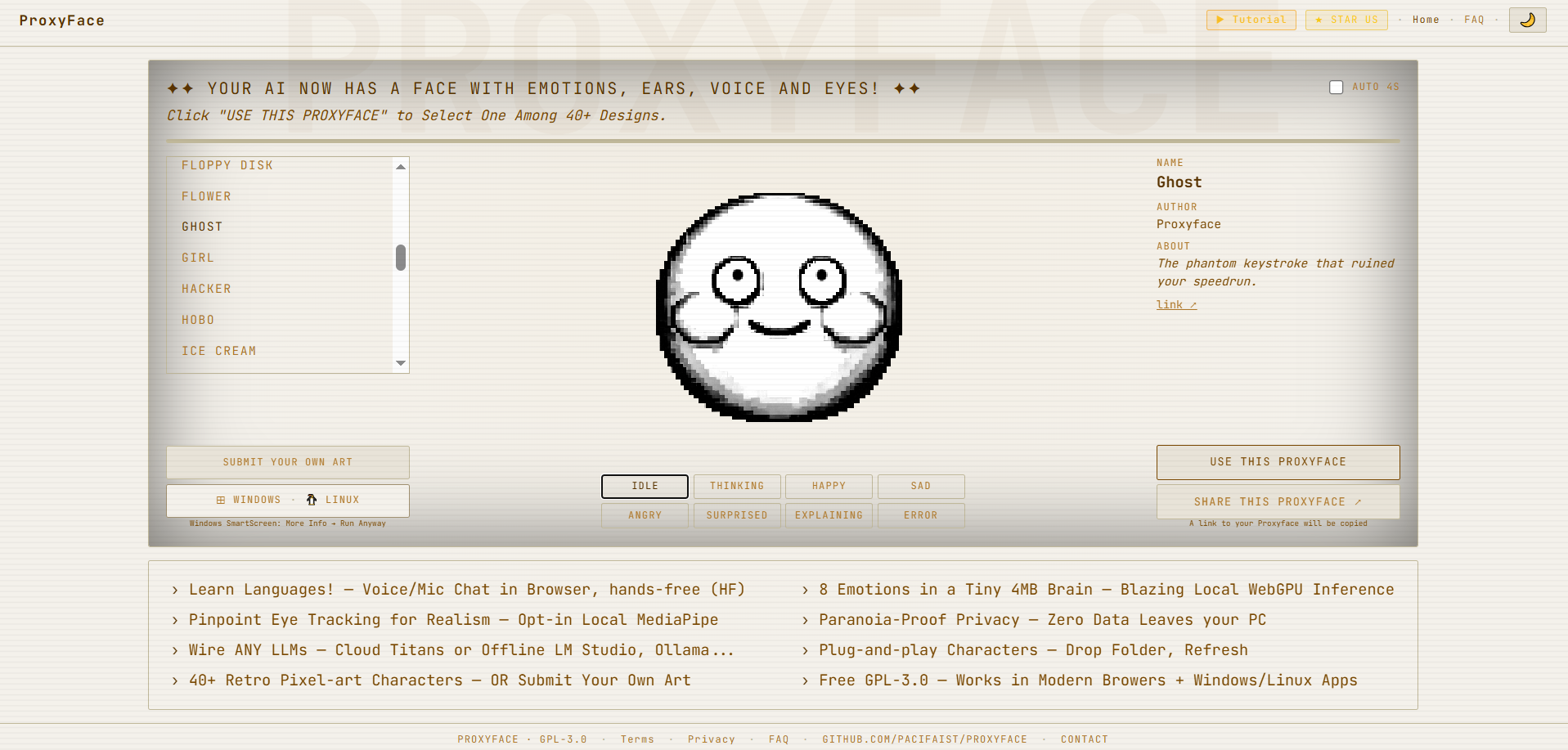
Screenshots
| Dark mode | Light mode |
|---|---|
|
 |
🚀 Quickstart
1. Web app — any device, any hosting, locally or any OS (zero-config)
Download Proxyface_easy_drop_and_deploy.zip from Releases, unzip, and:
| Platform | How to run |
|---|---|
| Windows | Double-click START.bat — console opens, browser launches at localhost:8080. If Node.js is used as fallback, press Y when prompted, then wait a few seconds. |
| Mac / Linux | Terminal: chmod +x START.sh && ./START.sh — browser opens automatically |
| iOS | Use Safari at proxyface.com — local files not supported |
| Android | Install Termux, run pkg install python && python -m http.server 8080, open Chrome at http://localhost:8080 |
| Web host | Upload all contents to public_html/. For subfolders, also copy sprites/, models/, sounds/, easter.mp3 to web root |
It works in any low-end webhost like Namecheap etc... no build, no PHP, no Node.js, no database. The AI runs entirely in the browser.
Option 2 for devs: Web (browser, any OS)
git clone https://github.com/PacifAIst/Proxyface.git
cd Proxyface
pnpm install
cd apps/web && pnpm dev
# open http://localhost:5173
Option 3 Windows desktop app
Download ProxyFace Setup 0.1.0.exe from Releases.
Windows SmartScreen may appear — click More info → Run anyway. This is expected for unsigned indie apps.
Option 4 Mock mode (no API key needed)
Visit http://localhost:5173/?mock=1 — uses a regex classifier instead of the neural model. Good for UI testing.
⚠️ Troubleshooting
| Problem | Fix |
|---|---|
| White screen | Ensure sprites/, models/, sounds/ folders are present |
| 404 errors for sprites | If in a subfolder, copy folders to web root (see table above) |
CORS error opening index.html directly |
Use START.bat / START.sh instead of double-clicking HTML |
| Mic not working | Use HTTPS on web hosts. Browser permission required. |
| Sounds not playing | Ensure sounds/ and easter.mp3 are in the web root |
🎮 Secret easter eggs
There are hidden features.
🎨 Submit your art (see detailed instructions here)
Want your character in the official gallery?
Specs: 4096×2048 PNG · 16 columns × 8 rows · 256×256 px per cell · 8 emotion rows · transparent background · 1993 pixel-art style
Best AI tool for generation: Kimi 2.6 in agent mode (free tier) — attach an existing atlas as reference.
- Email:
[email protected]— subject:[CHARACTER NAME] - GitHub PR: fork → add
sprites/art/yourname/→ open PR with screenshot of all 8 emotion rows
⚙️ Tech stack
| Concern | Choice |
|---|---|
| Monorepo | pnpm workspaces + Turborepo |
| Framework | React 18 + TypeScript 5 |
| Bundler | Vite 5 |
| Styling | Tailwind CSS 3 (shared CRT preset) |
| Emotion model | TinyBERT INT8 ONNX via @huggingface/transformers |
| ML runtime | ONNX Runtime Web (WebGPU + WASM fallback) |
| Vision | @mediapipe/tasks-vision (on-device) |
| Voice | Web Speech API + browser TTS |
| Desktop | Electron 30 |
🔧 Development
pnpm install          # install everything
cd apps/web
pnpm dev              # http://localhost:5173

# Sync sprites + models into public/ before building
pnpm sync-assets

# Production build
pnpm build
Retrain the emotion model
Open proxyface_train.ipynb in Google Colab (T4 GPU).
Upload proxyface_emotions.jsonl → Run All → download zip → drop into packages/proxyface-core/src/assets/models/emotion/.
📁 Repository layout
proxyface/
├── apps/
│   ├── desktop/             # Electron wrapper
│   └── web/                 # Standalone web app (also embedded in desktop)
└── packages/
    └── proxyface-core/      # Shared React components, hooks, ML worker, design tokens
        └── src/
            ├── assets/models/emotion/   # TinyBERT INT8 ONNX + tokenizer
            └── assets/sprites/art/      # Character sprite sheets
📄 License
GPL-3.0 — free to use, fork, and modify. Derivative works must remain open source.
⭐ Star us
If ProxyFace made your AI feel alive, give us a star — it helps more than you think.
Contact: [email protected]
Made with ❤️ for the Local AI Community by PacifAIst