
LLMs
Help desk allows you to create a Question Answering bot with a streamlit UI using your company Confluence data.
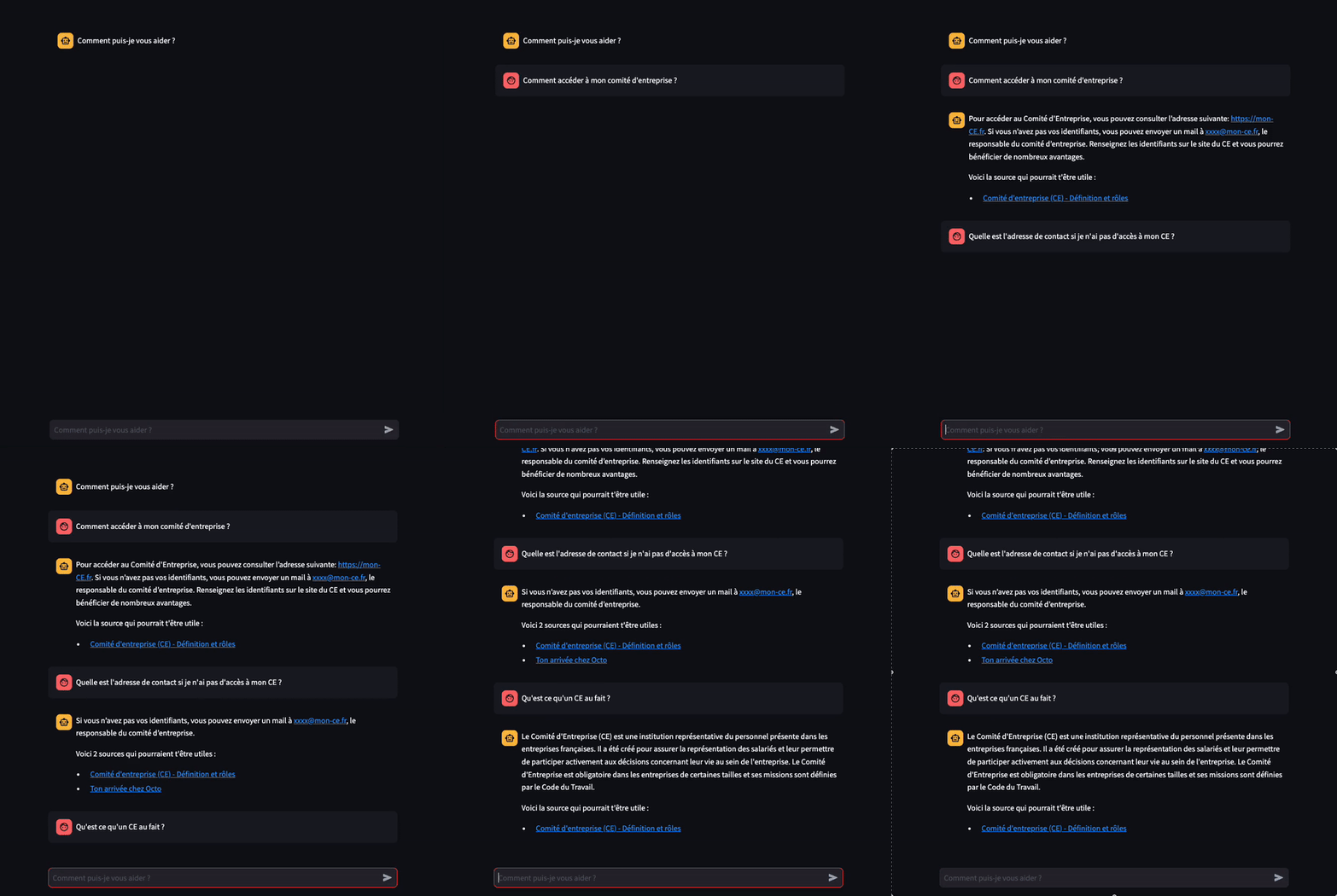
How to use
-
Create a virtual environnement:
python3.10 -m venv .venvsource .venv/bin/activatepip install -r requirements.txt
-
Copy the env.template and fill your environment variables
cp .env.template .env
-
Check the
config.pyandenv.templatefile. -
To collect data from Confluence you will have to:
- Create your own Conluence space with page informations
- Create and feed your API key here
- Insert in the
envfile:- the space_key:
https://yoursite.atlassian.com/wiki/spaces/<space_key>/pages/ - the space_name:
<space_name>/spaces/<space_key>/pages/ - the email adress you used for your Confluence space
- the OpenAI API key
- the space_key:
-
To run the streamlit app run:
cd src
streamlit run streamlit.py
- To evaluate the quality of the RAG model:
# First replace the evaluation dataset file in the data folder with your topic questions
cd src
python evaluate.py
- To use and deep dive with the notebook
ipython kernel install --name RAG --user  # Add the notebook kernel
jupyter lab
How it works ?
.
├── data/
    ├── evaluation_dataset.tsv  # Questions and answers useful for evaluation

├── docs/                       # Documentation files
├── src/                        # The main directory for computer demo
    ├── __init__.py
    ├── load_db.py              # Load data from confluence and creates smart chunks
    ├── help_desk.py            # Instantiates the LLMs, retriever and chain
    ├── main.py                 # Run the Chatbot for a simple question
    ├── streamlit.py            # Run the Chatbot in streamlit where you can ask your own questions
    ├── evaluate.py             # Evaluate the RAG model based on questions-answers samples

├── notebooks/                  # Interactive code, useful for try and learn
├── config.py
├── .env.template               # Environment variables to feed
├── .gitignore
├── LICENSE                     # MIT License
├── README.md                   # Where to start
└── requirements.txt            # The dependencies
The process is the following:
- Loading data from Confluence
- You can keep the Markdown style using the
keep_markdown_formatoption added in our MR - See the
help_desk.ipynbfor a more deep dive analysis - Otherwise you cannot split text in a smart manner using the MarkdownHeaderTextSplitter
- You can keep the Markdown style using the
- Load data
- Markdown and RecursiveCharacterTextSplitter
- LLM used: Open AI LLM and embedding
- The QARetrievalChain
- Streamlit as a data interface