
Rails Tabler Starter
Skip the first 40 hours of setup. Build your product instead.
rails-tabler-starter is a production-ready boilerplate for developers who want a high-quality UI without the frontend fatigue. It uses a modern Rails 8 stack (Solid Queue, Solid Cache) and Tabler (Bootstrap 5) for a clean, professional dashboard out of the box.
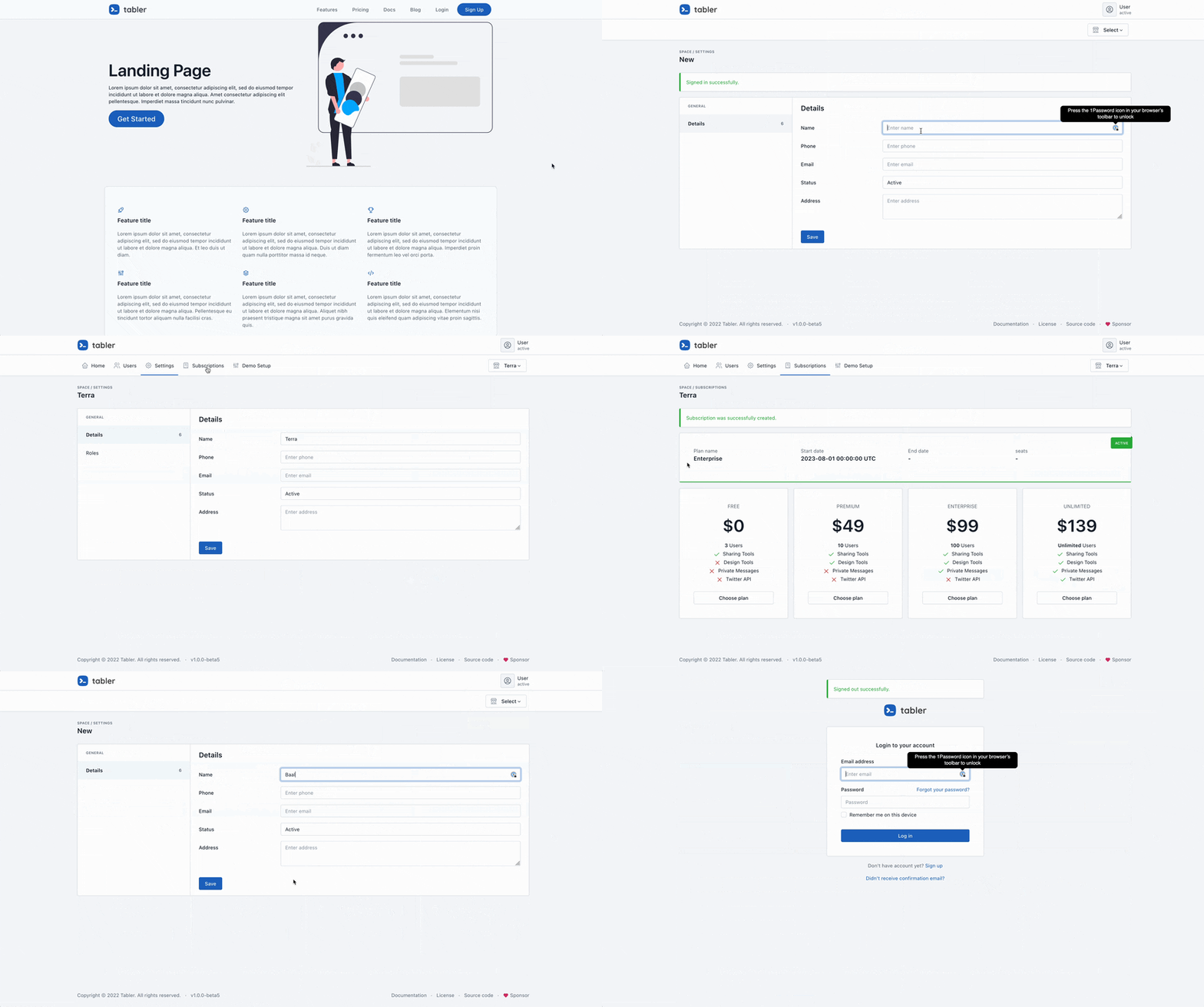
The Goal
- Pure Rails: No proprietary DSLs or "magic". If you know Rails, you know this starter.
- Readability > Cleverness: Standard patterns over complex abstractions.
- Batteries Included: Authentication, Multi-tenancy, Blog, and UI components are pre-configured.
Why this starter?
- Zero-Config UI: Tabler components integrated with Hotwire. Dark mode, responsive layouts, and dashboards work immediately.
- Built-in Multi-Tenancy: "Spaces" support included. Switch between single-user and B2B SaaS modes via config.
- Simplified Infrastructure: Built for Rails 8. Uses
solid_queueandsolid_cache—no Redis required for small-to-medium deployments. - Secure: Pre-loaded with Pundit (AuthZ), Devise (AuthN), and Brakeman security auditing.
The Stack
- Core: Rails 8.0+, Ruby 3.3+, SQLite (Production-optimized).
- Auth: Devise + OmniAuth (Google/GitHub).
- UI: Tabler (Bootstrap 5) + Hotwire/Turbo.
- Background Jobs: Solid Queue / Active Job.
- Deployment: Pre-configured for Kamal, Fly.io, or Heroku.
Space Management & Architecture
The app uses a Space-based architecture for teams or organizations.
- Standard Roles: Admin and Member roles per space.
- Permissions: Built-in support for custom roles and granular access controls via Pundit.
Theming Engine
Overhaul the UI via the AppSettings singleton. No CSS hunting required. All settings are database-backed and can be modified at runtime.
Visual Configuration
| Category | Setting | Options |
|---|---|---|
| Layout | interface_layout |
VERTICAL, VERTICAL-TRANSPARENT, OVERLAP, CONDENSED, HORIZONTAL |
| Mode | color_mode |
LIGHT, DARK |
| Primary Color | color_scheme |
BLUE, AZURE, INDIGO, PURPLE, PINK, RED, ORANGE, YELLOW, LIME, GREEN, TEAL, CYAN |
| Theme | theme_base |
NEUTRAL, SLATE, ZINC, GRAY, STONE, PINK |
| Typography | font_family |
SANS-SERIF, SERIF, MONOSPACE, COMIC |
| Shapes | corner_radius |
0 to 2 |
Logic Configuration
| Setting | Default | Description |
|---|---|---|
multi_tenant_mode |
true |
Toggle SaaS-style "Spaces" vs. a single-user app. |
show_landing_page |
true |
Toggle the public marketing page. |
Blog Engine
A file-based markdown blog is included out of the box. Posts live in content/blog/ as .md files with frontmatter:
---
title: My Post
summary: A brief description
date: 2024-01-15
author: Author Name
category: Tutorial
published: true
---

# My Post

Your content here...
Features:
- Markdown rendering with syntax highlighting for code blocks
- Categories and pagination
- RSS feed at
/blog/feed - SEO meta tags (Open Graph, Twitter Cards)
- HTTP caching for fast page loads
⚡ Quick Start
# Clone and setup
git clone https://github.com/tarunvelli/rails-tabler-starter.git my_app
cd my_app
bin/setup

# Start server
bin/dev
Promote User to Admin:
User.first.update(admin: true)
Contributing
- Fork it.
- Create your feature branch (
git checkout -b feature/name). - Commit your changes (
git commit -m 'Add feature'). - Push to the branch (
git push origin feature/name). - Open a Pull Request.