
SVAR React File Manager | File Explorer
:globe_with_meridians: Website • :bulb: Getting Started • :eyes: Demos



SVAR React File Manager is a flexible file explorer component for React apps. It offers a familiar interface for browsing, organizing, and previewing files. Thanks to its extensive API for listening, intercepting, and executing data operations, you can integrate it with any backend — from local storage and databases to cloud services.
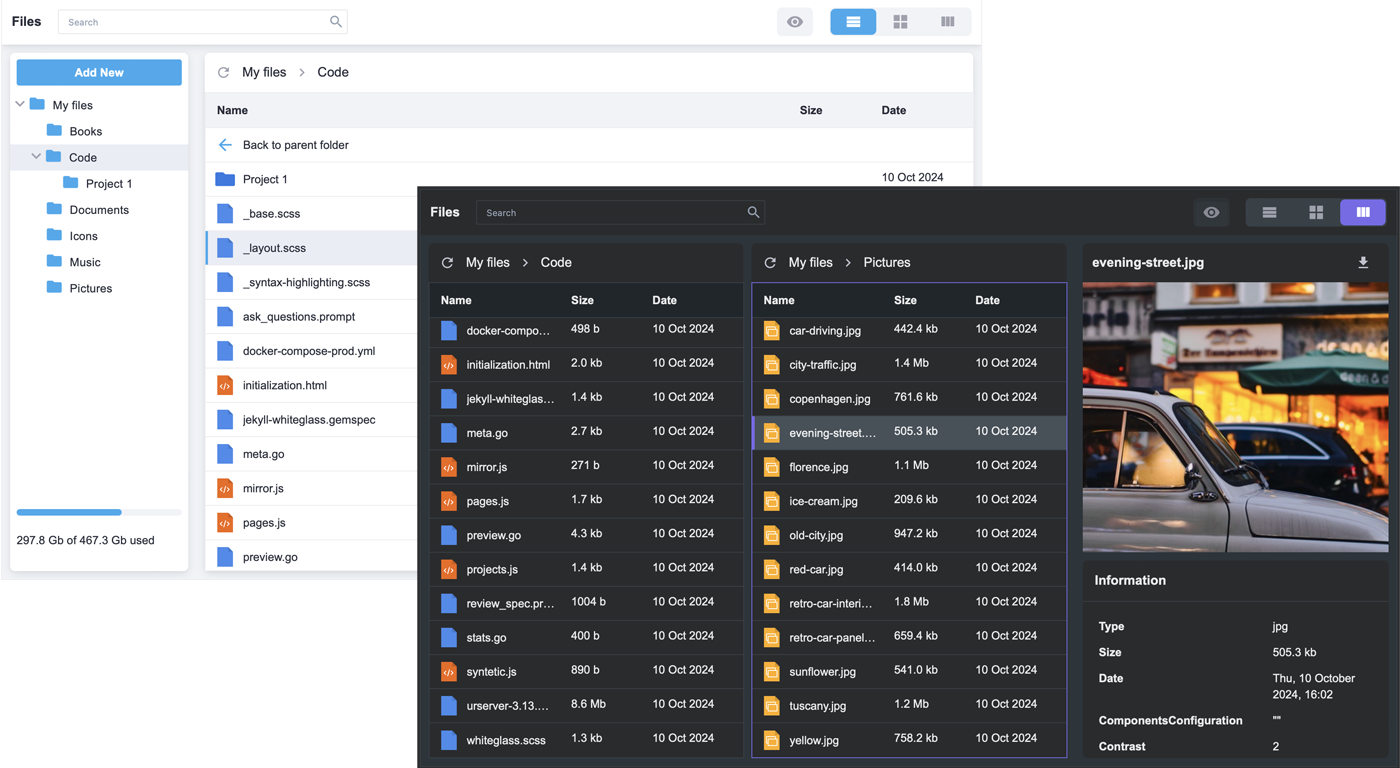
:sparkles: Key features:
- Basic file operations: create, delete, copy, rename, cut, paste
- Download and upload files
- Files tree view
- List and tiles views
- File preview pane with file information (file size, type, modified date, etc)
- Split view to manage files between different locations
- Built-in search box
- Context menu and toolbar for quick actions
- Keyboard navigation
- Used storage info
- Light and dark themes, with easy customization
- Localization support
- Optimized for large datasets with dynamic directory loading
- Extensive API to listen, intercept, and execute data operations
- Full TypeScript support
- React 18 & 19 compatible
:hammer_and_wrench: How to Use
To start using SVAR React File Manager, simply import the package and include the component in your React file:
import { FileManager } from "@svar-ui/react-filemanager";
import "@svar-ui/react-filemanager/all.css";

const files = [
  {
    id: "/Music",
    size: 4096,
    date: new Date(2023, 11, 1, 14, 45),
    type: "folder",
  },
  {
    id: "/Info.txt",
    size: 1000,
    date: new Date(2023, 10, 30, 6, 13),
    type: "file",
  },
];
const myComponent => (<FileManager data={files} />);
See the getting started guide to set up and start using the File Manager in your React projects.
:speech_balloon: Need Help?
Post an Issue or use our community forum.