
react-native-actionsheet
Cross platform ActionSheet. This component implements a custom ActionSheet and provides the same way to drawing it on the defferent platforms(iOS and Android). Actually, In order to keep the best effect, it still uses the ActionSheetIOS on iOS.
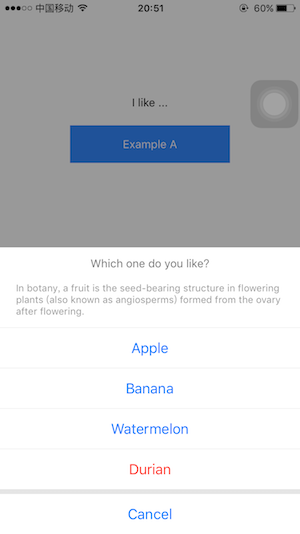
|
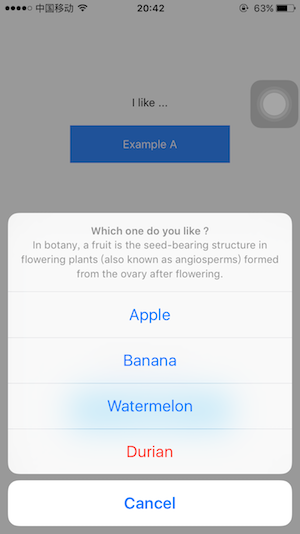
|
Install
npm install react-native-actionsheet --save
Usage
import ActionSheet from 'react-native-actionsheet'

class Demo extends React.Component {
  showActionSheet = () => {
    this.ActionSheet.show()
  }
  render() {
    return (
      <View>
        <Text onPress={this.showActionSheet}>Open ActionSheet</Text>
        <ActionSheet
          ref={o => this.ActionSheet = o}
          title={'Which one do you like ?'}
          options={['Apple', 'Banana', 'cancel']}
          cancelButtonIndex={2}
          destructiveButtonIndex={1}
          onPress={(index) => { /* do something */ }}
        />
      </View>
    )
  }
}
Use ActionSheetCustom directly
so you can customize option and title
import { ActionSheetCustom as ActionSheet } from 'react-native-actionsheet'

const options = [
  'Cancel',
  'Apple',
  <Text style={{color: 'yellow'}}>Banana</Text>,
  'Watermelon',
  <Text style={{color: 'red'}}>Durian</Text>
]

class Demo extends React.Component {
  showActionSheet = () => {
    this.ActionSheet.show()
  }
  render() {
    return (
      <View>
        <Text onPress={this.showActionSheet}>Open ActionSheet</Text>
        <ActionSheet
          ref={o => this.ActionSheet = o}
          title={<Text style={{color: '#000', fontSize: 18}}>Which one do you like?</Text>}
          options={options}
          cancelButtonIndex={0}
          destructiveButtonIndex={4}
          onPress={(index) => { /* do something */ }}
        />
      </View>
    )
  }
}
How to redesign style ?
The style of ActionSheet is defined in lib/styles.js. We can pass the styles prop to cover default style. See Example .
// example

const styles = {
  titleBox: {
    background: 'pink'
  },
  titleText: {
    fontSize: 16,
    color: '#000'
  }
}

<ActionSheet
  ...
  styles={styles}
/>
Props
https://github.com/beefe/react-native-actionsheet/blob/master/lib/options.js
| Prop name | Description | Type | Default |
|---|---|---|---|
| title | PropTypes.string or PropTypes.element | ||
| message | PropTypes.string or PropTypes.element | ||
| options | PropTypes.arrayOf([PropTypes.string, PropTypes.element]) | ||
| tintColor | PropTypes.string | ||
| cancelButtonIndex | PropTypes.number | ||
| destructiveButtonIndex | PropTypes.number | ||
| onPress | PropTypes.func | (index) => {} | |
| styles | only for ActionSheetCustom | {} |