
Country Picker for React Native.




| iOS | Android | Web |
|---|---|---|
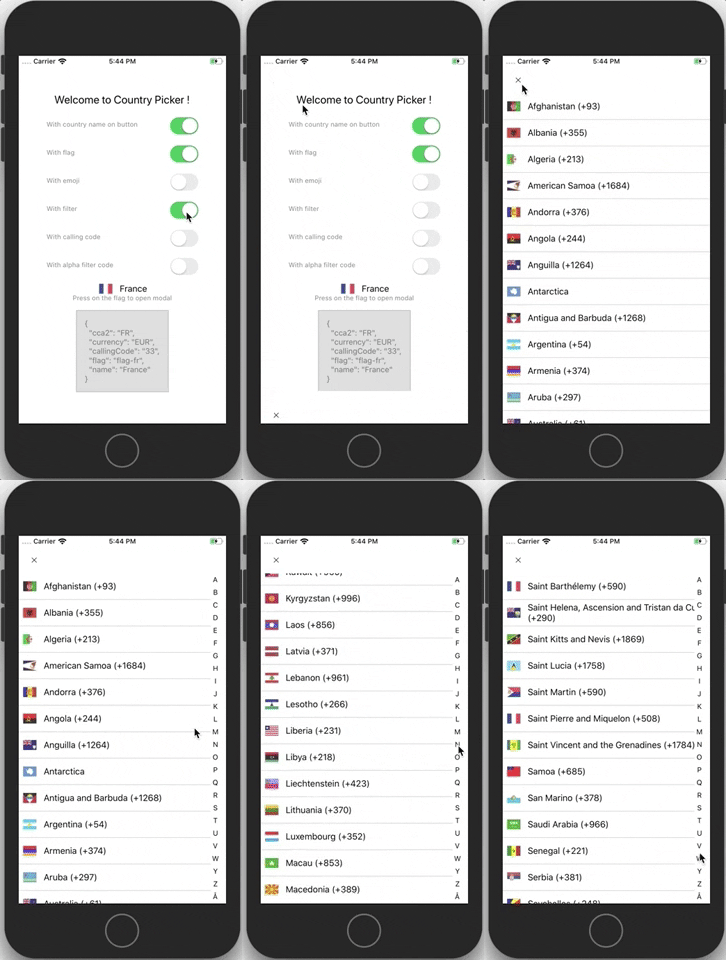 |
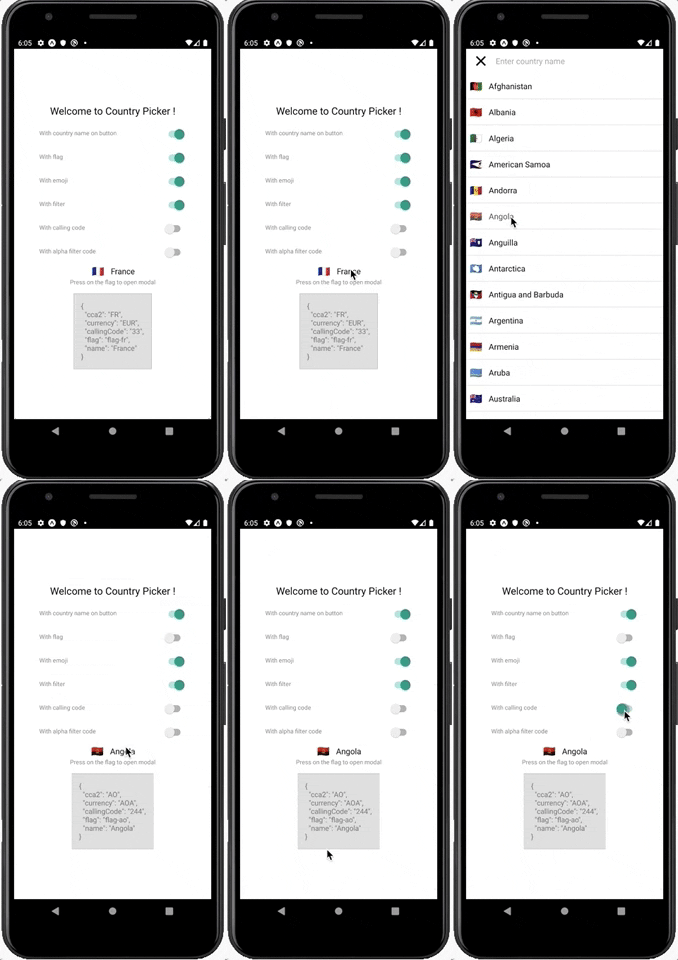 |
 |
Sponsor
React Key Concepts: Consolidate your knowledge of React’s core features (2nd ed. Edition)
Demo
Installation
$ yarn add react-native-country-picker-modal
Basic Usage
For more complete example open App.tsx
import React, { useState } from 'react'
import { View, Text, StyleSheet, PixelRatio, Switch } from 'react-native'
import CountryPicker from 'react-native-country-picker-modal'
import { CountryCode, Country } from './src/types'

const styles = StyleSheet.create({
  // ...
})

export default function App() {
  const [countryCode, setCountryCode] = useState<CountryCode>('FR')
  const [country, setCountry] = useState<Country>(null)
  const [withCountryNameButton, setWithCountryNameButton] = useState<boolean>(
    false,
  )
  const [withFlag, setWithFlag] = useState<boolean>(true)
  const [withEmoji, setWithEmoji] = useState<boolean>(true)
  const [withFilter, setWithFilter] = useState<boolean>(true)
  const [withAlphaFilter, setWithAlphaFilter] = useState<boolean>(false)
  const [withCallingCode, setWithCallingCode] = useState<boolean>(false)
  const onSelect = (country: Country) => {
    setCountryCode(country.cca2)
    setCountry(country)
  }
  return (
    <View style={styles.container}>
      <Text style={styles.welcome}>Welcome to Country Picker !</Text>
      <Option
        title='With country name on button'
        value={withCountryNameButton}
        onValueChange={setWithCountryNameButton}
      />
      <Option title='With flag' value={withFlag} onValueChange={setWithFlag} />
      <Option
        title='With emoji'
        value={withEmoji}
        onValueChange={setWithEmoji}
      />
      <Option
        title='With filter'
        value={withFilter}
        onValueChange={setWithFilter}
      />
      <Option
        title='With calling code'
        value={withCallingCode}
        onValueChange={setWithCallingCode}
      />
      <Option
        title='With alpha filter code'
        value={withAlphaFilter}
        onValueChange={setWithAlphaFilter}
      />
      <CountryPicker
        {...{
          countryCode,
          withFilter,
          withFlag,
          withCountryNameButton,
          withAlphaFilter,
          withCallingCode,
          withEmoji,
          onSelect,
        }}
        visible
      />
      <Text style={styles.instructions}>Press on the flag to open modal</Text>
      {country !== null && (
        <Text style={styles.data}>{JSON.stringify(country, null, 2)}</Text>
      )}
    </View>
  )
}
Props
countryCode: CountryCoderegion?:Regionsubregion?: SubregioncountryCodes?: CountryCodetheme?: Themetranslation?: TranslationLanguageCodemodalProps?: ModalPropsfilterProps?: CountryFilterPropsflatListProps?: FlatListProps<Country>withAlphaFilter?: booleanwithCallingCode?: booleanwithCurrency?: booleanwithEmoji?: booleanwithCountryNameButton?: booleanwithCurrencyButton?: booleanwithCallingCodeButton?: booleanwithFlagButton?: booleanwithCloseButton?: booleanwithFilter?: booleanwithFlag?: booleanwithModal?: booleanvisible?: booleancontainerButtonStyle?:StyleProp<ViewStyle>renderFlagButton?(props: (FlagButton['props'])): ReactNode (FlagButton props)renderCountryFilter?(props: CountryFilter['props']): ReactNode (CountryFilter props is TextInputProps)onSelect(country: Country): void (Country)onOpen(): voidonClose(): voidcloseButtonImage?: ImageSourcePropTypecloseButtonStyle?: StyleProp<ViewStyle>closeButtonImageStyle?: StyleProp<ImageStyle>disableNativeModal?: boolean (you have to wrap your all app with CountryModalProvider)preferredCountries: CountryCode preferred countries they appear first (withAlphaFiltermust be false)
Dark theme example
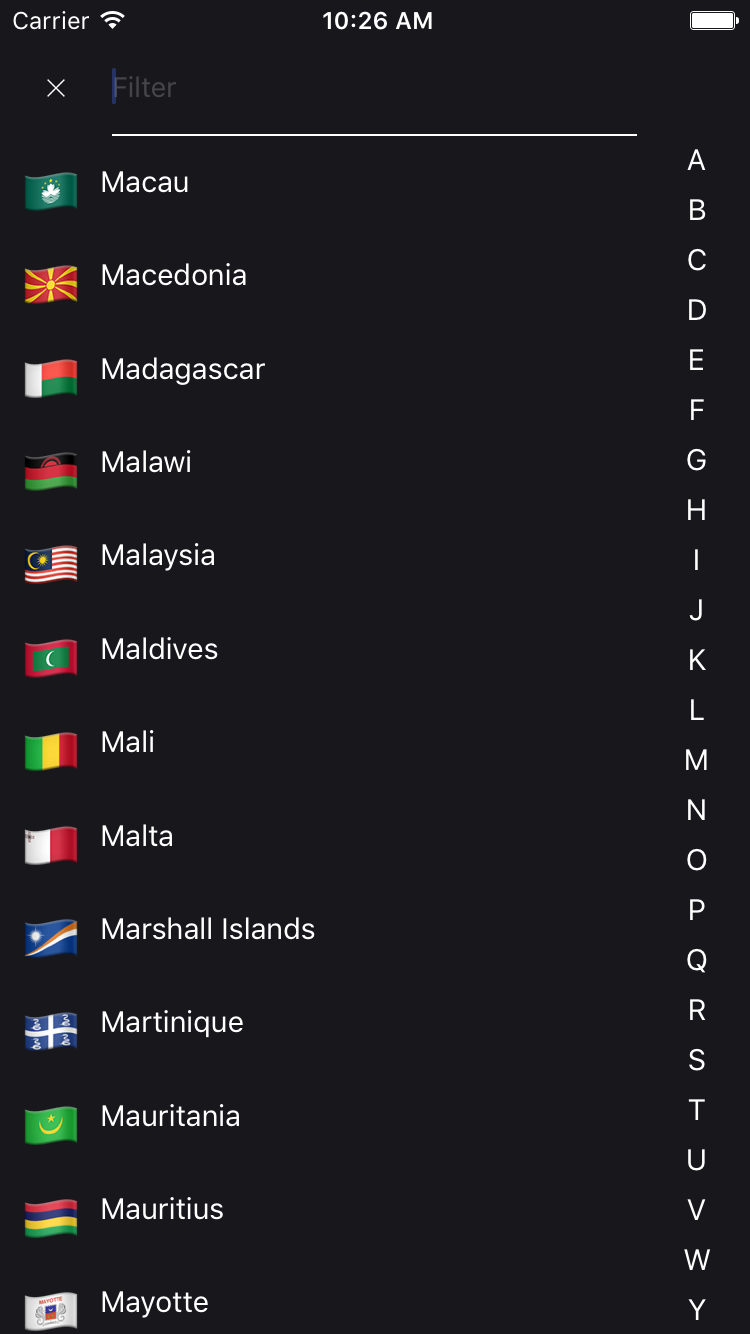
A simple example to display a CountryPicker component with a dark theme.
import CountryPicker, { DARK_THEME } from 'react-native-country-picker-modal'

const MyDarkView = () => <CountryPicker theme={DARK_THEME} />
Dependencies
- world-countries : https://www.npmjs.com/package/world-countries
FAQ
Is it supported and tested both on android and iOS?
YES
Is the data that is populated inside the list saved offline once I install your package?
YES : It used the world-countries package and image is stored into json and base64.
Tiers lib using this lib
See also
Contribution
- @xcapentier The main author.
Questions
Feel free to contact me or create an issue
made with ♥
Licence
Hire an expert!
Looking for a ReactNative freelance expert with more than 12 years experience? Contact me from my website!