
Readur 📄
Readur is a powerful and modern document management system designed to help individuals and teams efficiently organize, process, and access their digital documents. It combines a high-performance backend with a sleek and intuitive web interface to deliver a smooth and reliable user experience.
You can check our our docs at docs.readur.app.
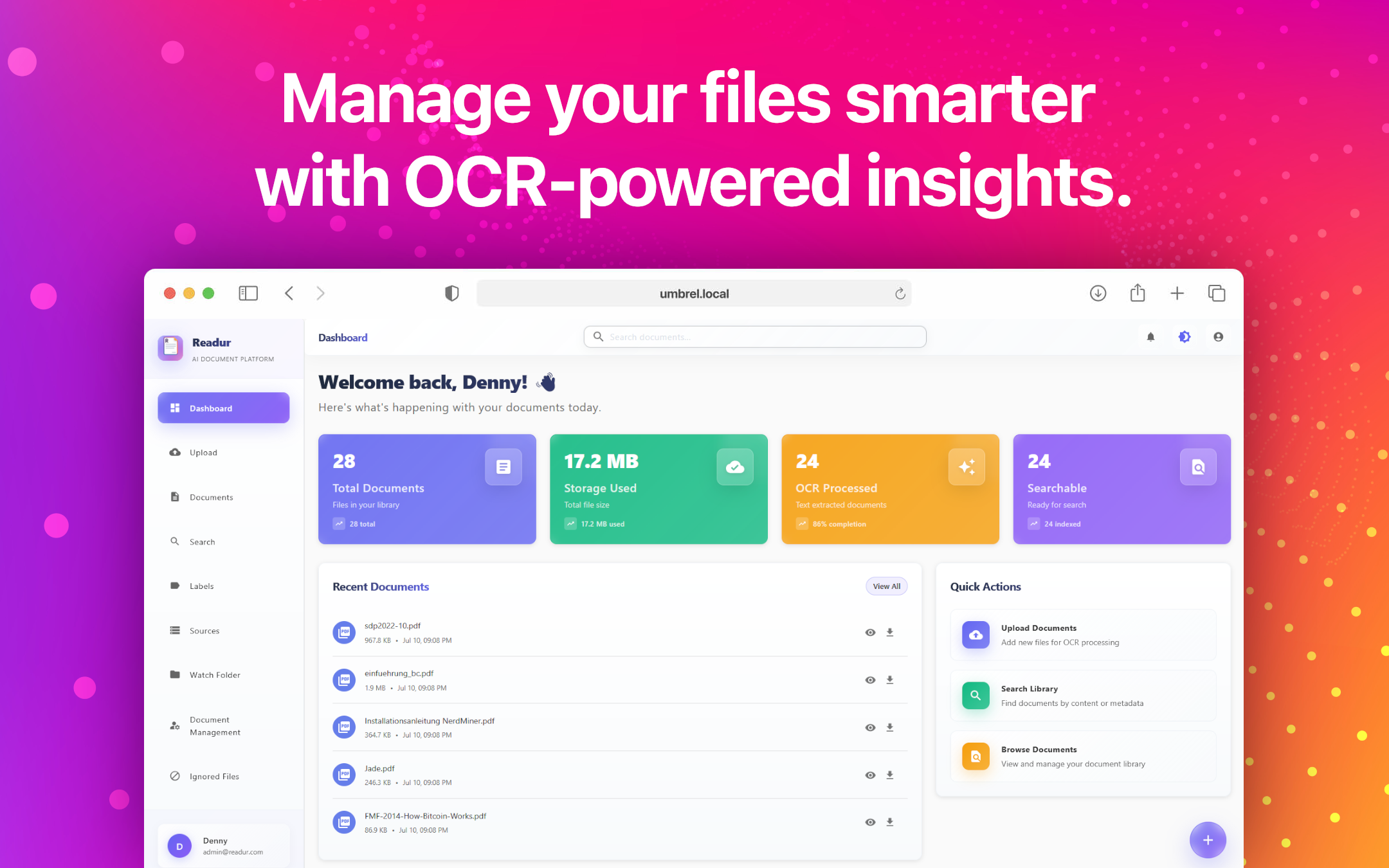
✨ Features
| Feature | Description | Documentation |
|---|---|---|
| 🔐 Secure Authentication | JWT-based user authentication with bcrypt password hashing + OIDC/SSO support | User Management, OIDC Setup |
| 👥 User Management | Role-based access control with Admin and User roles | User Management Guide |
| 📤 Smart File Upload | Drag-and-drop support for PDF, images, text files, and Office documents (DOCX, XLSX, DOC*) | File Upload Guide |
| 🔍 Advanced OCR | Automatic text extraction using Tesseract and Office document parsing | OCR Optimization |
| 🌍 Multi-Language OCR | Process documents in multiple languages simultaneously with automatic language detection | Multi-Language OCR Guide |
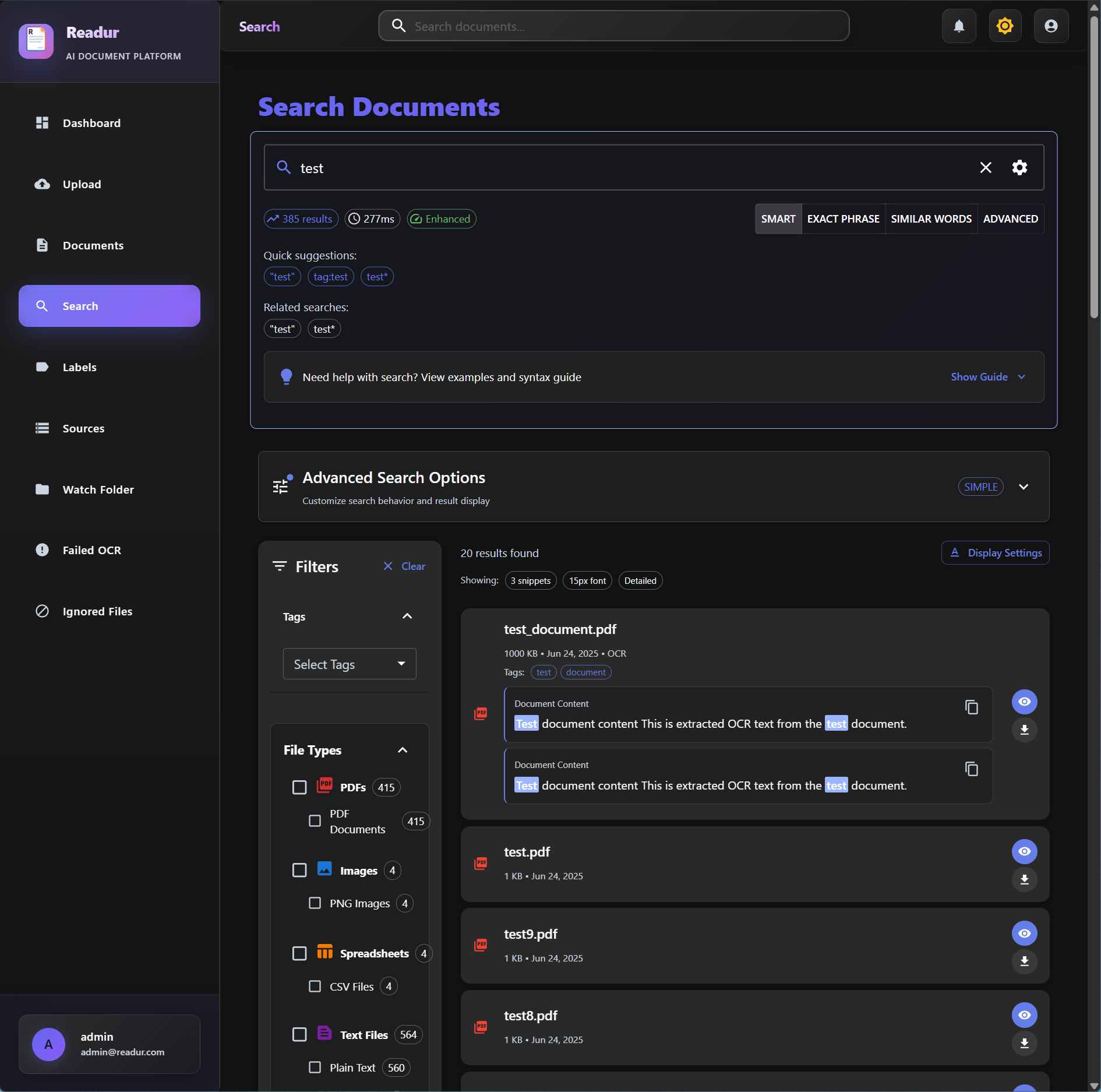
| 🔎 Powerful Search | PostgreSQL full-text search with multiple modes (simple, phrase, fuzzy, boolean) | Advanced Search Guide |
| 🔗 Multi-Source Sync | WebDAV, Local Folders, and S3-compatible storage integration | Sources Guide, S3 Storage Guide |
| 🏷️ Labels & Organization | Comprehensive tagging system with color-coding and hierarchical structure | Labels & Organization |
| 👁️ Folder Monitoring | Non-destructive file watching with intelligent sync scheduling | Watch Folder Guide |
| 📊 Health Monitoring | Proactive source validation and system health tracking | Health Monitoring Guide |
| 🔔 Notifications | Real-time alerts for sync events, OCR completion, and system status | Notifications Guide |
| 🔌 Swagger UI | Built-in interactive API documentation accessible from your profile menu | Swagger UI Guide |
| 🎨 Modern UI | Beautiful React frontend with Material-UI components and responsive design | User Guide |
| 🐳 Docker Ready | Complete containerization with production-ready multi-stage builds | Installation Guide, Deployment Guide |
| ⚡ High Performance | Rust backend for speed and reliability | Architecture Documentation |
| 📊 Analytics Dashboard | Document statistics and processing status overview | Analytics Dashboard Guide |
🚀 Quick Start
# Clone the repository
git clone https://github.com/perfectra1n/readur
cd readur

# Start all services
docker compose up --build -d

# Access the application
open http://localhost:8000
Admin credentials:
- Username:
admin - Password: Auto-generated on first run (check container logs)
On first startup, Readur generates a secure admin password and displays it in the logs:
==============================================
  READUR ADMIN USER CREATED
==============================================

Username: admin
Password: [your-generated-password]

⚠️   SAVE THESE CREDENTIALS IMMEDIATELY!
⚠️   This password will not be shown again.
==============================================
View the logs with: docker compose logs readur
To reset the admin password later:
docker compose exec readur readur reset-admin-password
📚 Documentation
Getting Started
- 📦 Installation Guide - Docker & manual installation instructions
- 🔧 Configuration - Environment variables and settings
- ⚙️ Configuration Reference - Complete configuration options reference
- 📖 User Guide - How to use Readur effectively
Core Features
- 🔗 Sources Guide - WebDAV, Local Folders, and S3 integration
- ☁️ S3 Storage Guide - Complete S3 and S3-compatible storage setup
- 👥 User Management - Authentication, roles, and administration
- 🏷️ Labels & Organization - Document tagging and categorization
- 🔎 Advanced Search - Search modes, syntax, and optimization
- 🌍 Multi-Language OCR Guide - Process documents in multiple languages simultaneously
- 🔐 OIDC Setup - Single Sign-On integration
Deployment & Operations
- 🚀 Deployment Guide - Production deployment, SSL, monitoring
- 🔄 Reverse Proxy Setup - Nginx, Traefik, and more
- 📁 Watch Folder Guide - Automatic document ingestion
- 🔄 Migration Guide - Migrate from local storage to S3
- 🛠️ S3 Troubleshooting - Debug and resolve S3 storage issues
Development
- 🏗️ Developer Documentation - Architecture, development setup, testing
- 🔌 API Reference - REST API documentation
Advanced Topics
- 🔍 OCR Optimization - Improve OCR performance
- 🗄️ Database Best Practices - Concurrency and safety
- 📊 Queue Architecture - Background job processing
- ⚠️ Error System Guide - Comprehensive error handling architecture
🏗️ Architecture
┌─────────────────┐    ┌─────────────────┐    ┌─────────────────┐
│   React Frontend │────│   Rust Backend  │────│  PostgreSQL DB  │
│   (Port 8000)   │    │   (Axum API)    │    │   (Port 5433)   │
└─────────────────┘    └─────────────────┘    └─────────────────┘
         │                       │                       │
         │              ┌─────────────────┐             │
         └──────────────│  File Storage   │─────────────┘
                        │  + OCR Engine   │
                        └─────────────────┘
📋 System Requirements
Minimum
- 2 CPU cores, 2GB RAM, 10GB storage
- Docker or manual installation prerequisites
Recommended for Production
- 4+ CPU cores, 4GB+ RAM, 50GB+ SSD
- See deployment guide for details
Optional Dependencies
For legacy Microsoft Word (.doc) file support, install one of:
antiword- Lightweight DOC text extractorcatdoc- Alternative DOC text extraction tool
Note: Modern Office formats (DOCX, XLSX) are fully supported without additional dependencies.
🤝 Contributing
We welcome contributions! Please see our Contributing Guide and Development Setup for details.
🔒 Security
- Change default credentials immediately
- Use HTTPS in production
- Regular security updates
- See deployment guide for security best practices
📝 License
This project is licensed under the MIT License - see the LICENSE file for details.
🙏 Acknowledgments
- Tesseract OCR for text extraction
- Axum for the web framework
- Material-UI for the beautiful frontend components
- PostgreSQL for robust full-text search
Screenshots
📞 Support
- Documentation: Start with the User Guide
- Issues: Report bugs on GitHub Issues
- Discussions: Join our GitHub Discussions
Made with ❤️ and ☕ by the Readur team