
E2E Real-Time Data Pipeline with Kafka, Flink, Iceberg, Trino, MinIO, and Superset






📖 Overview
This project demonstrates a real-time end-to-end (E2E) data pipeline designed to handle clickstream data. It shows how to ingest, process, store, query, and visualize streaming data using open-source tools, all containerized with Docker for easy deployment.
🔎 Technologies Used:
- Data Ingestion: Apache Kafka
- Stream Processing: Apache Flink
- Object Storage: MinIO (S3-compatible)
- Data Lake Table Format: Apache Iceberg
- Query Engine: Trino
- Visualization: Apache Superset
This pipeline is perfect for data engineers and students interested in learning how to design real-time data systems.
🏗 Architecture
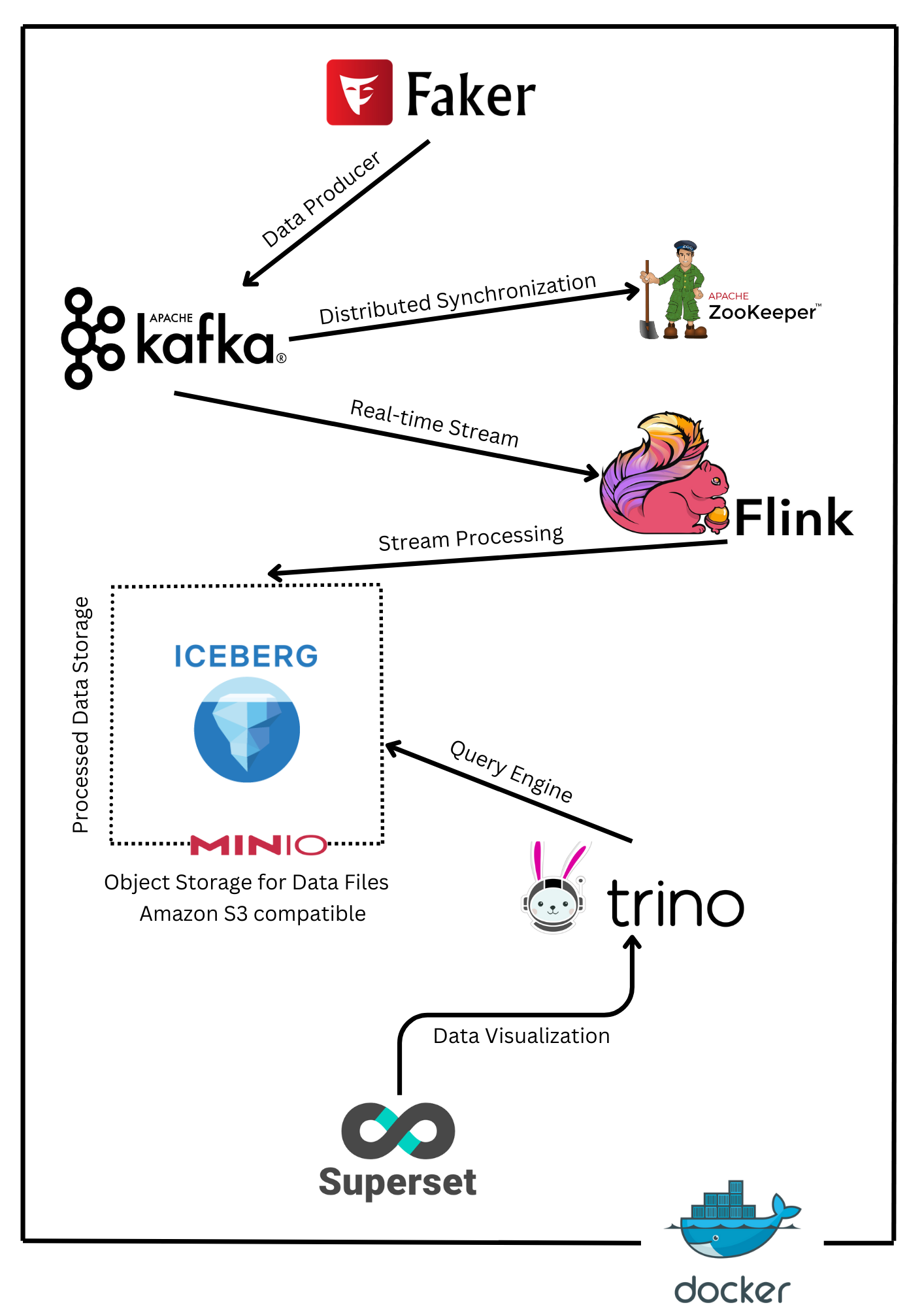
- Clickstream Data Generator simulates real-time user events and pushes them to Kafka topic.
- Apache Flink processes Kafka streams and writes clean data to Iceberg tables stored on MinIO.
- Trino connects to Iceberg for querying the processed data.
- Apache Superset visualizes the data by connecting to Trino.
🛠 Tech Stack
| Component | Technology | Purpose |
|---|---|---|
| Data Generator | Python (Faker) | Simulate clickstream events |
| Data Ingestion | Apache Kafka | Real-time event streaming |
| Coordination Service | Apache ZooKeeper | Kafka broker coordination and metadata management |
| Stream Processing | Apache Flink | Real-time data processing and transformation |
| Data Lake Storage | Apache Iceberg | Data storage and schema management |
| Object Storage | MinIO | S3-compatible storage for Iceberg tables |
| Query Engine | Trino | Distributed SQL querying on Iceberg data |
| Visualization | Apache Superset | Interactive dashboards and data visualization |
📦 Project Structure
e2e-data-pipeline/
├── docker-compose.yml   # Docker setup for all services
├── flink/               # Flink SQL client and streaming jobs
├── producer/            # Clickstream data producer using Faker
├── superset/            # Superset setup and configuration
└── trino/               # Trino configuration for Iceberg
🔧 Setup Instructions
1. Prerequisites
- Docker and Docker Compose installed.
- Minimum 16GB RAM recommended.
2. Clone the Repository
git clone https://github.com/abeltavares/real-time-data-pipeline.git
cd real-time-data-pipeline
3. Start All Services
docker-compose up -d
⚠️ Note: All components (Kafka, Flink, Iceberg, Trino, MinIO, and Superset) are containerized using Docker for easy deployment and scalabilit
4. Access the Services
| Service | URL | Credentials |
|---|---|---|
| Kafka Control Center | http://localhost:9021 |
No Auth |
| Flink Dashboard | http://localhost:18081 |
No Auth |
| MinIO Console | http://localhost:9001 |
admin / password |
| Trino UI | http://localhost:8080/ui |
No Auth |
| Superset | http://localhost:8088 |
admin / admin |
📥 Data Ingestion
1. Clickstream Data Generation
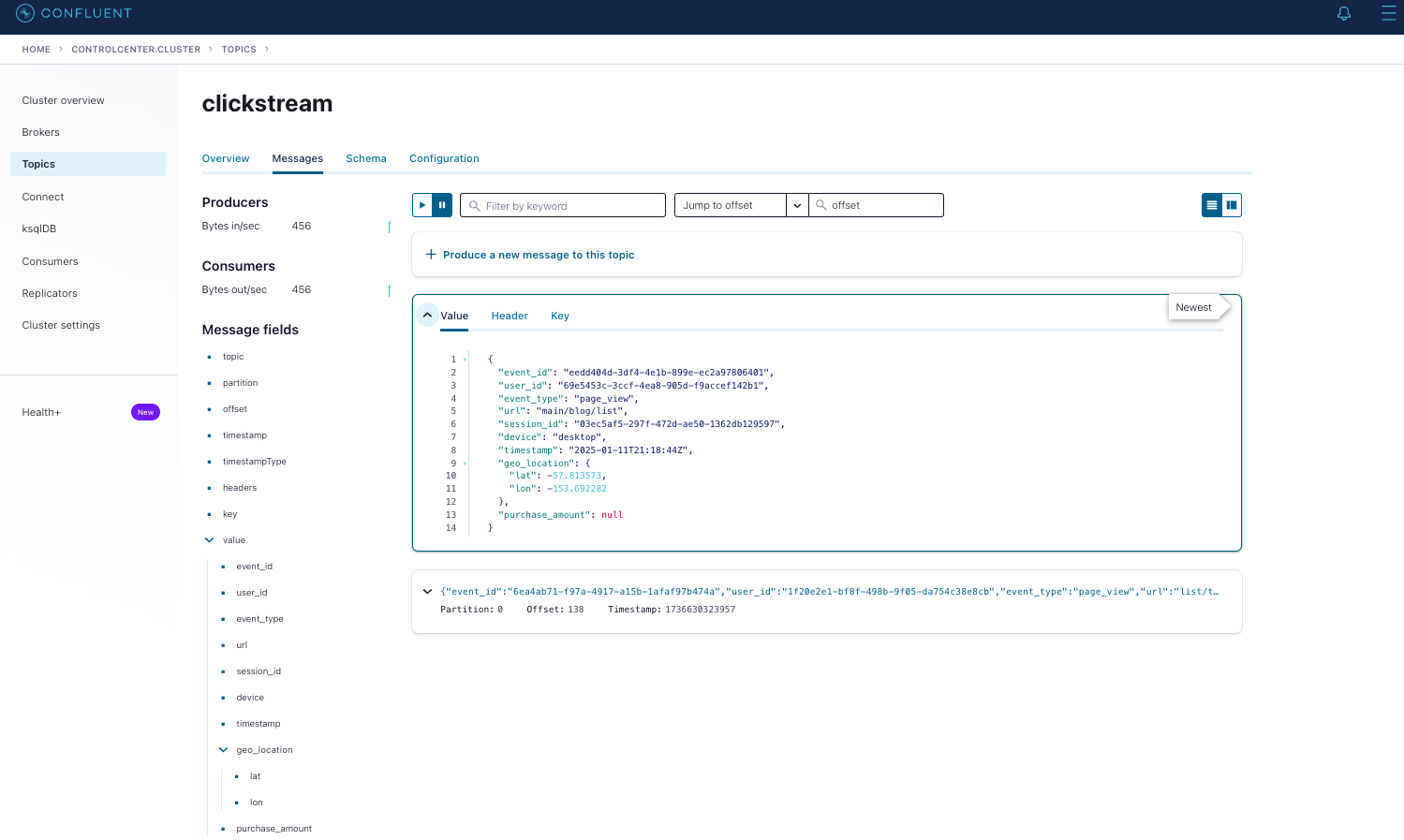
Clickstream events are simulated using Python's Faker library. Here's the event structure:
{
  "event_id": fake.uuid4(),
  "user_id": fake.uuid4(),
  "event_type": fake.random_element(elements=("page_view",        "add_to_cart", "purchase", "logout")),
  "url": fake.uri_path(),
  "session_id": fake.uuid4(),
  "device": fake.random_element(elements=("mobile", "desktop", "tablet")),
  "timestamp": time.strftime("%Y-%m-%dT%H:%M:%SZ", time.gmtime()),
  "geo_location": {
      "lat": float(fake.latitude()),
      "lon": float(fake.longitude())
  },
  "purchase_amount": float(random.uniform(0.0, 500.0)) if fake.boolean(chance_of_getting_true=30) else None
}
⚠️ Note: The Clickstream Producer runs automatically when Docker Compose is up. No manual execution is needed.
2. Kafka Consumer
The Kafka consumer reads the clickstream events and pushes them to Apache Flink for real-time processing.
You can monitor the Kafka topic through the Kafka Control Center:
- Kafka Control Center URL: http://localhost:9021
⚡ Real-Time Data Processing with Apache Flink
1. Flink Configuration
- State Backend: RocksDB
- Checkpointing: Enabled for fault tolerance
- Connectors: Kafka → Iceberg (via Flink SQL)
2. Flink SQL Job Execution
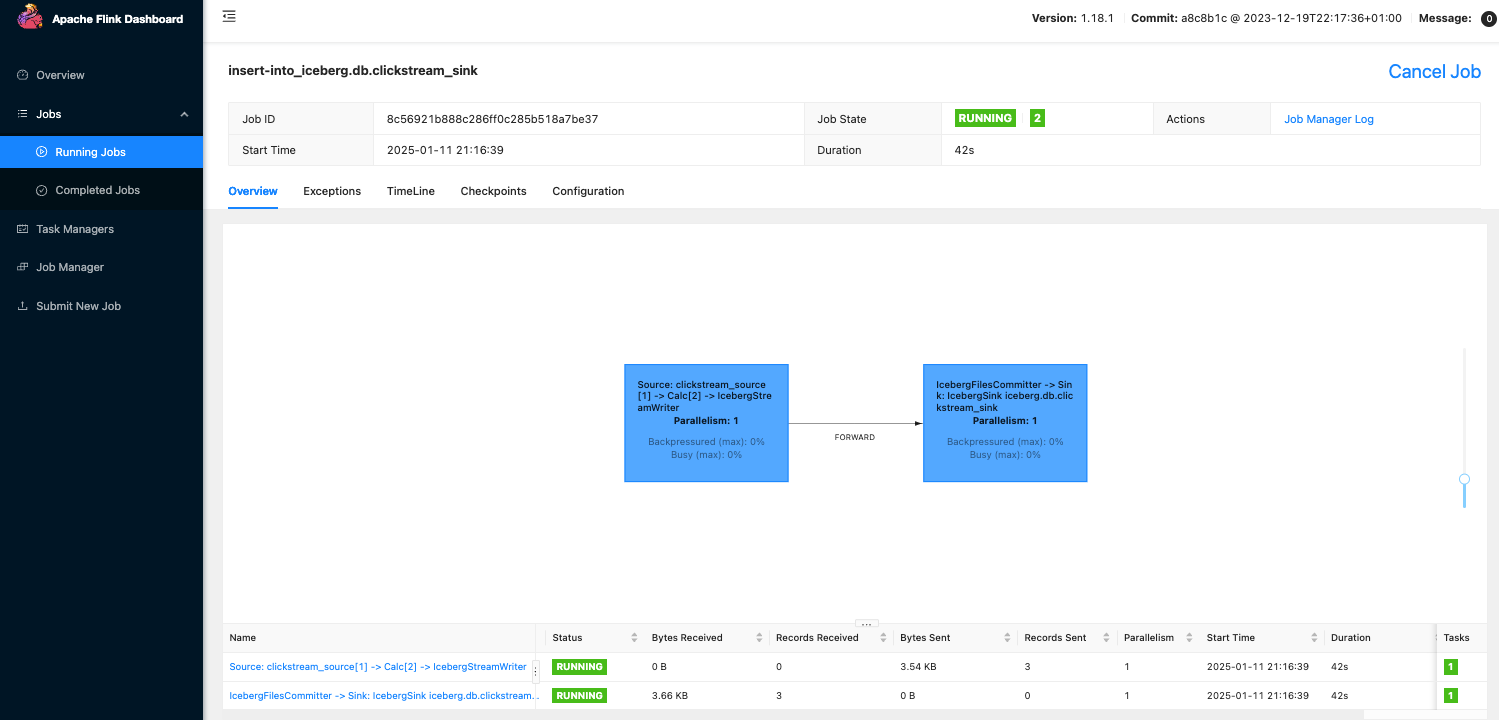
The sql-client service in Docker Compose automatically submits the Flink SQL job after the JobManager and TaskManager are running. It uses the clickstream-filtering.sql script to process Kafka streams and write to Iceberg.
/opt/flink/bin/sql-client.sh -f /opt/flink/clickstream-filtering.sql
2. Flink Dashboard
Monitor real-time data processing jobs at:
📊 http://localhost:18081
🗄️ Data Lakehouse with Apache Iceberg
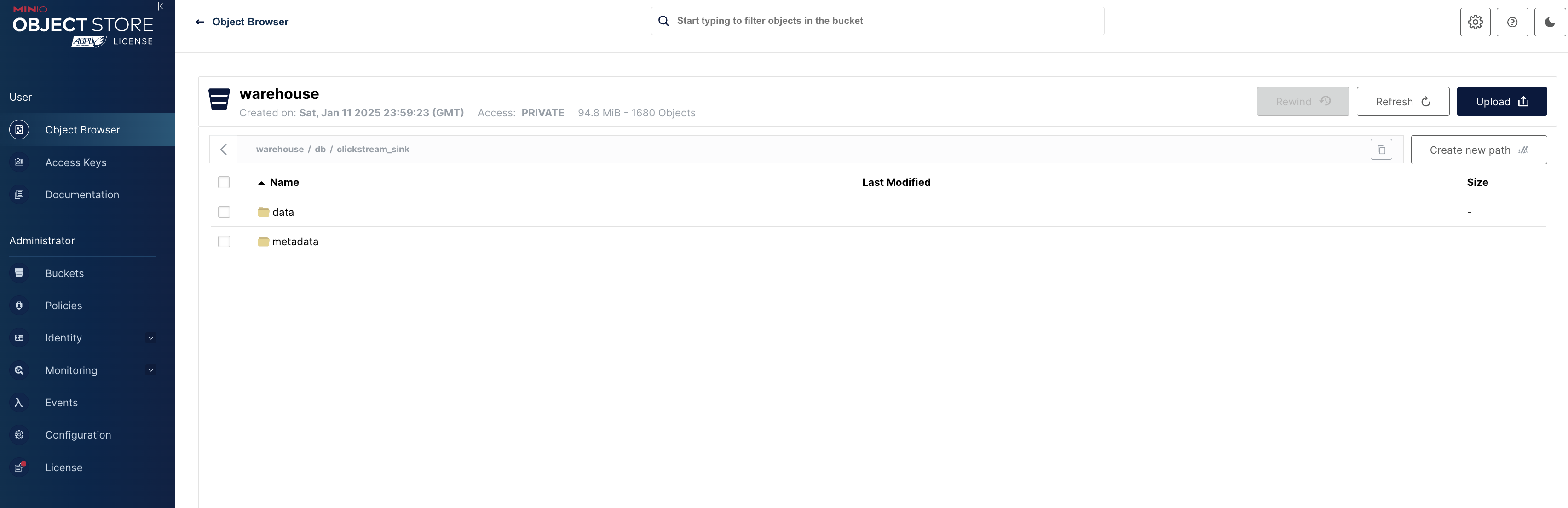
Processed data from Flink is stored in Iceberg tables on MinIO. This enables:
- Efficient Querying with Trino
- Schema Evolution and Time Travel
To list the contents of the MinIO warehouse, you can use the following command:
docker exec mc bash -c "mc ls -r minio/warehouse/"
Alternatively, you can access the MinIO console via the web at http://localhost:9001.
- Username:
admin - Password:
password
🔍 Query Data with Trino
1. Run Trino CLI
docker-compose exec trino trino
2. Connect to Iceberg Catalog
USE iceberg.db;
3. Query Processed Data
SELECT * FROM iceberg.db.clickstream_sink
WHERE purchase_amount > 100
LIMIT 10;

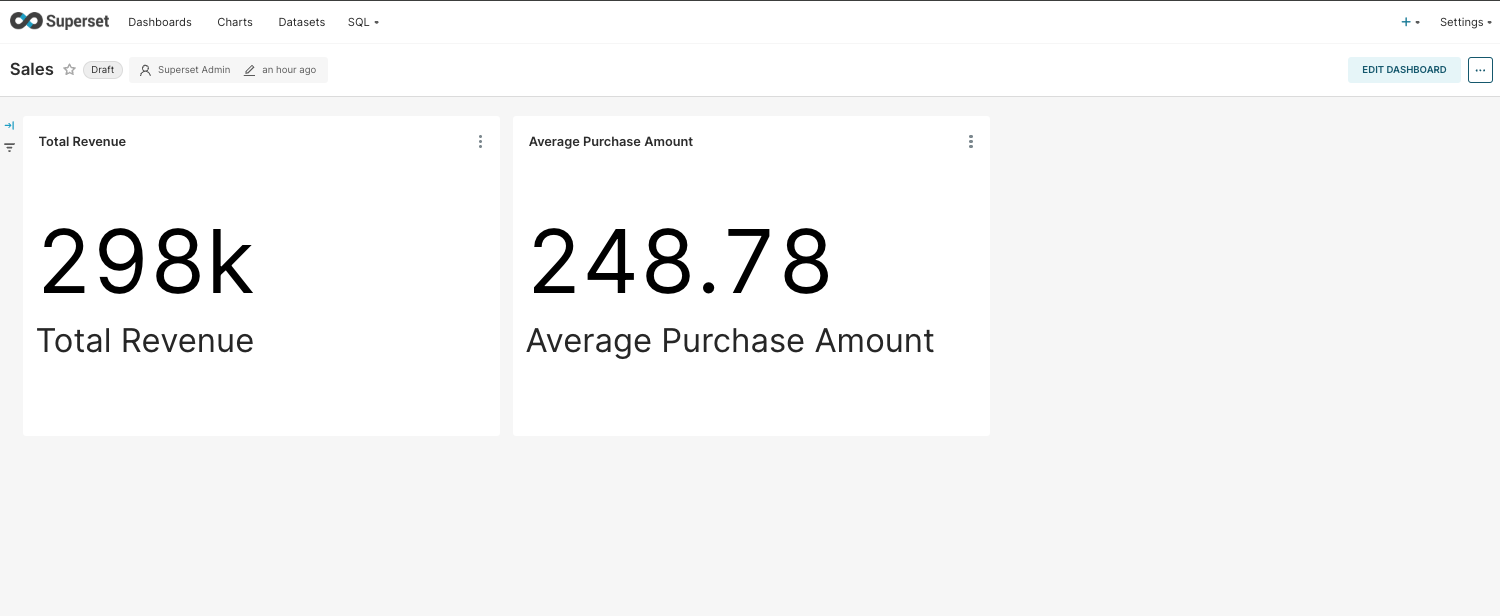
📊 Data Visualization with Apache Superset
-
Access Superset: http://localhost:8088
- Username:
admin - Password:
admin
- Username:
-
Connect Superset to Trino:
-
SQLAlchemy URI:
trino://trino@trino:8080/iceberg/db -
Configure in Superset:
- Open
http://localhost:8088 - Go to Data → Databases → +
- Use the above SQLAlchemy URI.
- Open
- Create Dashboards:
🏆 Key Features
🔄 Real-Time Data Processing
- Stream processing with Apache Flink.
- Clickstream events are transformed and filtered in real-time.
📂 Modern Data Lakehouse
- Data is stored in Apache Iceberg on MinIO, S3 compatible, supporting schema evolution and time travel.
⚡ Fast SQL Analytics
- Trino provides fast, distributed SQL queries on Iceberg data.
📊 Interactive Dashboards
- Apache Superset delivers real-time visual analytics.
📦 Fully Containerized Setup
- Simplified deployment using Docker and Docker Compose for seamless integration across all services.
📈 Future Enhancements
- Implement alerting and monitoring with Grafana and Prometheus.
- Introduce machine learning pipelines for predictive analytics.
- Optimize Iceberg partitioning for faster queries.
📎 Quick Reference Commands
| Component | Command |
|---|---|
| Start Services | docker-compose up --build -d |
| Stop Services | docker-compose down |
| View Running Containers | docker ps |
| Check Logs | docker-compose logs -f |
| Rebuild Containers | docker-compose up --build --force-recreate -d |
🙌 Get Involved
Contributions are welcome! Feel free to submit issues or pull requests to improve this project.
📜 License
This project is licensed under the MIT License.
Enjoy exploring real-time data pipelines!