

relego.
Revisit your highlights, delivered to your Kindle. For free.



Why relego.
Relego comes from the Latin relegere: to read again, go over carefully, review. That is the core idea of the project: bring your highlights back to Kindle so they can be revisited, not forgotten.
Capabilities:
- E-ink first: recaps delivered as native Kindle documents, not push notifications on your phone
- Free and self-hosted: no subscription, no data leaving your infrastructure
- No lock-in: your highlights stay yours, in an open format
- Privacy: your reading habits are not sent to any cloud service
How it works
- Connect your Kindle via USB and run
relego importto import highlights fromMy Clippings.txt - The server selects a daily or weekly subset of highlights using spaced repetition (weighted by your preferences)
- A recap document is sent to your Kindle email address via Amazon's Send-to-Kindle service
- Open the recap on your Kindle like any other book
What a recap looks like
Each recap is an EPUB document delivered to your Kindle. Here's an example of what you'll see when you open it:
Relego Daily Recap (2026-05-21 18:00)
"Care About Your Craft" — The Pragmatic Programmer by David Thomas & Andrew Hunt
"Clean code is simple and direct." — Clean Code by Robert C. Martin
"In a hole in the ground there lived a hobbit." — The Hobbit by J.R.R. Tolkien
"The only way to do great work is to love what you do." — Steve Jobs by Walter Isaacson
"Violence is the last refuge of the incompetent." — Foundation by Isaac Asimov
Each highlight includes the quote, the book title, and the author, making it easy to recall context at a glance. The number of highlights per recap is configurable (default is 5).
Interactive mode
Run relego without arguments to open the interactive TUI:
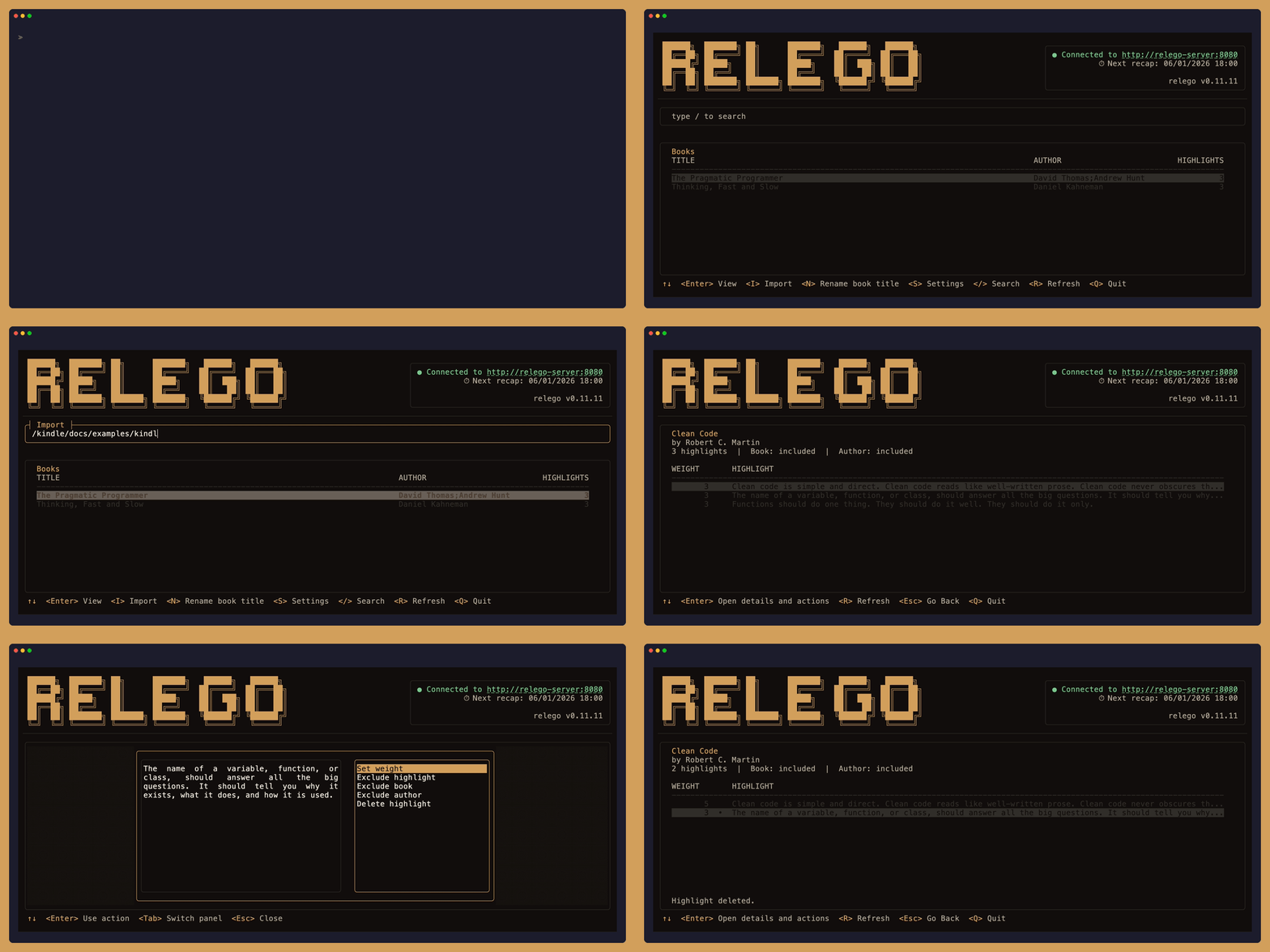
Use the TUI to configure the server, browse highlights, and manage exclusions. For automation and scripting, use the CLI commands directly (see CLI reference).
Theme selection for TUI:
RELEGO_THEME=dark(default)RELEGO_THEME=light
Getting started
1. Connect your Kindle device
Connect your Kindle device to your computer via USB cable.
No Kindle handy? A sample
My Clippings.txtis included atdocs/examples/kindle-highlights.txt.
2. Run the server
Fill in KINDLE_EMAIL and the SMTP_* variables in docker-compose.yml, then:
docker compose --profile server up -d
[!IMPORTANT] Amazon Send-to-Kindle only accepts emails from approved senders. Add the email address you are going to use in your Amazon "Approved Personal Document E-mail List" before testing delivery.
[!TIP]
Gmail and Outlook personal accounts do not support SMTP with password authentication anymore.
Use a free SMTP relay like AWS SES, Resend, MailerSend or Mailgun instead. They offer free tiers with generous limits, suitable for Relego's everyday usage. Otherwise, you can use your own SMTP relay server.
If you don't have or don't want to setup any SMTP server now, replace the SMTP settings in the
relego-serverblock with the demo-mode block fromdocker-compose.yml, then run thedemoprofile:docker compose --profile demo up -d.
3. Import the Kindle highlights
It's time to import the highlights from your Kindle.
Using the sample data in
docs/examples? Append the local path to theimportcommand shown in this section
Docker (no install)
Windows:
The simplest option is copying My Clippings.txt in the repo's root folder and mount that path:
docker compose run --rm `
  -v "$(Get-Location):/kindle:ro" `
  relego-cli import "/kindle/My Clippings.txt"
If you don't want to manually copy and paste the file, follow the Microsoft documentation to allow WSL to access the Kindle device.
macOS (Kindle mounts at /Volumes/Kindle):
docker compose run --rm \
  -v "/Volumes/Kindle/documents:/media/host/Kindle/documents:ro" \
  relego-cli import "/kindle/My Clippings.txt"
Linux (Kindle mounts at /media/$USER/Kindle):
docker compose run --rm \
  -v "/media/$USER/Kindle/documents:/media/host/Kindle/documents:ro" \
  relego-cli import "/kindle/My Clippings.txt"
Windows
winget
winget install Krusty93.Relego
relego
Binary
irm https://raw.githubusercontent.com/Krusty93/relego/main/install.ps1 | iex
relego import
The installer detects your Windows architecture automatically and prints the path where relego.exe was saved.
macOS / Linux
curl -fsSL https://raw.githubusercontent.com/Krusty93/relego/main/install.sh | sh
~/.local/bin/relego
The installer detects your OS and architecture automatically and prints the path where relego was saved. If ~/.local/bin is not already on your PATH, add export PATH="$HOME/.local/bin:$PATH" to your shell profile (~/.zshrc, ~/.bashrc, or ~/.profile), then open a new terminal.
4. Set the Kindle email
Set your Kindle email:
# Docker
docker compose run --rm relego-cli config kindle-email "[email protected]"

# Binary
relego config kindle-email "[email protected]"
Optionally, set an "Also Email Recap to" address to also receive an HTML recap in any regular inbox (in addition to Kindle):
# Docker
docker compose run --rm relego-cli config delivery-email "[email protected]"

# Binary
relego config delivery-email "[email protected]"
Leave this blank if you only want Kindle delivery. Clear it at any time with relego config delivery-email "".
5. Explore the TUI
The TUI lets you sync highlights from My Clippings.txt, browse your library, manage exclusions, and adjust settings, all without leaving the terminal. To open it, launch the CLI without any argument:
# Docker
docker compose run --rm relego-cli

# Installed CLI
relego
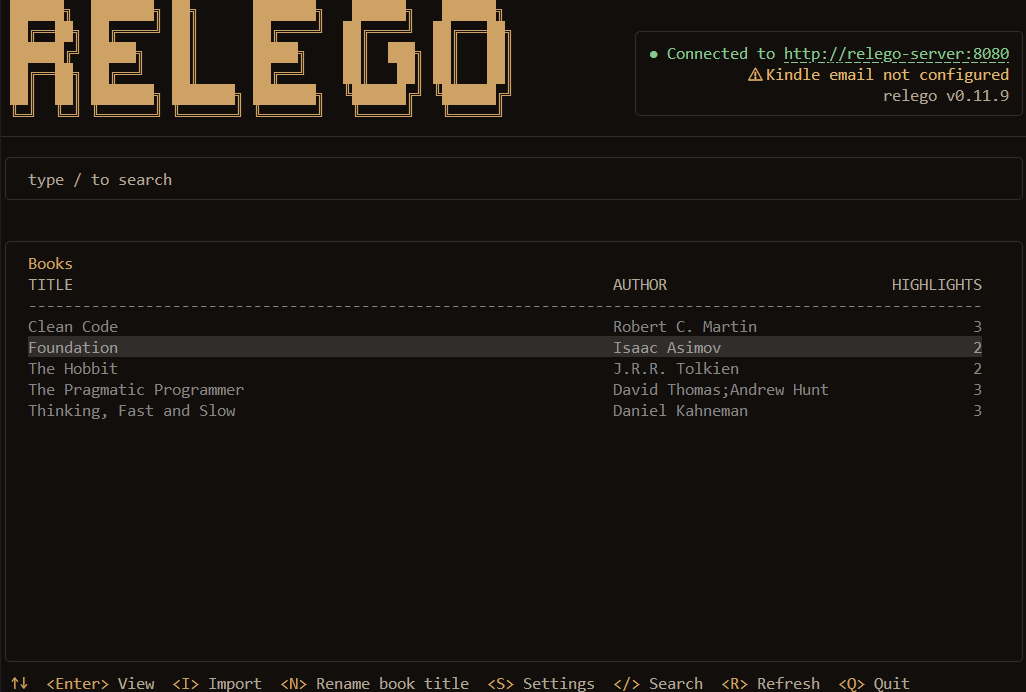
If you prefer the CLI over the TUI, see the CLI reference below.
That's it. The server is now running and will send recaps on the default schedule (every day at 18:00 in the server's local time zone).
6. Your first daily recap
If you don't want to wait for the scheduled send, use the following command to force the send:
# Docker
docker compose run --rm relego-cli recap trigger

# Installed CLI
relego recap trigger
If you've been using the demo mode, open http://localhost:5000 to view the captured email with the EPUB attachment, download it and forward it to your real Kindle email
Troubleshooting
| Symptom | Fix |
|---|---|
relego recap trigger returns an error |
Verify the server is up with docker compose ps. |
Trigger returns No eligible highlights available |
No highlights imported yet. Run the import step first. |
| No email in smtp4dev | Check that the demo profile is running, and that the relego-server environment block is using ASPNETCORE_ENVIRONMENT=Development, SMTP_HOST=smtp4dev, and SMTP_PORT=2525. |
| smtp4dev web UI is blank | smtp4dev renders after a moment. Refresh the page. |
CLI reference
| Command | Description |
|---|---|
relego |
Open interactive TUI |
relego import [path] |
Import highlights from My Clippings.txt |
relego status |
Show server status and next recap |
relego config show |
Show all current server settings |
relego config schedule <daily|weekly> [HH:MM] |
Set recap schedule |
relego config schedule show |
Show current schedule |
relego config count show |
Show current highlights-per-recap setting |
relego config count <1-15> |
Set highlights per recap (default: 5) |
relego config kindle-email <address> |
Set the Kindle delivery email address |
relego config delivery-email <address> |
Set an optional email address to send HTML recaps to (in addition to Kindle) |
relego exclude add <highlight|book|author> <id> |
Exclude an entity from future recaps |
relego exclude remove <highlight|book|author> <id> |
Re-include an excluded entity |
relego exclude list |
List all exclusions |
relego rename-book <id> <title> |
Rename a book |
relego weight set <id> <1-5> |
Set highlight weight |
relego weight list |
Show weighted highlights |
relego recap trigger |
Trigger a recap immediately |
relego --version |
Print version |
Known Limitations
The current version imports highlights from Kindle's My Clippings.txt only and delivers recaps to Kindle via Send-to-Kindle email.
Additional import sources and delivery targets are planned.
Supply chain verification
Verify Docker image origin via GitHub CLI:
gh attestation verify \
  oci://ghcr.io/krusty93/relego.server:latest \
  --owner Krusty93
gh attestation verify \
  oci://ghcr.io/krusty93/relego.cli:latest \
  --owner Krusty93
Contributing
Contributions are welcome. See CONTRIBUTING.md for guidelines. Useful documentation:
- Product Requirements Document
- Developer Experience Design
- Architecture
- Architecture Decision Records
License
MIT, see LICENSE.