
Rishah
A powerful desktop drawing and whiteboarding application built with Tauri and tldraw. This cross-platform app brings the intuitive tldraw sketching experience to your desktop with native performance and offline capabilities.
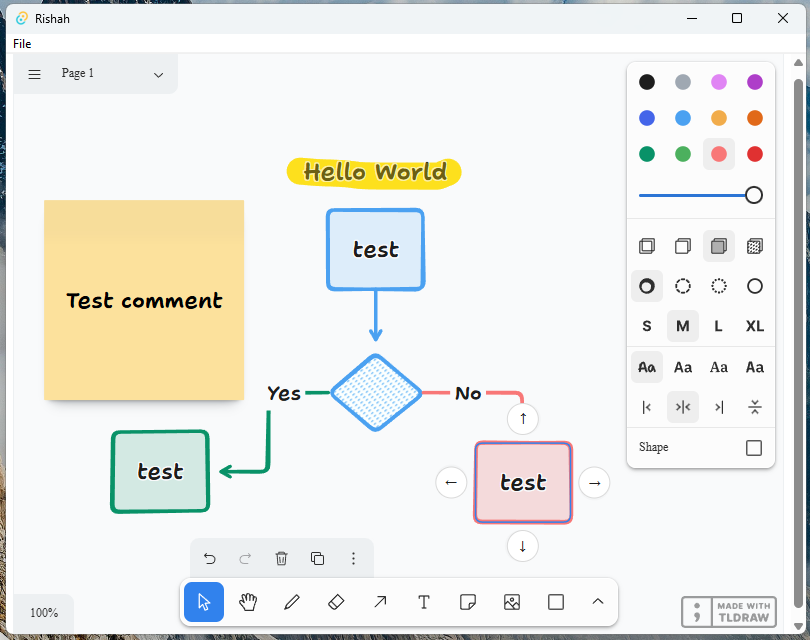
Download and Installation
Visit the Releases page Download the latest version for your platform:
- Windows: rishah-windows-x64.msi or rishah-windows-x64.exe
- macOS: rishah-macos-universal.dmg or rishah-macos-universal.app.tar.gz
- Linux: rishah-linux-x64.AppImage or rishah-linux-x64.deb
Install or run the downloaded file
Features
- Intuitive Drawing Interface: Leverage the full power of tldraw's intuitive drawing tools
- Offline Access: Create and edit drawings without an internet connection
- Native Performance: Enjoy smooth, responsive drawing with native desktop performance
- Cross-Platform: Available for Windows, macOS, and Linux
- File Management: Save, export, and manage your drawing files locally
- Custom Shapes and Tools: Access the complete tldraw toolkit with additional desktop-specific features
- Keyboard Shortcuts: Boost your productivity with custom keyboard shortcuts
Minimum Requirements
Windows: 10 (1903+) | macOS: 10.15+ | Linux: Ubuntu 18.04+ RAM: 4 GB (8 GB recommended) Storage: 500 MB available space Graphics: DirectX 11 / Metal / OpenGL 3.3 compatible
Development
Rust 1.70+ | Node.js 16+ | Tauri CLI 1.4+
Contributing
Contributions are welcome! Please feel free to submit a Pull Request.
License
This project is licensed under the Apache 2.0 License - see the LICENSE file for details.