
🚀 RvSystem Monitor







RvSystem Monitor is a high-performance system monitoring solution for Android, merging the expressive power of Jetpack Compose with the raw efficiency of Rust. It provides low-level hardware insights while maintaining a modern, buttery-smooth user experience.
📖 Table of Contents
- 🚀 Overview
- 📸 Screenshots
- ✨ Key Features
- 🛠️ Tech Stack
- 📂 Project Structure
- 🏗️ Architecture
- ⚙️ Getting Started
- 🤝 Contributing
- 💬 Support
- 📜 License
🚀 Overview
RvSystem Monitor bridges the gap between high-level UI frameworks and low-level system APIs. By utilizing a Rust-based backend, it minimizes the performance overhead typically associated with frequent polling of kernel files like /proc and /sys. This hybrid approach allows for real-time monitoring of CPU frequencies, GPU drivers, battery health, and memory usage without compromising the device's responsiveness.
Built with Material 3 Expressive, the application offers a visually rich experience with adaptive layouts and sophisticated transitions, making system diagnostics both powerful and beautiful.
📸 Screenshots
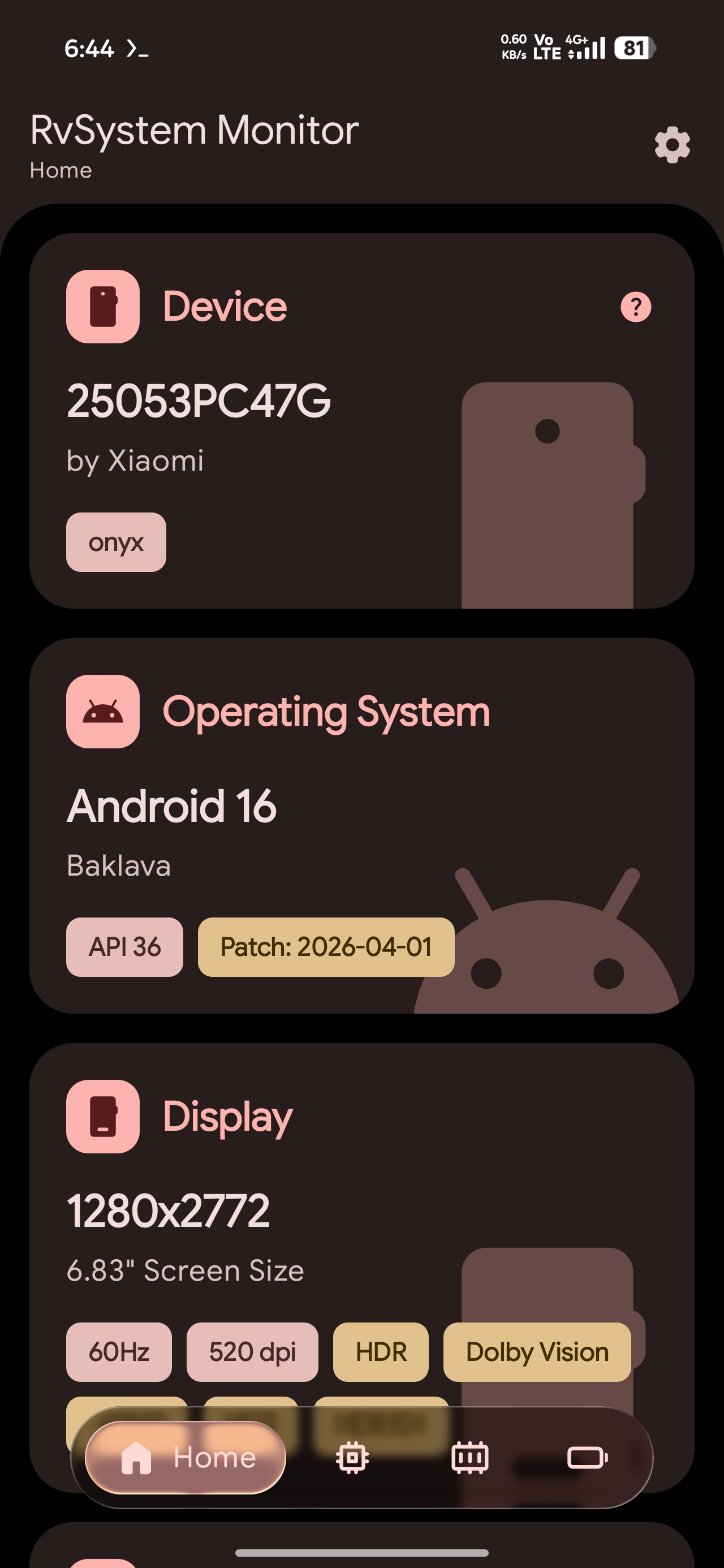
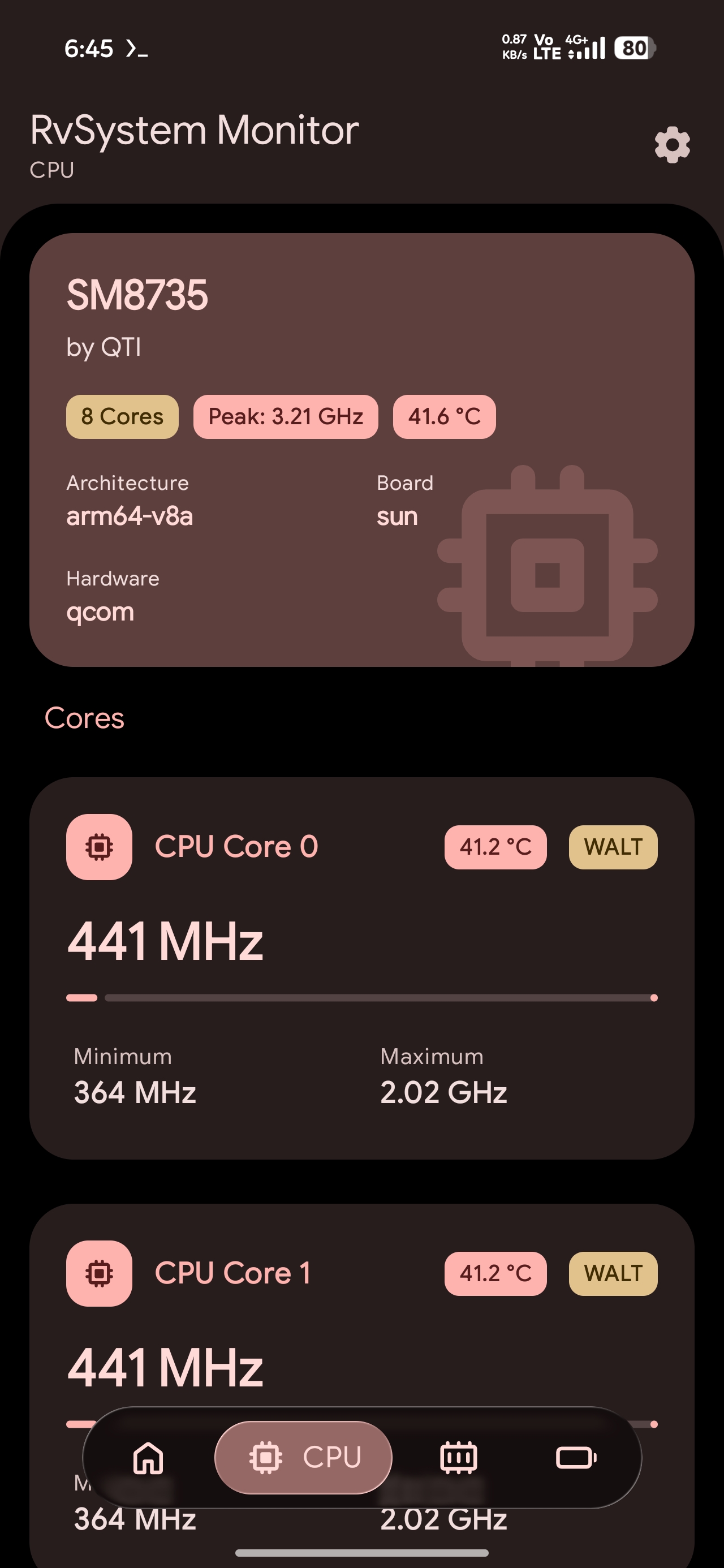
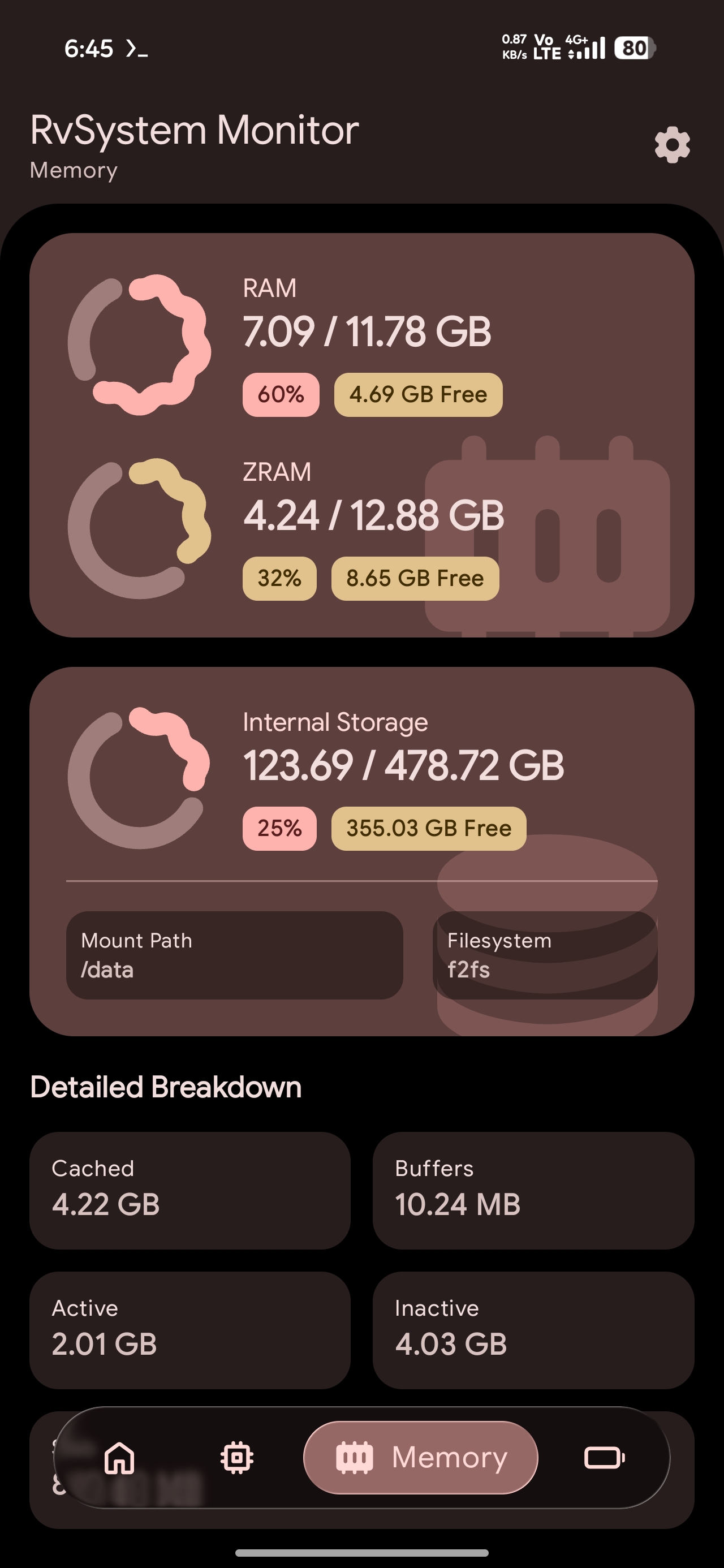
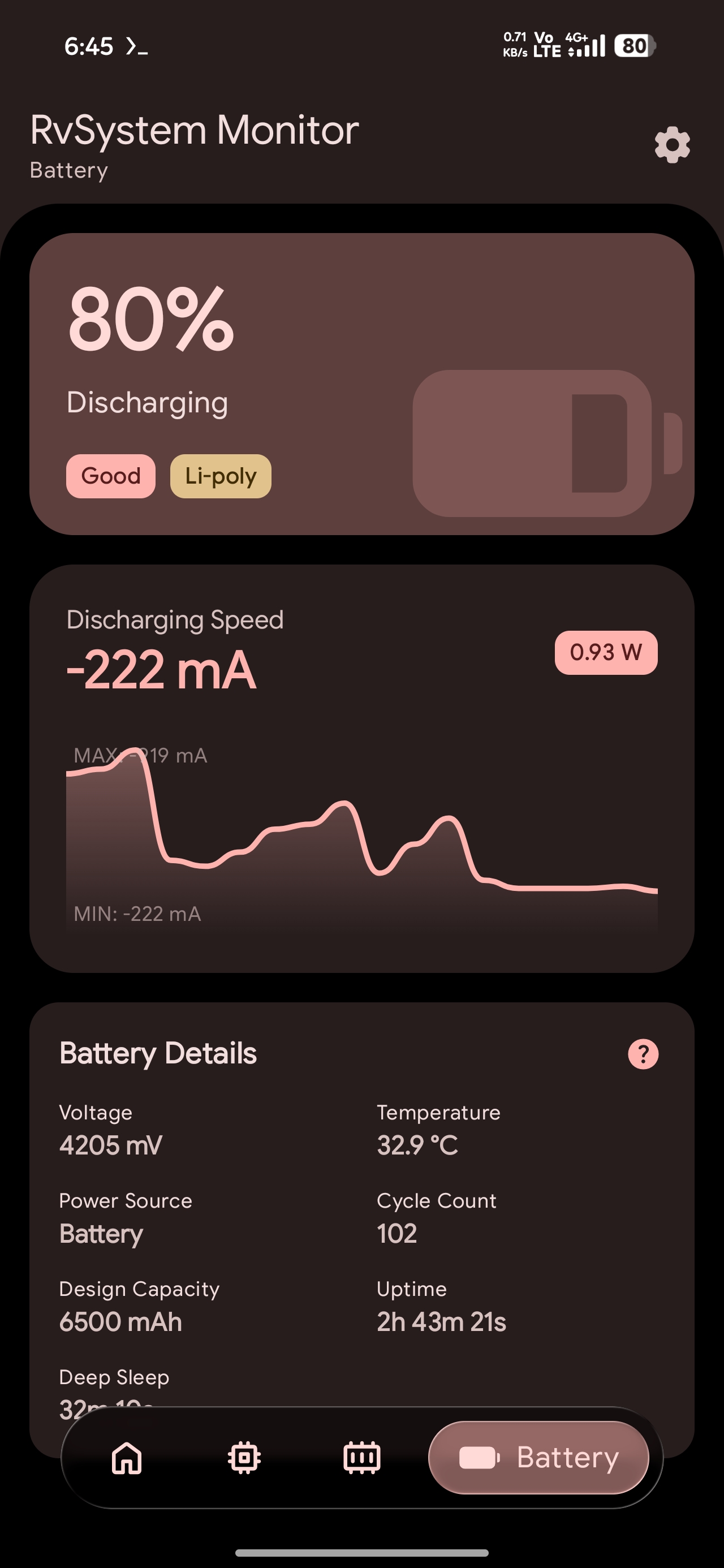
✨ Key Features
- 🔋 Battery Intelligence: Live tracking of Wattage (W), cycle counts (Android 14+), health percentage, and precise Deep Sleep vs. Uptime metrics.
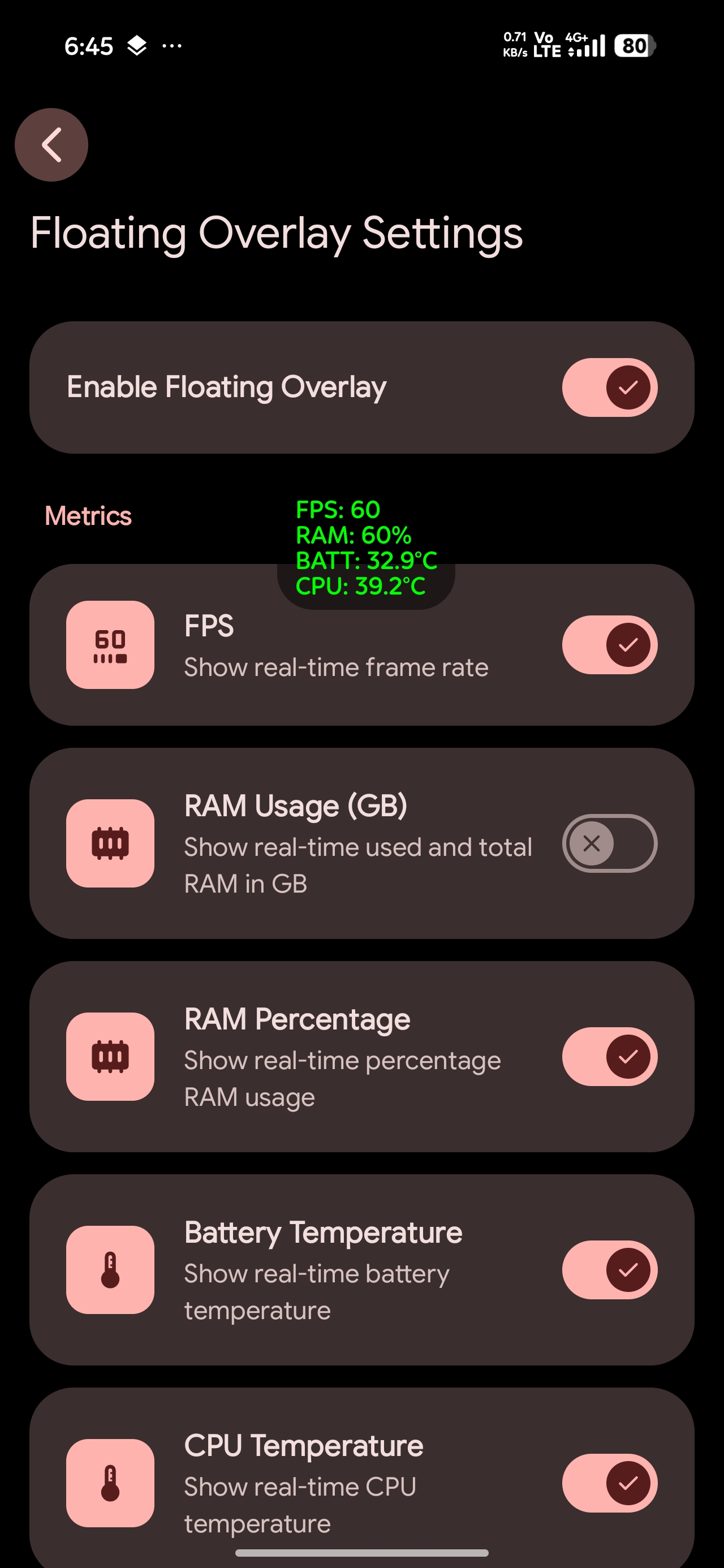
- 🖥️ Floating Overlay: A draggable, high-performance floating monitor powered by Android's
Choreographerfor accurate frame-timing.- Metrics: Real-time FPS tracking, RAM usage (GB/Percentage), and live CPU & Battery temperatures.
- Customization: Fully configurable via dedicated settings including update intervals (down to 0.5s), text size, colors, background opacity, padding, and corner radius.
- Adaptive Layout: Supports both horizontal (piped) and vertical (stacked) orientations to fit any screen usage scenario.
- 🎮 GPU & Graphics: Retrieval of GPU renderer, vendor, and supported OpenGL ES & Vulkan versions directly through the EGL context and native drivers.
- ⚙️ CPU Dynamics: Detailed per-core monitoring including current, minimum, and maximum frequencies and scaling governors.
- 🧠 Memory & ZRAM: High-precision tracking of RAM and ZRAM usage, including cached, buffers, and kernel slab memory.
- 💾 Backup & Restore: Easily export and import your app settings and overlay configurations to keep your setup safe.
- ⚡ Native Performance: Optimized Rust backend that parses kernel files and interacts with hardware drivers directly with efficient JNI batching.
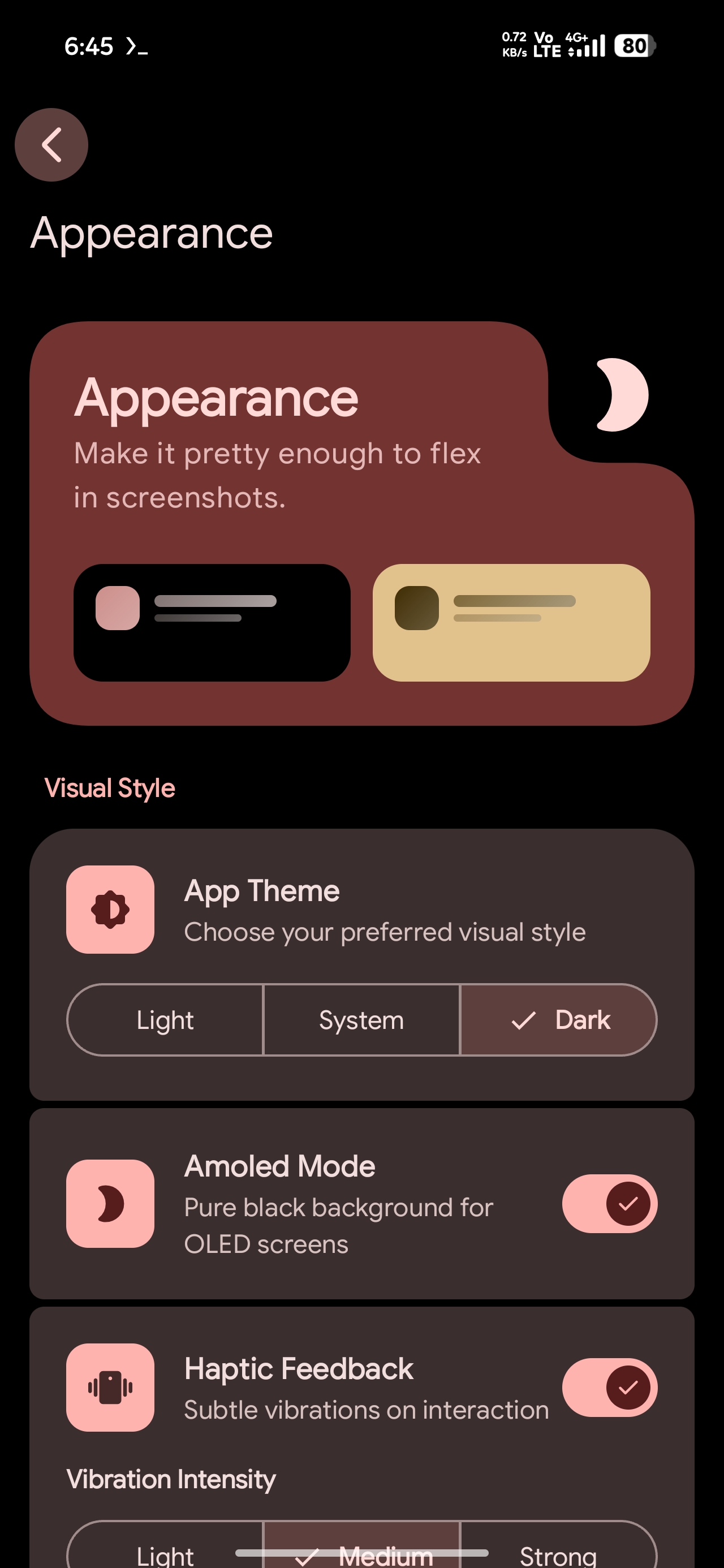
- 🎨 Expressive UI: Built with Material 3 Expressive, featuring adaptive layouts, sophisticated screen transitions (MD3 Expressive), and optimized recomposition.
🛠️ Tech Stack
- Languages: Kotlin 2.4.0, Rust (Edition 2024), C (via
libc). - Frameworks: Jetpack Compose (BOM 2026.05.00), Material 3 Expressive, Hilt DI.
- Native Bridge: JNI via
jni-rs,cargo-ndk. - Infrastructure: Gradle Kotlin DSL, Android NDK 30.0, Fastlane.
- Distribution: Multiple flavors (GitHub, F-Droid) with toggleable update mechanisms.
- Libraries: Retrofit 3.0, OkHttp 5.4, Coil 3.4, Jetpack DataStore.
📂 Project Structure
RvSystem-Monitor/
├── app/                  # Android application module (Kotlin)
│   ├── src/main/java/    # UI, ViewModels, and JNI bridge declarations
│   ├── src/main/jniLibs/ # Compiled native shared libraries (.so)
│   ├── src/main/res/     # App resources and icons
│   └── build.gradle.kts  # Gradle configuration for Android
├── rust/                 # Native monitoring backend (Rust)
│   ├── src/              # Kernel parsing, JNI implementation, and drivers
│   ├── Cargo.toml        # Rust package and dependency metadata
│   └── README.md         # Documentation for the Rust sub-system
├── gradle/               # Build system scripts and version catalogs
├── fastlane/             # Automation for screenshots and deployments
├── LICENSE               # GNU GPL v3.0
└── README.md             # This file
🏗️ Architecture
The project adheres to Clean Architecture principles, ensuring a strict separation of concerns and high maintainability.
The Hybrid Core
- UI Orchestration: The Kotlin layer manages the application lifecycle and UI state. It uses ViewModels to expose reactive data streams from Hilt-injected repositories.
- Native Data Source: The Rust layer handles the "heavy lifting". It parses system files and interacts with hardware drivers. By mirroring the Linux kernel's structure (
kernel/for CPU,mm/for Memory, anddrivers/for GPU), it provides an idiomatic and high-performance data source. - Optimized JNI Bridge: Instead of frequent fine-grained calls, the bridge is designed for batch data retrieval. Single calls fetch complete data sets (e.g., all CPU metrics at once), significantly reducing context-switching overhead between the JVM and Native code.
⚙️ Getting Started
Prerequisites
- Android Studio (Ladybug 2024.2.1 or newer)
- Rust Toolchain (rustup.rs)
- Android NDK (Version
30.0.14904198configured) - cargo-ndk:
cargo install cargo-ndk
Installation & Build
- Clone the repository:
git clone https://github.com/Rve27/RvSystem-Monitor.git cd RvSystem-Monitor - Build Native Libraries:
./gradlew :app:buildRustLibraries - Build the application:
Choose the variant you want to build:
- GitHub Variant (Includes auto-updater):
./gradlew assembleGithubRelease - F-Droid Variant (No updater):
./gradlew assembleFdroidRelease
- GitHub Variant (Includes auto-updater):
- Install and run (Debug):
Connect an Android device (API 34+) and run:
./gradlew installGithubDebug
🤝 Contributing
We welcome contributions from the community! Whether you are fixing a bug, adding a feature, or improving documentation, please read our CONTRIBUTING.md to get started.
💬 Support
- Issues: GitHub Issues for bug reports and feature requests.
- Discussions: GitHub Discussions for questions and ideas.
📜 License
This project is licensed under the GNU General Public License v3.0. See the LICENSE file for details.
Built with ❤️ for the Android Community.