
Screenshots Banana
Beautiful screenshot beautification tool. Add stunning backgrounds, frames, and effects to your screenshots in seconds.
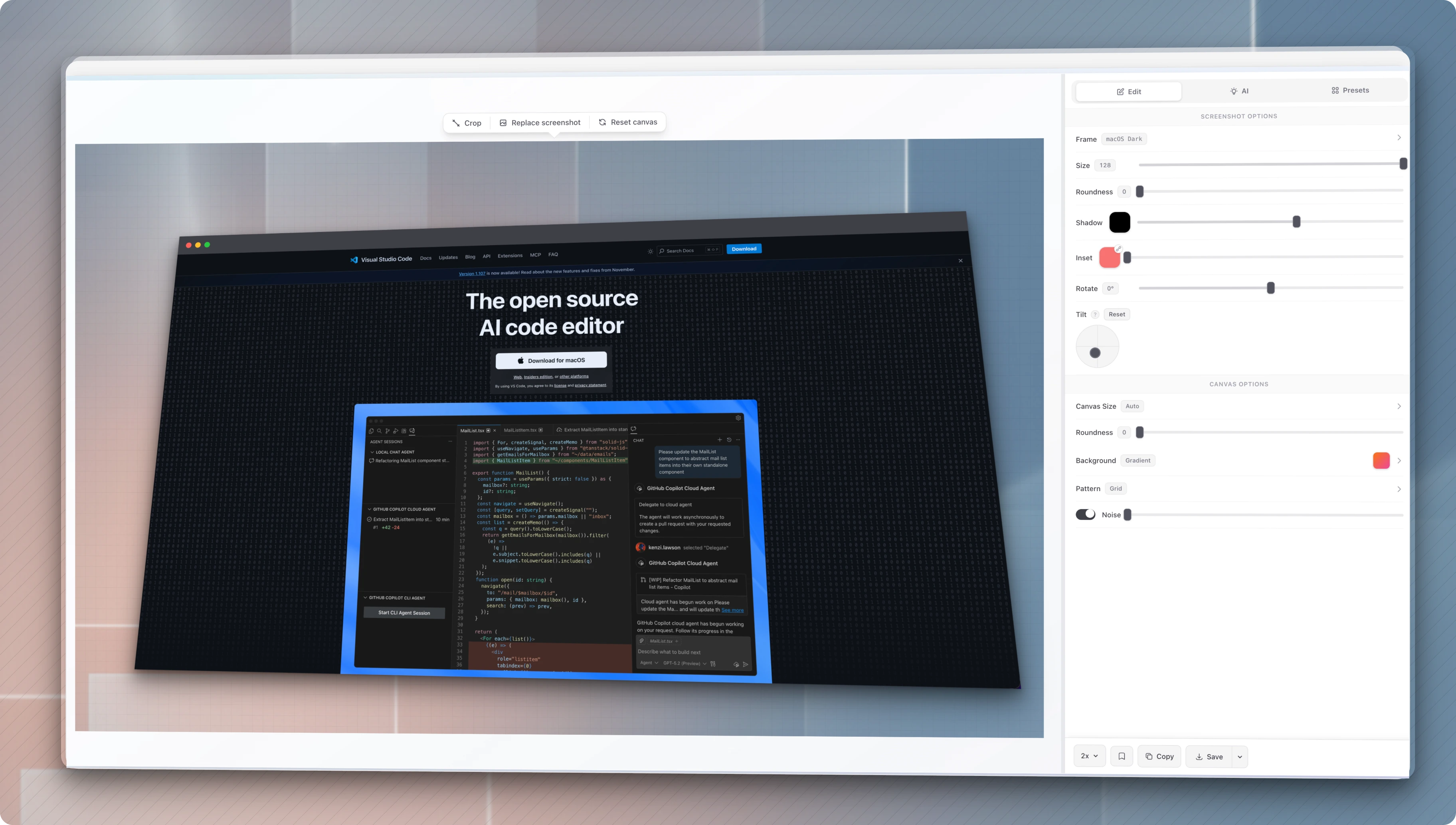
Features
- Zero Branding - No watermarks, no logos, no "made with" badges. Your exports are 100% yours
- Drag & Drop - Drop images or paste from clipboard
- Frame Styles - 14+ preset frames (macOS, Windows, Arc, browser mockups)
- Backgrounds - Gradient presets, patterns, custom images, AI-generated
- Canvas Presets - Auto, Free, Tweet, Instagram, Story, App Store sizes
- Transforms - Padding, border radius, shadow, rotation, 3D tilt
- AI Powered - Generate backgrounds, UI mockups, and enhance screenshots with Gemini
- Export - PNG, JPG, SVG, WebP at 1x/2x/3x scale, transparent background option
Getting Started
Prerequisites
- Bun (recommended) or Node.js 18+
Installation
# Clone the repository
git clone https://github.com/user/screenshots-banana.git
cd screenshots-banana

# Install dependencies
bun install

# Start development server
bun dev
Open http://localhost:5173 in your browser.
Build for Production
bun run build    # Output to dist/
bun run preview  # Preview production build
Deploy to Cloudflare Pages
Option 1: Git Integration (Recommended)
- Push your code to GitHub/GitLab
- Go to Cloudflare Pages
- Create a project → Connect to Git
- Configure build settings:
- Build command:
bun run build - Build output directory:
dist - Node.js version:
18(or higher)
- Build command:
Option 2: Direct Upload
bun run build
npx wrangler pages deploy dist --project-name=screenshots-banana
AI Features (Optional)
To use AI-powered features (background generation, UI mockups, enhancement):
- Get a free API key from Google AI Studio
- Go to Settings in the app
- Enter your Gemini API key
Uses gemini-2.5-flash-image model (free tier: 1500 requests/day).
Tech Stack
License
MIT