

ScreenVivid





Simple, powerful screen recording for everyone
🚀 Overview
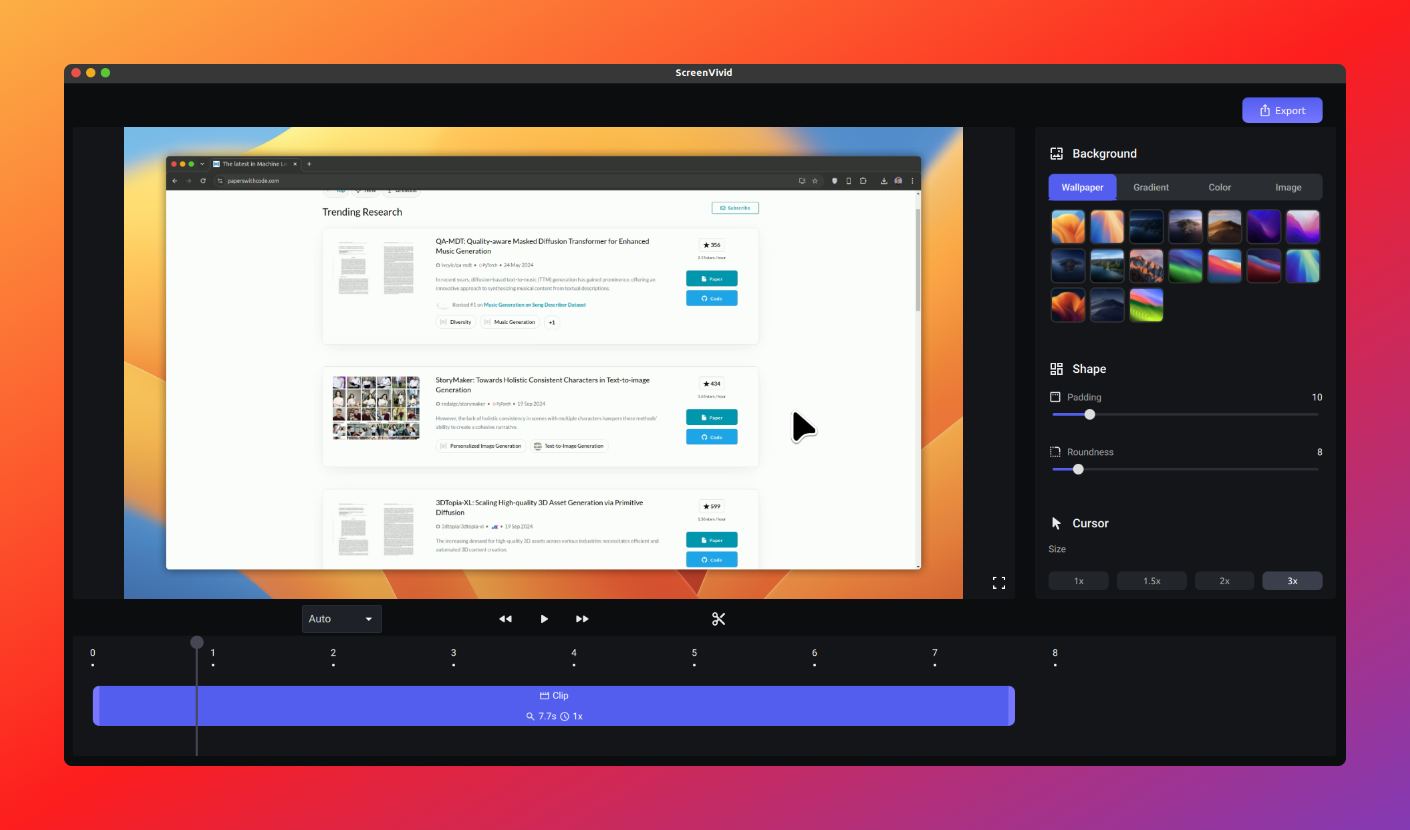
ScreenVivid is a simple and user-friendly screen recording application with intuitive editing features. Capture tutorials, meetings, or gameplay with ease on any platform!
✨ Features
- 💻 Cross-platform support - Available on Windows, macOS, and Linux
- 🎥 High-quality recording - Professional-looking video capture
- 🔧 Video enhancement tools - Add backgrounds, padding, and more
- 🎨 Intuitive interface - Start recording with just a few clicks
- 🆓 Free and open-source - No hidden costs or limitations
📥 Installation
System Requirements
| Platform | Requirements |
|---|---|
| Windows | Windows 10+, 4GB RAM (8GB recommended) |
| macOS | macOS 11.0+, 4GB RAM (8GB recommended) |
| Linux | Python 3.9+, glibc 2.28+, X11, 4GB RAM (8GB recommended) |
🐧 Linux
# Ubuntu/Debian
sudo dpkg -i screenvivid-x.x.x-amd64.deb
sudo apt install -f  # If missing dependencies
🪟 Windows
- Download the latest installer from Releases
- Run the installer (click through security warnings)
- Launch from Start Menu or Desktop shortcut
⚠️ Note: App is not yet code-signed (security warnings may appear)
🍎 macOS
- Download .dmg from Releases
- Drag ScreenVivid to Applications folder
- To bypass Gatekeeper: System Settings → Privacy & Security → "Open Anyway"
🧪 Running from Source
Click to expand instructions
1. Install system dependencies
# Ubuntu/Debian
sudo apt install python3-tk python3-dev libxcb-cursor0 ffmpeg

# Fedora
sudo dnf groupinstall -y "Development Tools" && sudo dnf install -y python3-devel python3-tkinter xcb-util-cursor ffmpeg

# macOS
brew install ffmpeg

# Windows
# Download FFmpeg from GitHub and place in project root
2. Install Python dependencies
# Linux
pip install -r requirements.txt

# macOS
pip install "pyobjc-framework-Quartz>=10.3.1,<10.4" "pyobjc-framework-UniformTypeIdentifiers>=10.3.1,<10.4" "pyobjc-framework-AVFoundation>=10.3.1,<10.4" && pip install -r requirements.txt

# Windows
pip install "pywin32>=306,<308" && pip install -r requirements.txt
3. Compile and Run
cd screenvivid
python compile_resources.py
python -m screenvivid.main
💪 Advantages
- 👍 Easy to use - Intuitive interface for all skill levels
- 🌍 Cross-platform - Works on your preferred operating system
- 💯 High quality - Crystal clear screen recordings
- 🆓 Always free - No premium tiers or hidden costs
⚠️ Current Limitations
- No audio capture or webcam integration yet
- Application size is larger than optimal
- Advanced editing features still in development
❓ FAQ
Is ScreenVivid free?
Yes! ScreenVivid is completely free and open-source.Is it safe despite security warnings?
Yes. We haven't obtained a code signing certificate yet (budget constraints), but our software is safe to use.How can I contribute?
We welcome contributions! Check our GitHub repository or contact us directly.Missing packages when installing on Linux?
Runsudo apt install -f to install missing dependencies.
🗺️ Roadmap
- 🎤 Audio capture support
- 🎬 Webcam integration
- 🔍 Zoom and highlighting tools
- 🎞️ Export to GIF format
- 📦 Output file compression
📄 License
🔗 References
🆘 Support
- 💬 Discord Community
- 📧 Email: [email protected]
- 📝 Report Issues
Thank you for choosing ScreenVivid! If you find our software helpful, please consider supporting our development. 💖