
GSC Dashboard
A full-featured Google Search Console analytics dashboard built with Next.js and a Flask backend. Provides traffic analysis, keyword insights, URL inspection, sitemap management, and AI-powered analysis.


Features
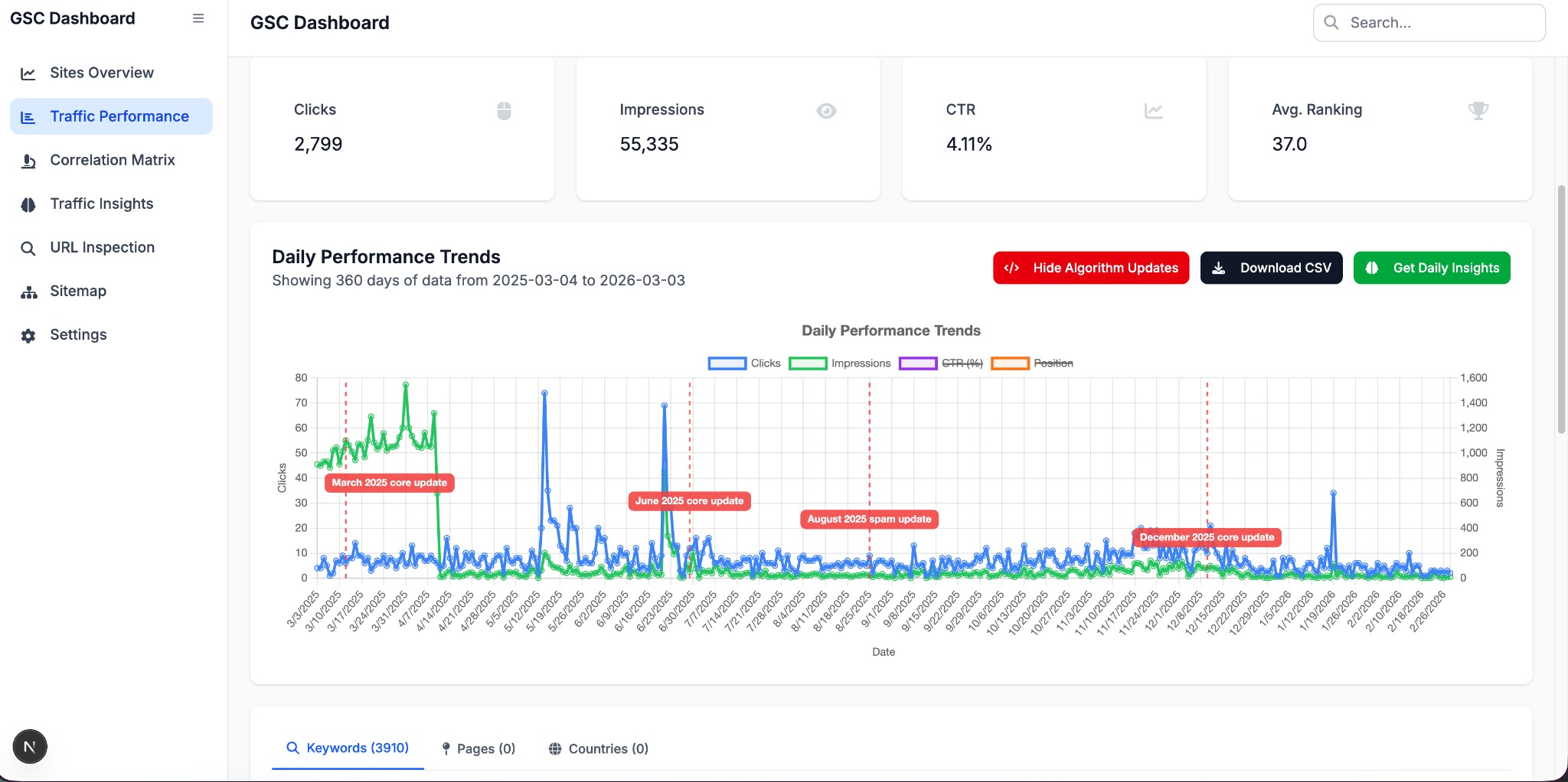
Traffic Performance
- Daily clicks, impressions, CTR, and average position charts
- Query, page, and country breakdowns with sortable/filterable tables
- Device filtering (desktop, mobile, tablet)
- Date range presets (7 days to 16 months)
- CSV export for daily data and query data
- Google Algorithm Update annotations on charts (toggle on/off)
- AI-powered daily and query insights via OpenAI
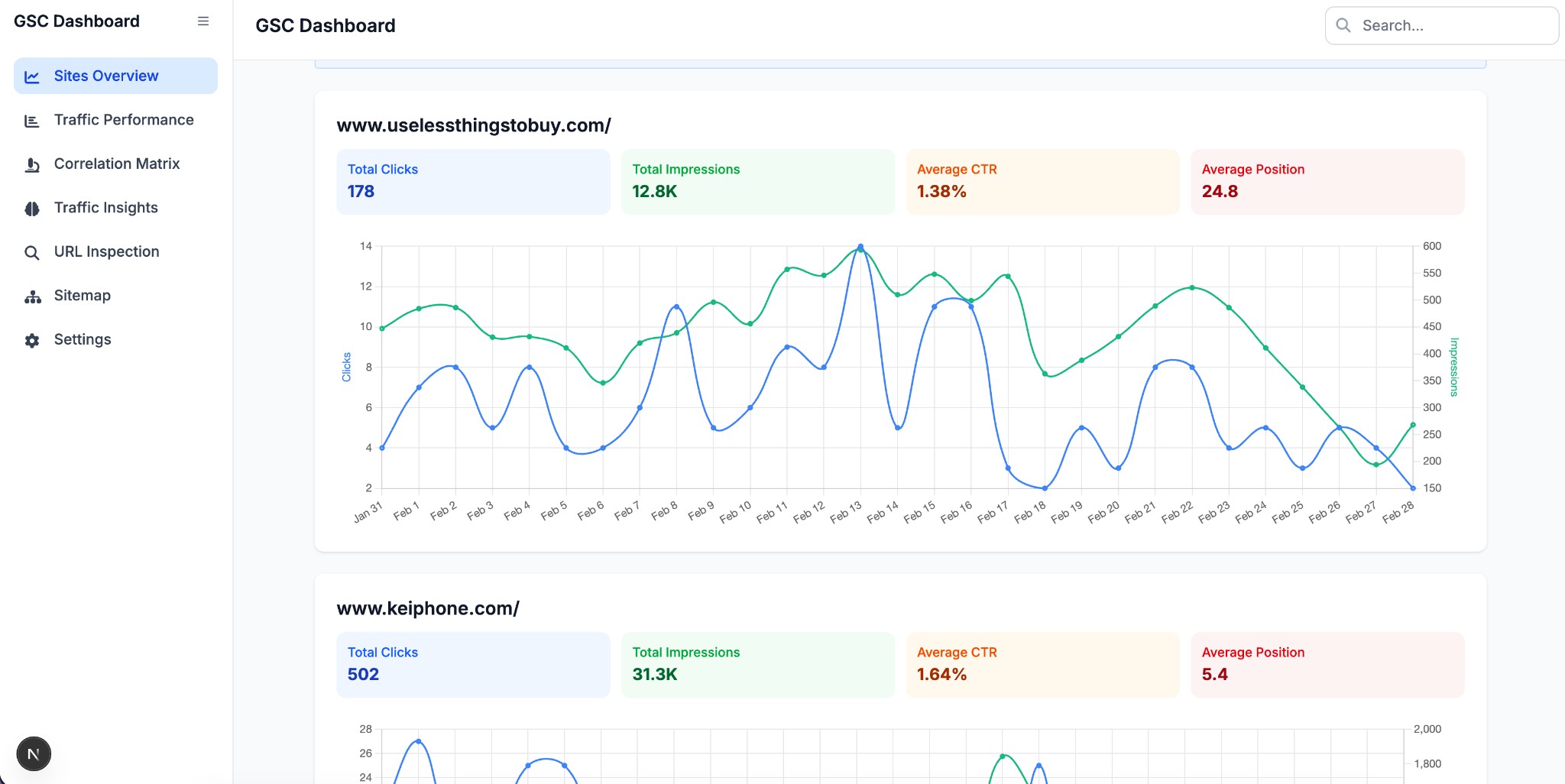
Sites Overview
- Multi-site comparison dashboard
- Up to 6 sites displayed simultaneously
- Configurable time period and device filters
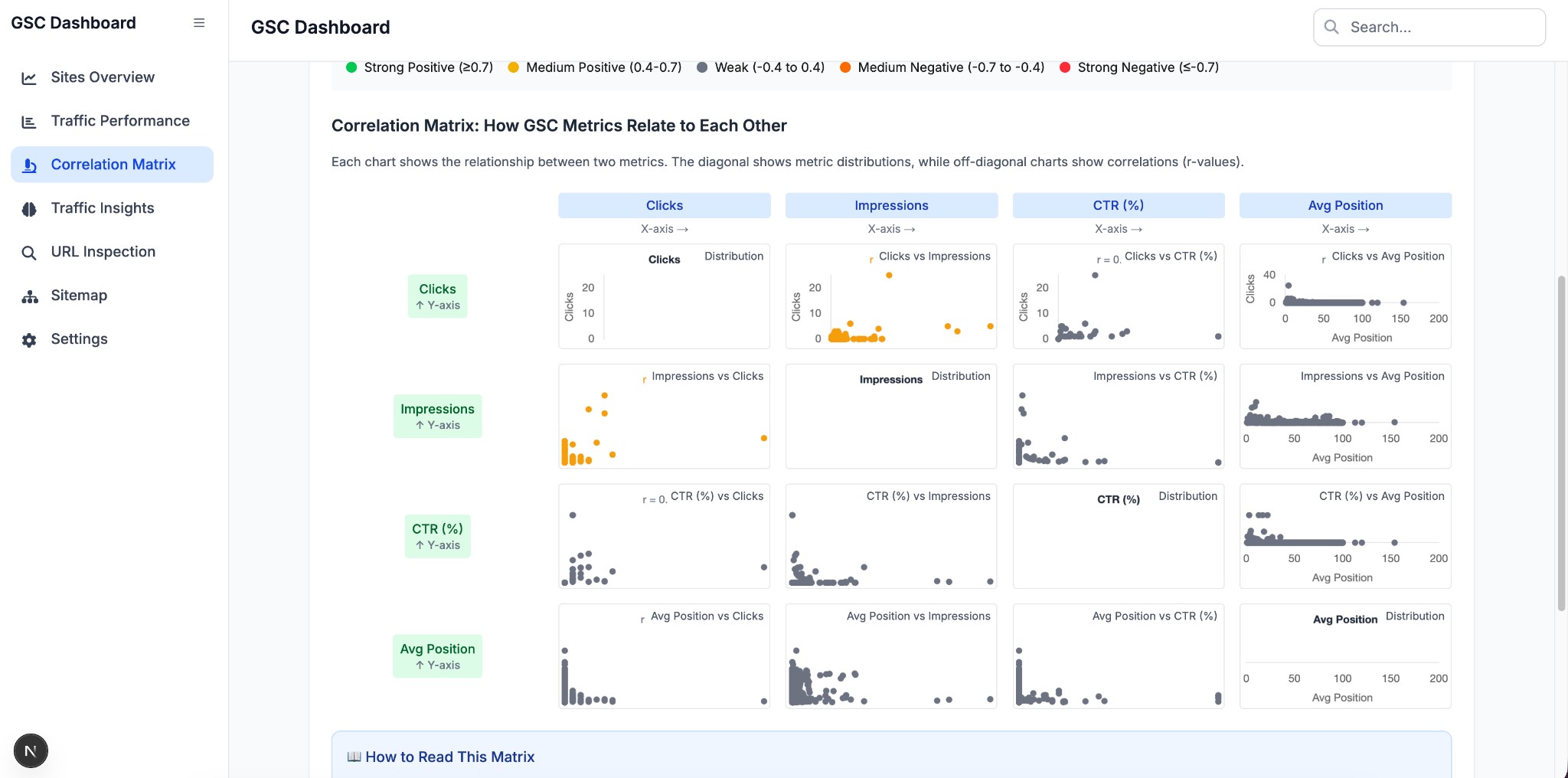
Correlation Matrix
- Scatter plot correlation matrix for clicks, impressions, CTR, and position
- Visual analysis of metric relationships across queries
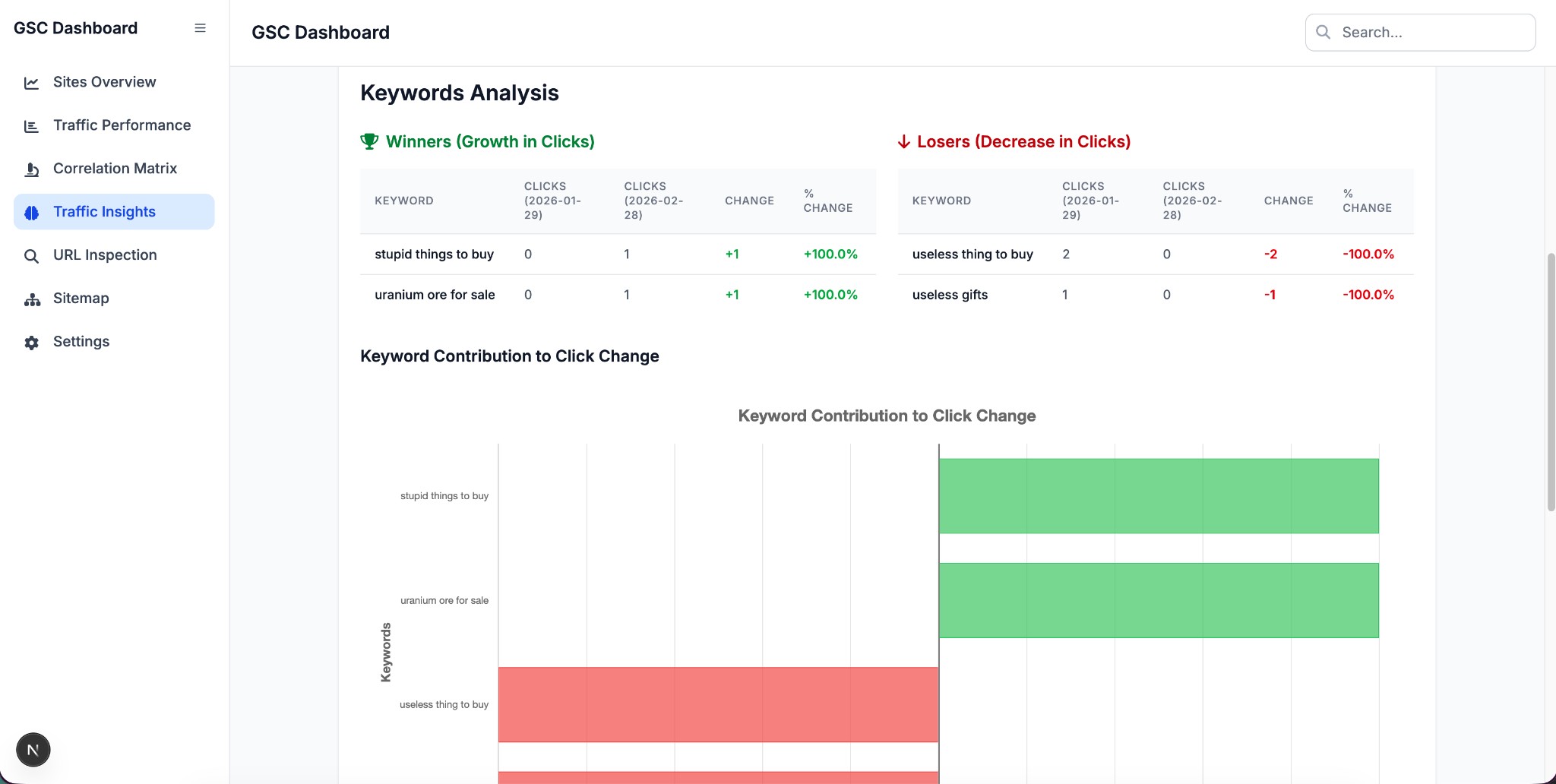
Traffic Insights (Winners & Losers)
- Compare keyword and URL performance between two dates
- Top 20 winners (growth in clicks) and top 20 losers (decline in clicks)
- Horizontal bar chart showing keyword contribution to click change
- Date range presets: 30 days, 3 months, 6 months, 9 months, 12 months, custom
- Accounts for 3-day GSC API data lag
URL Inspection
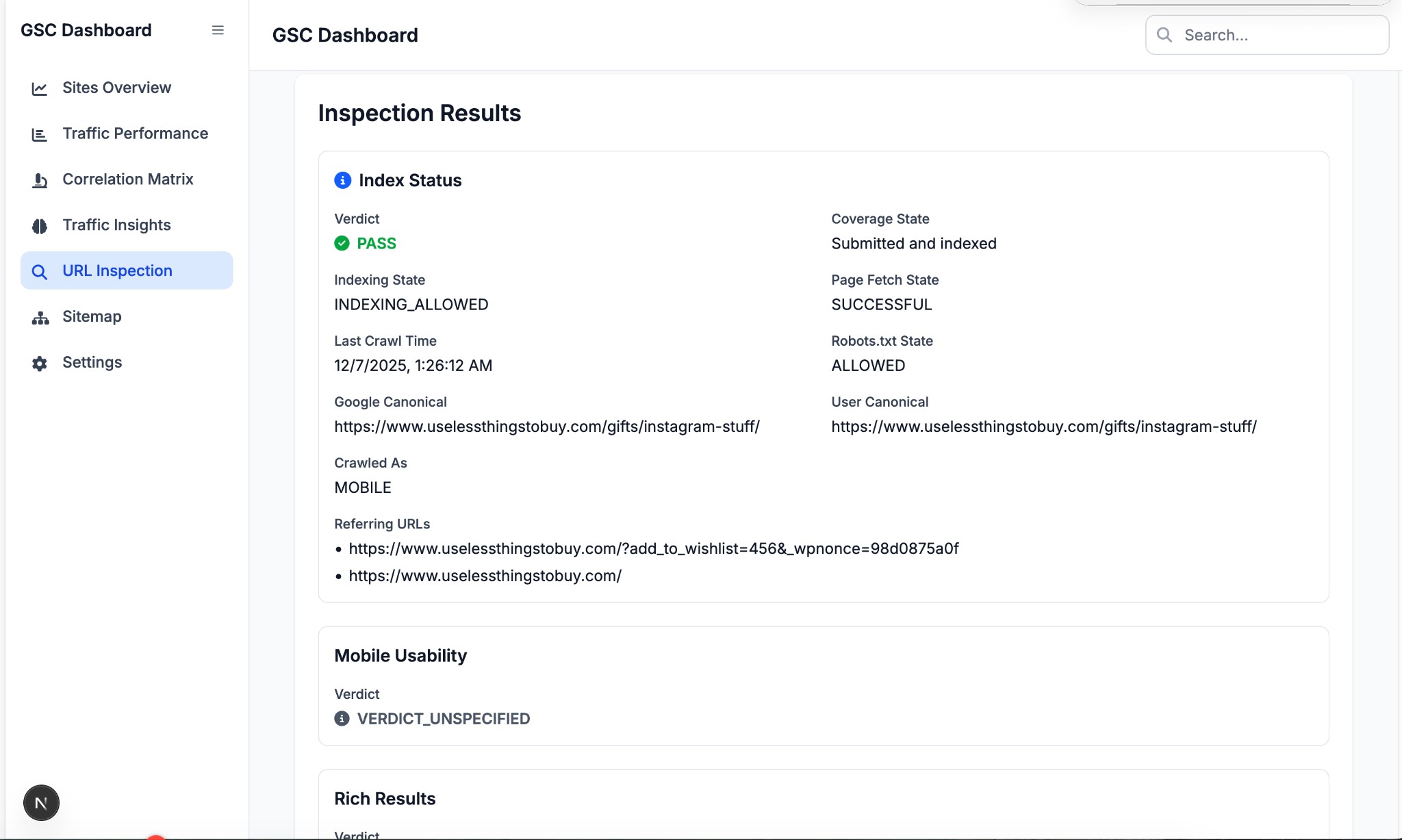
- Inspect any URL's index status in Google Search Console
- View coverage state, crawl details, mobile usability, and rich results
Sitemap Management
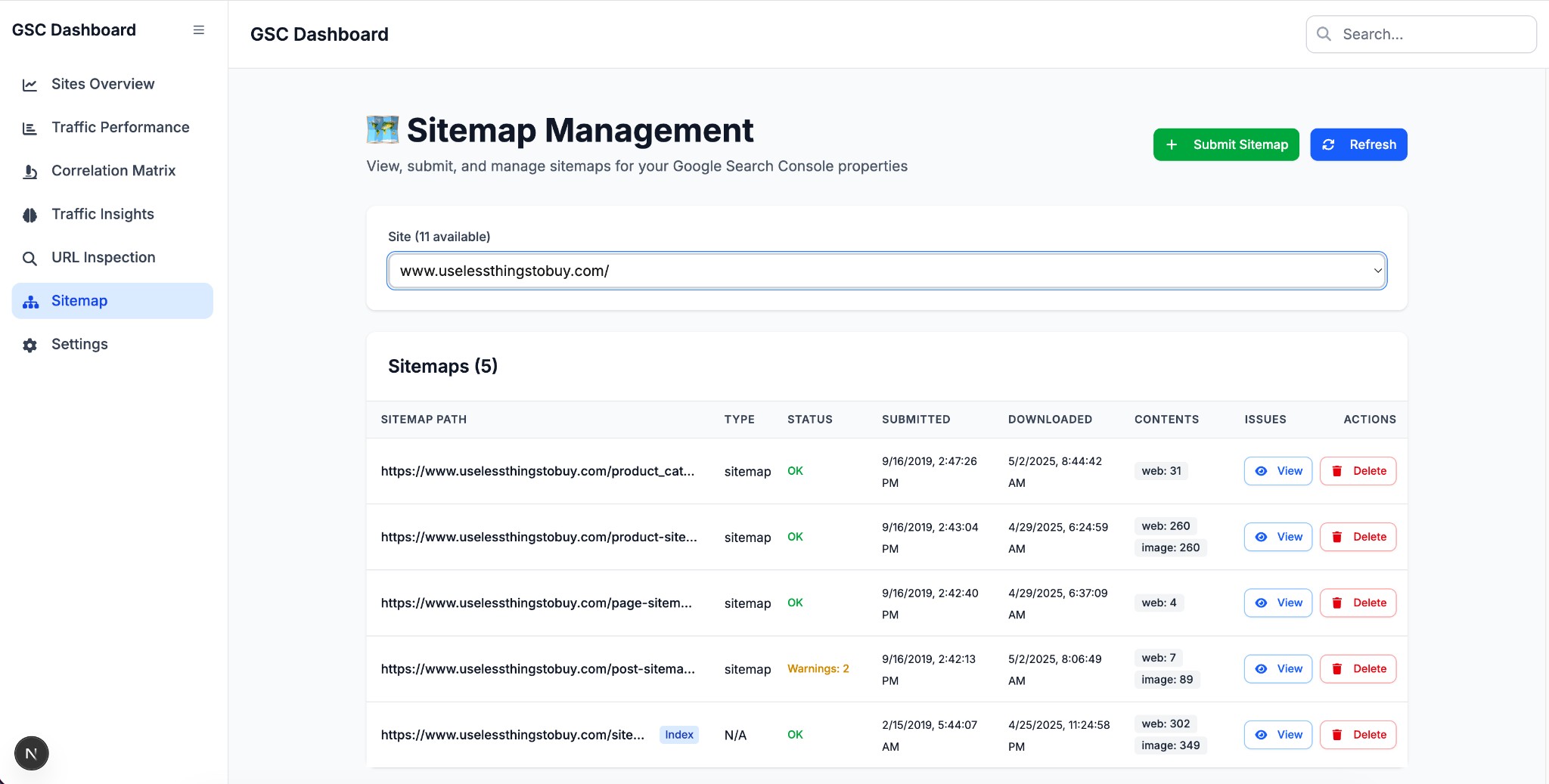
- List all sitemaps for a site
- Submit new sitemaps
- Delete existing sitemaps
- View sitemap details and URL counts
Trends Analysis
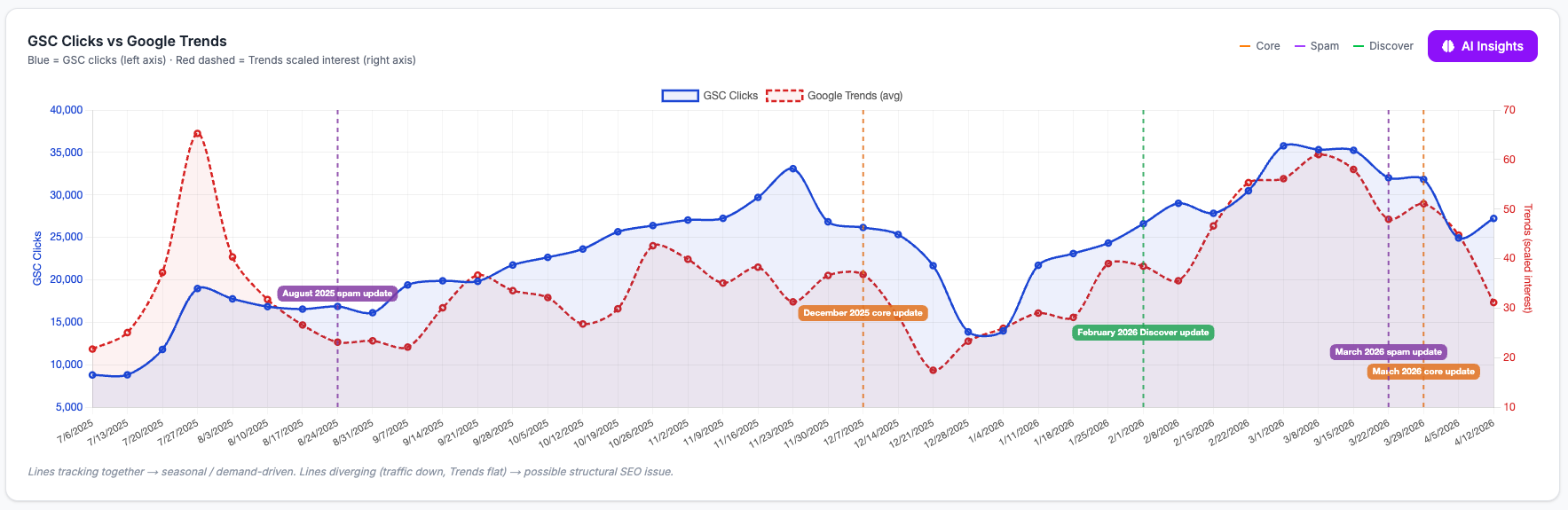
- Overlay GSC click traffic with Google Trends search interest on a dual-axis chart
- Identify whether traffic changes are demand-driven (seasonal) or structural (site problem)
- Configurable per-analysis: site, date range, URL filter, query filter, device, country, top-N queries, Trends geo, and time resolution (day / week / month)
- Google Algorithm Update annotations (core = orange, spam = purple, Discover = green) to correlate ranking changes with known updates
- AI-powered diagnosis using GPT-4o — reads the chart pattern and applies a three-scenario framework:
- Both lines fall together → seasonal demand drop, probably fine
- Traffic falls, Trends flat or rising → structural site problem (ranking drop, technical regression, algorithm hit)
- Both lines rise/fall in sync → demand-driven, site is capturing its fair share
- Powered by the Google Trends API (
searchtrendsOAuth scope) with a separate credentials file
Settings
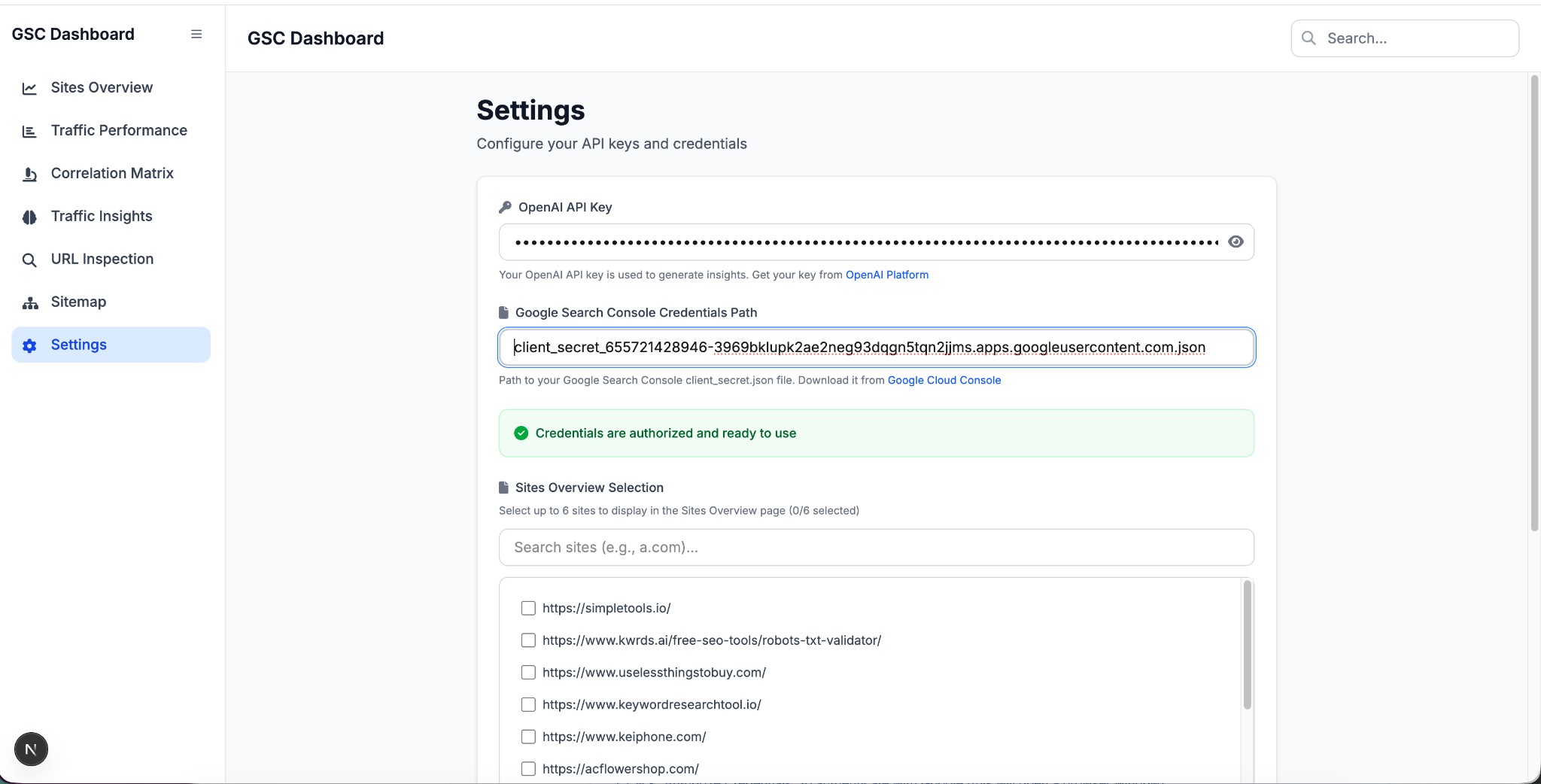
- Configure Google Search Console credentials path
- Configure Google Trends credentials path (separate OAuth client for the Trends API)
- Authorize GSC API access
- Set OpenAI API key for AI insights
- Select up to 6 sites for the overview dashboard
Dashboard Sections
Sites Overview
See a multi-site summary at a glance with key metrics and trend charts for each selected property.
Traffic Performance
Analyze daily clicks, impressions, CTR, and average position with filters, tables, and algorithm update annotations.
Correlation Matrix
Visualize how GSC metrics relate to each other through pairwise charts and quick correlation insights.
Traffic Insights
Identify top keyword winners and losers between two dates, including contribution-to-change visualization.
URL Inspection
Inspect a specific URL to view indexing status, crawl details, mobile usability, and rich result data.
Sitemap
Manage sitemaps by listing, submitting, refreshing, reviewing details, and deleting entries for a selected site.
Trends Analysis
Overlay GSC click traffic with Google Trends search interest to separate seasonal demand from structural SEO problems. Algorithm update markers highlight known Google updates within the selected date range. Click AI Insights for a GPT-4o diagnosis that reads the chart pattern and recommends next steps.
Settings
Configure API credentials, authorize Search Console access, and control overview site selections.
Tech Stack
Frontend
- Next.js 15 with App Router and TypeScript
- Tailwind CSS for styling
- Chart.js with annotation plugin for charting
- Radix UI for accessible UI primitives
- TanStack Table for data tables
- React Markdown for rendering AI insights
- FontAwesome for icons
Backend
- Flask with CORS support
- Google API Python Client for GSC API access
- OpenAI for AI-powered insights
- Pandas for data processing
Getting Started
Prerequisites
- Node.js 18+
- Python 3.10+
- Google Search Console API credentials (
client_secret.json)
1. Install frontend dependencies
cd gsc-dashboard
npm install
2. Set up the Python virtual environment
python3 -m venv venv
source venv/bin/activate
pip install -r backend_requirements.txt
3. Configure credentials
- Go to the Settings page in the dashboard
- Set the path to your Google Search Console
client_secret.jsonfile - Click Authorize Credentials
- (Optional) Set your OpenAI API key for AI insights
4. Start the backend
source venv/bin/activate
python3 backend_api.py
The backend runs on http://localhost:5001.
5. Start the frontend
npm run dev
The frontend runs on http://localhost:3000.
Project Structure
gsc-dashboard/
├── src/
│   ├── app/                         # Next.js pages
│   │   ├── page.tsx                 # Traffic Performance (main dashboard)
│   │   ├── layout.tsx               # Root layout with sidebar
│   │   ├── overview/                # Sites Overview
│   │   ├── performance/             # Correlation Matrix
│   │   ├── traffic-insights/        # Winners & Losers
│   │   ├── url-inspection/          # URL Inspection
│   │   ├── sitemap/                 # Sitemap Management
│   │   ├── trends-analysis/         # Trends Analysis (GSC vs Google Trends)
│   │   └── settings/                # Settings
│   ├── components/
│   │   ├── dashboard/               # Dashboard-specific components
│   │   ├── layout/                  # Sidebar, Header, AuthBanner
│   │   └── ui/                      # Reusable UI components
│   └── contexts/
│       └── DataContext.tsx           # Global state management
├── backend_api.py                   # Flask backend API
├── backend_requirements.txt         # Python dependencies
├── algo_updates.json                # Google algorithm update dates (single source of truth)
├── dashboard_config.json            # App configuration (auto-generated)
├── authorized_trends_token.json     # Google Trends OAuth token (auto-generated on first use)
├── package.json                     # Node.js dependencies
└── README.md
API Endpoints
| Method | Endpoint | Description |
|---|---|---|
| GET | /api/status |
Backend status and GSC connection info |
| GET | /api/sites |
List verified GSC sites |
| GET | /api/data |
Fetch GSC analytics data |
| GET | /api/top-queries |
Get top performing queries |
| GET | /api/settings |
Get current settings |
| POST | /api/settings |
Save settings |
| POST | /api/authorize |
Authorize GSC credentials |
| POST | /api/settings/clear |
Clear all credentials |
| POST | /api/insights/daily |
Generate AI insights for daily data |
| POST | /api/insights/queries |
Generate AI insights for query data |
| POST | /api/url-inspect |
Inspect a URL via GSC API |
| GET | /api/sitemaps |
List sitemaps for a site |
| GET | /api/sitemaps/get |
Get sitemap details |
| POST | /api/sitemaps/submit |
Submit a new sitemap |
| POST | /api/sitemaps/delete |
Delete a sitemap |
| POST | /api/trends/analyze |
Run GSC + Google Trends combined analysis |
| POST | /api/trends/insights |
Generate AI diagnosis from Trends analysis data |
| GET | /api/algo-updates |
Return algorithm updates from algo_updates.json |
Configuration
The app stores configuration in dashboard_config.json:
{
  "openaiApiKey": "",
  "credentialsPath": "/path/to/gsc_client_secret.json",
  "trendsCredentialsPath": "/path/to/trends_client_secret.json",
  "isAuthorized": false,
  "overviewSites": []
}
The trendsCredentialsPath must point to a Google OAuth client secret with the https://www.googleapis.com/auth/searchtrends scope enabled. On first use, a browser window will open for authorization and the token is saved to authorized_trends_token.json.
Algorithm Updates
Algorithm update dates are stored in algo_updates.json — the single source of truth used by both the Traffic Performance chart and the Trends Analysis page. To add a new update, edit this file:
{
  "algo_updates": [
    {
      "name": "March 2026 core update",
      "start_date": "2026-03-27",
      "duration": "12 days, 4 hours",
      "type": "core"
    }
  ]
}
Supported type values and their annotation colors:
| Type | Color |
|---|---|
core |
Orange |
spam |
Purple |
discover |
Green |
Current updates tracked:
- March 2026 core update
- March 2026 spam update
- February 2026 Discover update
- December 2025 core update
- August 2025 spam update
- June 2025 core update
- March 2025 core update
Toggle annotations on/off using the "Show Algorithm Updates" control on each chart.
License
This project is for personal/internal use.