
Shadow Play - Seamless Video Streaming Experience
Watch and share videos effortlessly with Shadow Play, a user-friendly webapp that brings a variety of content to your fingertips.
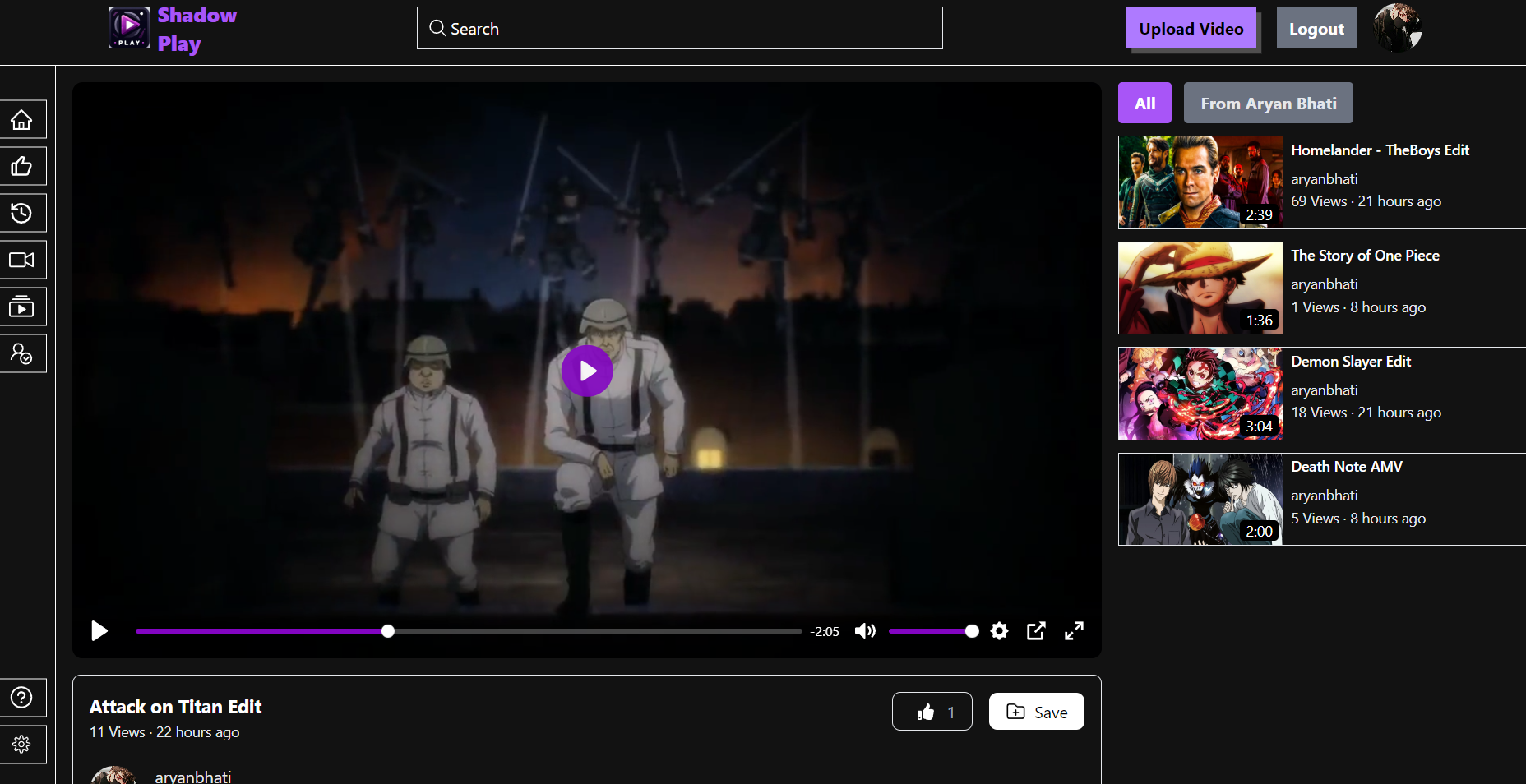
Screenshots 📸

Deployed Link 🌐
The website is hosted at: 👉 Shadow Play
Table of Contents
- Project Structure
- Technologies Used
- Libraries Used
- Description
- Features
- Screenshot
- Getting Started
- Usage
- Contributing
- Acknowledgments
Project Structure
- index.html: The main HTML file.
- features: Contains all state management slices.
- main.jsx: Handles the routing of the app.
- api: Contains API calls for getting, editing, and deleting videos.
Technologies Used 🛠️
- ReactJS
- Tailwind CSS
- JavaScript
- Redux Toolkit
- Node.js
- Express.js
- MongoDB
Libraries Used 🛠️
- react-router-dom
- axios
- react-icons
- redux-thunk
- mongoose
Description 📝
Shadow Play is a simple and intuitive web application that allows users to watch and share videos. It provides an easy-to-use interface for browsing a variety of video content, as well as functionality for uploading and managing your own videos.
Features ✨
- User-friendly interface
- User authentication and authorization
- Video upload and management
- Responsive design for mobile and desktop
- Video playback
- User profile management
Getting Started 🏁
To run the project locally, follow these steps:
- Clone the repository:
git clone https://github.com/AryanBhati07/Shadow-Play
- Navigate to the project directory:
cd Shadow-Play
- Install the required Node modules in both frontend and backend directories:
npm install
-
Configure the environment variables using .env.sample
-
Run the client and server:
npm run dev
- Open your browser and go to:
localhost:5173
Usage
-
Sign Up or Log In
Create a new account or log in with an existing account.
-
Watch Videos
Browse and watch videos from various categories.
-
Upload Videos
Click on "Upload Video" to share your own content.
-
Manage Your Profile
Edit your profile details and manage your uploaded videos.
Contributing
We welcome contributions to enhance Shadow Play! Please follow these steps to contribute:
- Fork the repository.
- Create a new branch:
git checkout -b feature/your-feature-name. - Make your changes and commit them:
git commit -m 'Add some feature'. - Push to the branch:
git push origin feature/your-feature-name. - Submit a pull request.
Acknowledgments
Thanks to the developers of ReactJS, Tailwind CSS, Node.js, Express, and MongoDB for their amazing tools.
Atlast special Thanks to Hitesh Chaudhary for his wonderful tutorial on Youtube.