
ShadowKit is a SwiftUI package that provides more realistic, layered shadows that better mimic natural light behavior. This package enhances the default SwiftUI shadow implementation by using multiple shadow layers with varying intensities and spreads.
Features
- 🎨 Realistic shadow rendering with 5 layered shadows
- 📱 Simple SwiftUI modifier API
- 🔧 Fully customizable shadow properties
- 💨 Dynamic shadow adaptation based on offset
- ⚡️ Lightweight implementation
- 🌈 Support for gradient shadows
Installation
Add the following dependency to your project:
dependencies: [
    .package(url: "https://github.com/metasidd/shadowkit.git", from: "0.1")
]
Then, import ShadowKit in your individual SwiftUI files.
import ShadowKit
Basic Shadows
Replace your existing shadows with professional ones in one step. Just swap .shadow() with .proShadow().
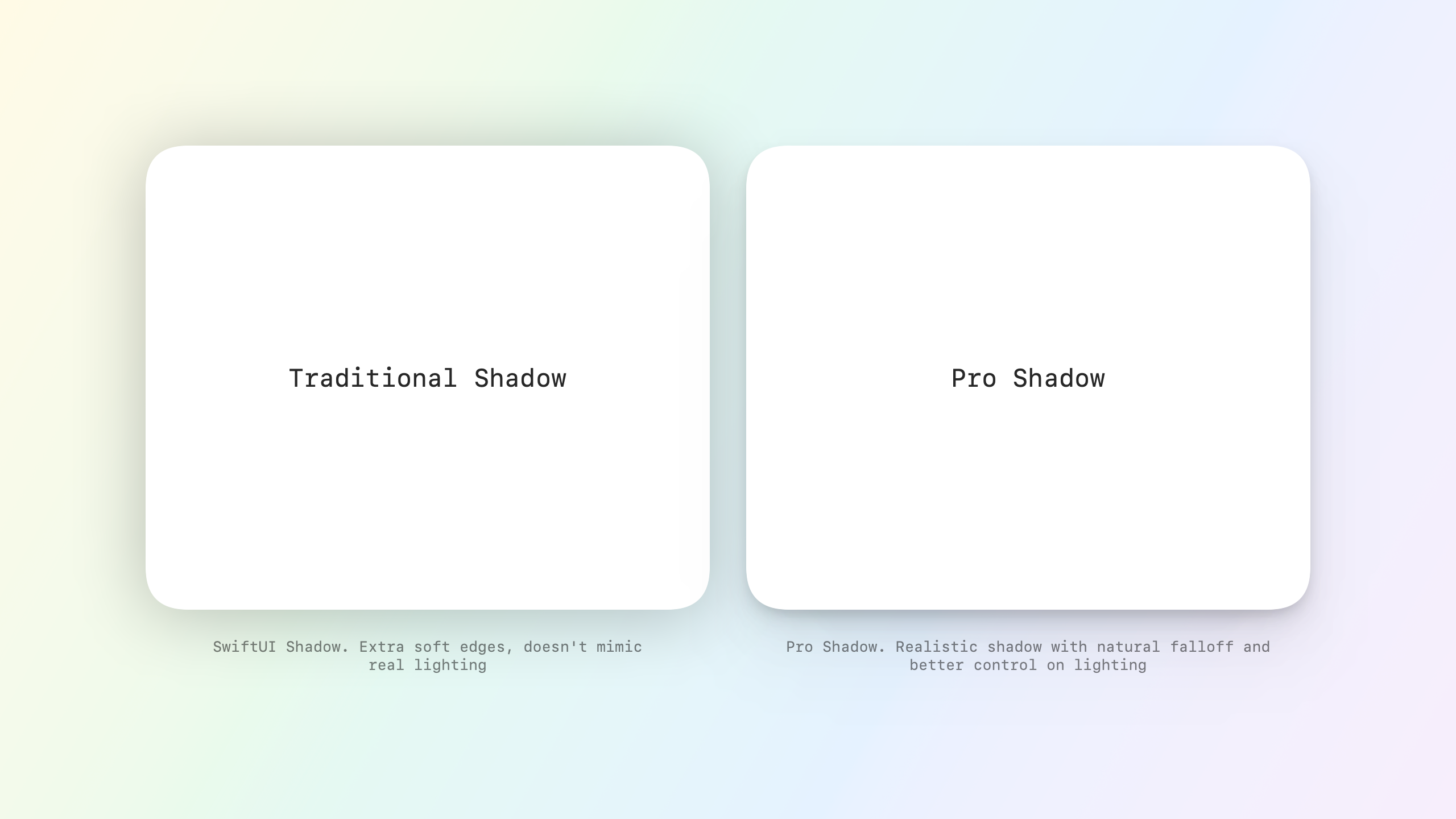
view.proShadow(
    color: .black.opacity(0.2), // Subtle shadow color
    radius: 12, // Medium blur for depth
    opacity: 0.25, // Standard opacity
    x: 0, // Centered shadow
    y: 6 // Slight downward offset
)
Elevation-based Shadows
Create consistent shadows across your app using elevation levels. Higher elevation means more prominent shadows.
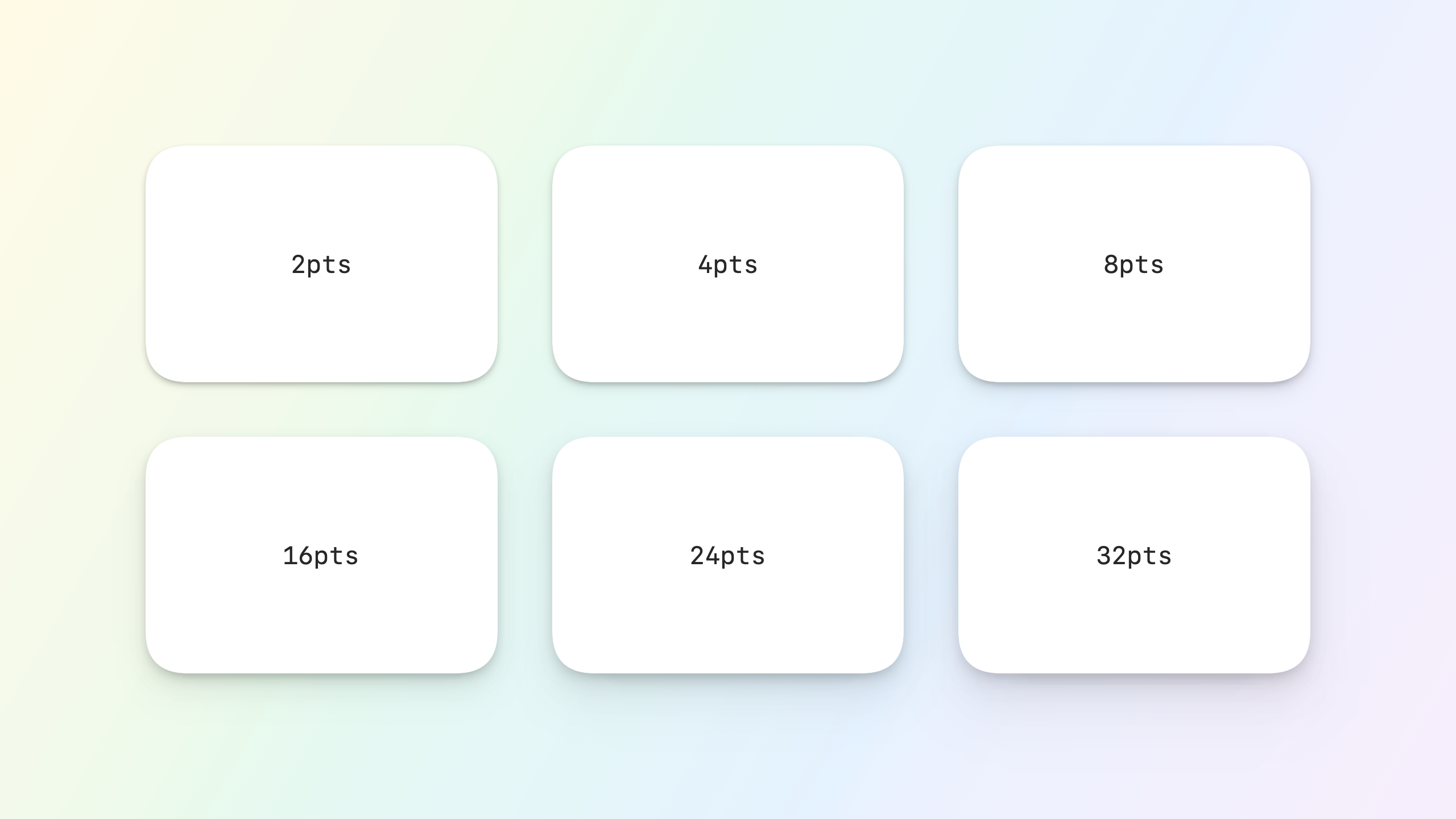
// Quick elevation presets
view.proShadow(elevation: 4) // Subtle elevation (buttons, cards)
view.proShadow(elevation: 8) // Medium elevation (floating elements)
view.proShadow(elevation: 16) // High elevation (modals, popovers)
Gradient Shadows
Add depth with beautiful gradient shadows. Perfect for creative UI elements and branded experiences.
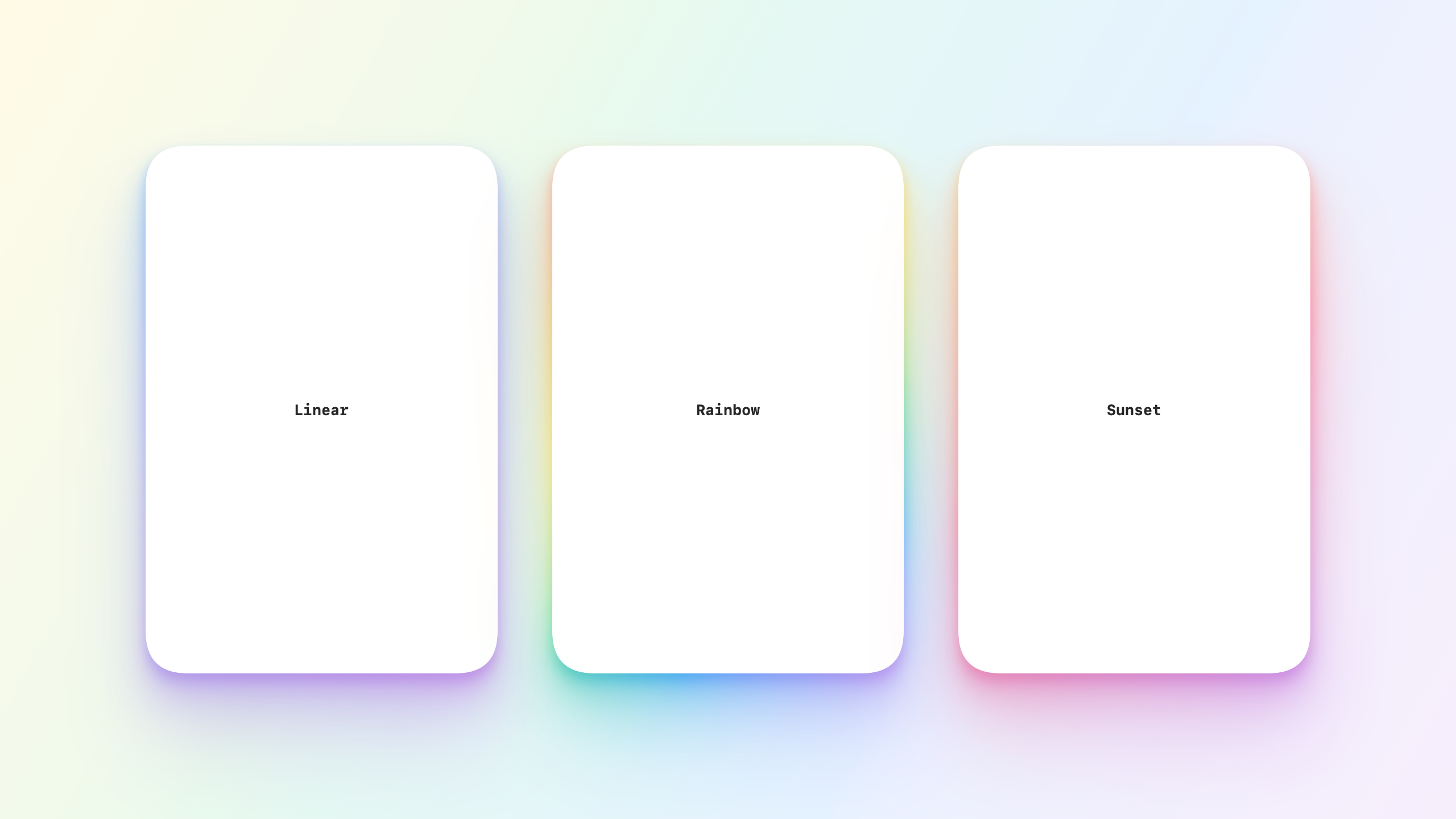
view.proGradientShadow(
    gradient: .linearGradient(
        colors: [.blue, .purple],
        startPoint: .topLeading,
        endPoint: .bottomTrailing
    ),
    radius: 16,
    opacity: 0.2,
    y: 8
)
Example Card
Here's a practical example of using ShadowKit in a card component:
struct ShadowCard: View {
    var body: some View {
        VStack(alignment: .leading, spacing: 12) {
            Text("Title")
                .font(.headline)
            Text("Description")
                .font(.subheadline)
                .foregroundColor(.secondary)
        }
        .padding(20)
        .background(Color.white)
        .cornerRadius(16)
        .proShadow(
            color: .black.opacity(0.2),
            radius: 12,
            opacity: 0.25,
            y: 6
        )
    }
}
How It Works
ShadowKit creates a more natural shadow effect by combining five shadow layers with different intensities and spreads:
- Tight shadow (1/16 of the base values)
- Medium shadow (1/8 of the base values)
- Wide shadow (1/4 of the base values)
- Broader shadow (1/2 of the base values)
- Broadest shadow (full base values)
This layered approach better mimics how shadows appear in the physical world.
Tips for Best Results
-
Background Contrast
- Shadows are more visible on lighter backgrounds
- Adjust opacity based on background color
- Use lower opacity for darker shadows
-
Performance Considerations
- Avoid applying to many small elements
- Use
compositingGroup()for complex views - Consider using regular shadows for very small elements
-
Design Guidelines
- Keep shadows subtle for most UI elements
- Use stronger shadows sparingly for emphasis
- Maintain consistent light source direction
License
This package is available under the MIT license. See the LICENSE file for more info.
Contributing
Contributions are welcome! Please feel free to submit a Pull Request.