

A self-hosted file sharing platform with a clean web interface, ShareX integration, and API access. Upload screenshots, files, and media — then instantly share them via short links. Full documentation is available at sharely.christian.pizza/docs.
Features
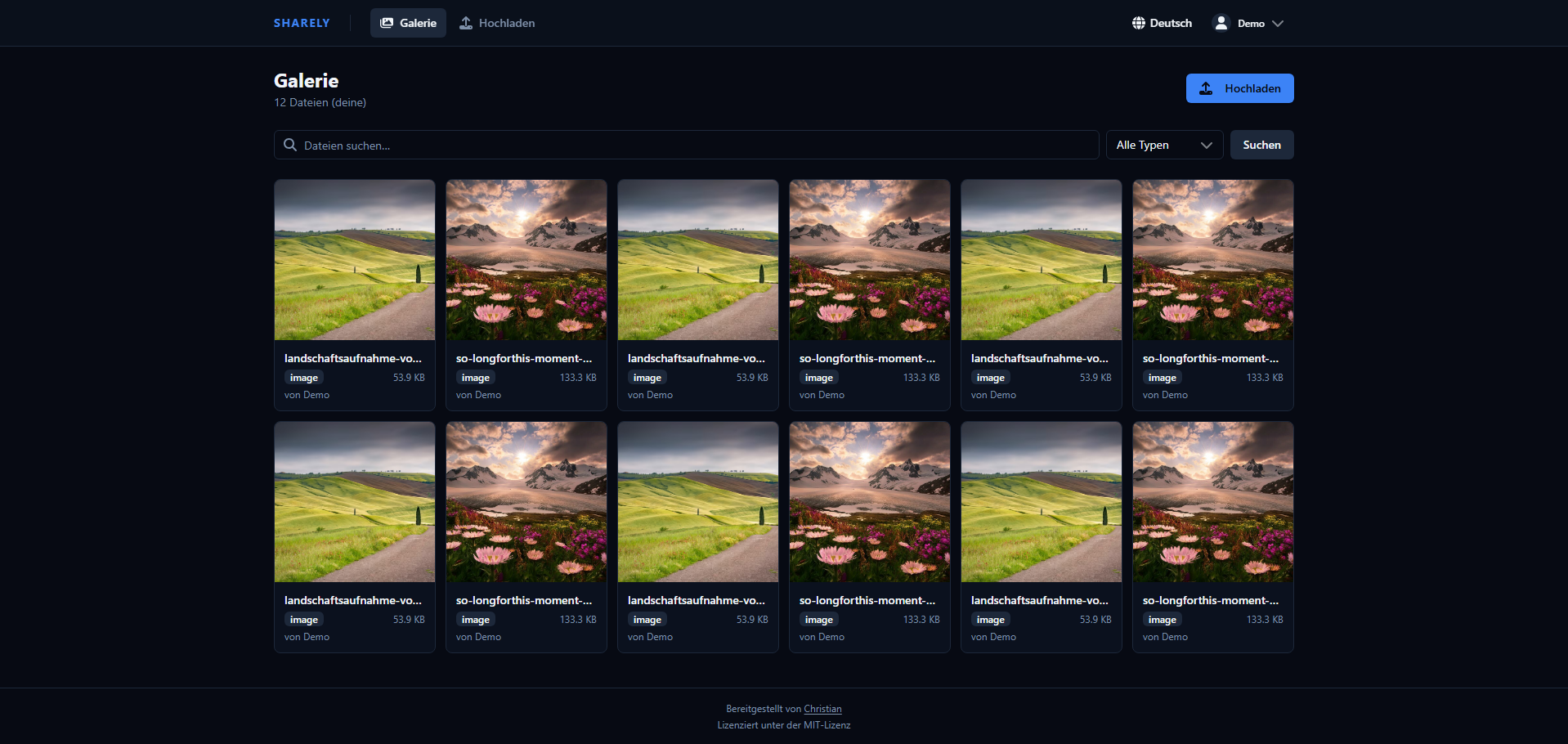
- Web UI — Drag-and-drop uploads, searchable gallery with type filters (images, video, audio, PDF, code), fully mobile-responsive
- Chunked uploads — Files up to 2 GB supported via parallel multi-part chunked upload (automatic, no client config needed)
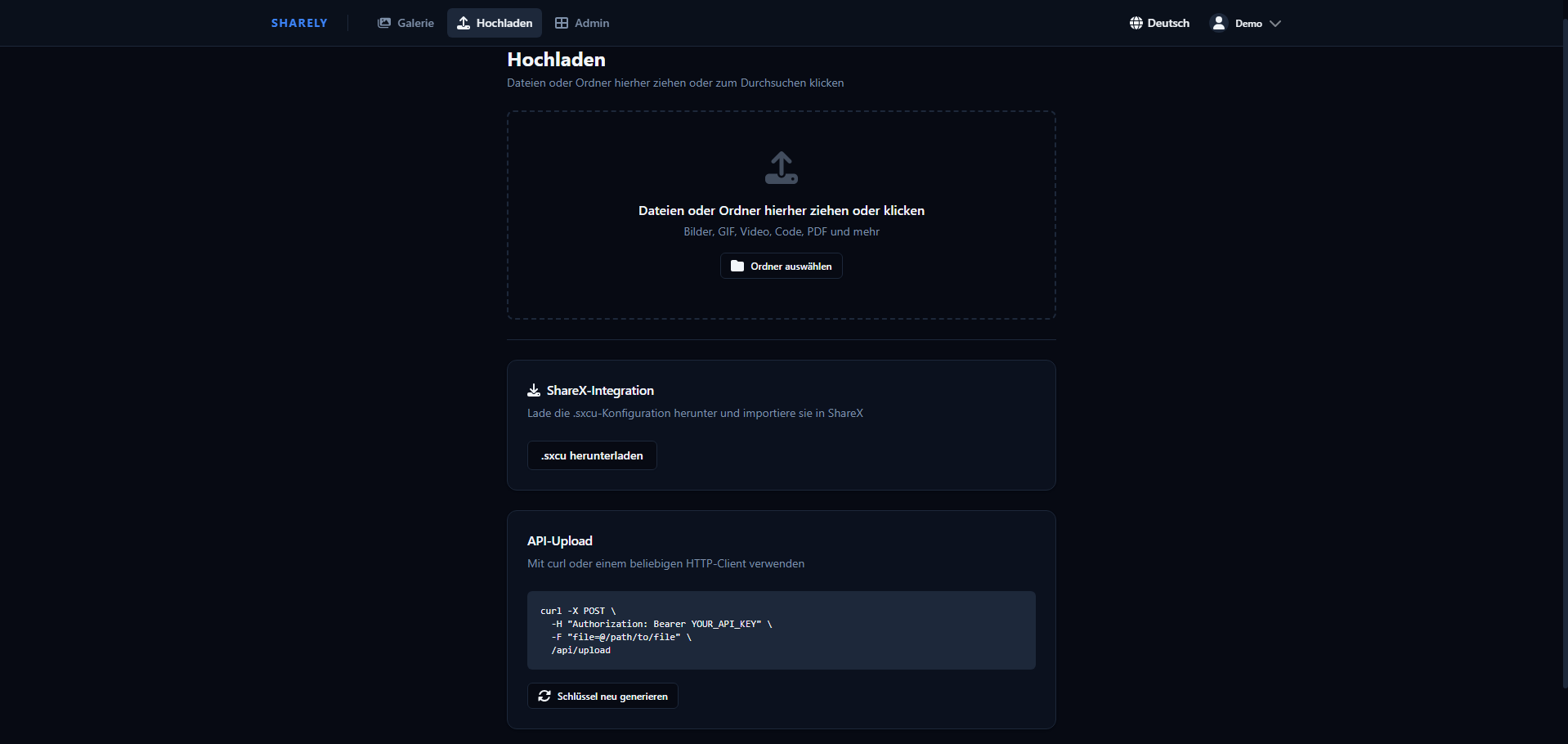
- ShareX integration — One-click
.sxcuconfig download for automatic screenshot uploads from Windows - API uploads — Bearer token authentication, compatible with curl, wget, and any HTTP client
- File viewing — Images zoom inline, videos/audio stream with seek support (HTTP Range), PDFs render in-browser, code files syntax-highlighted
- File download — Force-download endpoint (
/f/<id>/download) separate from the inline viewer - Embed modes — Per-user toggle between embed (rich HTML page with Open Graph / Twitter Card metadata) and raw (direct file redirect for native social embeds); social media bots (Discord, Telegram, Twitter, etc.) are detected automatically
- Share links — Generate per-file share links (
/s/<token>) with optional password protection, expiry date, and download limit - Collections — Group files into named collections with optional password and expiry date, shareable via a single link
- Tags — Tag files for organisation; define a personal set of predefined tags in Settings for quick reuse
- Thumbnails — Video and PDF files get auto-generated JPEG thumbnails (requires ffmpeg / ghostscript, bundled in the Docker image)
- Avatars — Users can upload a profile avatar (JPEG, PNG, GIF, WebP, max 2 MB)
- Internationalization — UI and email templates available in 8 languages: English, Deutsch, Français, Español, Italiano, Português, 日本語, 中文
- Email verification & password reset — Requires SMTP configuration; tokens expire after 24 h (verification) / 1 h (reset)
- User management — Role-based access control (admin/user), account activation/deactivation, custom folder names
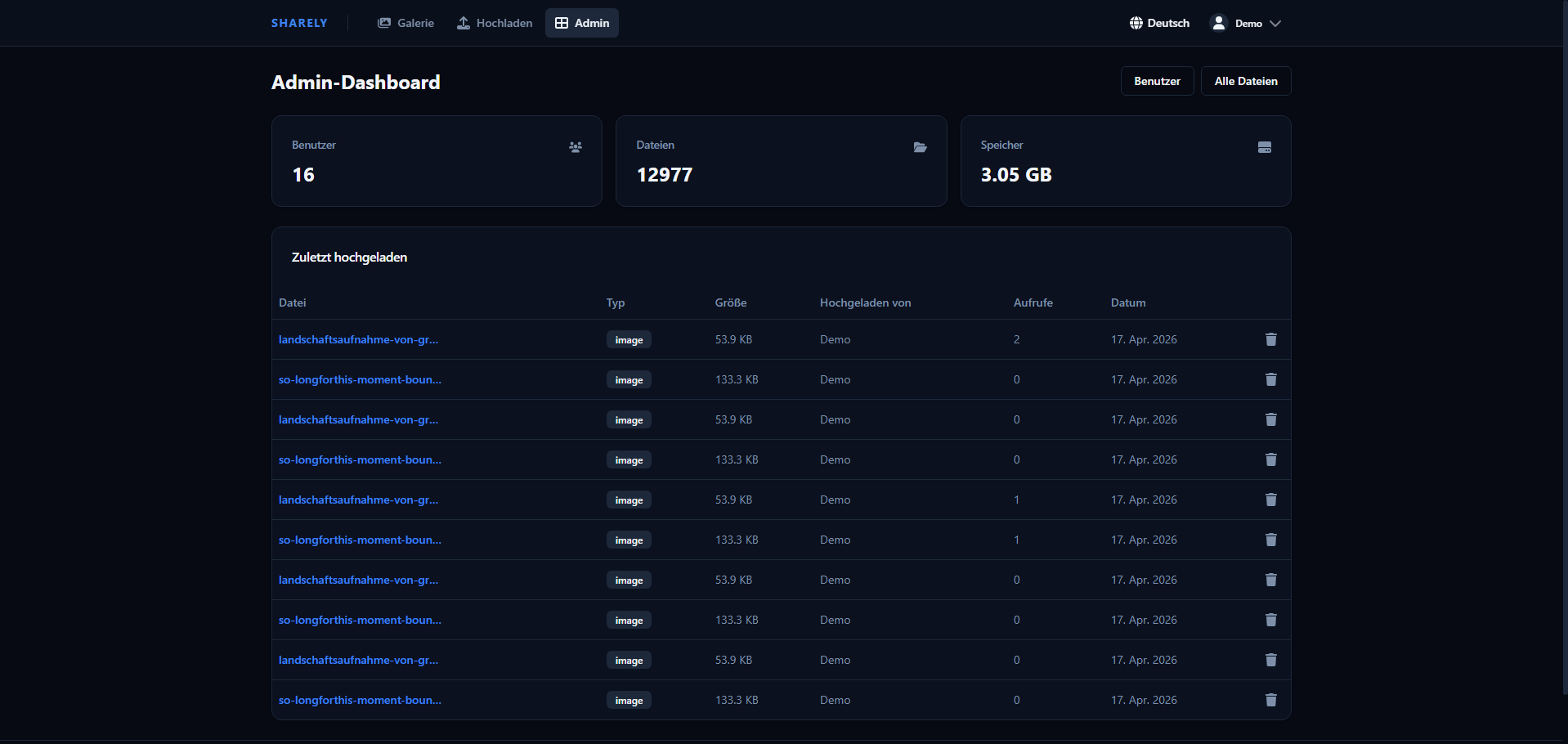
- Admin dashboard — Stats overview, manage all users and files, audit log with CSV export
- Real-time UI — WebSocket-powered live updates: file view counters, gallery refresh on upload/delete, admin stats and audit log stream in real time
- XBackBone migration — Import your existing XBackBone installation including files and metadata
- Short links — Every file gets an 8-character short ID (e.g.
/f/a1b2c3d4) - Delete tokens — Each file carries a unique deletion token so ShareX (or any client) can delete files without a session
- Security — Dangerous file types (
.exe,.bat,.sh,.php,.ps1, …) are blocked on upload; rate limiting on uploads and authentication endpoints - Docker-ready — Single
docker compose upgets you running - GDPR-ready — Privacy policy & Terms of Service pages (configurable), data export (Art. 20), account deletion (Art. 17), audit log with 90-day auto-expiry, configurable file retention, API key hashing, and optional Cloudflare Analytics cookie consent out of the box
Screenshots
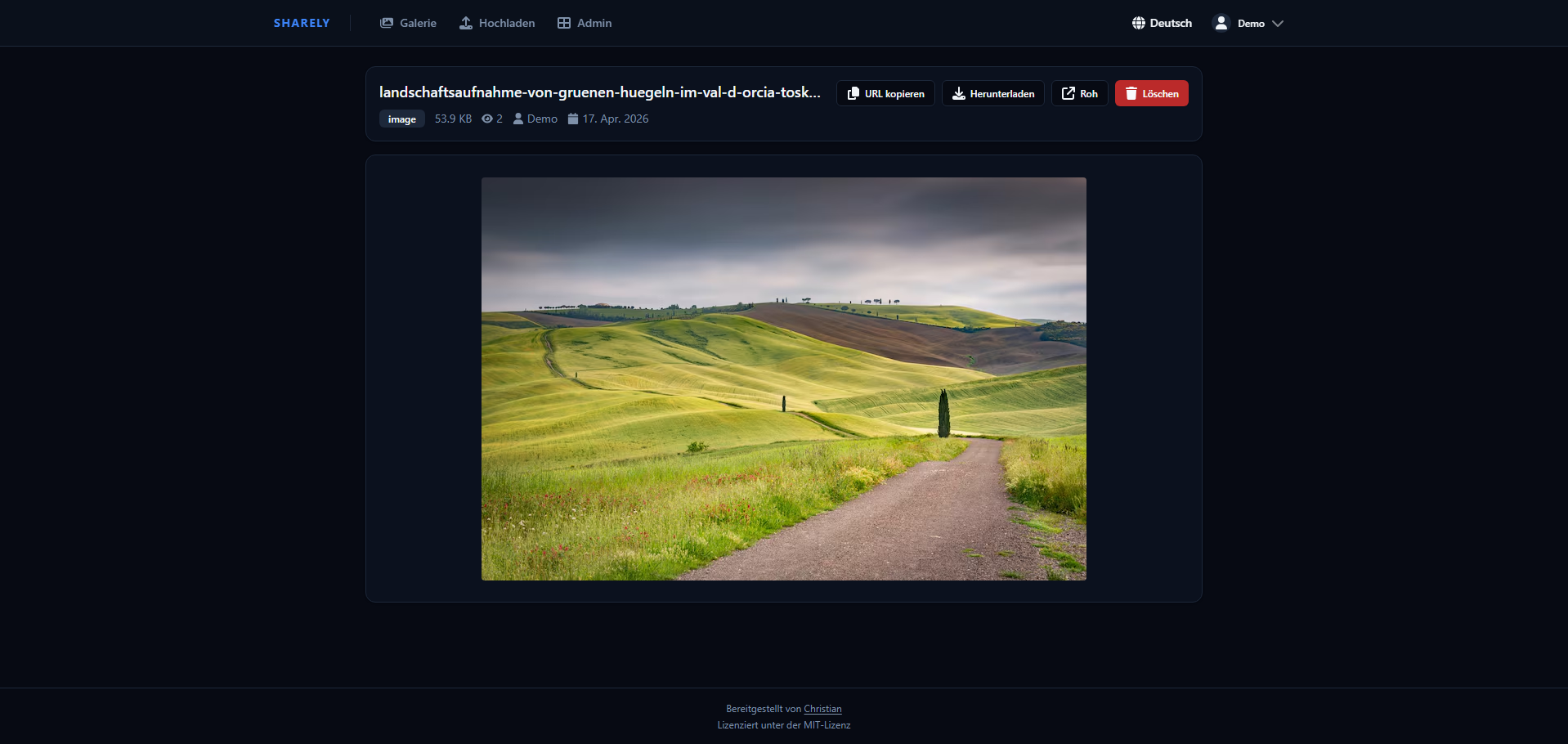
| Gallery | File View |
|---|---|
|
 |
| Upload | Admin Dashboard |
|---|---|
 |
 |
Quick Start
Docker (recommended)
Requirements: Docker and Docker Compose
git clone https://github.com/Christianoooooo/sharely.git
cd sharely
cp .env.example .env
Edit .env with your settings (see Configuration), then:
docker compose up -d
The app is now running at http://localhost:3000. Register the first account — it will automatically be an admin.
Local Development
Requirements: Node.js 18+, MongoDB
# Backend
npm install
npm run dev

# Frontend (separate terminal)
cd client
npm install
npm run dev
- Backend:
http://localhost:3000 - Frontend dev server:
http://localhost:5173
Configuration
Copy .env.example to .env and adjust the values:
| Variable | Default | Description |
|---|---|---|
PORT |
3000 |
Port the server listens on |
MONGO_ROOT_PASSWORD |
— | MongoDB root password (required) |
MONGO_APP_USER |
appuser |
MongoDB application user |
MONGO_APP_PASSWORD |
— | MongoDB application user password (required) |
MONGO_DB_NAME |
sharely |
MongoDB database name |
SESSION_SECRET |
— | Secret for session encryption — use a long random string (required) |
BASE_URL |
http://localhost:3000 |
Public base URL for generated share links, no trailing slash |
SITE_NAME |
sharely |
Site name shown in Open Graph embeds |
MAX_FILE_SIZE_MB |
100 |
Maximum upload file size in MB (chunked uploads can go up to 2 GB regardless) |
ALLOW_REGISTRATION |
true |
Set to false to disable public sign-up (admin-only user creation) |
SMTP_HOST |
— | SMTP server hostname; leave blank to disable email features |
SMTP_PORT |
587 |
SMTP port |
SMTP_SECURE |
false |
true for implicit TLS (port 465), false for STARTTLS (port 587) |
SMTP_USER |
— | SMTP authentication username |
SMTP_PASS |
— | SMTP authentication password |
SMTP_FROM |
(SMTP_USER) | From address shown in outgoing emails |
Generate a secure session secret:
openssl rand -hex 32
SMTP / Email
When SMTP_HOST is set, sharely enables:
- Email verification — new accounts must verify their address before logging in; tokens expire after 24 hours
- Email change confirmation — a verification link is sent to the new address
- Password reset — "Forgot password" flow with a 1-hour reset token (rate-limited to 5 requests per hour)
Email subjects and body copy are translated into all 8 supported languages and sent in the user's chosen language.
If SMTP_HOST is left blank, all email-dependent features are hidden from the UI and registration proceeds without verification.
API Usage
Get your API key from Settings → API Key in the web UI.
Upload a file:
curl -X POST https://your-domain.com/api/upload \
  -H "Authorization: Bearer YOUR_API_KEY" \
  -F "sharex=@/path/to/file.png"
The response contains the URL to the uploaded file and a deletionUrl that can be used to delete the file without a session (used automatically by ShareX).
Delete a file:
curl -X DELETE https://your-domain.com/api/delete/SHORT_ID \
  -H "Authorization: Bearer YOUR_API_KEY"
List your files:
curl https://your-domain.com/api/gallery \
  -H "Authorization: Bearer YOUR_API_KEY"
Chunked Uploads
For large files the web UI automatically switches to chunked upload mode (files above ~250 MB). Chunks of 10–20 MB are uploaded in parallel (3–5 concurrent chunks). The API also exposes the chunked upload endpoints for programmatic use — see /api/upload/chunk/init, /api/upload/chunk/:sessionId, and /api/upload/chunk/:sessionId/finalize.
ShareX Setup
- Log in and go to Upload
- Click Download ShareX Config
- Open the downloaded
.sxcufile — ShareX will import it automatically - Screenshots and uploads are now sent directly to your instance
ShareX receives a deletionUrl in the upload response and can delete files without re-authenticating.
Share Links
Any file can have one or more share links generated from the file view. Each link is served at /s/<token> and supports:
- Password protection — visitors must enter a password before accessing the file
- Expiry date — the link becomes invalid after the configured date
- Download limit — the link is disabled after N downloads (-1 = unlimited)
Share links are independent of the owner's account. Deleting a share link does not delete the underlying file.
Collections
Collections group multiple files under a single shareable link. Create and manage them from the Collections page. Each collection supports:
- Custom name and description
- Optional password and expiry date
- Adding / removing individual files
Collections are served at /c/<shortId> and respect the same password/expiry rules as share links.
Tags
Files can be tagged for organisation and filtering. Tags are stored per file and are searchable in the gallery.
To speed up tagging, define a personal list of predefined tags under Settings → Preferences → Tag Management. These appear as one-click suggestions when tagging files.
WebSocket API
The app maintains a persistent WebSocket connection (/ws) for all authenticated clients. The protocol uses a request/response pattern plus server-initiated broadcasts.
Request format (client → server):
{ "id": "unique-request-id", "action": "action:name", "payload": {} }
Response format (server → client):
{ "id": "unique-request-id", "data": {}, "error": null }
Broadcast format (server → relevant clients):
{ "event": "event:name", "data": {} }
Available Actions
| Action | Auth | Description |
|---|---|---|
site-settings:get |
— | Public site settings |
auth:me |
User | Current session user |
file:get |
User | File details (increments view count) |
file:list |
User | Own files (admins see all) |
file:delete |
User | Delete a file |
user:get-key |
User | API key prefix |
user:regen-key |
User | Regenerate API key |
user:change-password |
User | Change password |
user:change-username |
User | Change username |
user:change-email |
User | Change email (sends verification) |
user:change-language |
User | Set UI language |
user:change-embed-mode |
User | Toggle embed / raw mode |
user:resend-verification |
User | Re-send verification email |
user:export |
User | Export account data as JSON |
user:delete-account |
User | Delete account and all files |
admin:stats |
Admin | Dashboard statistics |
admin:settings:get |
Admin | Read site settings |
admin:settings:update |
Admin | Update site settings |
admin:users:list |
Admin | List all users |
admin:users:create |
Admin | Create user |
admin:users:toggle |
Admin | Activate / deactivate user |
admin:users:role |
Admin | Change user role |
admin:users:delete |
Admin | Delete user |
admin:users:regen-key |
Admin | Regenerate a user's API key |
admin:users:password |
Admin | Set a user's password |
admin:users:folder |
Admin | Change a user's folder name |
admin:files:list |
Admin | List all files |
admin:audit-log:list |
Admin | Paginated audit log |
Broadcast Events
| Event | Recipients | Payload |
|---|---|---|
file:uploaded |
Uploader only | { shortId, uploaderId } |
file:deleted |
Owner only | { shortId, uploaderId } |
file:view |
All clients | { shortId, views } |
user:created |
Admins | { id, username, role } |
user:deleted |
Admins | { id } |
user:updated |
Admins | { id, …changed fields } |
audit:log |
Admins | Full AuditLog object |
settings:updated |
Admins | Updated SiteSettings object |
stats:invalidate |
Admins | {} (trigger a stats re-fetch) |
Reverse Proxy (Nginx example)
WebSocket support requires the Upgrade and Connection headers to be forwarded:
server {
    listen 443 ssl;
    server_name files.example.com;

    client_max_body_size 2100M;

    location / {
        proxy_pass http://localhost:3000;
        proxy_set_header Host $host;
        proxy_set_header X-Real-IP $remote_addr;
        proxy_set_header X-Forwarded-For $proxy_add_x_forwarded_for;
        proxy_set_header X-Forwarded-Proto $scheme;

        # WebSocket support
        proxy_http_version 1.1;
        proxy_set_header Upgrade $http_upgrade;
        proxy_set_header Connection "upgrade";
    }
}
Make sure BASE_URL in .env matches your public domain.
Note on
client_max_body_size: Set this at least as large as your largest expected chunked segment plus some headroom. For 2 GB file support,2100Mis a safe value.
Thumbnails
Video and PDF files get a JPEG thumbnail automatically on upload. Thumbnails are stored in uploads/.thumbnails/ and served at /f/<shortId>/thumb.
The Docker image includes ffmpeg (video) and ghostscript (PDF), so no extra setup is needed there. For local development, install the tools manually:
# Debian / Ubuntu
sudo apt install ffmpeg ghostscript

# macOS
brew install ffmpeg ghostscript
If the tools are unavailable, thumbnail generation is silently skipped and the gallery shows a styled colour-coded placeholder instead.
Backfilling existing uploads
To generate thumbnails for files that were uploaded before this feature was introduced, run the migration script once inside the container:
docker exec -it <container-name> npm run migrate:thumbnails
Or locally:
npm run migrate:thumbnails
The script is idempotent — already-generated thumbnails are skipped.
XBackBone Migration
If you're migrating from XBackBone:
- Log in as admin and go to Admin → Import
- Provide the path to your XBackBone
database.dbfile - Provide the path to your XBackBone
storage/directory - Run a preview first, then confirm the import
Users are matched by username. Files without a matching user are assigned to a fallback user you specify. The import handles multiple XBackBone schema versions and searches storage subdirectories automatically. It is idempotent — re-running it skips already-imported files.
End-to-End Tests
The project ships with a Playwright test suite covering the main user flows (upload, gallery, share links, tags, admin actions).
Run tests (requires the app to be running):
# Headless
npm run test:e2e

# Interactive UI mode
npm run test:e2e:ui
The global setup in e2e/global-setup.js creates the necessary test users automatically. Make sure BASE_URL in .env points to a running instance before executing the suite.
Project Structure
sharely/
├── app.js                  # Express entry point
├── src/
│   ├── config/db.js        # MongoDB connection
│   ├── models/             # Mongoose schemas (User, File, Collection, ShareLink, AuditLog, SiteSettings)
│   ├── middleware/         # Auth, upload handling, file block list
│   ├── jobs/
│   │   └── retentionCleanup.js   # Scheduled file & audit log cleanup
│   ├── utils/
│   │   ├── generateThumbnail.js  # ffmpeg/ghostscript thumbnail generation
│   │   └── mailer.js             # Nodemailer wrapper with i18n templates
│   ├── ws.js               # WebSocket server (all WS actions & broadcasts)
│   └── routes/             # REST routes (auth, api, files, shares, collections, import, install)
├── client/                 # React frontend (Vite + Tailwind)
│   └── src/
│       ├── i18n/           # i18next config + 8 locale JSON files
│       ├── hooks/
│       │   └── useWebSocket.js   # React hook for WS connection & events
│       ├── pages/          # Upload, Gallery, FileView, Collections, Settings, Admin pages
│       └── components/     # UI components
├── e2e/                    # Playwright end-to-end tests
├── scripts/
│   ├── setup-db.js
│   ├── migrate-uploads-to-user-folders.js
│   └── generate-missing-thumbnails.js
├── uploads/
│   ├── .thumbnails/        # auto-generated JPEG thumbnails
│   ├── .chunks/            # temporary chunked-upload segments
│   └── .avatars/           # user profile avatars
├── docker-compose.yml
└── .env.example
Tech Stack
| Layer | Technology |
|---|---|
| Backend | Node.js, Express |
| Database | MongoDB (Mongoose) |
| Real-time | WebSocket (ws) |
| Nodemailer | |
| Frontend | React 18, React Router, Vite |
| Styling | Tailwind CSS, Radix UI |
| i18n | i18next |
| File uploads | Multer (standard) + chunked upload (custom) |
| Auth | express-session, bcryptjs |
| Container | Docker, Docker Compose |
GDPR / Privacy
Sharely is designed with privacy in mind. The following features support GDPR compliance for operators in the EU:
| Feature | GDPR Article |
|---|---|
| Privacy Policy page (configurable via Admin Panel) | Art. 13/14 – Transparency |
| Terms of Service page (configurable via Admin Panel) | Art. 13/14 – Transparency |
| Data export (JSON download of account + file metadata with full URLs) | Art. 20 – Portability |
| Account self-deletion (removes all files and data) | Art. 17 – Right to erasure |
| Audit log (all access and admin actions, 90-day auto-expiry via MongoDB TTL) | Art. 5(2) – Accountability |
| Audit log CSV export for regulators | Art. 5(2) – Accountability |
| Configurable file retention (auto-delete after N days) | Art. 5(1)(e) – Storage limitation |
| API keys stored as SHA-256 hashes, never in plaintext | Art. 32 – Security |
| Passwords stored as bcrypt hashes (12 rounds) | Art. 32 – Security |
| Encryption-at-rest documentation (operator self-declaration) | Art. 32 – Security |
| Cookie consent notice for Cloudflare Analytics (optional) | Art. 13 – Transparency |
Note for operators: GDPR compliance is ultimately the operator's responsibility. Before going live, fill in your operator details under Admin → Site Settings (name, address, contact email). Consider whether you need a Data Processing Agreement (DPA) with your hosting provider.
License
MIT