
(Swift 5, iOS 16): MVC, Core Data, Notification Center, UIKit & XCTest

Shopping App
This app contains:
- A UITabBarController where the app is embedded into.
- 2 UINavigationControllers
- 4 UIViewControllers
- 1 Storyboard
- 1 Launchscreen
- XCTests
- Assets (App icon, buttons and 1 launchscreen image)
Root Controller -> UITabBarController:
- This View Controller has 2 child UINavigationControllers which produce 2 TabBarItems.
- Delegate for ProductOverviewViewController and CartViewController.
- It handles getting the product objects from the JSON file to be used through out the app.
- It handles Shopping Cart data storage in CoreData.
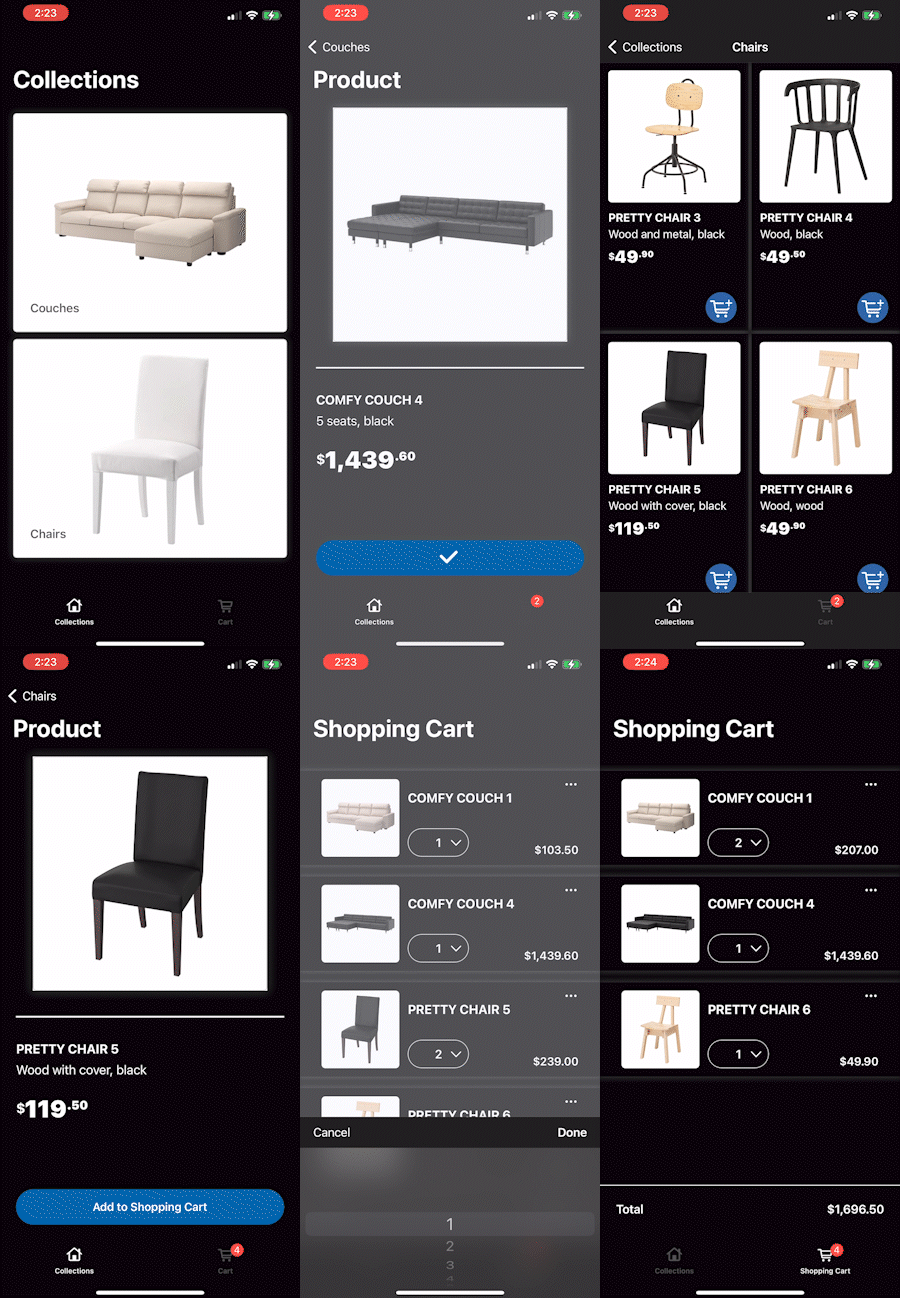
TabBarItem 1 - View Controller Stack:
1. Top View Controller -> ProductOverviewViewController:
- Organizes the products into collections of the same type of product.
- Displays the collections on a UICollectionView.
- Delegate for ProductCatalogViewController.
- Contains a segue to ProductCatalogViewController.
2. ProductCatalogViewController:
- Receives the product list from a user-selected collection type.
- Displays the list of products on a UICollectionView.
- Can add a product to the Shopping Cart from each UICollectionViewCell.
- Delegate for ProductPageViewController.
- Contains a segue to ProductPageViewController.
3. ProductPageViewController:
- Receives a single user-selected product.
- Displays the product's information inside a UIScrollView.
- Can add the product to the Shopping Cart from the Add To Cart button.
TabBarItem 2:
Top View Controller -> CartViewController:
- Sets up an observer to update its Shopping Cart data and UI when ProductCatalogViewController and ProductPageViewController add a new product to the Shopping Cart.
- Displays the products from the Shopping Cart on a UITableView.
- The user can change the quantity of each product (+ || -) through a UIPickerView.
- The user can remove each product from the Shopping Cart.
- The total price of all the products in the Shopping Cart is always visible to the user at the bottom of the screen.
Other features:
- The UI adapts to light and dark modes.
- Language localization setup (Spanish included as a starter).
- Currency formatter to Locale for Strings.