
Shortomega




[!NOTE] The first request to the server may take up to 50 seconds to respond. This delay is due to the free Render instance needing time to spin up from an idle state. Subsequent requests will be much faster.
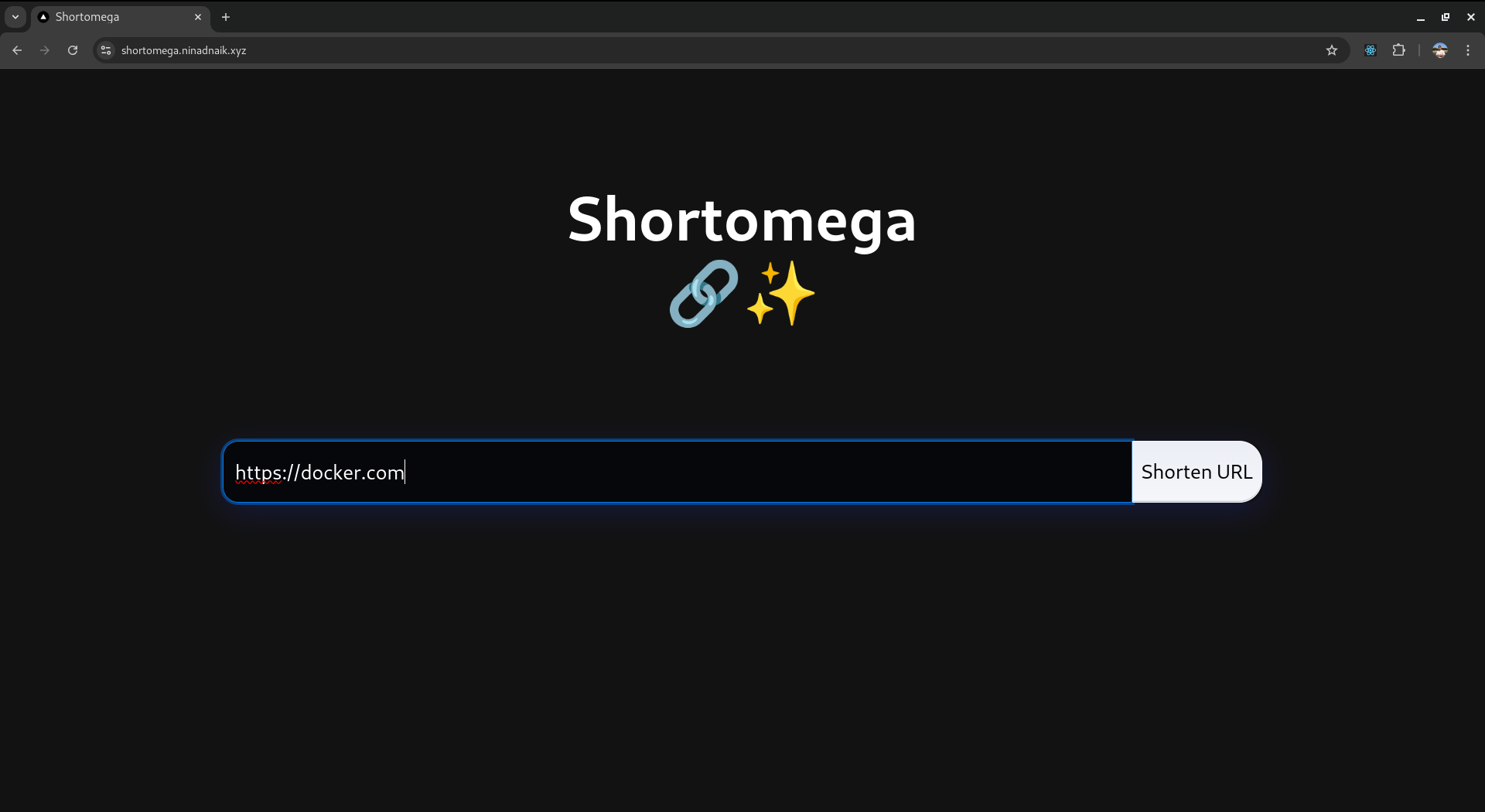
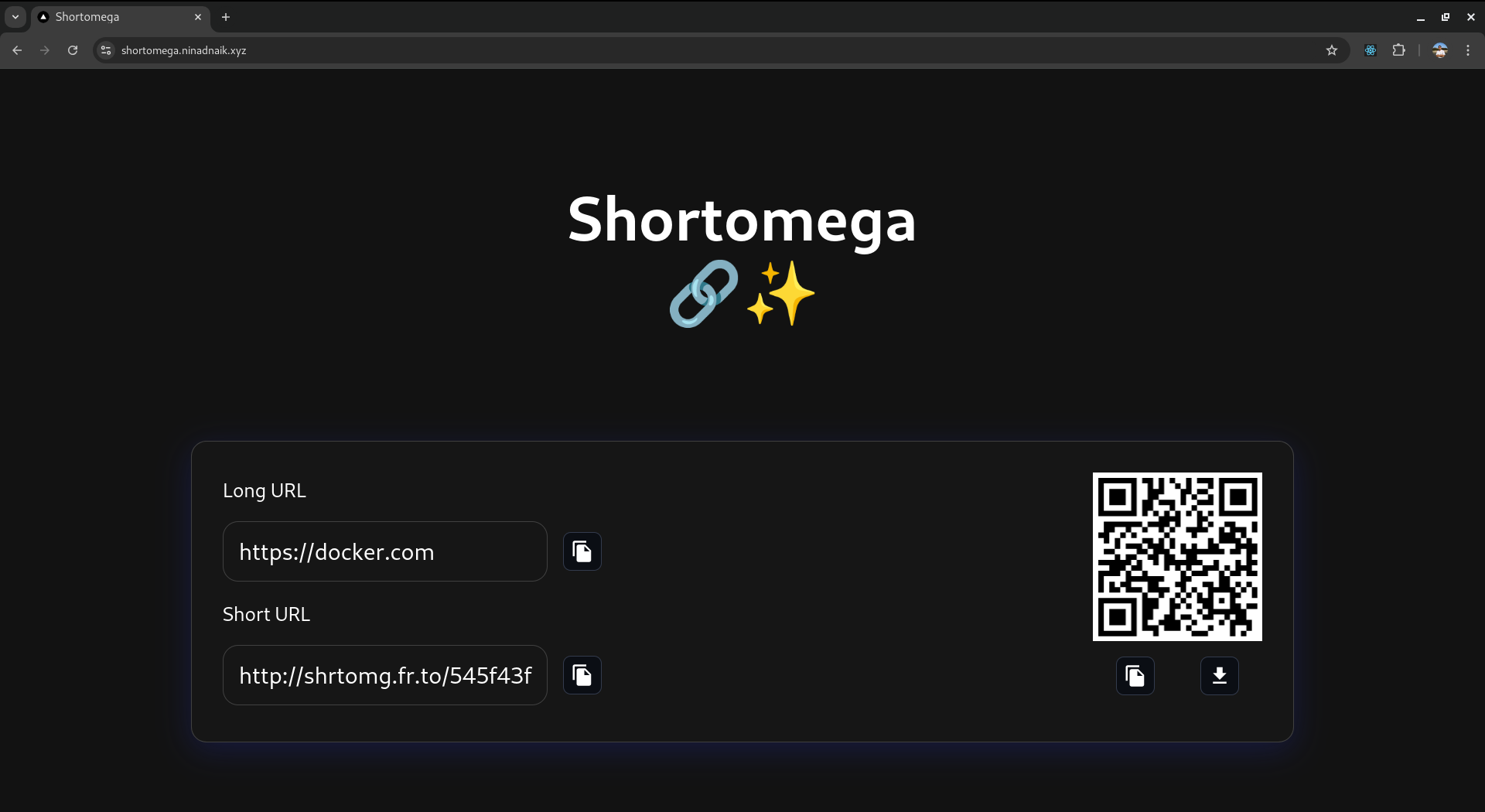
A simple and modern URL shortener built with Next.js, NestJS, Redis, and Docker. Create shortened URLs instantly with QR code generation and easy sharing capabilities.
The blog describing the motivation and methods that are implemented for using Redis as a primary database: tech.ninadnaik.me/using-redis-as-a-primary-database
Features
Current Features
- 🔗 URL Shortening
- 📱 QR Code Generation
- 📋 Copy to Clipboard
- ⬇️ QR Code Download
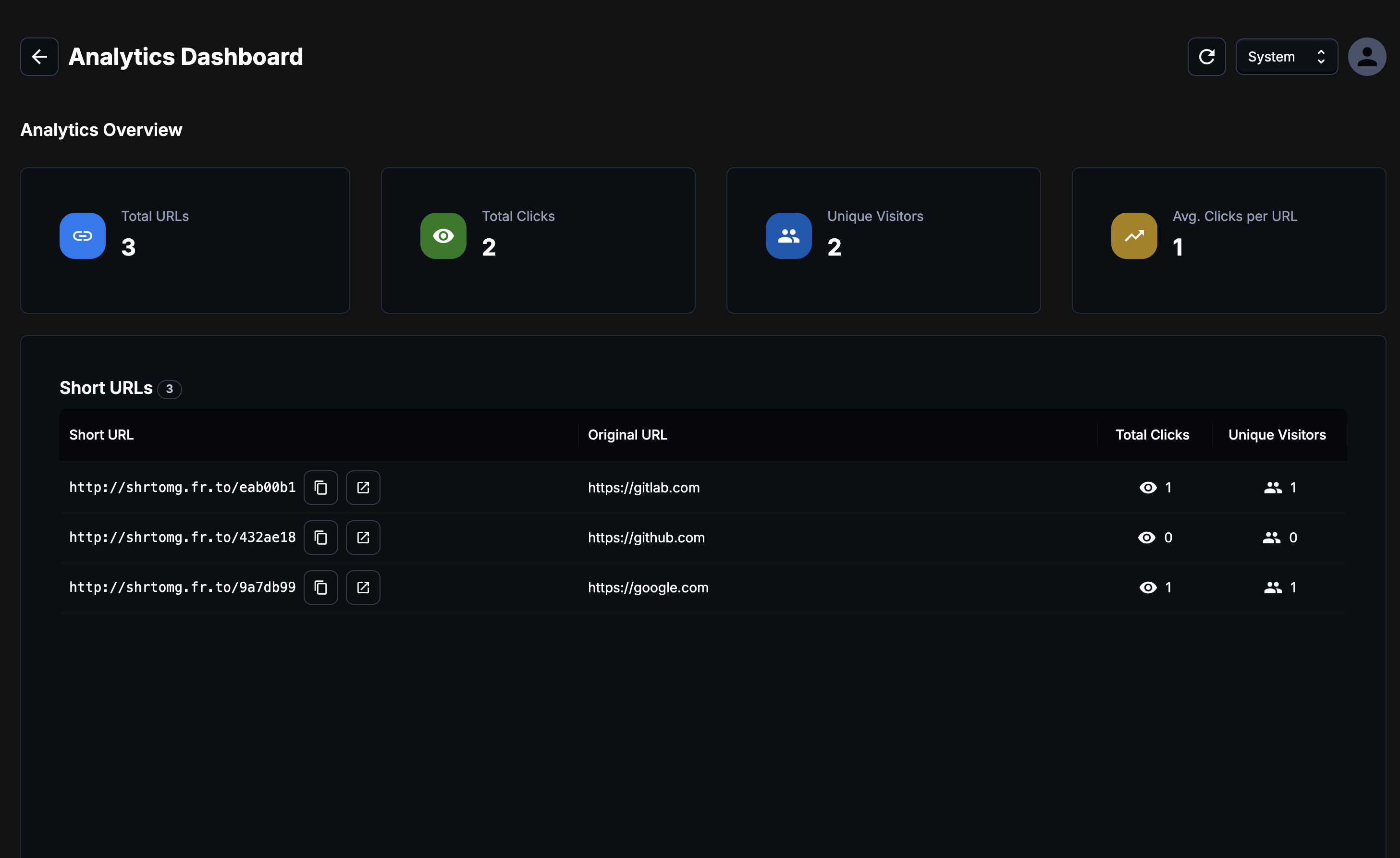
- 👤 Personal Accounts for URL Tracking
- 📊 Analytics Dashboard
- ⚡ Rate Limiting
- 💨 Response Caching
Tech Stack
- Web Client: Next.js 14 - Server-side rendering and API routes for optimal performance
- Backend Server: NestJS - Robust and scalable backend API framework
- Database: Redis - High-performance key-value store for URL mappings
- Containerization: Docker - Simplified deployment and development environment
Images
Prerequisites
- Node.js (v18 or higher)
- Docker and Docker Compose
- Redis (if running locally without Docker)
- Git
Local Development Setup
Option 1: Using Docker (Recommended)
- Clone the repository:
git clone https://github.com/ninadnaik10/shortomega.git
cd shortomega
- Build and run with Docker Compose:
docker-compose up --build
The application will be available at:
- Web Client: http://localhost:3001
- Backend Server: http://localhost:3000
Option 2: Manual Setup
- Clone the repository:
git clone https://github.com/ninadnaik10/shortomega.git
cd shortomega
- Setup Backend:
cd api
yarn install
yarn start:dev
- Setup Frontend:
cd web
yarn install
yarn dev
- Ensure Redis is running locally on default port (6379)
Environment Variables
Frontend (.env)
Rename .example.env to .env and set these environment variables:
SERVER_URL=http://127.0.0.1:3001
NEXT_PUBLIC_API_URL=http://localhost:3000
NEXT_PUBLIC_SHORT_HOST=http://localhost:3000
NEXT_PUBLIC_SERVER_URL=http://localhost:3001
Backend (.env)
Rename .example.env to .env and set these environment variables:
REDIS_HOST=localhost
REDIS_PORT=6379
FRONTEND_URL=http://localhost:3000
JWT_SECRET=<your-jwt-secret-key>
API Endpoints
POST /api/shorten- Create shortened URLGET /api/get-url/:hash- Retrieve original URLGET /:hash- Redirect to original URL
Project Structure
The project follows a monorepo structure with separate web client and API server directories:
shortomega/
├── web/           # Next.js frontend application
├── api/           # NestJS backend application
├── docker-compose.yml # Docker composition file
└── .dockerignore      # Docker ignore rules
Development
Frontend Development
The frontend is built with Next.js and includes:
- Server-side rendering for optimal performance
- API routes for backend communication
- QR code generation and download functionality
- Responsive design with modern UI components
Backend Development
The backend uses NestJS and includes:
- RESTful API endpoints
- Redis integration for URL storage
- URL validation and processing
- Error handling and logging
Contributing
- Fork the repository
- Create your feature branch (
git checkout -b feature/AmazingFeature) - Commit your changes (
git commit -m 'Add some AmazingFeature') - Push to the branch (
git push origin feature/AmazingFeature) - Open a Pull Request
License
This project is licensed under the GNU GPLv3.0 License - see the LICENSE file for details.
Support
For support, please open an issue in the GitHub repository.